
Уводзіны
The NUBWO HG04 Wireless Gaming Headset is designed to provide a versatile audio experience for gaming, music, and movies across multiple platforms. Featuring dual 2.4GHz wireless and Bluetooth 5.3 connectivity, three custom EQ sound modes, a noise-canceling microphone, and a comfortable foldable design with a 50-hour battery life, this headset is engineered for extended use and clear communication.
Змест пакета
Please ensure all items are present in your NUBWO HG04 package:
- NUBWO HG04 Wireless Gaming Headset
- USB-A/C 2.4GHz Wireless Dongle
- Здымны мікрафон з шумапрыглушэннем
- Зарадны кабель USB-C
- Аўдыёкабель 3.5 мм
- Кіраўніцтва карыстальніка
- Extended Warranty Activation Card (as shown in some product videos)
Прадукт скончаныview і элементы кіравання
Familiarize yourself with the headset's components and controls for optimal use.
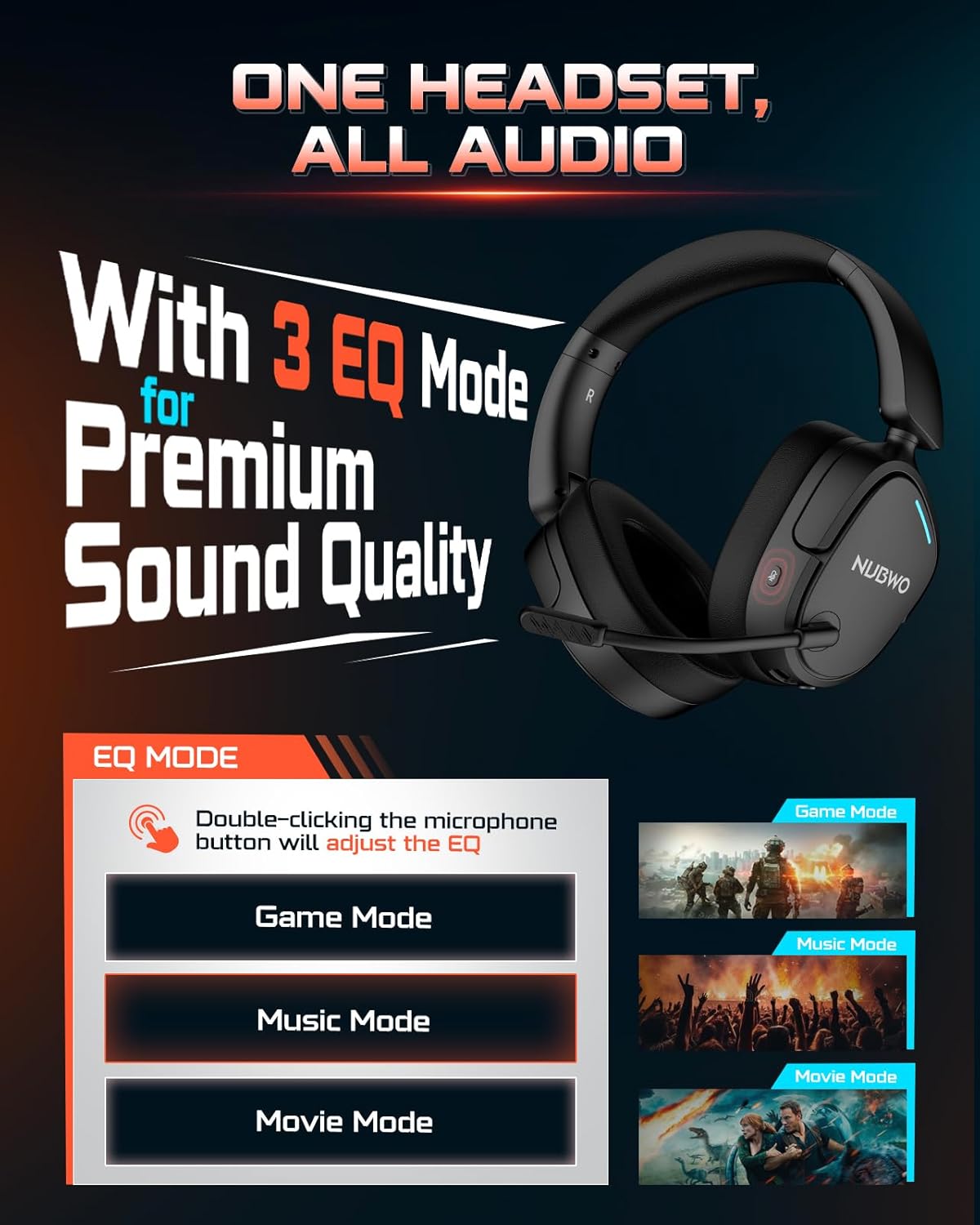
Image: NUBWO HG04 Wireless Gaming Headset highlighting its three EQ modes (Game, Music, Movie) and the microphone button for switching between them.
Элементы кіравання гарнітурай:
- Кнопка харчавання: Located on the left earcup. Long press to power on/off.
- Кола гучнасці: Рэгулюе ўзровень гукавога выхаду.
- Кнопка адключэння мікрафона: Toggles microphone mute. Double-click to cycle through EQ modes.
- EQ Mode Indicator: Visual feedback for selected sound mode (Game, Music, Movie).
- Порт для зарадкі USB-C: Для зарадкі гарнітуры.
- 3.5 мм аўдыяраз'ём: Для праваднога падключэння.
- Detachable Microphone Port: Connects the boom microphone.
Камфорт і дызайн:
The NUBWO HG04 features lightweight construction (270g) with rotating memory foam earcups for extended comfort during long gaming sessions. Its foldable design allows for easy storage and portability.

Image: Close-up of the NUBWO HG04 headset's memory foam earcups, emphasizing comfort for prolonged use.

Image: Comparison showing the NUBWO HG04 headset in its foldable state for travel versus a non-foldable headset.
Настройка і падключэнне
The NUBWO HG04 offers multiple connectivity options for various devices.

Image: Diagram illustrating the headset's 4-in-1 multi-platform connectivity, including 3.5mm wired, Bluetooth, USB-A, and USB-C options for various devices.
1. 2.4GHz Wireless Connection (PC, PS5, PS4, Nintendo Switch)
- Insert the USB-A/C wireless dongle into an available USB port on your PC, PS5, PS4, or Nintendo Switch.
- Power on the headset by long-pressing the Power button. The headset will automatically connect to the dongle.
- Пераканайцеся, што ў наладах сістэмы ў якасці прылады ўводу/вываду гуку выбрана гарнітура.
- Заўвага: Microphone functionality is not supported on Nintendo Switch via 2.4GHz wireless.
Відэа: Оверview of the NUBWO HG04 Wireless Gaming Headset, demonstrating its features and connectivity options, including the 2.4GHz dongle.
2. Bluetooth 5.3 Connection (Mobile Devices)
- Уключыце гарнітуру.
- Activate Bluetooth pairing mode on the headset (refer to the specific button combination in the quick start guide, usually a long press on the Bluetooth button or mode button).
- On your mobile device, search for Bluetooth devices and select "NUBWO HG04" to pair.
- The headset supports dual-channel simultaneous connection, allowing you to game via 2.4GHz and maintain a Bluetooth link to your phone for calls and notifications.

Image: Illustration of the NUBWO HG04 headset simultaneously connected to a PS5 via 2.4GHz and a phone via Bluetooth, enabling seamless game and call management.
3. 3.5mm Wired Connection (Xbox Series X|S, Nintendo Switch, PC, PS4)
- Connect the 3.5mm audio cable from the headset's 3.5mm jack to your device's audio port (e.g., Xbox controller, Nintendo Switch, PC).
- Заўвага: For Xbox Series X|S, only wired connection is supported. Microphone functionality is not supported on Nintendo Switch in wired mode.
Інструкцыя па эксплуатацыі
Рэжымы гуку эквалайзера:
The NUBWO HG04 features three custom EQ modes to optimize your audio experience:
- Рэжым гульні: Enhanced treble for clear footsteps and in-game audio cues.
- Рэжым музыкі: Deep bass and balanced tones for full immersion.
- Рэжым фільма: Clear voices and cinematic immersion.
To switch between EQ modes, double-click the Microphone Mute button.
Выкарыстанне мікрафона:
The detachable directional microphone focuses on your voice, reducing background noise through passive noise reduction. It also features real-time mic monitoring, allowing you to hear your own voice clearly through the headset.

Image: A gamer wearing the NUBWO HG04 headset, showcasing the crystal clear noise-canceling microphone in action, designed to block background noise and highlight the user's voice.
- Attaching/Detaching: Align the microphone's 3.5mm plug with the port on the left earcup and insert until it clicks. To remove, gently pull it out.
- Адключэнне гуку: Use the Microphone Mute button on the headset to quickly mute or unmute your voice.
- пазіцыянаванне: For optimal clarity, position the microphone 1-2 cm away from your mouth, ensuring it is not tilted upwards.
Рэгуляванне гучнасці:
Use the volume wheel on the headset to adjust the audio output to your preferred level.
Зарадка і акумулятар
The NUBWO HG04 headset is equipped with a long-lasting battery for extended usage.
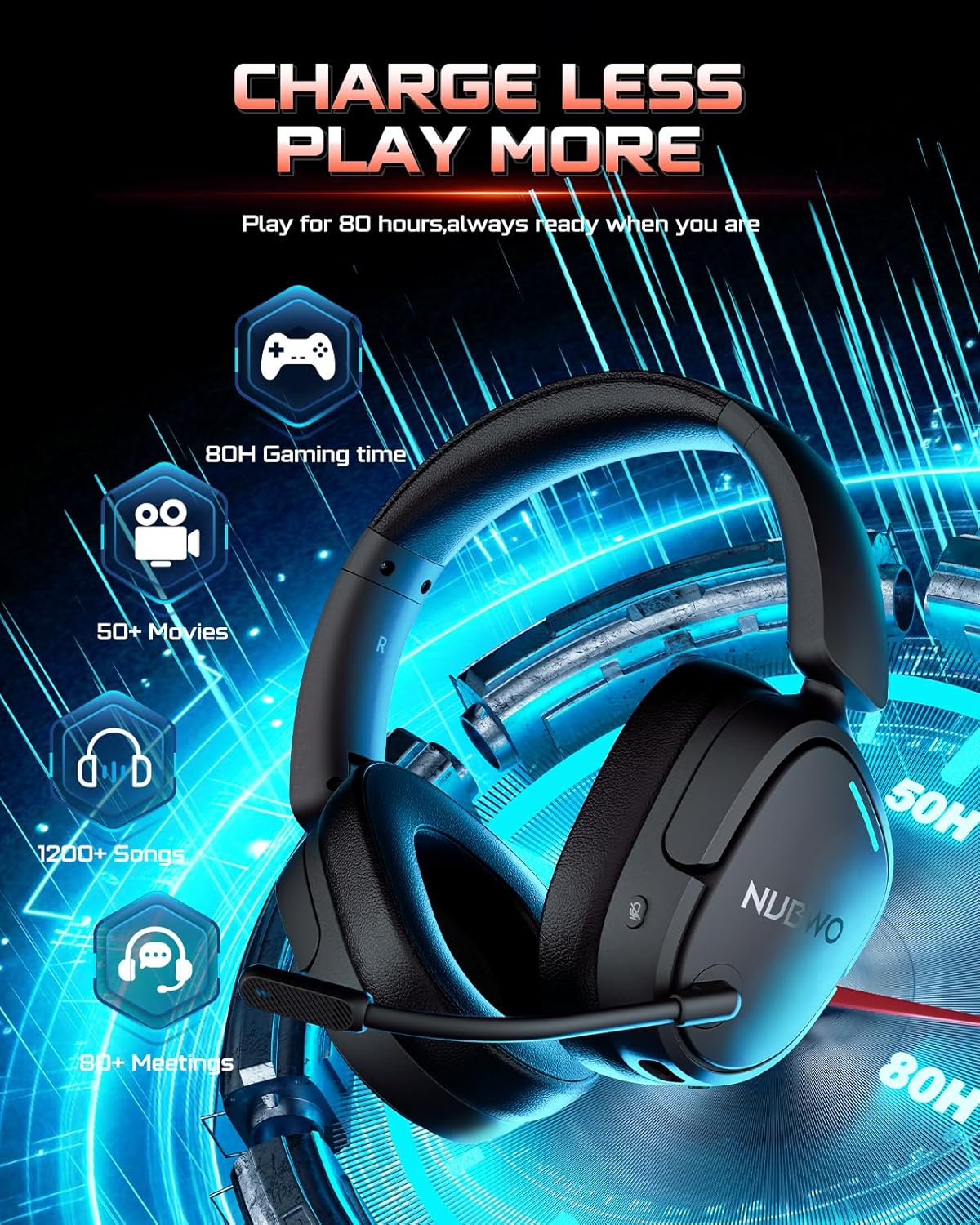
Image: The NUBWO HG04 headset with graphics indicating a 50-hour battery life, suitable for extended gaming, movies, music, and meetings.
- Тэрмін службы батарэі: Атрымлівайце асалоду ад да 50 гадзін бесперапыннага выкарыстання ад адной зарадкі.
- Зарадка: Connect the supplied USB-C charging cable to the headset's USB-C port and a power source (e.g., computer USB port, USB wall adapter).
- Індыкатар зарадкі: An LED indicator on the headset will show the charging status.
Тэхнічнае абслугоўванне і догляд
To ensure the longevity and optimal performance of your NUBWO HG04 headset, follow these care guidelines:
- Уборка: Для чысткі гарнітуры выкарыстоўвайце мяккую сухую тканіну. Пазбягайце выкарыстання агрэсіўных хімічных рэчываў або абразіўных матэрыялаў.
- захоўванне: When not in use, store the headset in a cool, dry place. The foldable design helps protect it during travel.
- Пазбягайце экстрэмальных умоў: Не падвяргайце гарнітуру ўздзеянню экстрэмальных тэмператур, вільготнасці або прамых сонечных прамянёў.
- Асцярожна звяртайцеся: Пазбягайце падзення гарнітуры або моцных удараў.
Ліквідацыю непаладак
If you encounter any issues with your NUBWO HG04 headset, please refer to the following common solutions:
- Няма гуку/нізкая гучнасць:
- Check the headset's volume wheel and your device's volume settings.
- Ensure the headset is properly connected (dongle inserted, Bluetooth paired, or 3.5mm cable fully plugged in).
- Праверце, ці правільная прылада вываду гуку выбрана ў наладах сістэмы.
- Мікрафон не працуе:
- Пераканайцеся, што мікрафон надзейна падключаны і не выключаны.
- Check your device's audio input settings to ensure the headset microphone is selected.
- Remember, microphone is not supported on Nintendo Switch (2.4GHz or wired) and Xbox Series X|S (wired only).
- Праблемы з падключэннем:
- For 2.4GHz, ensure the dongle is fully inserted and the headset is powered on and within range.
- Каб падключыцца пад Bluetooth, пераканайцеся, што гарнітура знаходзіцца ў рэжыме спалучэння, а Bluetooth на вашай прыладзе ўключаны. Паспрабуйце адключыць гарнітуру і зноў падключыць яе.
- Перазагрузіце гарнітуру і падключаную прыладу.
Тэхнічныя характарыстыкі
| Асаблівасць | Спецыфікацыя |
|---|---|
| Назва мадэлі | HG04 |
| Марка | НУБВО |
| Тэхналогія падлучэння | Бесправадная сувязь (2.4 ГГц, Bluetooth 5.3), правадная сувязь (раздым 3.5 мм) |
| Тэхналогія бесправадной сувязі | 2.4GHZ, Bluetooth 5.3 |
| Дыяпазон Bluetooth | 33 футаў |
| Затрымка аўдыя | 20 мілісекунд |
| Памер аўдыё драйвера | 40 міліметра |
| АЧХ | 20000 Гц |
| Адчувальнасць | 90 дБ |
| Кантроль шуму | Пасіўнае падаўленне шуму |
| Вага прадмета | 6.1 унцыі (0.38 фунта) |
| Памеры прадукту | 7.13 х 6.2 х 2.46 цалі |
| Тэрмін службы батарэі | Да 50 гадзін |
| Матэрыял | Пластыкавыя |
| Сумяшчальныя прылады | Cellphones, Desktops, Gaming Consoles, Laptops, PS5/PS4, Xbox Series X|S (wired only) |
Гарантыя і падтрымка
Your NUBWO HG04 Wireless Gaming Headset comes with a manufacturer's warranty. Please refer to the included Extended Warranty Activation Card for details on how to register your product and activate your warranty.
For further assistance, troubleshooting, or product inquiries, please visit the official NUBWO support webсайт або звярніцеся ў службу падтрымкі кліентаў.