
1. Прадукт скончыўсяview
The TECKNET Wireless Doorbell TK-WD030 provides a reliable and versatile notification system for homes, offices, and classrooms. Featuring an ultra-long wireless range, multiple chime options, adjustable volume, and a durable waterproof design, this doorbell ensures you never miss a visitor or important alert.
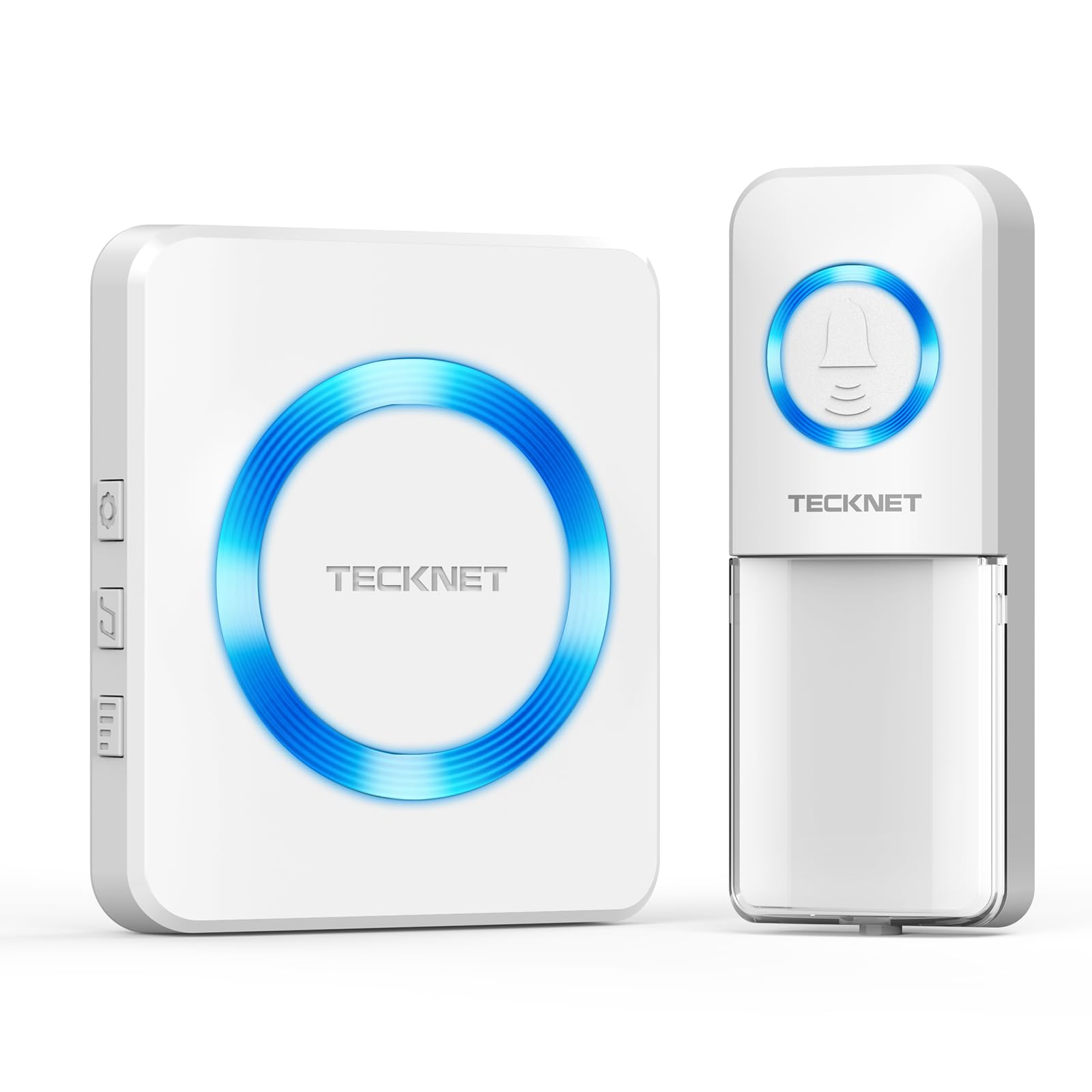
Image 1.1: TECKNET Wireless Doorbell components.
2. Асноўныя магчымасці
- 1300ft (400M) Ultra-Long Wireless Range: Ensures reliable signal transmission even through walls and over long distances.
- Воданепранікальнасць IP65: The transmitter is built to withstand outdoor elements, functioning in temperatures from -4°F to 140°F.
- AAA Battery Powered Transmitter: Uses two AAA batteries (not included) for extended lifespan and easy replacement.
- 60 Chimes & 5 Volume Levels (0-120dB): Offers a wide selection of melodies and adjustable sound output, including a silent mode with LED blinking.
- 3 рэжыму працы: Choose between LED blinking only, ringer only, or both simultaneously for customized alerts.
- Функцыя памяці: Retains your last selected settings (working mode, ringtone, and volume) after a power outage.
- Multi-Scene Versatility: Suitable for various environments including homes, hospitals, offices, and classrooms.

Выява 2.1: Канецview of the doorbell's main features.
3. Змесціва ўпакоўкі
Калі ласка, праверце ўпакоўку на наяўнасць наступных прадметаў:
- 1 x Wireless Transmitter (Push Button)
- 1 x Plug-in Receiver (Chime Unit)
- Мантажныя прыналежнасці (шрубы, насценныя анкеры, клейкая стужка)
- Кіраўніцтва карыстальніка
4. Інструкцыі па ўсталёўцы
4.1 Устаноўка батарэі перадатчыка
- Gently open the back cover of the transmitter unit.
- Insert two AAA batteries (not included) into the battery compartment, ensuring correct polarity (+/-).
- Надзейна зачыніце заднюю крышку.

Image 4.1: Transmitter battery compartment and battery life indication.
4.2 Налада прымача
Plug the receiver unit into a standard electrical outlet in your desired location. The unit will power on and be ready for operation.
4.3 Installation of Transmitter
The transmitter can be installed using two methods:
- Спосаб 1: Клейкая стужка
Clean the desired mounting surface. Peel off the protective film from the adhesive tape on the back of the transmitter and firmly press it onto the surface. - Спосаб 2: Шрубы
Open the back cover of the transmitter. Mark the positions for drilling holes. Drill two holes, insert wall anchors, and then secure the transmitter's back plate with screws. Reattach the front cover.

Image 4.2: Two installation methods for the transmitter.
5. Інструкцыя па эксплуатацыі
5.1 Changing Chimes/Melodies
Press the 'Chime Selection' button on the side of the receiver to cycle through the 60 available melodies. Press once for the next chime, press twice quickly to go back to the previous chime.
5.2 Рэгуляванне гучнасці
Press the 'Volume Control' button on the side of the receiver to adjust the volume level. There are 5 levels, ranging from 0dB (silent) to 120dB.
5.3 Selecting Working Modes
The receiver offers three working modes:
- LED Blinking Only: The receiver's LED light will flash without sound. Ideal for quiet environments or for the hearing impaired.
- Ringer Only: The receiver will produce sound without the LED light flashing.
- Абодва адначасова: The receiver will ring and the LED light will flash.
Use the 'Mode Selection' button on the side of the receiver to switch between these modes.

Image 5.1: Visual representation of the 3 working modes.
5.4 Функцыя памяці
The doorbell is equipped with a memory function. All your selected settings (working mode, ringtone, and volume) will be automatically saved and restored even after the power is disconnected and reconnected.

Image 5.2: The doorbell's memory function preserves settings.
5.5 Далёкасць бесправадной сувязі
The doorbell offers an impressive 1300ft (400M) wireless range in open areas, ensuring connectivity across large properties or multiple floors.

Image 5.3: The doorbell's extensive wireless range.
6. Тэхнічнае абслугоўванне
6.1 Ачыстка
Працірайце блокі дзвярнога званка мяккай сухой тканінай. Не выкарыстоўвайце абразіўныя ачышчальнікі або растваральнікі.
6.2 Замена батарэі
When the transmitter's performance degrades or the LED indicator no longer lights up, replace the two AAA batteries as described in Section 4.1.
6.3 Устойлівасць да ўздзеяння надвор'я
The transmitter is IP65 waterproof, meaning it is protected against dust and low-pressure water jets. While designed for outdoor use, avoid submerging it in water or exposing it to extreme weather conditions for prolonged periods.

Image 6.1: The doorbell transmitter's IP65 waterproof design.
7. Выпраўленне непаладак
- Doorbell not ringing:
- Check if the receiver is properly plugged into a working power outlet.
- Ensure the transmitter batteries are correctly installed and not depleted. Replace if necessary.
- Verify the working mode is not set to 'LED Blinking Only' if you expect sound.
- Ensure the volume is not set to 0dB.
- The distance between the transmitter and receiver might be too far, or there are too many obstacles. Try moving the receiver closer.
- Intermittent ringing:
- Low battery in the transmitter.
- Interference from other wireless devices. Try relocating the receiver.
- Святлодыёд не міргае:
- Check if the working mode is set to 'Ringer Only'.
8. Тэхнічныя характарыстыкі
| Нумар мадэлі | TK-WD030 |
| Далёкасць бесправадной сувязі | Up to 1300ft (400M) in open areas |
| Воданепранікальнасць (перадатчык) | IP65 |
| Працоўная тэмпература | Ад -4°F да 140°F (ад -20°C да 60°C) |
| Куранты | 60 мелодый на выбар |
| Узроўні гучнасці | 5 узроўняў (0-120 дБ) |
| Крыніца харчавання перадатчыка | 2 х ААА батарэі (не ўключаны) |
| Крыніца сілкавання прымача | Убудова AC |
| Вага прадмета | 5.9 унцыі |
| Памеры прадукту | 2.95 х 2.17 х 3.35 цалі |
9. Афіцыйнае відэа прадукту
Video 9.1: An official video demonstrating the features and functionality of the TECKNET Wireless Doorbell, including its range, weather resistance, and various chime modes.
10. Гарантыя і падтрымка
TECKNET provides a 3-гадовая гарантыя ад вытворцы for this product. If you encounter any issues during the use of your doorbell, please contact TECKNET customer service for professional assistance. Registration may be required to activate the full 36-month support period.