
Уводзіны
Welcome to the Fastrack VOX CirQ Smart Watch user manual. This guide provides detailed instructions on how to set up, operate, maintain, and troubleshoot your new smartwatch. The Fastrack VOX CirQ is designed to enhance your daily life with features like AI chat, AI watchfaces, Bluetooth calling, and comprehensive health monitoring.
1. Настройка
1.1 Распакоўка і змесціва ўпакоўкі
Carefully unbox your Fastrack VOX CirQ Smart Watch. Verify that all components are present.
- Fastrack VOX CirQ Smart Watch
- Магнітны зарадны кабель
- Кароткае кіраўніцтва
- Гарантыйны талон
1.2 Зарадка разумнага гадзінніка
Перад першым выкарыстаннем цалкам зарадзіце свой разумны гадзіннік.
- Connect the magnetic charging cable to a USB power adapter (not included) or a computer's USB port.
- Attach the magnetic end of the cable to the charging points on the back of your smartwatch. Ensure a secure connection.
- The watch display will indicate charging status. A full charge typically takes approximately 1 hour.
Заўвага: The watch features NitroFast™ Charging for quick power-ups. A fully charged battery provides an average life of 5 days, depending on usage.

Image: Fastrack VOX CirQ Smart Watch connected to its magnetic charging cable.
1.3 Уключэнне/выключэнне
- Каб уключыць: Press and hold the power button (usually one of the dual push buttons) until the Fastrack logo appears.
- Каб выключыць: Navigate to the settings menu on your watch, select "Power Off," and confirm. Alternatively, press and hold the power button and select the power off option.
1.4 Спалучэнне са смартфонам
To unlock the full functionality of your Fastrack VOX CirQ, pair it with the Fastrack Smart World App on your smartphone. The watch is compatible with both Android and iOS devices.
- Спампаваць Fastrack Smart World App from your smartphone's app store (Google Play Store for Android or Apple App Store for iOS).
- Пераканайцеся, што Bluetooth уключаны на вашым смартфоне.
- Адкрыйце праграму Fastrack Smart World і выконвайце інструкцыі на экране, каб стварыць уліковы запіс або ўвайсці ў сістэму.
- In the app, select "Add Device" or a similar option to search for your Fastrack VOX CirQ.
- Select your watch from the list of available devices. A pairing request may appear on both your phone and watch. Confirm the pairing.
- Пасля спалучэння гадзіннік сінхранізуе дадзеныя з дадаткам, і вы зможаце наладзіць параметры.

Image: The Fastrack Smart World App displayed on a smartphone, showing health data and watch synchronization.
2. Кіраванне разумным гадзіннікам
2.1 Дысплей і навігацыя
Your Fastrack VOX CirQ features a 1.38-inch 2.5D TFT display with a maximum brightness of 450 Nits for clear visibility.
- Сэнсарны экран: Swipe left, right, up, or down to navigate through menus and notifications. Tap to select options.
- Dual Push Buttons: Use these buttons for quick access to functions, returning to the home screen, or powering the device. Specific functions can often be customized via the app.
- Style Dial Control: Rotate the dial for scrolling through lists or adjusting settings.
- Multiple Menu Styles: Choose your preferred menu layout from the watch settings.

Image: Close-up of the Fastrack VOX CirQ Smart Watch display, highlighting its clarity.
2.2 Bluetooth Calling (SingleSync™)
With Bluetooth calling, you can make and receive calls directly from your watch when connected to your smartphone.
- Ensure your watch is successfully paired with your phone via Bluetooth.
- To make a call, access the dialer or contacts list on your watch.
- To answer a call, tap the green answer icon on your watch when a call comes in.
- The watch features a built-in microphone and speaker for communication.
2.3 AI Features: Chat and Watchfaces
- Чат са штучным інтэлектам: Engage with the built-in AI chat feature for quick information or assistance. Access it from the main menu. The AI is designed to listen, learn, and respond to your queries.
- AI Watchfaces: Customize your watch's appearance with infinite AI-powered watchfaces. These adaptive watchfaces can change based on your preferences or environmental factors. Select and apply new watchfaces through the Fastrack Smart World App or directly on the watch.
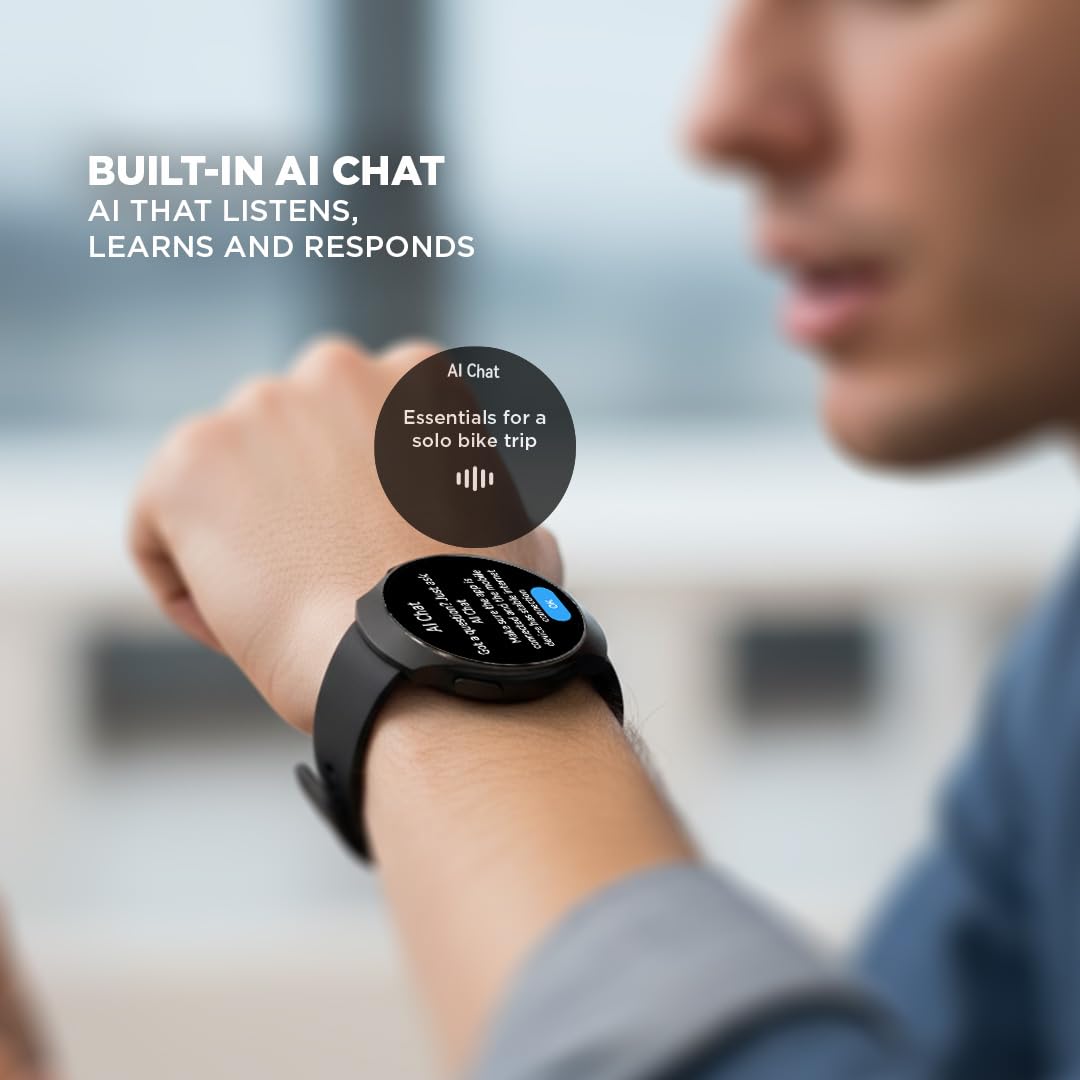
Image: A user interacting with the built-in AI Chat feature on the Fastrack VOX CirQ Smart Watch.
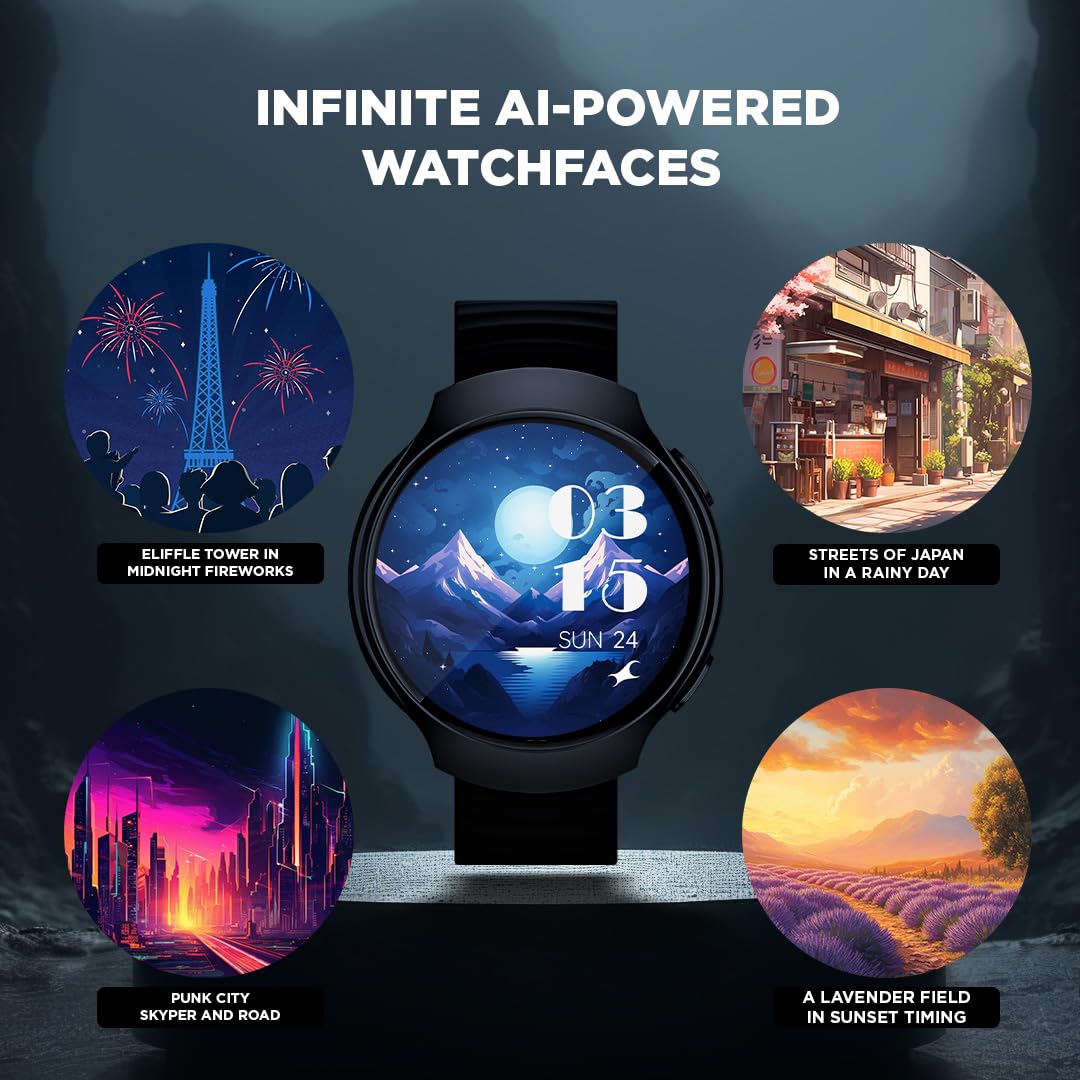
Малюнак: Examples of infinite AI-powered watchfaces available for the Fastrack VOX CirQ Smart Watch.
2.4 Health Monitoring (24/7 Health Suite)
The Fastrack VOX CirQ provides continuous health tracking features.
- Heart Rate Monitor (HRM): Адсочвае частату сардэчных скарачэнняў на працягу дня. View дадзеныя ў рэжыме рэальнага часу на гадзінніку або падрабязныя тэндэнцыі ў дадатку.
- Маніторынг SpO2: Вымярае ўзровень насычэння крыві кіслародам.
- Адсочванне сну: Кантралюе вашы рэжымы сну, у тым ліку глыбокі сон, лёгкі сон і час няспання.
- Адсочванне стрэсу: Helps you understand your stress levels based on physiological data.
Важна: Health monitoring features are for general fitness and wellness purposes only and are not intended for medical diagnosis or treatment. Consult a medical professional for health concerns.
2.5 Activity Tracking (Multisport Mode)
Track your workouts and daily activity with the multisport mode.
- The watch supports various sports modes, including Cycling, Running, and Walking.
- It tracks metrics such as steps, distance, calories burned, and duration.
- Access activity data on the watch or view comprehensive reports in the Fastrack Smart World App.

Выява: Зверхуview of Fastrack VOX CirQ features including Bluetooth Calling, 24/7 Health Suite, Multi Sports Mode, and Built-in Games.
2.6 Smart Tools and Voice Control
The Fastrack VOX CirQ includes several convenient tools and supports voice commands.
- інструменты: Access a calculator, calendar, alarm, stopwatch, and timer directly from your watch.
- гульні: Атрымлівайце асалоду ад убудаваных гульняў для забавы.
- Галасавое кіраванне: Use voice commands to interact with your watch for various functions.
3. Тэхнічнае абслугоўванне
3.1 Чыстка разумнага гадзінніка
Каб захаваць знешні выгляд і функцыянальнасць гадзінніка:
- Рэгулярна працірайце гадзіннік і раменьчык мяккай сурвэткайamp, тканіна без ворса.
- Пазбягайце выкарыстання агрэсіўных хімікатаў, абразіўных ачышчальнікаў або растваральнікаў.
- Перад зарадкай пераканайцеся, што кантакты зараднай прылады чыстыя і сухія.
3.2 Воданепранікальнасць
The Fastrack VOX CirQ is IP68 water resistant, meaning it can withstand immersion in water up to 1.5 meters for a limited time.
- It is suitable for daily use, such as hand washing, rain, or accidental splashes.
- Avoid using the watch in hot water, saunas, or steam rooms.
- Не націскайце кнопкі пад вадой.
- Dry the watch thoroughly after exposure to water, especially before charging.
3.3 Сыход за акумулятарам
- Пазбягайце частай поўнай разрадкі акумулятара.
- Захоўвайце гадзіннік у прахалодным, сухім месцы, калі ён не выкарыстоўваецца працяглы час.
- Выкарыстоўвайце толькі той магнітны зарадны кабель, які ўваходзіць у камплект.
4. Выпраўленне непаладак
If you encounter issues with your Fastrack VOX CirQ Smart Watch, refer to the following common solutions.
| праблема | Магчымае рашэнне |
|---|---|
| Гадзіннік не ўключаецца | Ensure the watch is fully charged. Press and hold the power button for at least 10-15 seconds. |
| Немагчыма спалучыць прыладу са смартфонам |
|
| Недакладныя дадзеныя пра здароўе |
|
| Акумулятар хутка разраджаецца |
|
| Дысплей не рэагуе | Перазапусціце гадзіннік. Калі праблема не знікне, пераканайцеся, што экран чысты і сухі. |
5. Тэхнічныя характарыстыкі
| Асаблівасць | Дэталь |
|---|---|
| Назва мадэлі | Fastrack VOX CirQ |
| Нумар мадэлі | 38183PP03K |
| Дысплей | 1.38-inch 2.5D TFT LCD, 450 Nit Brightness |
| Сувязь | Bluetooth |
| Аперацыйная сістэма | Аперацыйная сістэма Smartwatch |
| Ёмістасць памяці | 128 Мб |
| Тып батарэі | Літый-палімерны |
| Тэрмін службы батарэі (сярэдні) | 5 дзён |
| Час зарадкі | 1 гадзіна |
| Воданепранікальнасць | IP68 (да 1.5 метра) |
| Матэрыял гурта | Сілікон |
| Матэрыял корпуса | Сілікон |
| Вага | 42 грам |
| Датчыкі | Accelerometer, Optical Heart Rate Sensor, Galvanic Skin Response Sensor |
| Сумяшчальныя прылады | Прылады Android, прылады iOS |
6. Гарантыя і падтрымка
6.1 Інфармацыя аб гарантыі
Your Fastrack VOX CirQ Smart Watch comes with a 1 гады гарантыі ад вытворцы from the date of purchase. This warranty covers manufacturing defects. Please retain your purchase receipt for warranty claims. The warranty does not cover damage caused by misuse, accidents, unauthorized repairs, or normal wear and tear.
Refer to the included Warranty Card for complete terms and conditions.
6.2 Падтрымка кліентаў
For technical assistance, warranty claims, or any other inquiries regarding your Fastrack VOX CirQ Smart Watch, please contact Fastrack customer support.
Кантактная інфармацыя вытворцы:
Кампанія Titan Company Limited
3 Sipcot Industries complex,
Hosur- 635126, India
You may also visit the official Fastrack webсайт з рэсурсамі падтрымкі і часта задаванымі пытаннямі.