
Прадукт скончаныview
The pTron Studio Pro are wireless over-ear headphones designed for extended listening and clear communication. They feature an ergonomic design with soft earpads and an adjustable headband for comfortable wear. Key features include long battery life, advanced audio drivers, and versatile connectivity options.
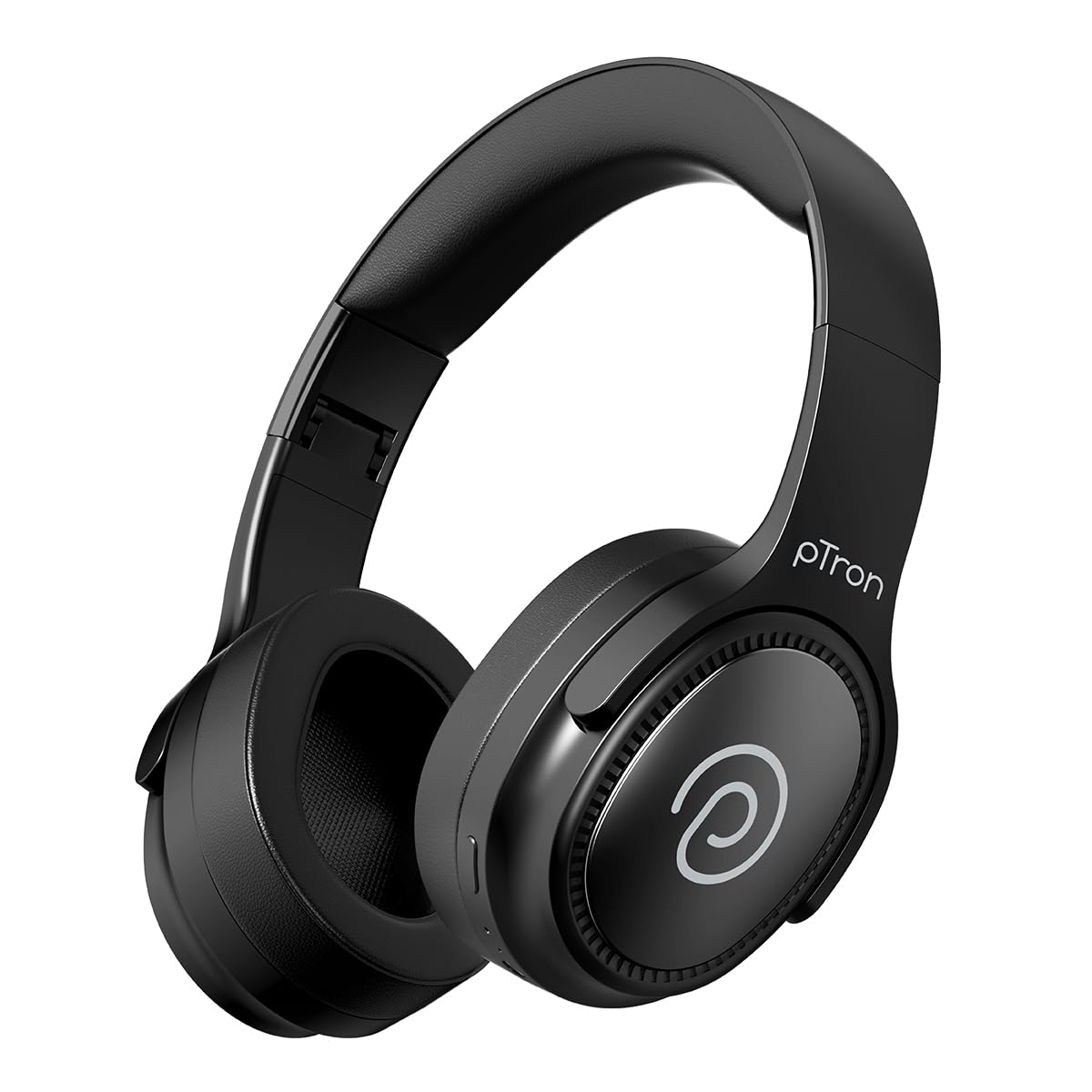
Image: pTron Studio Pro Wireless Over-Ear Headphones in Jet Black, showcasinг элегантны дызайн.
Асноўныя характарыстыкі
- Падоўжаны час прайгравання: Up to 65 hours of music playback on a single full charge.
- Хуткая зарадка: 2.5 hours for a full charge via Type-C. A 10-minute charge provides approximately 4 hours of playtime.
- Высокая якасць гуку: Equipped with 40mm Neody Drivers for pristine stereo sound.
- Ачысціць выклікі: Built-in HD Microphone with TruTalk AI-ENC (Environmental Noise Cancellation) for crystal-clear calls.
- Пашыраныя магчымасці падлучэння: Fast Bluetooth v5.4 for instant pairing and stable connection.
- Спалучэнне двух прылад: Seamlessly connect and switch between two devices simultaneously.
- Універсальныя рэжымы: Dedicated Low-Latency Gaming Mode and Music Mode.
- Воданепранікальнасць: IPX4 rating, making them resistant to water splashes and sweat.
- Камфорт і партатыўнасць: Ergonomic, lightweight, and foldable design with soft earpads and an adjustable headband for a perfect fit and easy storage.
- Прастата кіравання: Multi-functional buttons for managing music, calls, and activating voice assistant.

Image: Infographic detailing the main features of the pTron Studio Pro headphones, including battery life, drivers, and connectivity.
Што ў скрынцы
Upon unboxing your pTron Studio Pro headphones, you will find the following items:
- pTron Studio Pro Wireless Over-Ear Headphones
- Зарадны кабель (тып C)
- Кіраўніцтва карыстальніка
Video: An official product video demonstrating the unboxing and key features of the pTron Studio Pro headphones.
Макет і элементы кіравання прадуктам
Familiarize yourself with the physical components and control buttons of your pTron Studio Pro headphones.

Выява: Падрабязная view of the multi-function control buttons located on the ear cup, including power, volume, and track controls.
Control Button Functions:
| Кнопка/Дзеянне | Функцыя |
|---|---|
| Кнопка харчавання (доўгі націск) | Уключэнне/выключэнне, уваход у рэжым спалучэння |
| Play/Pause Button (Single Press) | Прайграванне/прыпыненне музыкі, адказ/завяршэнне выкліку |
| Play/Pause Button (Long Press) | Адхіліць выклік, актываваць галасавы памочнік |
| Павелічэнне гучнасці (+) (адзін раз) | Павялічыць гучнасць |
| Змяншэнне гучнасці (-) (адзін раз) | Паменшыць гучнасць |
| Volume Up (+) (Long Press) | Наступны трэк |
| Volume Down (-) (Long Press) | Папярэдні трэк |
| Mode Button (Single Press) | Пераключэнне паміж гульнявым рэжымам і рэжымам музыкі |
Настройка
1. Зарадка навушнікаў
- Падключыце зарадны кабель Type-C з камплекта да зараднага порта на навушніках.
- Connect the other end of the cable to a USB power source (DC5V-1A max.).
- Святлодыёдны індыкатар будзе паказваць стан зарадкі. Поўная зарадка займае прыблізна 2.5 гадзіны.
- 10-хвіліннай зарадкі хапае на 4 гадзіны прайгравання.

Image: The pTron Studio Pro headphones highlighting the Type-C charging port and emphasizing the 65-hour playtime.
2. Спарванне Bluetooth
- Пераканайцеся, што навушнікі цалкам зараджаныя.
- Press and hold the Power button until the LED indicator flashes red and blue alternately, indicating pairing mode.
- На вашай прыладзе (смартфоне, планшэце, ноўтбуку) уключыце Bluetooth і знайдзіце даступныя прылады.
- Select "pTron Studio Pro" from the list of devices.
- Once connected, the LED indicator will turn solid blue or stop flashing.
3. Спалучэнне двух прылад
- Падключыце навушнікі да першай прылады, як апісана вышэй.
- Адключыце Bluetooth на першай прыладзе. Навушнікі зноў пяройдуць у рэжым спалучэння.
- Спалучыце навушнікі з другой прыладай.
- Зноў уключыце Bluetooth на першай прыладзе. Навушнікі павінны аўтаматычна падключыцца да абедзвюх прылад.
- You can now switch audio playback between the two connected devices.

Image: The headphones connected to both a laptop and a smartphone, demonstrating the dual device pairing feature.
4. Wired Connection (3.5mm Aux-in)
- Insert one end of a 3.5mm audio cable (not included) into the Aux-in port on the headphones.
- Connect the other end of the cable to your audio source's 3.5mm jack.
- Навушнікі аўтаматычна пераключацца ў правадны рэжым.

Image: The headphones connected to a smartphone using a 3.5mm Aux-in cable, illustrating wired music playback.
Інструкцыя па эксплуатацыі
Уключэнне/выключэнне харчавання
- Уключэнне: Націсніце і ўтрымлівайце кнопку харчавання прыблізна 3 секунды, пакуль не загарыцца святлодыёдны індыкатар.
- Выключэнне: Націсніце і ўтрымлівайце кнопку харчавання прыблізна 5 секунды, пакуль не пагасне святлодыёдны індыкатар.
Элементы кіравання музыкай
- Прайграванне/Паўза: Аднаразова націсніце кнопку прайгравання/паўзы.
- Наступны трэк: Доўга націсніце кнопку павелічэння гучнасці (+).
- Папярэдні трэк: Доўга націсніце кнопку памяншэння гучнасці (-).
- Павялічыць гучнасць: Аднаразова націсніце кнопку павелічэння гучнасці (+).
- Паменшыць гучнасць: Аднаразова націсніце кнопку памяншэння гучнасці (-).
Элементы кіравання званкамі
- Адказ/завяршэнне выкліку: Аднаразова націсніце кнопку прайгравання/паўзы.
- Адхіліць выклік: Доўга націсніце кнопку прайгравання/паўзы.
Галасавы памочнік
- Актываваць галасавы памочнік: Long press the Play/Pause button (after rejecting a call, if applicable, or when not on a call).
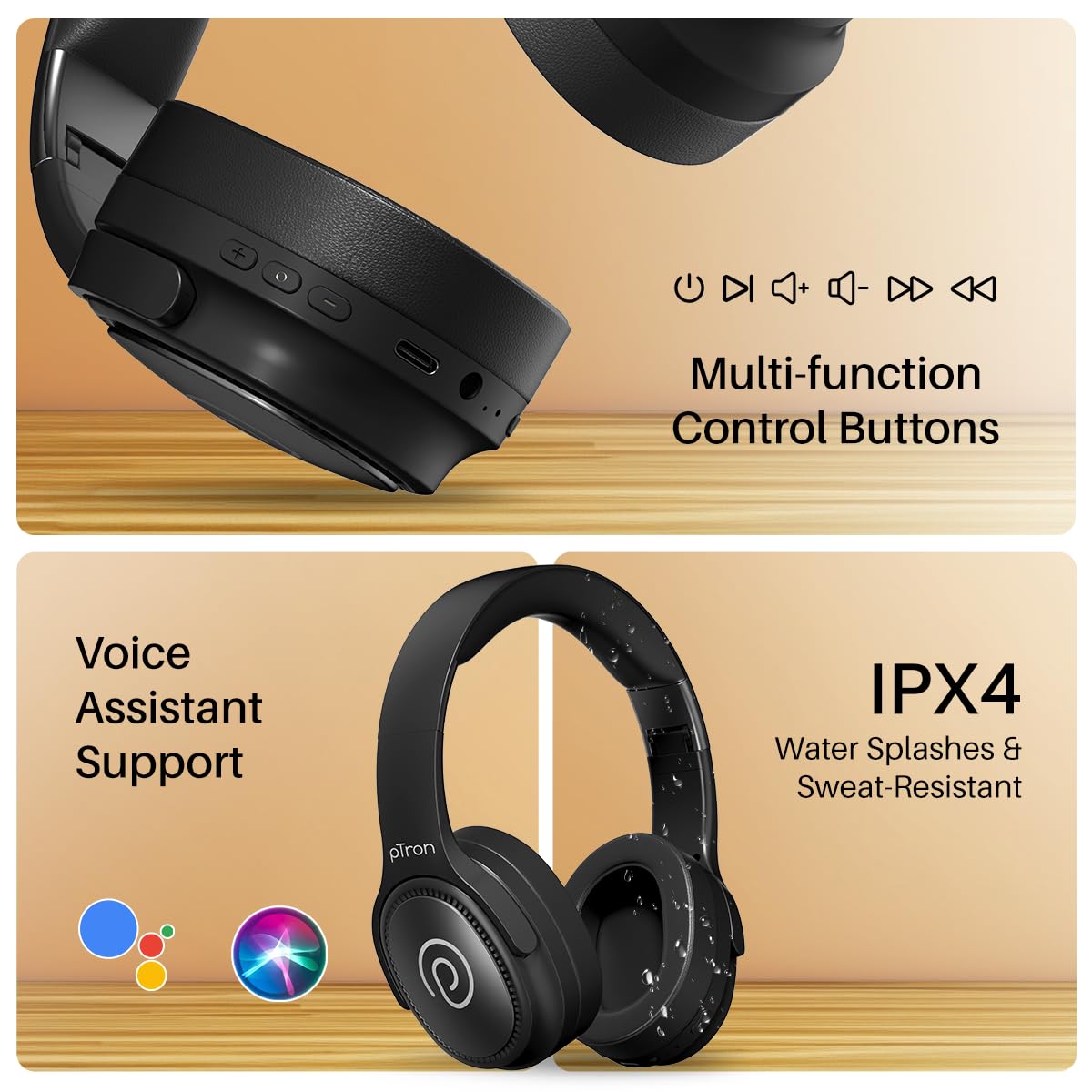
Image: The headphones illustrating support for voice assistants like Google Assistant and Siri, along with their IPX4 water-resistant rating.
Game & Music Modes
- Пераключэнне рэжымаў: Single press the Mode button to toggle between Low-Latency Gaming Mode and standard Music Mode.
Тэхнічнае абслугоўванне
To ensure the longevity and optimal performance of your pTron Studio Pro headphones, follow these maintenance guidelines:
- Уборка: Для чысткі навушнікаў выкарыстоўвайце мяккую сухую тканіну. Не выкарыстоўвайце абразіўныя ачышчальнікі або растваральнікі.
- захоўванне: Калі навушнікі не выкарыстоўваюцца, захоўвайце іх у прахалодным, сухім месцы. Складаная канструкцыя забяспечвае кампактнае захоўванне.
- Ўздзеянне вады: While rated IPX4 for water splashes and sweat resistance, avoid submerging the headphones in water or exposing them to heavy rain. Dry them thoroughly if they get wet.
- Зарадка: Use only the provided Type-C cable and a compatible power adapter (DC5V-1A max.) for charging.
- Пазбягайце экстрэмальных тэмператур: Не падвяргайце навушнікі ўздзеянню вельмі высокіх або нізкіх тэмператур.
Ліквідацыю непаладак
If you encounter any issues with your pTron Studio Pro headphones, refer to the following common troubleshooting steps:
| праблема | Рашэнне |
|---|---|
| Навушнікі не ўключаюцься. | Пераканайцеся, што навушнікі цалкам зараджаныя. Падключыце іх да крыніцы харчавання і праверце індыкатар зарадкі. |
| Немагчыма спалучыць прыладу. | Make sure Bluetooth is enabled on your device and the headphones are in pairing mode (LED flashing red/blue). Move closer to the device. Forget previous pairings on your device and try again. |
| Няма гуку або нізкі ўзровень гучнасці. | Check the volume levels on both the headphones and your connected device. Ensure the headphones are correctly paired. If using Aux-in, ensure the cable is fully inserted. |
| Якасць званка дрэнная. | Ensure the microphone is not obstructed. Move to an area with less environmental noise. Check your device's network signal. |
| Навушнікі часта адключаюцца. | Ensure there are no obstacles between the headphones and your device. Keep within the Bluetooth range (10 meters). Avoid strong electromagnetic interference. |
Тэхнічныя характарыстыкі
| Асаблівасць | Дэталь |
|---|---|
| Марка | pTron |
| Назва мадэлі | Студыя |
| Размяшчэнне вушэй | Над вухам |
| Версія Bluetooth | 5.4 |
| Дыяпазон Bluetooth | 10 метраў |
| Памер аўдыё драйвера | 40 міліметраў |
| Імпеданс | 32 Ом |
| Сярэдні тэрмін службы батарэі | 65 гадзін |
| Час зарадкі акумулятара | 2.5 гадзін |
| Порт для зарадкі | Тып-C |
| Узровень воданепранікальнасці | IPX4 (воданепранікальнасць) |
| Мікрафон | Built-in HD Mic with AI-ENC |
| Раз'ём для навушнікаў | 3.5 мм Jack |
| Тып кіравання | Call Control, Push Button |
| Асаблівасці прадукту | Fast Charging, Foldable, Microphone Included, Noise Isolation, Surround Sound |
| Вага прадмета | 200 грам |
| Матэрыял | Акрыланітрылбутадыенстырол (АБС) |
| Сумяшчальныя прылады | Мабільныя тэлефоны, настольныя кампутары, ноўтбукі, планшэты |
Гарантыя і падтрымка
Your pTron Studio Pro headphones come with a manufacturer's warranty and dedicated customer support.
- Гарантыя: 6 Months Manufacturer Warranty from the Date of Purchase on Manufacturing Defects Only.
- Кантактная асоба вытворцы: Building A1, Red Box Creative Park, No. 3 Huancheng South Road, Bantian Street, Longgang District, Shenzhen City, China 518116.
- Customer Care Contact Details: 40-67138888 / Support@ptron.in
- Кантактная асоба імпарцёра: PALRED ELECTRONICS PVT. LTD., SY.NO. 56, 1-ы паверх, ГандлапочAMPВёска Элі, тэхналагічны парк MTP, TSIIC-IALA NACHARAM, Хайдарабад - 500076, Тэлангана, Індыя.