
1. Уводзіны
The T-WOLF G520 is a high-performance wired gaming mouse designed for precision and comfort. It features a USB2.0 wired connection, 7 customizable buttons, and dynamic RGB lighting. This manual provides essential information for setting up, operating, and maintaining your G520 gaming mouse.
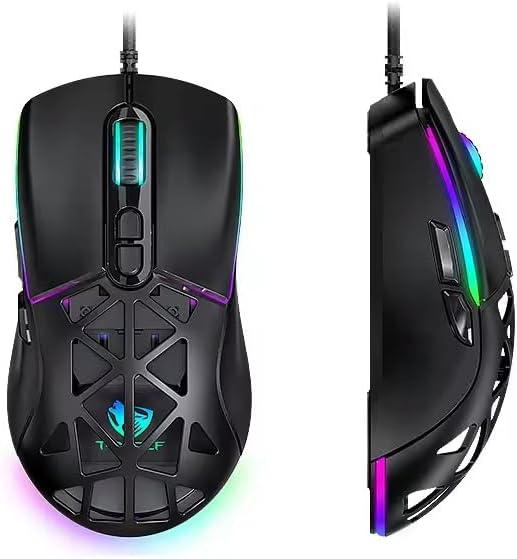
Figure 1: T-WOLF G520 Gaming Mouse (Front and Side View)
2. Асаблівасці прадукту
- падключэнне: Wired USB2.0 for stable and responsive performance.
- Тып датчыка: Optical sensor for accurate tracking.
- Налады DPI: Adjustable DPI from 800 to 12800 (800 / 1600 / 3200 / 4800 / 6400 / 12800).
- Хуткасць галасавання: 1000Hz for rapid response times.
- кнопкі: 7 programmable buttons (Left, Right, Middle, Forward, Back, DPI+, DPI-).
- RGB асвятленне: 13 dynamic RGB lighting modes.
- Трываласць: 10 million click lifespan for micro switches.
- Кабель: 1.5m braided cable for enhanced durability and tangle resistance.
- дызайн: Lightweight honeycomb structure and ergonomic shape for comfortable grip and ventilation.
- Настройка: Magnetic interchangeable back cover.

Малюнак 2: Асноўныя характарыстыкіview
3. Змесціва ўпакоўкі
- T-WOLF G520 Gaming Mouse Unit
- Interchangeable Magnetic Back Covers (2 types)

Figure 3: G520 Mouse with Interchangeable Back Covers
4. Інструкцыі па ўсталёўцы
- Connect the USB connector of the T-WOLF G520 gaming mouse to an available USB 2.0 port on your computer.
- The mouse is Plug & Play compatible and does not require additional drivers for basic functionality. Your operating system will automatically detect and install the necessary drivers.
- Once detected, the mouse will be ready for use.
5. Інструкцыя па эксплуатацыі
5.1 Функцыі кнопак
The T-WOLF G520 mouse features 7 buttons with the following default functions:
- Левая кнопка: Функцыя асноўнага націску.
- Правая кнопка: Функцыя другаснага кліку (кантэкстнае меню).
- Сярэдняя кнопка / кола пракруткі: Scroll up/down, click for universal scroll or other functions.
- Кнопка "Наперад": Перамяшчаецца наперад web браўзэры або file даследчыкі.
- Кнопка "Назад": Пераходзіць назад у web браўзэры або file даследчыкі.
- Кнопка DPI+: Павялічвае адчувальнасць DPI.
- Кнопка DPI: Зніжае адчувальнасць DPI.
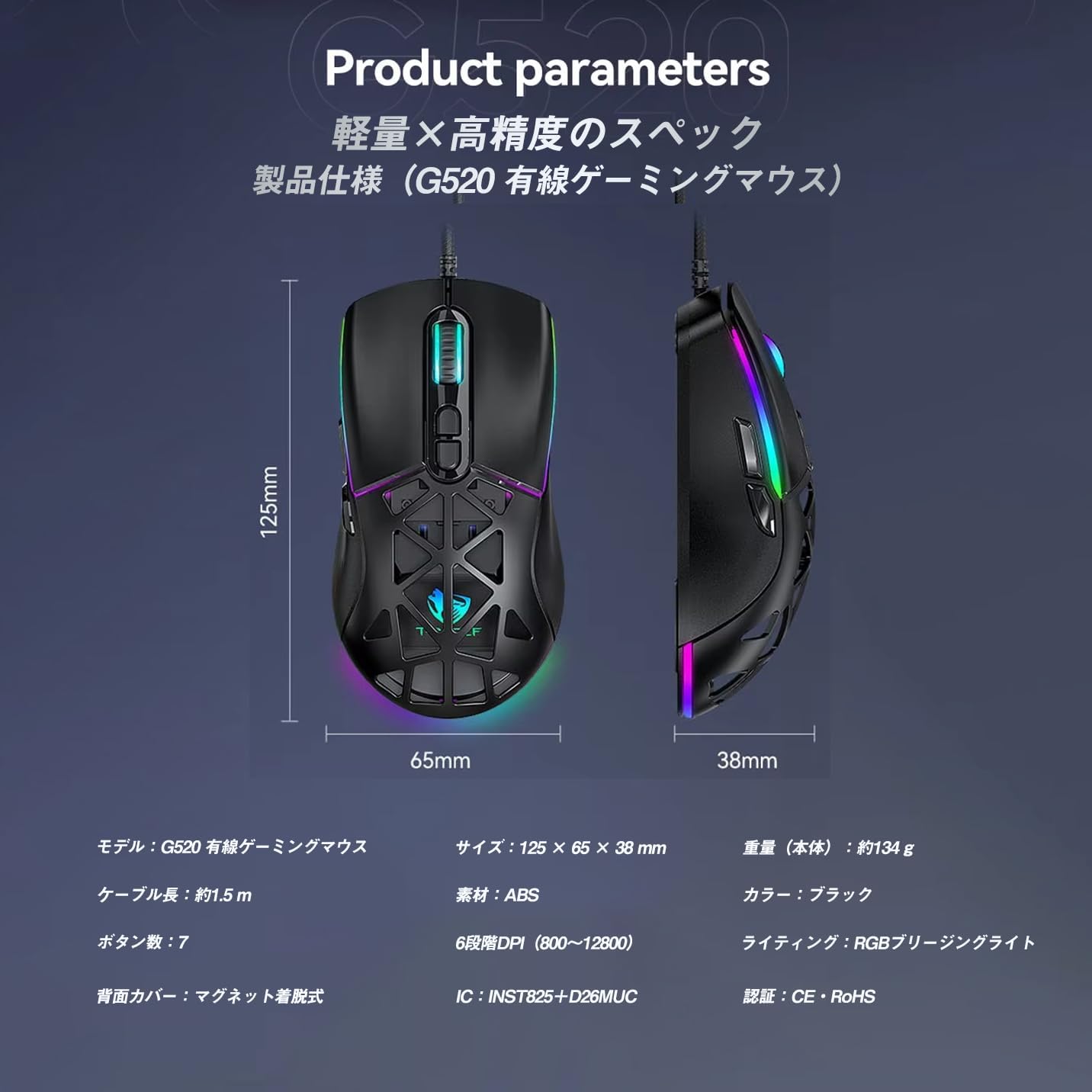
Figure 4: G520 Button Layout
5.2 Рэгуляванне DPI
The mouse supports 6 adjustable DPI levels. To change the DPI, press the DPI+ or DPI- buttons located on the top of the mouse. Each press will cycle through the available DPI settings: 800, 1600, 3200, 4800, 6400, and 12800.

Малюнак 5: Узроўні карэкціроўкі DPI
5.3 Кіраванне RGB-падсветкай
The T-WOLF G520 features 13 RGB lighting modes. To change the RGB lighting mode, press and hold the Кнопка "Назад". і Кнопка DPI simultaneously for approximately 3 seconds. Repeat this action to cycle through the different lighting effects.
5.4 Magnetic Back Cover
The mouse comes with two types of magnetic back covers that can be easily interchanged. To remove a cover, gently lift it from the back of the mouse. To attach a cover, align it with the mouse body and allow the magnets to secure it in place.

Figure 6: Magnetic Back Cover Exchange
6. Тэхнічнае абслугоўванне
- Уборка: Для чысткі мышы выкарыстоўвайце мяккую сухую тканіну. Для ўстойлівага бруду злёгкуamp можна выкарыстоўваць тканіну, сачыце за тым, каб вадкасць не патрапіла ўнутр мышы.
- Пазбягайце вадкасці: Do not immerse the mouse in water or expose it to excessive moisture.
- захоўванне: Захоўвайце мыш у прахалодным, сухім месцы, удалечыні ад прамых сонечных прамянёў і экстрэмальных тэмператур.
- Сыход за кабелем: Avoid bending or twisting the braided cable excessively to prevent damage.
7. Выпраўленне непаладак
- Мышка не рэагуе:
- Пераканайцеся, што кабель USB надзейна падключаны да порта USB вашага кампутара.
- Паспрабуйце падключыць мыш да іншага порта USB.
- Перазагрузіце кампутар.
- DPI не змяняецца:
- Ensure you are pressing the correct DPI+ or DPI- buttons.
- The mouse cycles through 6 fixed DPI levels; there is no software adjustment.
- RGB-падсветка не працуе/змяняецца:
- Пераканайцеся, што мыш правільна падключана.
- Націсніце і ўтрымлівайце Кнопка "Назад". і Кнопка DPI simultaneously for 3 seconds to cycle through modes.
- Праблемы з адсочваннем:
- Ачысціце аптычны датчык на ніжняй частцы мышы.
- Выкарыстоўвайце мыш на чыстай, аднастайнай паверхні або на кілімку для мышы.
8. Тэхнічныя характарыстыкі
| Асаблівасць | Спецыфікацыя |
|---|---|
| мадэль | G520 |
| Тып злучэння | Wired USB2.0 |
| Тып датчыка | Аптычны |
| Налады DPI | 800/1600/3200/4800/6400/12800 |
| Стаўка апытання | 1000 Гц |
| Колькасць кнопак | 7 |
| Даўжыня кабеля | 1.5 м (плецены) |
| Памеры (Д×Ш×У) | 124 × 65 × 40 мм |
| Вага | Прыбл. 132 г |
| Аперацыйная Voltagе/Ток | 5 В / 150 мА |
| Асвятленне | RGB (13 Modes) |
| Матэрыял | Пластык (АБС) |
| Сумяшчальная АС | Windows 10, Windows 11, Mac OS, Linux (OS standard, no driver required) |

Малюнак 7: Дыяграма спецыфікацый прадукту
9. Гарантыя і падтрымка
This product is covered by a standard manufacturer's warranty. Please refer to your purchase documentation for specific warranty terms and conditions. For technical support or warranty claims, please contact the retailer or the manufacturer's customer service.


