
Уводзіны
This manual provides comprehensive instructions for the proper installation, operation, and maintenance of your Aroepurt phone case designed for the AriVoice FoxxD A67L. This case offers robust protection and enhanced functionality for your device.
Асаблівасці прадукту
- Двухслаёвая абарона: Constructed with a hard PC (Polycarbonate) back panel and a soft silicone frame for comprehensive impact absorption.
- Shock Airbags: Integrated four-corner shock airbags provide enhanced drop protection.
- Павышаны дызайн: The case features a raised bezel, 1.2mm higher than the screen and 3mm higher than the camera, to protect against flat surface scratches.
- Integrated Ring Support: An adhesive metal finger ring offers 360-degree rotation for secure grip and multi-angle viewінж.
- Magnetic Car Mount Compatibility: The metal ring support is compatible with magnetic car mounts (car mount not included).
- IMD Laser Style Back: Features a multi-layered back panel with a clear, scratch-resistant surface, laser layer, and ultra HD print pattern for a unique aesthetic.
- Surface Properties: Designed to be stain-proof, scratch-proof, and fingerprint-proof.
Усталёўка: Усталёўка корпуса
Follow these steps to properly install the Aroepurt phone case on your AriVoice FoxxD A67L device:
- Пераканайцеся, што ваш тэлефон чысты і без пылу або смецця.
- Gently insert one side of your AriVoice FoxxD A67L phone into the soft silicone frame of the case.
- Carefully press the remaining edges of the phone into the case until it is fully seated. The flexible silicone frame will conform to your phone's shape.
- Verify that all buttons, ports, and camera cutouts align perfectly with your phone. The case is designed for a precise fit.

выява: This diagram illustrates the precise fit of the case components, highlighting its stain-proof, scratch-proof, and fingerprint-proof properties.
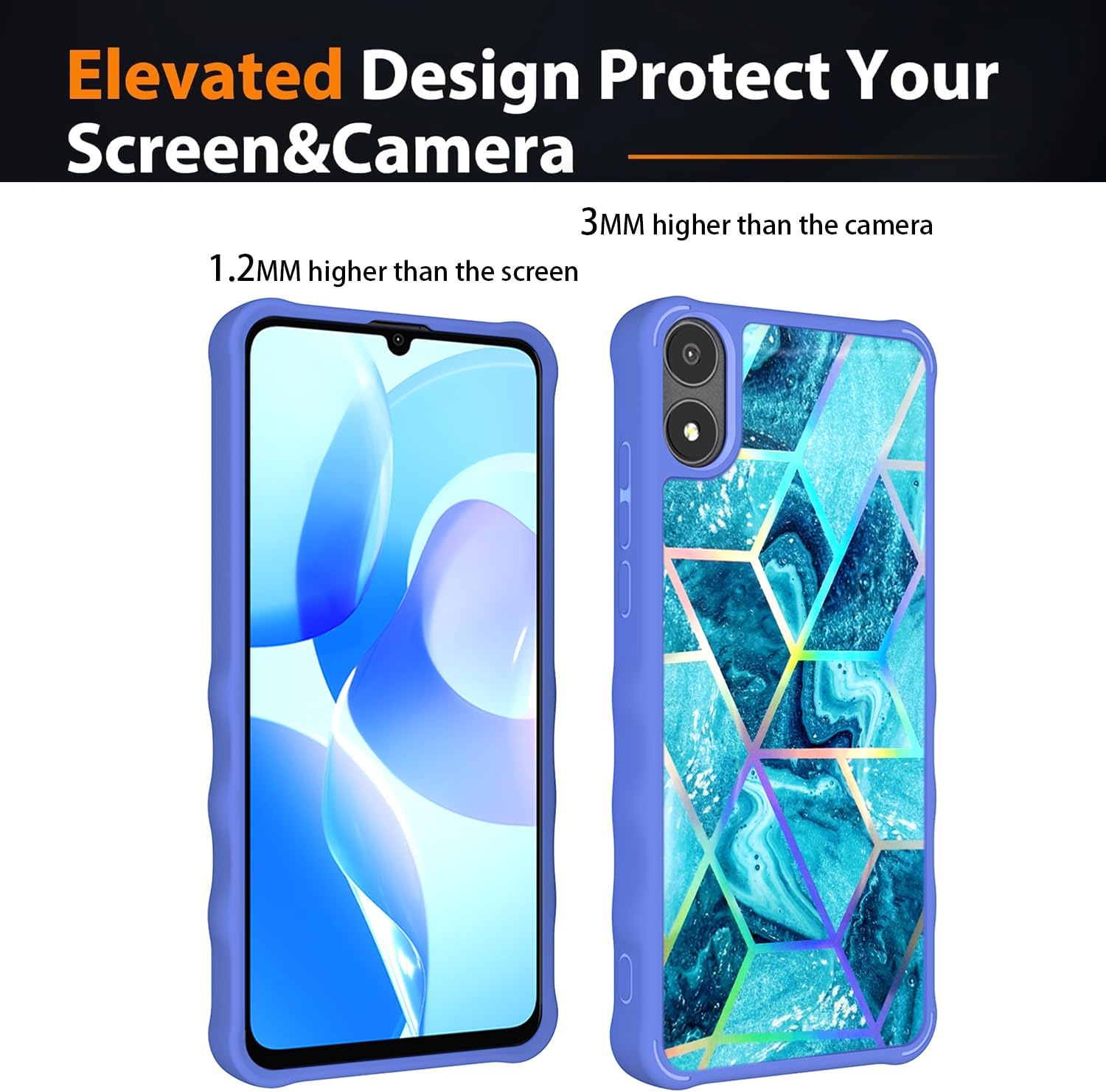
выява: This image demonstrates the elevated design of the case, showing how it protects the screen (1.2mm higher) and camera (3mm higher) from direct contact with flat surfaces.
Асаблівасці эксплуатацыі
Your Aroepurt phone case includes several features to enhance usability:
Using the Ring Support
- The integrated metal ring on the back of the case can be rotated 360 degrees.
- Pull out the ring to use it as a finger grip for more secure one-hand operation, reducing the risk of drops.
- The ring can also be positioned to act as a kickstand, allowing you to prop your phone up in landscape or portrait orientation for hands-free viewінж.

выява: This image illustrates how the ring support facilitates comfortable one-hand operation, allowing easier access to the entire screen.
Magnetic Car Mount Compatibility
- The metal ring support on the back of the case is designed to attach securely to magnetic car mounts.
- Simply place the back of your cased phone onto a compatible magnetic car mount for hands-free navigation or media viewпадчас руху.
- Заўвага: This case does not support wireless charging due to the metal ring. Please remove the case for wireless charging or use a wired charger.
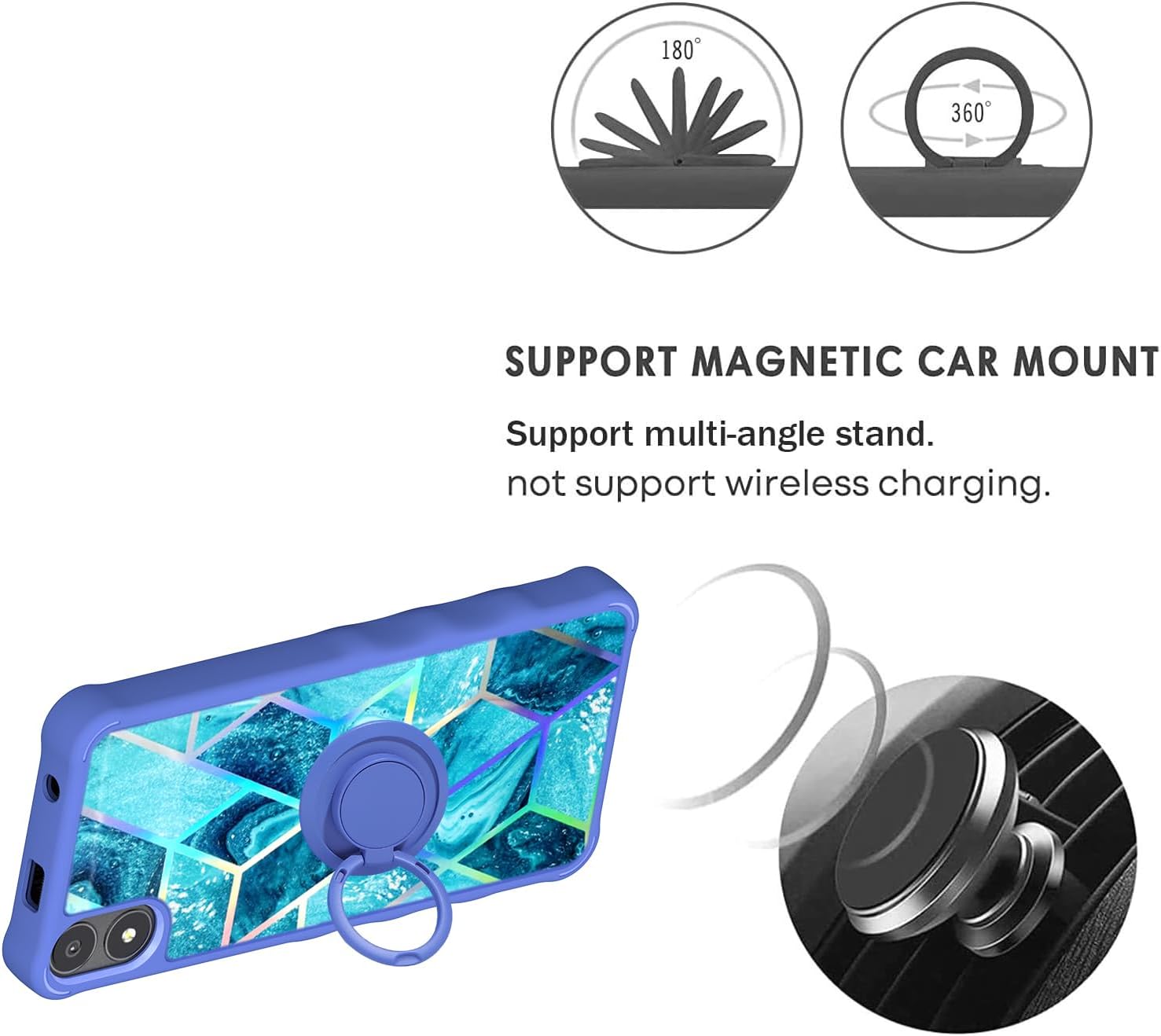
выява: This image demonstrates the 180-degree and 360-degree rotation capabilities of the ring support, along with its compatibility with magnetic car mounts.
Тэхнічнае абслугоўванне і догляд
To ensure the longevity and appearance of your Aroepurt phone case, follow these simple care instructions:
- Уборка: Рэгулярна працірайце корпус мяккай анучайamp cloth to remove dust, dirt, and fingerprints. For tougher stains, a mild soap solution can be used, followed by wiping with a clean, damp тканіна.
- Пазбягайце рэзкіх хімічных рэчываў: Do not use abrasive cleaners, solvents, or harsh chemicals, as these can damage the case's finish and materials.
- агляд: Periodically inspect the case for any signs of wear or damage. While durable, extreme impacts can cause damage.
- захоўванне: Калі не выкарыстоўваецца, захоўвайце чахол у прахалодным, сухім месцы, удалечыні ад прамых сонечных прамянёў.
Ліквідацыю непаладак
Most issues with a phone case are minor. Here are some common concerns and solutions:
- Чахол не падыходзіць: Ensure you have the correct model case for your AriVoice FoxxD A67L phone. Verify the model number on your device and compare it with the product specifications.
- Ring Support Feels Loose: The ring support is designed for durability. If it feels loose, check for any debris or foreign objects obstructing its movement. If the issue persists, contact customer support.
- Difficulty with Wireless Charging: As noted, the metal ring on the case prevents wireless charging. This is expected behavior. Please remove the case or use a wired charger.
Тэхнічныя характарыстыкі
| Асаблівасць | Апісанне |
|---|---|
| Марка | Ароепурт |
| Нумар мадэлі | AV67L IMDL-LS |
| Сумяшчальныя мадэлі тэлефонаў | AriVoice FoxxD A67L |
| Матэрыял | PC hard back panel + soft silicone frame + metal support finger ring |
| Памеры прадукту | 0.39 х 0.39 х 0.39 цаля (прыблізна, для ўпакоўкі) |
| Вага прадмета | 2.39 унцыі |
| Асаблівасці | 360 Rotating Ring, Car Magnetic Fixing, Finger ring + support + car bracket magnetic suction, Shock Airbags, Elevated Screen/Camera Protection |
| Што ў скрынцы | 1*Phone Case |

выява: This diagram illustrates the multi-layered construction of the IMD laser style back panel, including the clear protective surface, laser layer, ultra HD print pattern layer, and PC rugged backplate.

выява: This image highlights the enhanced protection features, including 1.5mm thicker all-round protection and shock airbags designed to protect the phone from falls up to 2 meters.
Інфармацыя аб гарантыі
Specific warranty details for this Aroepurt phone case may vary. Please refer to the product packaging or contact the seller directly for information regarding warranty coverage and terms.
Падтрымка кліентаў
For any questions, concerns, or assistance with your Aroepurt phone case, please contact the seller through the platform where you purchased the product. They will be able to provide the most accurate and timely support.