
1. Прадукт скончыўсяview
The Lenovo LOQ Gaming Laptop is engineered for performance, featuring an Intel Core i5-12450HX processor, NVIDIA GeForce RTX 2050 graphics, and a 15.6-inch FHD 144Hz display. This laptop is equipped with Wi-Fi 6 and Bluetooth 5.2 for robust connectivity, and a white backlit keyboard for enhanced usability in various lighting conditions.
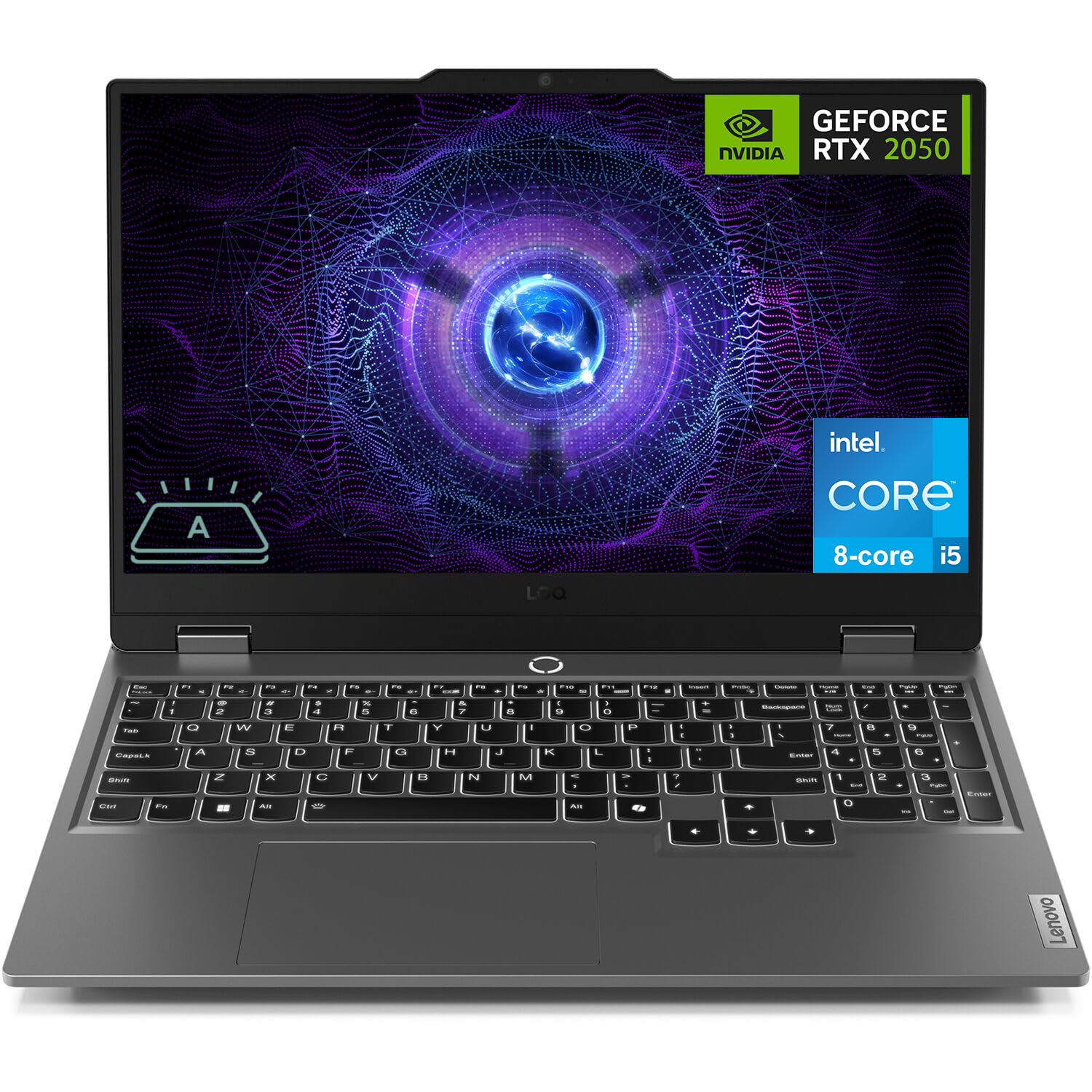
Figure 1: Lenovo LOQ Gaming Laptop - Angled View
This image shows the Lenovo LOQ Gaming Laptop from an angled perspective, highlighting its sleek design and the vibrant display. The screen is active, showcasing a dynamic graphic, and the keyboard is visible.
2. Кіраўніцтва па наладцы
2.1. Распакаванне і першапачатковы агляд
Carefully remove the laptop and all accessories from the packaging. Inspect for any signs of damage. Retain the packaging for future transport or service needs.
2.2. Падключэнне сілкавання
- Connect the power adapter to the laptop's power connector.
- Падключыце шнур сілкавання да электрычнай разеткі.
- Дайце акумулятару зарадзіцца не менш за 30 хвілін перад першым выкарыстаннем або пакуль індыкатар акумулятара не пакажа дастатковы зарад.
2.3. Першае ўключэнне
- Адкрыйце крышку ноўтбука.
- Націсніце кнопку харчавання, размешчаную над клавіятурай.
- Выконвайце інструкцыі на экране, каб завяршыць наладу Windows 11 Home, у тым ліку мову, рэгіён, сеткавае падключэнне і стварэнне ўліковага запісу карыстальніка.

Малюнак 2: Раскладка клавіятуры і сэнсарнай панэлі
Гэта выява паказвае зверху ўніз view of the Lenovo LOQ Gaming Laptop's keyboard and touchpad, illustrating the full-size layout with a numeric keypad and the central power button.
3. Кіраванне ноўтбукам
3.1. Функцыі клавіятуры
The laptop features a 6-row keyboard with multimedia Fn keys and a numeric keypad. The keyboard has a white backlight. Press Fn + прабел to cycle through backlight brightness levels (Off, Low, High).
3.2. Налады дысплея
The 15.6-inch FHD (1920 x 1080) IPS display operates at 144Hz. You can adjust display settings, including resolution, refresh rate, and brightness, through Windows Display Settings. The display features anti-glare and Low Blue Light technology.
3.3. Сувязь
Ваш ноўтбук падтрымлівае розныя варыянты падключэння:
- Wi-Fi 6: Для доступу да бесправаднога інтэрнэту з высокай хуткасцю.
- Bluetooth 5.2: Для падключэння бесправадных перыферыйных прылад, такіх як мышы, клавіятуры і навушнікі.
- Ethernet (RJ-45): Для правадных сеткавых злучэнняў.
- Парты USB: 3x USB-A (USB 5Gbps / USB 3.2 Gen 1) and 1x USB-C (USB 10Gbps / USB 3.2 Gen 2) with Lenovo PD 140W and DisplayPort 1.4 support.
- HDMI 2.1: For connecting external displays, supporting up to 8K/60Hz.
- Камбінаваны раз'ём для навушнікаў/мікрафона (3.5 мм): Для ўваходу і выхаду гуку.

Figure 3: Rear Port Configuration
This image displays the rear of the Lenovo LOQ Gaming Laptop, clearly labeling the various ports available for connectivity, including USB-C, HDMI, Ethernet, and USB-A ports.
4. Тэхнічнае абслугоўванне
4.1. Уборка
- Для чысткі экрана выкарыстоўвайце мяккую тканіну без ворса. Пазбягайце агрэсіўных хімічных рэчываў.
- Выкарыстоўвайце сціснутае паветра, каб ачысціць пыл з клавіш клавіятуры і вентыляцыйных рашотак.
- Wipe the laptop's exterior with a slightly damp тканіна.
4.2. Сыход за батарэяй
The laptop is equipped with a 60Wh Rechargeable Li-ion Battery that supports Rapid Charge Pro (up to 50% charge in 30 minutes). To prolong battery life:
- Пазбягайце экстрэмальных тэмператур.
- Не варта часта цалкам разраджаць акумулятар.
- Калі ноўтбук не выкарыстоўваецца працяглы час, захоўвайце яго часткова зараджаным.
4.3. Абнаўленне праграмнага забеспячэння
Regularly update your operating system and drivers to ensure optimal performance and security. Check for updates through Windows Update and Lenovo Vantagэлектроннае праграмнае забеспячэнне.

Малюнак 4: Палепшаная сістэма астуджэння
This diagram illustrates the internal cooling system of the Lenovo LOQ Gaming Laptop, showing how air flows through the vents to dissipate heat from critical components, ensuring stable performance during intensive tasks.
5. Выпраўленне непаладак
5.1. Няма ўлады
- Ensure the power adapter is securely connected to both the laptop and the electrical outlet.
- Праверце працаздольнасць разеткі, падключыўшы да яе іншую прыладу.
- Калі акумулятар цалкам разрадзіўся, дайце яму зарадзіцца некалькі хвілін, перш чым спрабаваць уключыць прыладу.
5.2. Праблемы з дысплеем
- Калі экран пусты, паспрабуйце націснуць Fn + F2 (or the corresponding display toggle key) to ensure the display is not turned off or switched to an external monitor.
- Adjust screen brightness using the dedicated function keys (e.g., Fn + F5/F6).
- Пераканайцеся, што драйверы відэакарты абноўленыя.
5.3. Праблемы з падключэннем да сеткі
- For Wi-Fi, check if Wi-Fi is enabled in Windows settings and if you are connected to the correct network.
- For Ethernet, ensure the cable is securely connected to both the laptop and the router/modem.
- Restart your router/modem and the laptop.
6. Тэхнічныя характарыстыкі
| Асаблівасць | Дэталь |
|---|---|
| Працэсар | Intel Core i5-12450HX (8 Cores, 12 Threads, up to 4.4GHz) |
| Графіка | NVIDIA GeForce RTX 2050 4 ГБ GDDR6 |
| Дысплей | 15.6" FHD (1920x1080) IPS, 144Hz, Anti-glare, 300 nits, Low Blue Light |
| Памяць (RAM) | 12 ГБ DDR5 (магчыма пашырыць да 64 ГБ) |
| Захоўванне | 512GB PCIe M.2 SSD (Configurable up to 8TB) |
| Аперацыйная сістэма | Windows 11 Home (64-bit, English) |
| Бесправоднае падключэнне | Wi-Fi 6 (802.11ax), Bluetooth 5.2 |
| Парты | 3x USB-A (USB 3.2 Gen 1), 1x USB-C (USB 3.2 Gen 2, PD 140W, DP 1.4), 1x HDMI 2.1, 1x Ethernet (RJ-45), 1x Headphone/Mic Combo Jack |
| Клавіятура | 6-row, multimedia Fn keys, numeric keypad, White backlight |
| акумулятар | 60Wh Li-ion, Rapid Charge Pro support |
| Камера | HD 720p, E-shutter, fixed focus |
| Колер | Луна Грэй |
| Памеры (Ш х Г х У) | 14.17 х 10.19 х 0.86 цалі |
| Вага | 5.25 фунта |
| UPC | 195477803817 |
7. Гарантыя і падтрымка
7.1. Інфармацыя аб гарантыі
This Lenovo LOQ Gaming Laptop comes with a One-year limited seller warranty. Please refer to your purchase documentation for specific terms and conditions.
7.2. Падтрымка кліентаў
Каб атрымаць тэхнічную дапамогу, спампаваць драйверы або запытаць абслугоўванне, наведайце афіцыйную службу падтрымкі Lenovo. website or contact their customer service. Keep your product's serial number handy for faster service.
Больш падрабязную інфармацыю і рэсурсы падтрымкі можна знайсці на Крама Lenovo на Amazon.