
1. Прадукт скончыўсяview
The Tatybo WT5 Wireless Gaming Headset offers a versatile audio solution for gamers across multiple platforms. Designed for comfort and high-fidelity sound, this headset features 2.4GHz low-latency wireless connectivity, 7.1 surround sound, and a noise-canceling microphone. It supports various devices including PC, PS5, PS4, Nintendo Switch, laptops, mobile devices, and Mac, with wired compatibility for Xbox consoles.
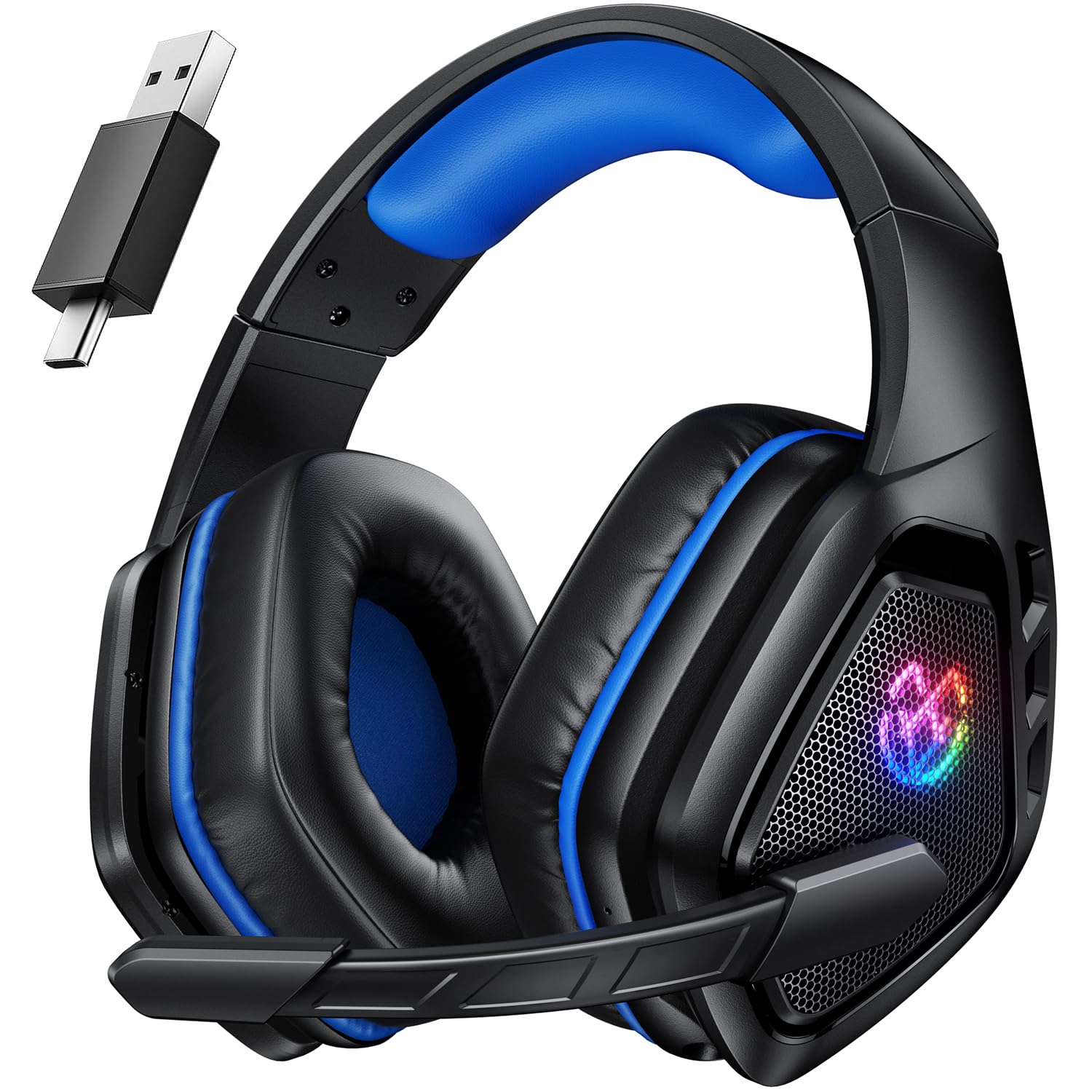
Image 1: Tatybo WT5 Wireless Gaming Headset (Black Blue)
2. Што ў скрынцы
Your Tatybo WT5 Wireless Gaming Headset package includes the following items:
- Tatybo WT5 Wireless Gaming Headset
- 2.4GHz USB & Type-C Wireless Dongle
- Зарадны кабель USB-C
- Аўдыёкабель 3.5 мм AUX
- Кіраўніцтва карыстальніка (гэты дакумент)
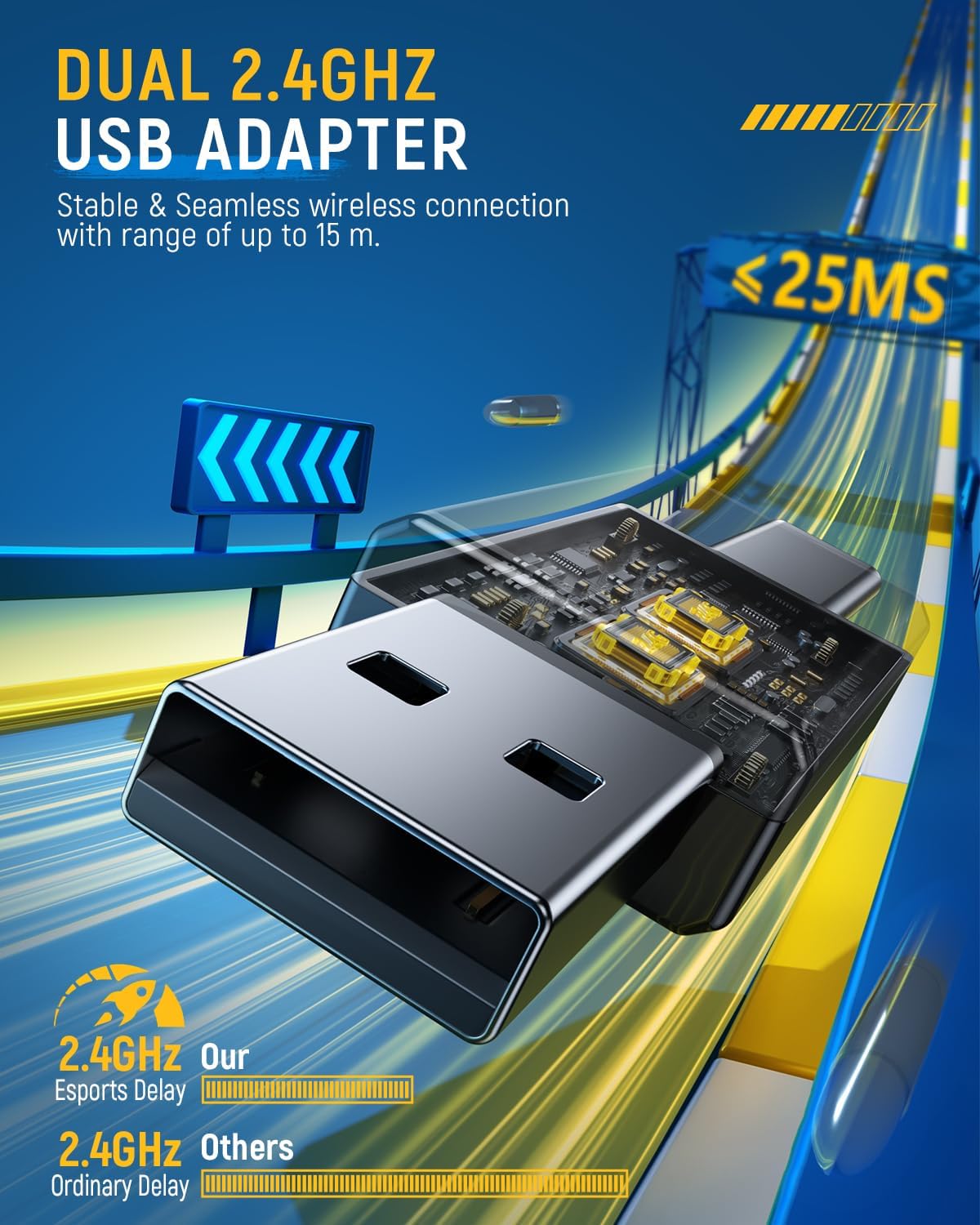
Image 2: Headset and included accessories
3. Асноўныя магчымасці
3.1. 2.4GHz Low Latency Wireless Connectivity
The headset utilizes industry-leading 2.4GHz wireless technology for ultra-low latency gaming and high-quality audio transmission. This ensures a stable and seamless connection with a range of up to 15 meters, providing a competitive edge in gaming.

Image 3: Dual 2.4GHz USB Adapter for low-latency wireless connection
3.2 Аб'ёмны гук
Equipped with dynamic 50mm drivers and virtual 7.1 surround sound effects, the headset creates an immersive audio environment. This feature allows for precise positioning of in-game sounds, enhancing tactical awareness and overall gaming experience.

Image 4: 7.1 Surround Sound for precise audio positioning
3.3. Мікрафон з шумапрыглушэннем
The adjustable microphone features environmental noise cancellation (ENC), effectively eliminating up to 95% of ambient noise. This ensures crystal-clear communication with teammates, even in noisy environments.

Image 5: ENC Microphone for clear communication
3.4. All-Day Comfort and Extended Battery Life
The headset is designed for comfort during long gaming sessions, featuring soft protein leather earpads and an adjustable headband. A 1000mAh battery provides over 40 hours of usage on a single 3-hour charge (with LED lights turned off), ensuring extended playtime.

Image 6: Ergonomic design for all-day comfort

Image 7: Long-lasting 40-hour battery life
3.5. Мультыплатформенная сумяшчальнасць
The Tatybo WT5 offers versatile connectivity options:
- Рэжым 2.4G: Compatible with PC, PS5, PS4, Nintendo Switch, and laptops via the USB & Type-C dongle.
- Рэжым Bluetooth: Connects to laptops, mobile phones, and Mac devices.
- Правадной рэжым: The 3.5mm audio cable provides compatibility with Xbox consoles and other devices with a 3.5mm jack.

Image 8: Multi-platform wireless support
4. Інструкцыі па ўсталёўцы
4.1. Зарадка гарнітуры
- Connect the USB-C end of the charging cable to the headset's charging port.
- Connect the USB-A end of the charging cable to a compatible USB power source (e.g., computer USB port, wall adapter).
- The LED indicator on the headset will show charging status. A full charge typically takes 3 hours.
4.2. Connecting via 2.4GHz Wireless Dongle (PC, PS5, PS4, Switch, Laptop)
- Insert the 2.4GHz USB & Type-C wireless dongle into an available USB port on your desired device.
- Уключыце гарнітуру, націснуўшы і ўтрымліваючы кнопку харчавання, пакуль не загарыцца святлодыёдны індыкатар.
- The headset and dongle should automatically pair. The LED indicator on the headset will show a stable light when connected.
- On your device's audio settings, ensure the Tatybo WT5 headset is selected as the input and output audio device.
4.3. Connecting via Bluetooth Mode (Laptop, Mobile, Mac)
- Уключыце гарнітуру.
- Press and hold the Bluetooth pairing button (refer to the headset's controls for exact location) until the LED indicator flashes rapidly, indicating pairing mode.
- On your device (laptop, mobile, Mac), go to Bluetooth settings and search for available devices.
- Select "Tatybo WT5" from the list to connect. The LED indicator on the headset will show a stable light when connected.
4.4. Connecting via 3.5mm Wired Mode (Xbox, other devices)
- Пераканайцеся, што гарнітура адключана.
- Connect one end of the 3.5mm AUX audio cable to the headset's 3.5mm port.
- Connect the other end of the 3.5mm AUX audio cable to the 3.5mm audio jack on your device (e.g., Xbox controller, PC).
- The headset will function in wired mode without requiring battery power.
4.5. Налада мікрафона
The microphone is adjustable and can be positioned close to your mouth for optimal voice pickup. It can also be folded up and out of the way when not in use.
5. Інструкцыя па эксплуатацыі
5.1. Уключэнне/выключэнне харчавання
- Каб уключыць: Націсніце і ўтрымлівайце кнопку харчавання прыблізна 3 секунды, пакуль не загарыцца святлодыёдны індыкатар.
- Каб выключыць: Націсніце і ўтрымлівайце кнопку харчавання прыблізна 3 секунды, пакуль не пагасне святлодыёдны індыкатар.
5.2. Рэгулятар гучнасці
Use the volume roller/dial located on the earcup to adjust the audio output level. Roll up to increase volume, roll down to decrease volume.
5.3. Адключэнне мікрафона
A dedicated mute button for the microphone is located on the earcup. Press it once to mute the microphone, and press it again to unmute. The LED indicator on the microphone or headset may change color to indicate mute status.
5.4. 7.1 Surround Sound Toggle
The headset features a button to toggle the 7.1 surround sound feature on or off. Press this button to activate or deactivate the surround sound effect based on your preference.
5.5. Adjusting Headset Fit
The headband is adjustable to fit various head sizes. Gently slide the earcups up or down along the headband to achieve a comfortable and secure fit. The earcups also pivot for better conformity to your ears.
6. Тэхнічнае абслугоўванне
6.1. Уборка
- Выкарыстоўвайце мяккую, сухую тканіну для чысткі вонкавых паверхняў гарнітуры.
- Акуратна працярыце амбушюры рэкламайamp анучай і мяккім мылам, калі неабходна, затым старанна высушыце. Пазбягайце празмернай вільготнасці.
- Не выкарыстоўвайце агрэсіўныя хімічныя рэчывы або абразіўныя мыйныя сродкі.
6.2. Захоўванне
- Захоўвайце гарнітуру ў прахалодным, сухім месцы, удалечыні ад прамых сонечных прамянёў і экстрэмальных тэмператур.
- Пазбягайце класці цяжкія прадметы на гарнітуру.
6.3. Сыход за батарэяй
- Каб падоўжыць тэрмін службы батарэі, пазбягайце частай поўнай разрадкі гарнітуры.
- Рэгулярна зараджайце гарнітуру, нават калі яна выкарыстоўваецца не так часта.
7. Выпраўленне непаладак
7.1. No Sound or Microphone Not Working
- Пераканайцеся, што гарнітура ўключана і правільна падключана (адаптар 2.4 ГГц, Bluetooth або кабель 3.5 мм).
- Праверце ўзровень гучнасці як на гарнітуры, так і на падлучанай прыладзе.
- Праверце, ці не адключаны мікрафон.
- In your device's audio settings, confirm that the Tatybo WT5 is selected as the default input and output device.
- For PC users, check Device Manager for new devices after connecting the dongle.
7.2. Connection Issues (Wireless)
- 2.4 ГГц: Ensure the dongle is securely plugged in. Try unplugging and re-plugging the dongle. Move closer to the dongle to rule out range issues.
- Bluetooth: Ensure the headset is in pairing mode. Forget the device on your phone/laptop and re-pair. Ensure no other devices are interfering with the Bluetooth signal.
- If experiencing intermittent disconnections (as noted in some user feedback), try restarting both the headset and the connected device.
7.3. Статычны шум
- Пераканайцеся, што гарнітура цалкам зараджана.
- Move away from potential sources of electromagnetic interference (e.g., Wi-Fi routers, other wireless devices).
- If using wired mode, try a different 3.5mm cable or audio port.
7.4. PS4 Compatibility
If you encounter issues connecting to a PS4, ensure you are using the 2.4GHz wireless dongle. Verify that the headset is selected as the audio output and input device in the PS4's system settings (Settings > Devices > Audio Devices).
8. Тэхнічныя характарыстыкі
| Асаблівасць | Спецыфікацыя |
|---|---|
| Марка | Татыбо |
| Нумар мадэлі | WT5 |
| Тэхналогія падлучэння | Wireless (2.4GHz, Bluetooth 5.3), Wired (3.5mm) |
| Размяшчэнне вушэй | Над вухам |
| Кантроль шуму | Актыўнае шумапрыглушэнне (мікрафон) |
| Тып аўдыё драйвера | Дынамічны драйвер |
| Дыяпазон частот | 20 Гц - 20 000 Гц |
| Сярэдні тэрмін службы батарэі | 30 Hours (up to 40+ hours with LED off) |
| Час зарадкі акумулятара | 3 гадзін |
| Вага прадмета | 0.56 кілаграма |
| Матэрыял | Метал, пластык, тканіна |
| Сумяшчальныя прылады | Cellphones, Desktops, Gaming Consoles (PS5, PS4, Switch, Xbox via wired), Laptops, Tablets |
9. Гарантыя і падтрымка
The Tatybo WT5 Wireless Gaming Headset comes with a Гарантыя 3 год. For technical support, warranty claims, or further assistance, please refer to the contact information provided on the official Tatybo webсайт або дакументы аб куплі.