
1. Уводзіны і большview
The JJC Aluminum Lens Cap (Model LC-GR4) is specifically designed to provide robust protection for your Ricoh GR IV, GR IV HDF, and GR IV Monochrome digital camera lenses. Crafted from durable aluminum alloy with a soft EVA interior, this lens cap safeguards your camera lens from scratches, moisture, and dust when not in use. Its precise fit ensures reliable protection without compromising the camera's sleek design.
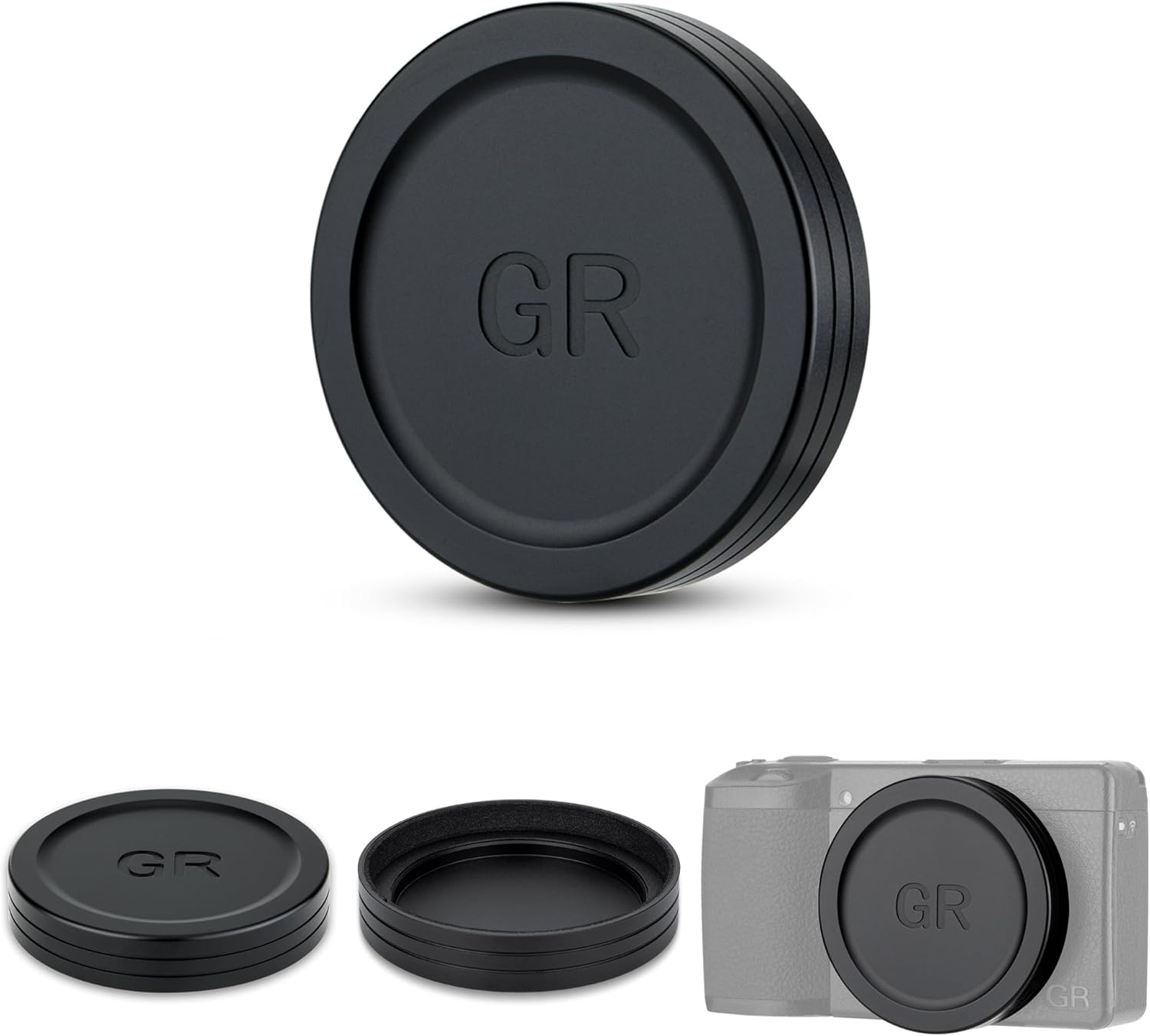
Image 1: The JJC Aluminum Lens Cap designed for Ricoh GR IV cameras, shown attached to the camera.
2. Настройка і ўстаноўка
Follow these steps to properly install the JJC Aluminum Lens Cap on your Ricoh GR IV camera:
- Першапачатковае прымяненне: For the first use, gently place the lens cap onto the camera lens. Allow it to remain on the lens for approximately 12 hours to ensure the soft EVA interior conforms perfectly and creates a secure fit.
- Укладанне: Align the lens cap with the front of your camera lens. Gently press it onto the lens until it sits snugly. There is no need to screw or twist the cap; it attaches directly via friction fit.
- Выдаленне: To remove, simply pull the cap directly off the lens. Avoid twisting.

Image 2: Visual guide for attaching the lens cap and important tips for initial use.
3. Інструкцыя па эксплуатацыі
The JJC Aluminum Lens Cap is designed for straightforward use to protect your camera lens:
- Абарона аб'ектыва: Always keep the lens cap on your camera lens when the camera is not in use. This prevents dust, moisture, and accidental scratches from affecting the lens surface.
- Сумяшчальнасць фільтраў: This lens cap is designed to be compatible with certain JJC filters (sold separately). If you use a compatible filter, the lens cap can still be attached over it, providing an additional layer of protection.

Image 3: The lens cap shown with a compatible JJC filter, demonstrating its versatility.
Video Guide: Installation and Usage
Video 1: This video demonstrates the correct method for attaching and removing the JJC Aluminum Lens Cap on a Ricoh GR IV camera, showcasing its secure fit and ease of use.
4. Тэхнічнае абслугоўванне
To ensure the longevity and effectiveness of your JJC Aluminum Lens Cap, follow these simple maintenance guidelines:
- Ачыстка вонкавага выгляду: Wipe the aluminum exterior with a soft, dry cloth to remove fingerprints or smudges. For stubborn dirt, a slightly damp можна выкарыстоўваць тканіну, а затым неадкладна высушыць.
- Уборка інтэр'еру: Periodically check the soft EVA interior for dust or debris. Use a soft brush or a lint-free cloth to gently clean the interior surface. Avoid using abrasive materials or harsh chemicals, as these can damage the EVA lining.
- захоўванне: When not in use, store the lens cap in a clean, dry environment to prevent dust accumulation.
5. Выпраўленне непаладак
If you encounter any issues with your JJC Aluminum Lens Cap, consider the following:
- Cap Does Not Fit Securely: Ensure the lens cap is correctly aligned with the camera lens. If it feels loose, verify that you have the correct model (LC-GR4) for your Ricoh GR IV camera. The initial 12-hour period for the EVA lining to conform is crucial for a snug fit.
- Camera Lens Error: Always remove the lens cap before powering on your camera. If the camera is turned on with the cap still attached, the extending lens mechanism may encounter resistance, potentially causing a lens error or preventing the lens from fully extending.
- Назапашванне пылу: While the cap is designed to be dustproof, fine dust can still accumulate over time. Refer to the Maintenance section for cleaning instructions.
6. Тэхнічныя характарыстыкі
| Асаблівасць | Дэталь |
|---|---|
| мадэль | LC-GR4 |
| Сумяшчальнасць | Ricoh GR IV, GR IV HDF, GR IV Monochrome Digital Camera |
| Матэрыял | Aluminum Alloy (Exterior), Soft EVA (Interior) |
| Памеры | Дыяметр: 60.2 мм, таўшчыня: 11.5 мм |
| Вага | 23.1 г |
| Функцыі абароны | Anti-Scratch, Anti-Fingerprint, Dustproof |

Малюнак 4: Падрабязны view of the lens cap highlighting its materials and precise dimensions.

Image 5: Infographic illustrating the anti-scratch, anti-fingerprint, and dustproof properties of the lens cap.
7. Гарантыя і падтрымка
JJC products are manufactured to high-quality standards. For specific warranty information, please refer to the documentation included with your purchase or visit the official JJC website. If you require technical assistance or have questions regarding your lens cap, please contact JJC customer support through their official channels.