
Уводзіны
This manual provides detailed instructions for the installation, operation, and maintenance of your Dragon Touch OB20 4G LTE Cellular Security Camera. This camera offers 4K resolution, 10x optical zoom, solar power, and dual 4G/WiFi connectivity for comprehensive outdoor surveillance.
Што ў скрынцы
Праверце наяўнасць усіх кампанентаў у камплекце:
- OB20 Camera
- Панэль сонечных батарэй
- Жалезны насценны кранштэйн
- Кранштэйн сонечнай панэлі
- 4G SIM card (pre-installed or included separately)
- Зарадны кабель Type-C
- Шасцігранны ключ
- Screw Packs (screws and wall anchors)
- Налепкі для пазіцыянавання свідравання
- 64GB MicroSD Card (pre-installed or included separately)
- Інструкцыя па эксплуатацыі (гэты дакумент)
- Адаптар сілкавання
- Стаяць

Асаблівасці прадукту
4K Resolution with 10x Optical Zoom
The camera features a 4K wide-angle lens for broad coverage and two 10x optical telephoto lenses for detailed long-range viewing. This combination allows for clear identification of objects up to 200 feet away, such as license plates, while maintaining a wide field of view.

Figure 2: 4K Wide-Angle and 10x Optical Zoom Dual 4G LTE and WiFi Connectivity
The OB20 camera supports both 4G LTE (USA ONLY) and 2.4GHz WiFi connectivity. This allows for flexible deployment in various environments, from homes with existing WiFi networks to remote locations without WiFi access, ensuring continuous monitoring.
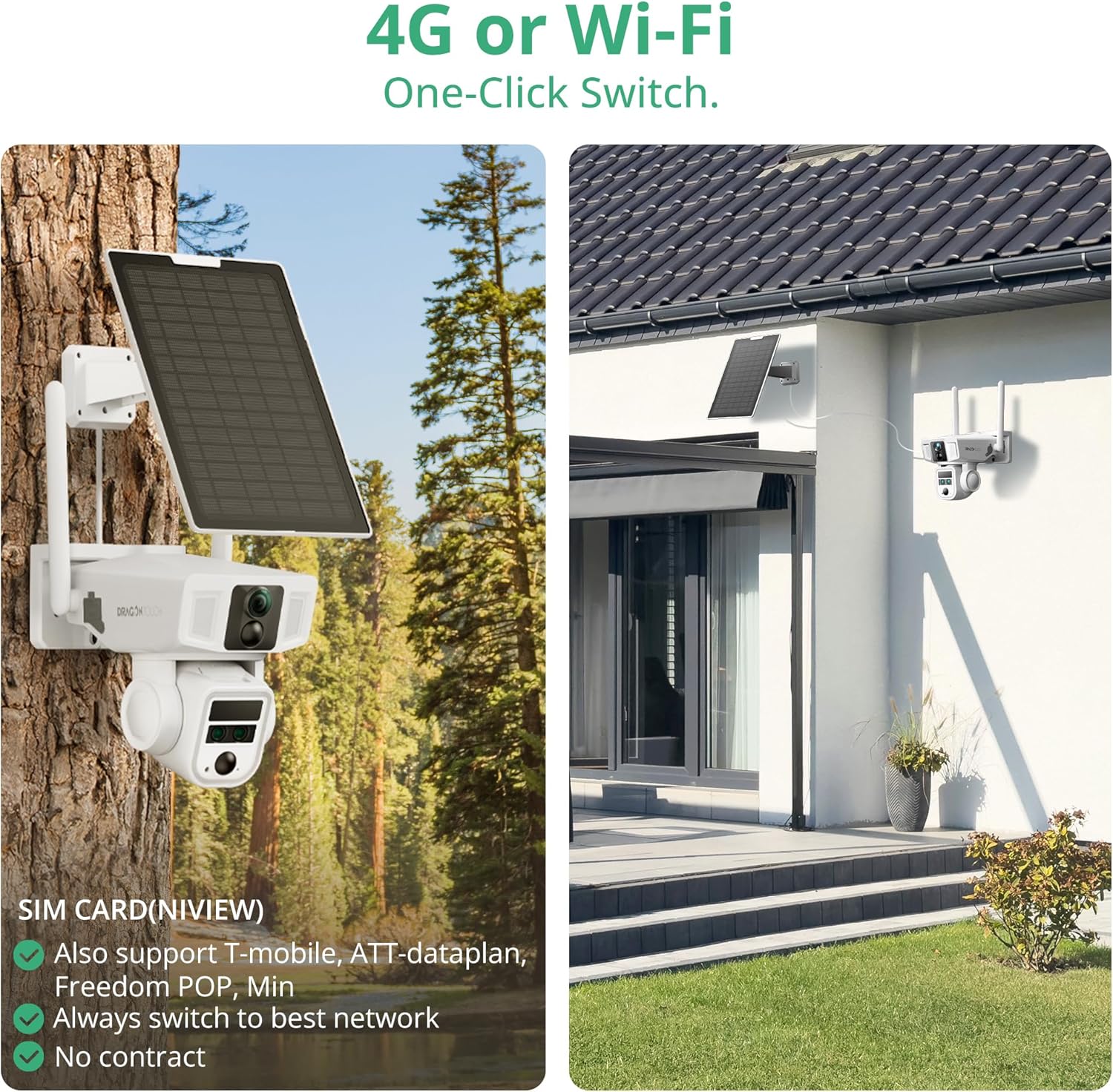
Figure 3: 4G LTE and WiFi Dual Connectivity Solar Powered with 12000mAh Battery
Equipped with a 9W high-efficiency solar panel and a 12000mAh battery, the camera is designed for continuous, self-sufficient operation. This eliminates the need for frequent manual charging, making it ideal for outdoor installations.
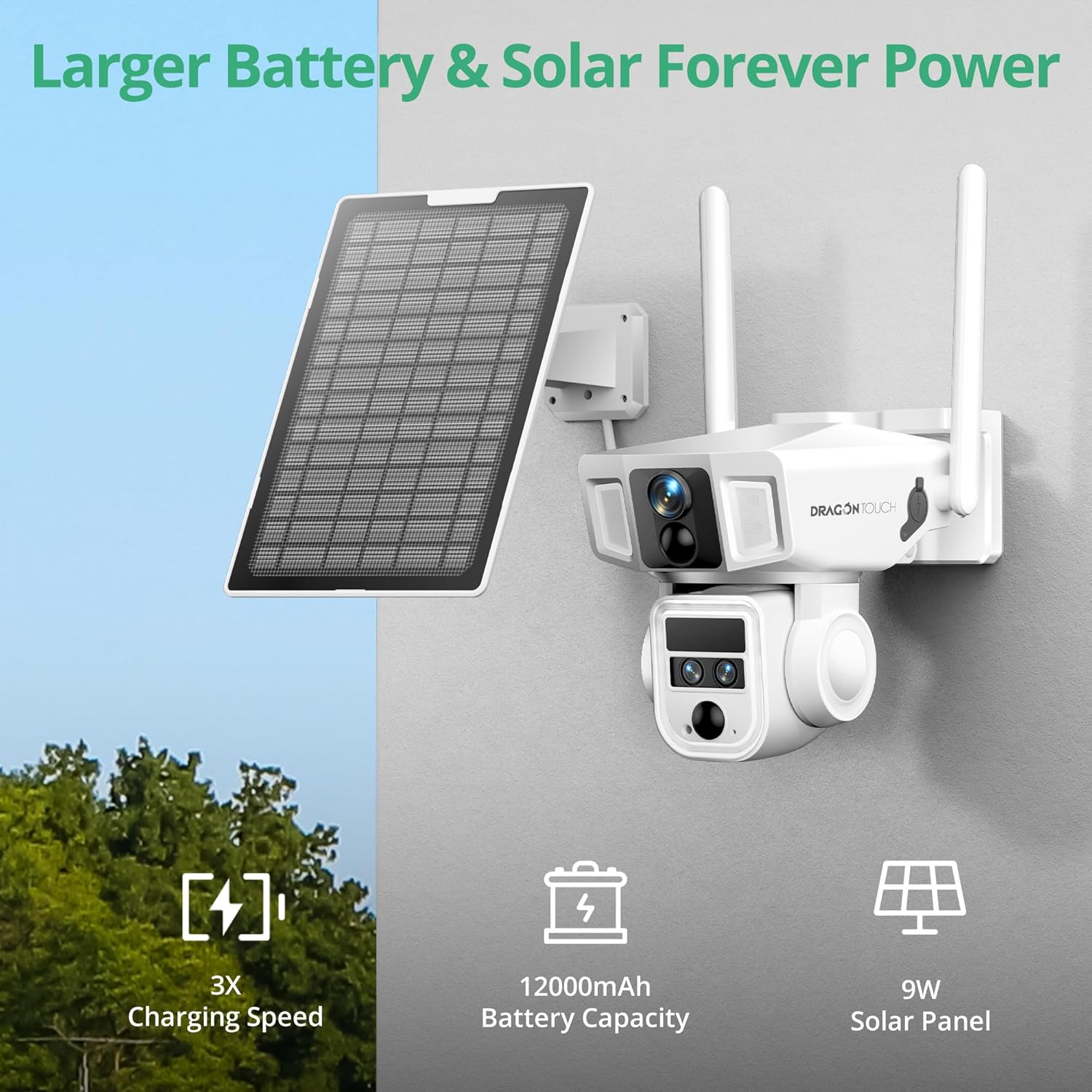
Малюнак 4: Сонечная энергетычная сістэма 360° Pan and Tilt with AI Tracking
The camera offers 355° horizontal pan and 90° vertical tilt capabilities for comprehensive area coverage. Advanced AI detection identifies people and vehicles, enabling automatic tracking and reducing false alarms.
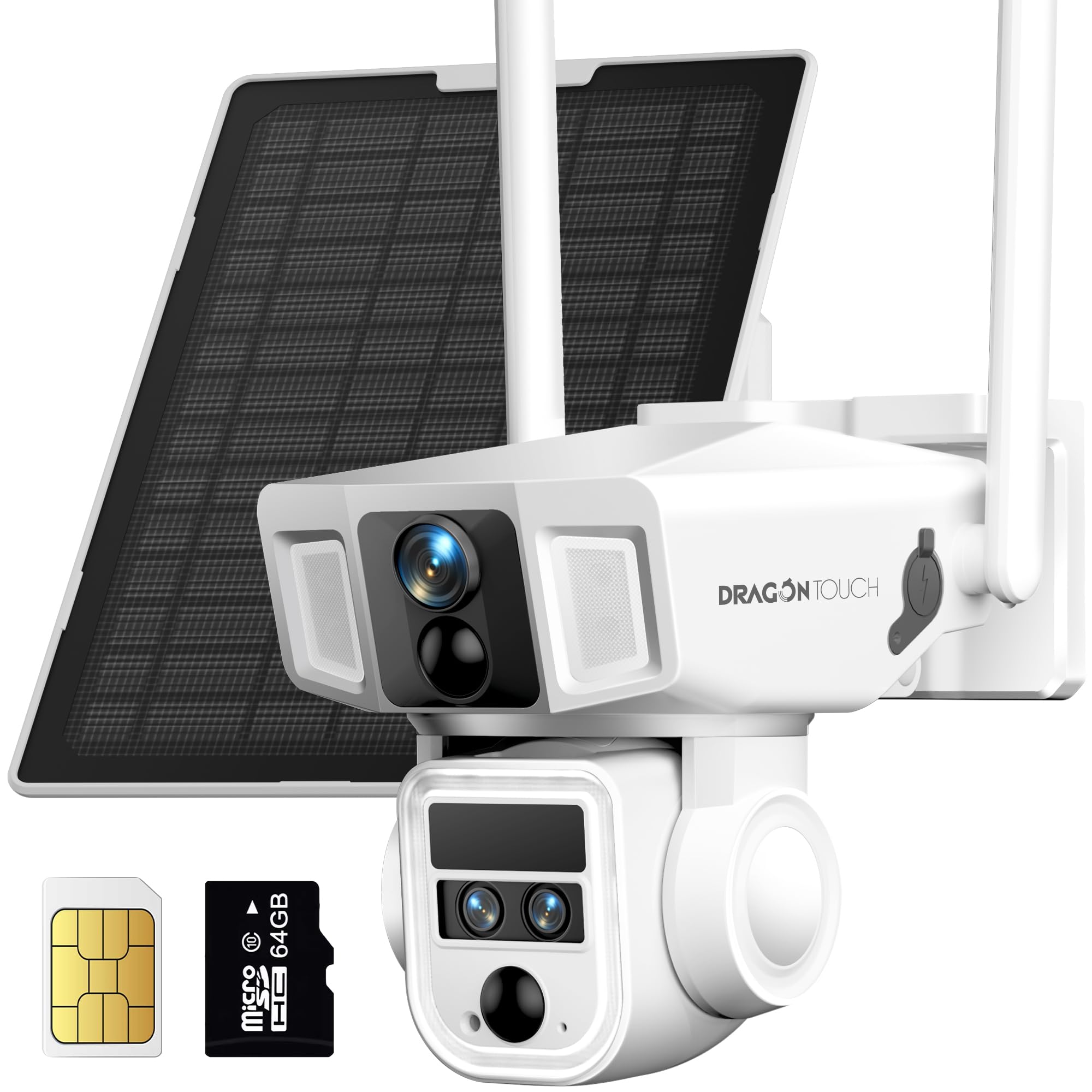
Figure 5: AI Motion Tracking Capabilities Color Night Vision and IP66 Weather Resistance
Equipped with a 200-lumen spotlight and 8 IR lights, the camera provides clear 4K color night vision up to 50 meters. Its IP66 weather-resistant rating ensures reliable operation in various weather conditions, including rain, snow, and dust.

Figure 6: Color Night Vision 
Малюнак 7: Устойлівасць да ўздзеяння надвор'я IP66 Two-Way Audio and Siren Alarm
Communicate with visitors or deter intruders using the integrated two-way audio feature. The camera also includes an AI motion-activated siren alarm for enhanced security.

Figure 8: Two-Way Audio and Siren Alarm Local and Cloud Storage Options
The camera includes a 64GB MicroSD card, expandable up to 128GB, for local storage. Cloud storage options are also available with a 7-day trial after registration.

Figure 9: Secure Local Storage
Настройка
1. Пачатковая зарадка
Before installation, fully charge the camera using the provided Type-C charging cable and power adapter. This ensures the battery has sufficient power for initial setup and solar charging efficiency.
2. Усталёўка SIM-карты і карты MicroSD
Locate the SIM card slot and MicroSD card slot on the camera. Insert the provided 4G SIM card (if not pre-installed) and the 64GB MicroSD card into their respective slots. Ensure they are correctly oriented and securely seated.
3. Загрузка праграмы і рэгістрацыя ўліковага запісу
Download the official Dragon Touch security camera application from your smartphone's app store (iOS or Android). Follow the in-app instructions to create an account and register your device. This typically involves scanning a QR code on the camera.
4. Мантаж камеры і сонечнай панэлі
Choose a suitable outdoor location for mounting the camera and solar panel. Ensure the solar panel receives direct sunlight for most of the day. Use the provided drilling positioning stickers, screws, and brackets to securely attach the camera and solar panel to a wall or pole. Connect the solar panel cable to the camera.

The setup process is designed for quick and simple connection.

Інструкцыя па эксплуатацыі
1. Жыць View і прайграванне
Access the live feed from your camera through the mobile application. Use the app to pan, tilt, and zoom the camera to adjust the viewing angle. Recorded footage can be accessed and played back from the MicroSD card or cloud storage.
2. Выяўленне руху і абвесткі
Configure motion detection sensitivity and areas within the app. The camera will send instant alerts to your smartphone upon detecting movement. AI tracking will follow detected subjects (people or vehicles) within the camera's range.

3. Двухбаковая сувязь
Utilize the two-way audio function in the app to speak through the camera's speaker and listen through its microphone. This allows for real-time interaction with individuals near the camera.

4. Рэжымы начнога бачання
The camera supports both infrared (black and white) and color night vision. The 200-lumen spotlight can be activated manually or automatically upon motion detection to enable color night vision and deter unwanted activity. Ensure the sound and light alarm function is enabled in the app for full deterrent capabilities.

5. Video on Demand
Request 15-second video clips from the mobile app at any time. Continuous recording is not available; videos are captured upon request or motion detection.
6. Сумесны доступ
The mobile application allows you to share camera access with family members or trusted individuals, enabling multi-user monitoring and collaboration.

Тэхнічнае абслугоўванне
- Уборка: Рэгулярна працірайце аб'ектыў камеры і сонечную панэль мяккай сурвэткайamp тканінай, каб выдаліць пыл і смецце. Пазбягайце абразіўных ачышчальнікаў.
- Эфектыўнасць панэлі сонечных батарэй: Ensure the solar panel remains free from obstructions (leaves, snow, dirt) to maximize charging efficiency.
- Зарад батарэі: While solar-powered, occasional manual charging via the Type-C port may be necessary during prolonged periods of low sunlight or heavy usage.
- Абнаўленні прашыўкі: Check the mobile application periodically for available firmware updates to ensure optimal performance and security.
Ліквідацыю непаладак
| праблема | Рашэнне |
|---|---|
| Camera not connecting to network. | Ensure the SIM card has an active data plan (for 4G) or the WiFi signal is strong (for WiFi). Verify correct network credentials in the app. Restart the camera. |
| Дрэнная якасць відэа. | Check network signal strength. Clean the camera lens. Ensure sufficient lighting for optimal image capture. |
| Акумулятар не зараджаецца. | Ensure the solar panel is clean and positioned to receive direct sunlight. Check the solar panel cable connection to the camera. If necessary, charge manually with the power adapter. |
| Папярэджанні аб руху не атрыманы. | Verify motion detection settings and alert schedules in the app. Check app notification permissions on your smartphone. Ensure the camera has a stable network connection. |
| Cannot access recorded footage. | Ensure the MicroSD card is correctly inserted and not full. Check cloud storage subscription status if applicable. |
Тэхнічныя характарыстыкі
| Асаблівасць | Дэталь |
|---|---|
| Назва мадэлі | OB20 |
| Дазвол відэазахопу | 4K |
| Аптычны зум | 10x |
| Тэхналогія падлучэння | Wireless (4G LTE, Wi-Fi 2.4GHz) |
| Крыніца харчавання | Сонечная батарэя, акумулятар ёмістасцю 12000 мАг |
| Ўстойлівасць да надвор'я | IP66 |
| Дыяпазон павароту/нахілу | Панарамаванне 355°, нахіл 90° |
| Начное бачанне | 4K Color Night Vision (up to 50m), 8 IR LEDs, 200-lumen spotlight |
| Захоўванне | 64GB MicroSD (included), expandable to 128GB, Cloud Storage option |
| Аўдыё | 2-баковае аўдыё |
| Асаблівасці AI | AI Tracking, PIR Motion Detection, People/Vehicle Detection |
| Памеры (Д х Ш х У) | 12.6 х 6.3 х 3.35 цалі |
| Вага прадмета | 3.31 фунта |
| Аперацыйная Voltage | 3.7 вольт |
| Ватtage | 10 ват |
| Частата кадраў | 30 кадраў у секунду |
| Метад кантролю | дадатак |
Гарантыя і падтрымка
For warranty information, technical support, or service inquiries, please refer to the official Dragon Touch webсайт або звярніцеся непасрэдна ў службу падтрымкі кліентаў. Захоўвайце чэк аб куплі для прэтэнзій па гарантыі.
Additional protection plans may be available for purchase separately. Please consult the retailer for details on extended warranty options.