
1. Уводзіны
Thank you for choosing the KESIEME YYK-530 Bluetooth Earpiece. This single-ear wireless headset is designed for clear phone calls and hands-free communication, featuring noise-cancelling technology and a comfortable, adjustable design. This manual provides detailed instructions for setup, operation, and maintenance to ensure optimal performance.
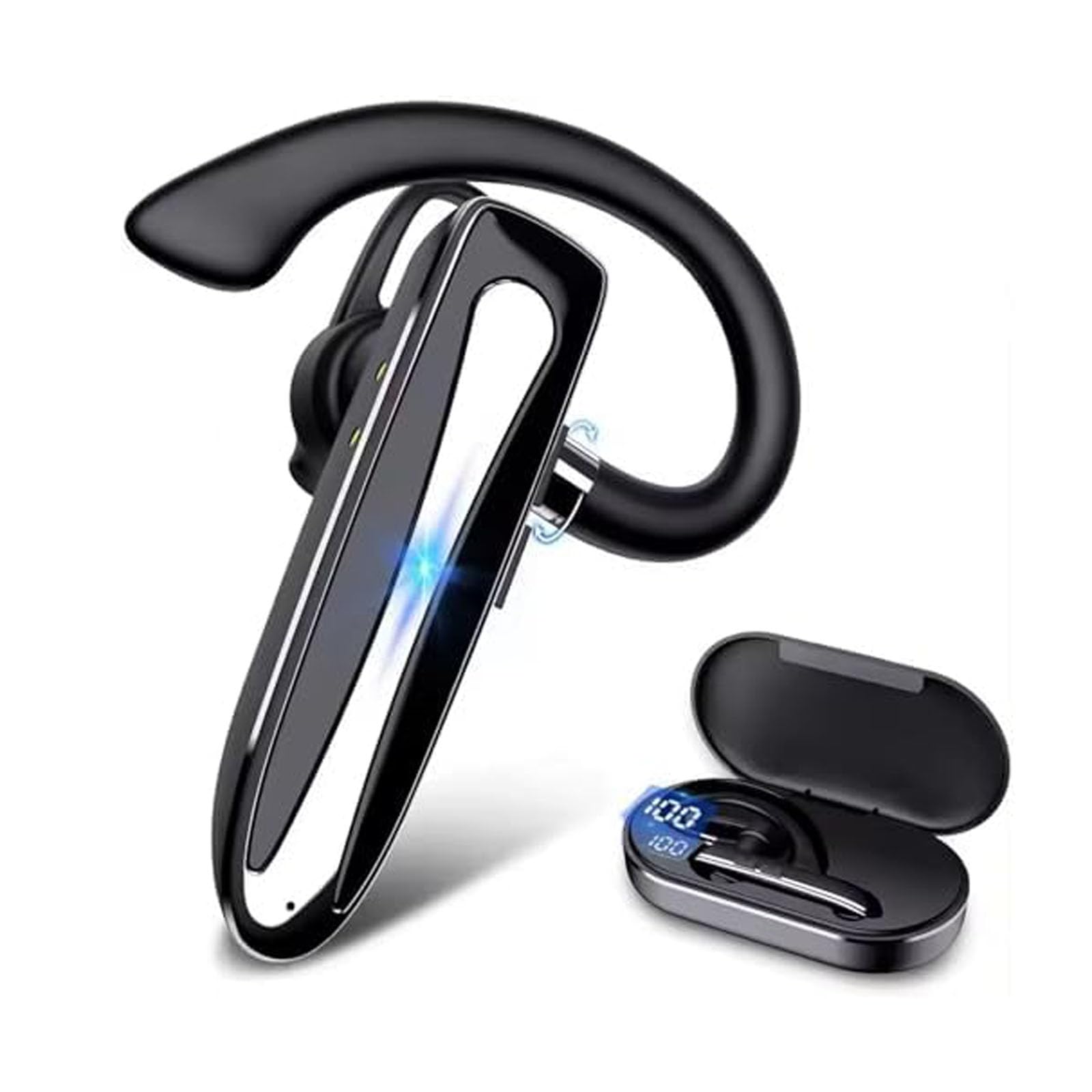
Image 1.1: KESIEME YYK-530 Bluetooth Earpiece.
2. Асаблівасці прадукту
- Павялічаны тэрмін службы батарэі: The earpiece provides 12-15 hours of continuous talk time. The included charging case extends total usage time up to 180 hours. A full charge takes approximately 1.5 hours via the Type-C port.
- Падключэнне Bluetooth 5.2: Utilizes the latest Bluetooth 5.2 technology for a fast and stable connection up to 33 feet (10 meters) from your device.
- Пашыранае шумапрыглушэнне: Equipped with built-in HD microphones and CVC8.0 noise reduction technology for crystal clear audio during calls.
- Зручны і рэгуляваны дызайн: Lightweight (12g) with a 360° adjustable ear hook and three optional ear tips for a secure and comfortable fit on either ear.
- Аперацыя без рук: Supports voice assistant activation (Siri or Google Assistant) and features easy-to-reach buttons for call management, including a mute function.
- Падключэнне да некалькіх прылад: Can connect to two Bluetooth devices simultaneously, allowing you to answer calls from either device.

Image 2.1: Hands-free conversation with CVC 8.0 noise reduction.
3. Настройка
3.1 Charging the Earpiece
- Connect the provided Type-C charging cable to the charging port on the earpiece.
- Падключыце другі канец кабеля да крыніцы харчавання USB (напрыклад, адаптара для сеткі, USB-порта кампутара).
- The LED indicator on the earpiece will show charging status. A full charge typically takes 1.5 hours.
- The charging case also has an LED display to indicate its battery level.

Image 3.1: Earpiece battery capacity and charging information.
3.2 Уключэнне/выключэнне
- Уключэнне: Націсніце і ўтрымлівайце кнопку харчавання прыблізна 3 секунды, пакуль не пачне міргаць святлодыёдны індыкатар.
- Выключэнне: Націсніце і ўтрымлівайце кнопку харчавання прыблізна 5 секунды, пакуль не пагасне святлодыёдны індыкатар.
3.3 Спалучэнне па Bluetooth
- Ensure the earpiece is fully charged and powered off.
- Press and hold the Power button for about 5-7 seconds until the LED indicator flashes red and blue alternately, indicating it is in pairing mode.
- На смартфоне, планшэце або іншай прыладзе з падтрымкай Bluetooth перайдзіце ў налады Bluetooth.
- Пошук available devices and select "YYK-530" from the list.
- Once connected, the LED indicator on the earpiece will flash blue slowly.
- The earpiece can connect to two devices simultaneously. To connect a second device, repeat steps 2-4 after the first device is paired.

Image 3.2: Bluetooth 5.2 quick connection with various devices.

Image 3.3: Multiple device connection capability.

Image 3.4: Compatibility with various operating systems.
4. Інструкцыя па эксплуатацыі
4.1 Нашэнне навушнікаў
The YYK-530 features a 360° adjustable ear hook and comes with three sizes of ear tips to ensure a comfortable and secure fit. You can wear it on either your left or right ear.
- Choose the ear tip size that best fits your ear canal.
- Adjust the ear hook to comfortably fit over your ear.
- Rotate the earpiece body to position the microphone towards your mouth for optimal voice pickup.
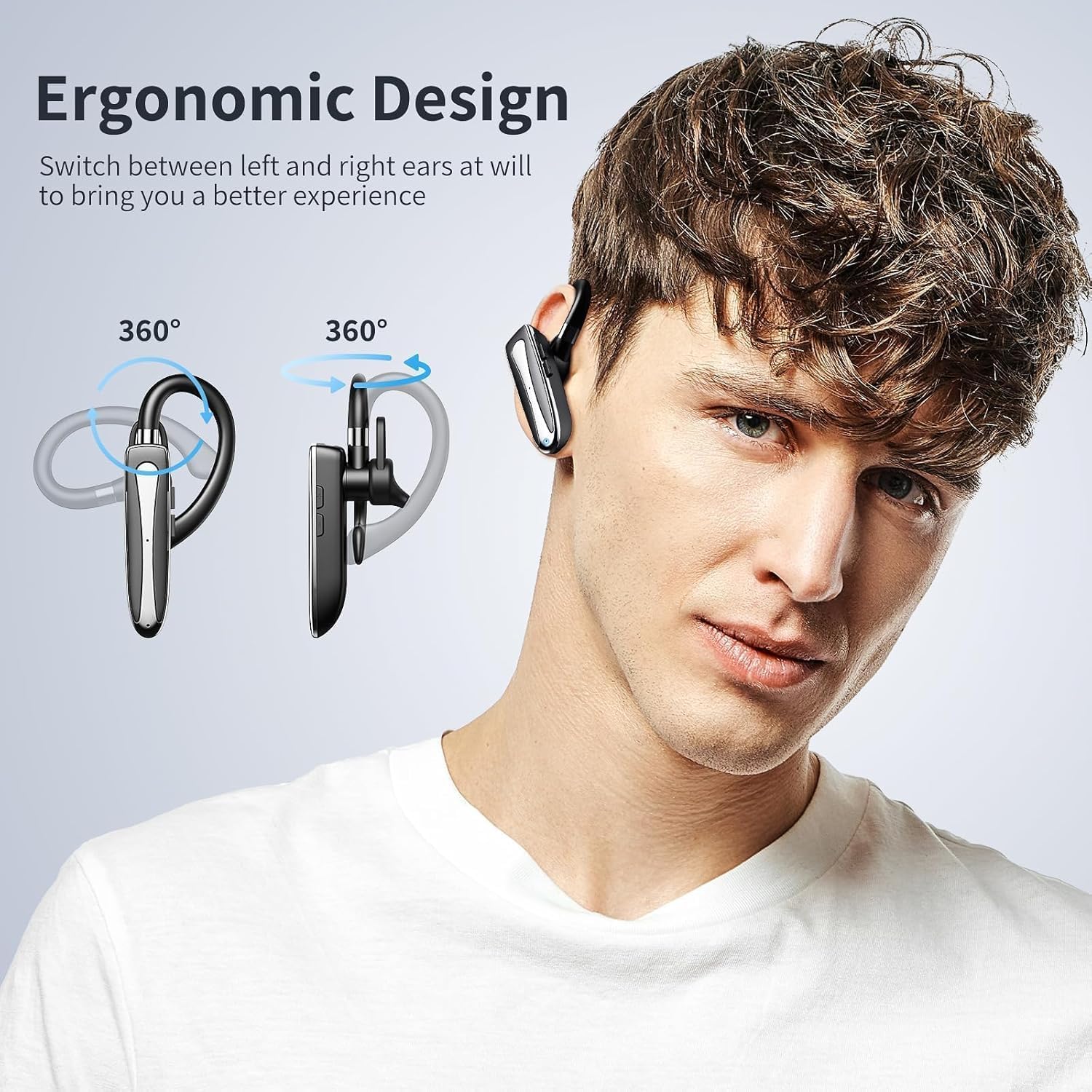
Image 4.1: Ergonomic design and 360° adjustability for left or right ear wearing.
4.2 Функцыі кнопак
Refer to the diagram below for the location and function of each button:

Image 4.2: Earpiece control layout and functions.
- Power Supply On/Off: Націсніце і ўтрымлівайце галоўную кнопку.
- Прайграванне/Паўза: Single press the main button during music playback.
- Адказ/завяршэнне выкліку: Single press the main button during an incoming call or active call.
- Паўторны апошні званок: Double press the main button.
- Activate/Deactivate Voice Assistant (Siri/Google Assistant): Націсніце і ўтрымлівайце галоўную кнопку на працягу 2 секунд.
- Three-way Call Switching: During a three-way call, single press the main button to switch between calls.
- Гучнасць + / наступны трэк: Single press for Volume +, long press for Next Track.
- Volume - / Previous Piece: Single press for Volume -, long press for Previous Track.
- Microphone On/Off (Mute): Press the Volume +/- button for 2 seconds during a call to mute/unmute the microphone.
4.3 Important Note for Laptop/Computer Calls
When the headset is connected to a laptop or computer during a call, the sound will only be picked up by the microphone on the laptop/computer, not the headset's microphone. Please ensure you stay near your connected device for clear communication in this scenario. This is a common characteristic of many wireless Bluetooth earphones.

Image 4.3: Microphone behavior when connected to a computer.
5. Тэхнічнае абслугоўванне
- Уборка: Wipe the earpiece with a soft, dry cloth. Do not use harsh chemicals or abrasive materials.
- захоўванне: Store the earpiece in its charging case when not in use to protect it from dust and damage.
- Сыход за батарэяй: To prolong battery life, avoid fully discharging the earpiece frequently. Charge it regularly, even if not in constant use.
- Воданепранікальнасць: The earpiece is rated as waterproof. However, avoid prolonged submersion in water. Ensure the charging port cover is securely closed.
6. Выпраўленне непаладак
| праблема | Магчымая прычына | Рашэнне |
|---|---|---|
| Earpiece does not power on. | Нізкі акумулятар. | Charge the earpiece fully. |
| Немагчыма спалучыць прыладу. | Earpiece not in pairing mode; Bluetooth off on device; too far from device. | Ensure earpiece is in pairing mode (flashing red/blue). Turn on Bluetooth on your device. Move earpiece closer to the device (within 33 feet). |
| Няма гуку або дрэнная якасць гуку. | Volume too low; earpiece not connected; interference. | Adjust volume on earpiece and device. Re-pair the earpiece. Move away from sources of interference. |
| Microphone not working during computer calls. | System default microphone is computer's built-in mic. | This is expected behavior. Use the computer's microphone and stay within range. |
| Earpiece disconnects frequently. | Па-за зонай дзеяння; нізкі зарад батарэі; перашкоды. | Stay within 33 feet of the connected device. Charge the earpiece. Avoid strong Wi-Fi signals or other Bluetooth devices. |
7. Тэхнічныя характарыстыкі
| Асаблівасць | Дэталь |
|---|---|
| Нумар мадэлі | YYK-530 |
| Версія Bluetooth | 5.2 |
| Дыяпазон Bluetooth | Да 33 футаў (10 метраў) |
| Тэрмін службы батарэі (час размовы) | 12-15 гадзін |
| Тэрмін службы батарэі (з зарадным футлярам) | Да 180 гадзін |
| Час зарадкі | Прыкладна 1.5 гадзіны |
| Порт для зарадкі | Тып-C |
| Функцыі кантролю шуму | CVC8.0 Active Noise Cancellation |
| Форма навушніка | Кручок для вушэй |
| Метад кантролю | Кнопка |
| Узровень воданепранікальнасці | Воданепранікальны |
| Сумяшчальныя прылады | Smartphones, Tablets, Laptops, MP3 Players |
| Вага | 12 г (прыбл. 0.4 унцыі) |
8. Гарантыя і падтрымка
KESIEME products are designed for reliability and performance. For warranty information or technical support, please refer to the contact details provided with your purchase or visit the official KESIEME webсайт. Калі ласка, захавайце пацвярджэнне пакупкі для прэтэнзій па гарантыі.