
Уводзіны
Thank you for choosing the Kinhank Super Console X2 Pro. This device combines a powerful retro gaming system (EmuELEC 4.6) with a versatile Android 9.0 smart TV box, offering a comprehensive entertainment experience. This manual provides detailed instructions to help you set up, operate, and maintain your console for optimal performance.
Змест пакета
Калі ласка, пераканайцеся, што ўсе пералічаныя ніжэй прадметы ўваходзяць у камплект. Калі якія-небудзь прадметы адсутнічаюць або пашкоджаныя, звярніцеся ў службу падтрымкі кліентаў.
- Kinhank Super Console X2 Pro Unit x 1
- Wireless Controllers x 2
- Пульт дыстанцыйнага кіравання x 1
- Адаптар сілкавання x 1
- HD Cable x 1
- TF Card (pre-installed with games) x 1
- USB-канцэнтратар x 1
- USB-прыёмнік х 1
- Кіраўніцтва карыстальніка x 1
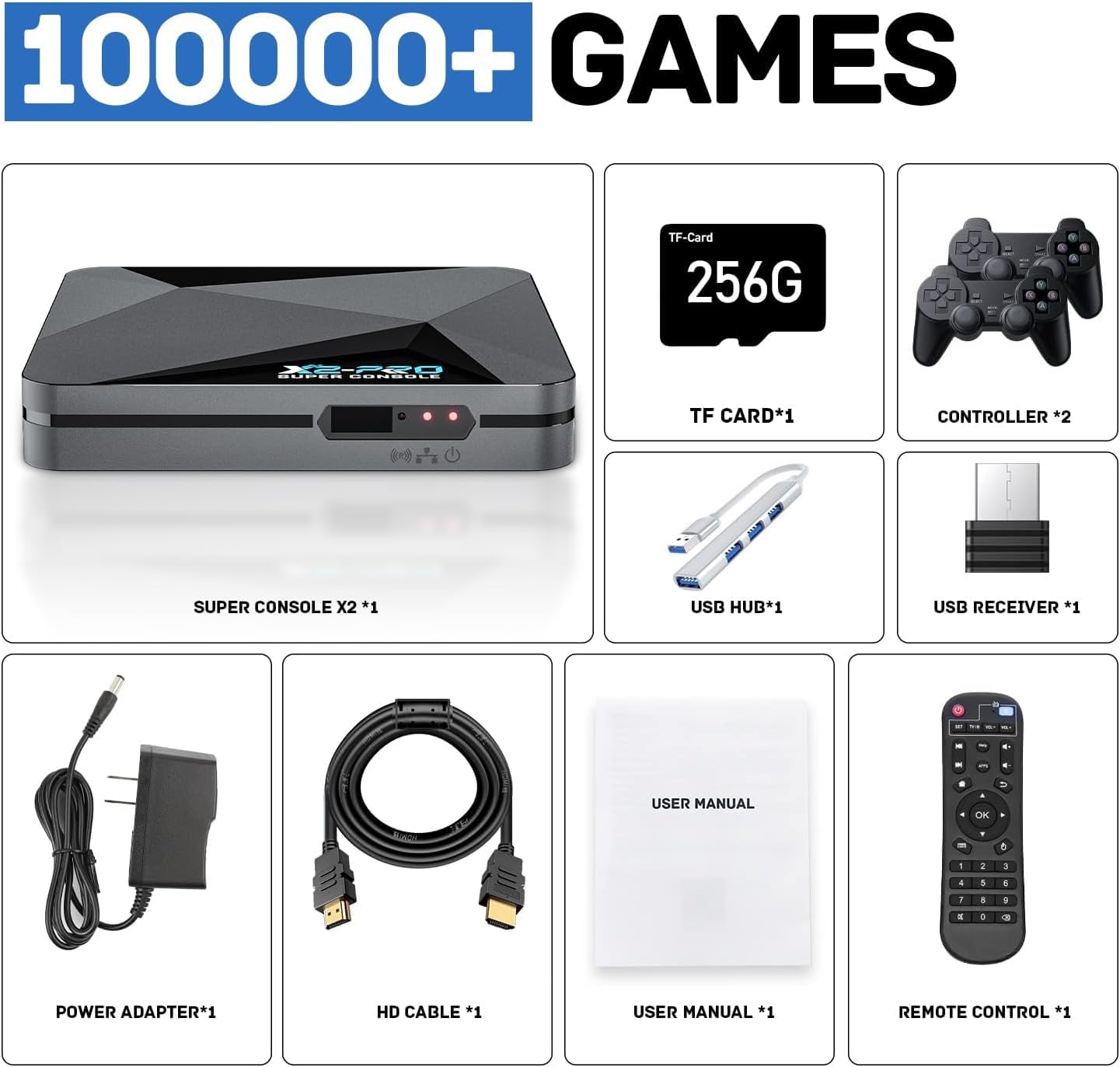
Image: Contents of the Kinhank Super Console X2 Pro package, including the console, two controllers, remote, power adapter, HD cable, TF card, USB hub, USB receiver, and user manual.
Кіраўніцтва па ўстаноўцы
- Падключэнне да тэлевізара: Connect the Super Console X2 Pro to your TV or monitor using the provided HD cable. Ensure the HD cable is securely plugged into both the console and your display's HD input.
- Падключэнне сілкавання: Connect the power adapter to the console's power input port, then plug the adapter into a power outlet.
- Падключыце кантролеры: Insert the USB receiver for the wireless controllers into one of the USB ports on the console. The controllers should automatically pair.
- Устаўце карту TF: Ensure the TF card (pre-installed with games) is properly inserted into the TF card slot on the console.
- Уключэнне: Press the power button on the console or the remote control to turn on the device.
- Выберыце ўвод: Switch your TV's input source to the corresponding HD input where the console is connected.

Image: The Kinhank Super Console X2 Pro unit, two wireless controllers, and a remote control, displayed alongside a television screen showing game content.
Інструкцыя па эксплуатацыі
Сістэма скончыласяview: EmuELEC 4.6 and Android 9.0
The Super Console X2 Pro operates with two distinct systems: EmuELEC 4.6 for retro gaming and Android 9.0 for smart TV functionalities. You can switch between these systems using the provided remote control.

Image: A split screen showing the EmuELEC 4.6 interface on the left and the Android 9.0 interface with various applications on the right, illustrating the dual-system capability.
Switching Between Systems
Use the dedicated button on the remote control to seamlessly switch between the EmuELEC game system and the Android TV system. Refer to the remote control diagram in the package for specific button functions.

Image: A remote control positioned between two television screens, one displaying the EmuELEC interface and the other the Android application menu, indicating the ability to switch between the two operating systems.
Using EmuELEC (Game System)
- Навігацыйныя гульні: Use the directional pad (D-pad) on the controller to browse through the pre-installed game library.
- Selecting Games: Press the 'A' button (or equivalent) on the controller to select and launch a game.
- Выхад з гульняў: Consult the EmuELEC specific instructions (often a combination of 'START' + 'SELECT' or a dedicated hotkey) to exit a game and return to the main menu.
- Даданне гульняў: The console supports adding additional games. For detailed instructions on how to add games, please refer to the official Kinhank support webсайт або звярніцеся ў службу падтрымкі.
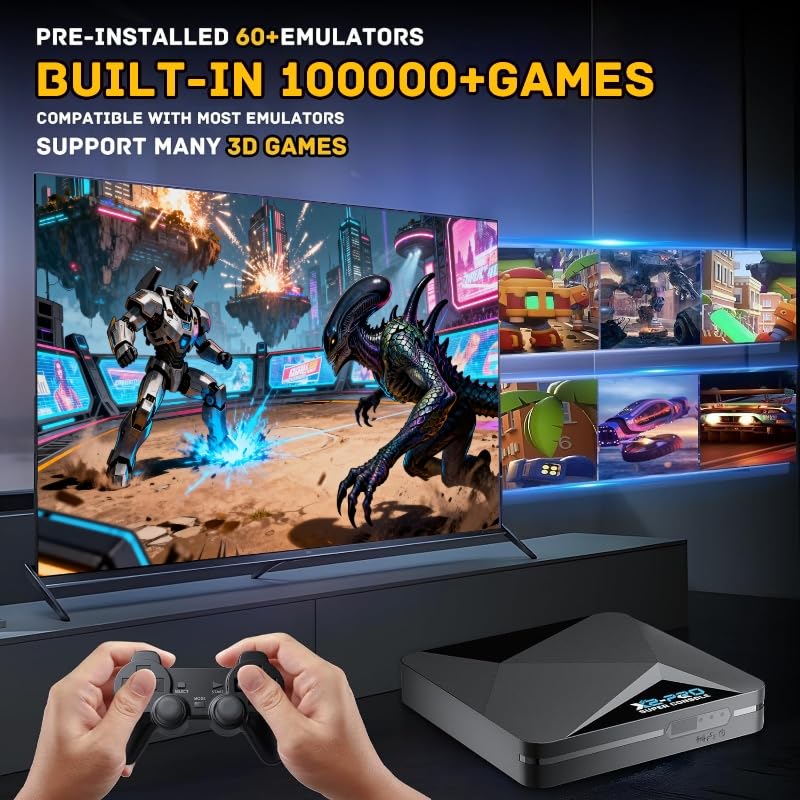
Image: A person holding a game controller, with the Kinhank Super Console X2 Pro unit visible, and a television screen displaying various retro game titles and gameplay footage.
Using Android 9.0 (Smart TV System)
- Навігацыя: Use the remote control's directional buttons and 'OK' button to navigate the Android interface.
- прыкладанні: Access pre-installed applications or download new ones from the app store (if available and configured).
- Падключэнне да сеткі: Connect to your home Wi-Fi network via the Android settings menu for online features and streaming.
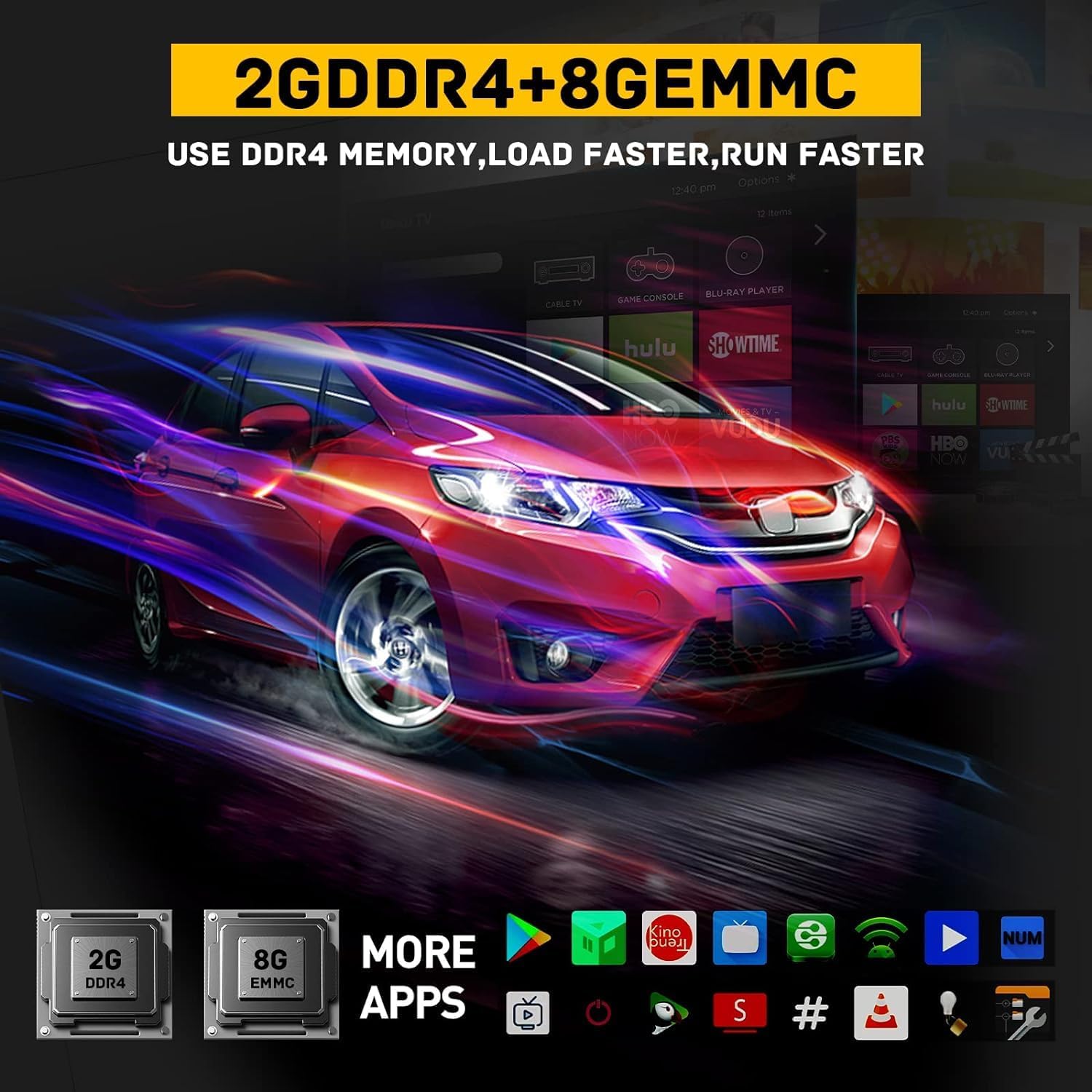
Image: A television screen displaying the Android 9.0 interface with various application icons, including streaming services and utilities, indicating the device's smart TV capabilities.
Падключэнне і прадукцыйнасць
- Двухдыяпазонны Wi-Fi: Supports 2.4G and 5G Wi-Fi for stable and fast wireless internet connectivity.
- Bluetooth 5.0: Allows connection to various Bluetooth-enabled devices such as headphones, speakers, and additional controllers.
- Ethernet 1000M: Provides a wired network connection for maximum speed and stability, reducing buffering and lag.
- S905X2 Chip: Equipped with an S905X2 chip for efficient processing, ensuring smooth gameplay and multimedia playback.
- 4K 60fps Output: Supports high-resolution video output up to 4K at 60 frames per second for a clear visual experience.

Image: The Kinhank Super Console X2 Pro unit with visual representations of 2.4G and 5G Wi-Fi signals and the Bluetooth 5.0 logo, indicating its advanced wireless connectivity features.
Тэхнічнае абслугоўванне
- Уборка: Use a soft, dry cloth to clean the console and controllers. Avoid liquid cleaners or abrasive materials.
- Вентыляцыя: Ensure the console is placed in a well-ventilated area to prevent overheating. Do not block ventilation openings.
- Абнаўленні праграмнага забеспячэння: Periodically check for system updates for both EmuELEC and Android to ensure optimal performance and access to new features.
- захоўванне: Калі кансоль не выкарыстоўваецца працяглы час, захоўвайце яе ў прахалодным, сухім месцы, удалечыні ад прамых сонечных прамянёў і экстрэмальных тэмператур.
Ліквідацыю непаладак
| праблема | Магчымае рашэнне |
|---|---|
| No power/Console does not turn on. |
|
| Няма дысплея на тэлевізары. |
|
| Controllers not responding. |
|
| Games are lagging or freezing. |
|
| Cannot switch between EmuELEC and Android. |
|
Тэхнічныя характарыстыкі
- мадэль: Super Console X2 Pro
- Аперацыйныя сістэмы: EmuELEC 4.6, Android 9.0
- Працэсар: S905X2 Chip
- Аператыўная памяць: 2 ГБ DDR4
- захоўванне: 8GB eMMC (internal), supports TF card expansion
- Падключэнне: 2.4G/5G Dual-Band Wi-Fi, Bluetooth 5.0, Ethernet 1000M
- Відэа выхад: Up to 4K @ 60fps
- Памеры: Approximately 1 x 0.8 x 0.5 inches (Console Unit)
- Вага: Approximately 2 pounds (Console Unit)
- вытворца: Кінханк
Гарантыя і падтрымка
For warranty information and technical support, please refer to the warranty card included in your package or visit the official Kinhank website. You may also contact customer service directly for assistance with product issues or inquiries.
Кліент Review Заўвага: A user reported excellent customer service for a controller issue, indicating prompt resolution. This suggests reliable support is available.