
1. Уводзіны і большview
This manual provides detailed instructions for setting up and using your Rapoo Blade-Series E9310M Wireless Keyboard and M300G Silent Mouse Combo. This combo offers multi-device connectivity and a compact design for enhanced productivity across various operating systems.
Асноўныя характарыстыкі:
- Compact Wireless Combo: Features a 99-key layout with number pad and arrow keys, paired with a silent mouse with side buttons. This design optimizes typing and browsing efficiency while occupying 20% less space.
- Multi-Device and Multi-OS Support: Connects to up to 4 devices across Windows, Mac OS, and Linux via Bluetooth 5.0/4.0 and a plug-and-play USB receiver.
- Вопыт плыўнага набору тэксту: Laptop-like profile with incurve rounded keys ensures a fast, fluid, precise, and quiet typing experience.
- 5-DPI Adjustable Silent Mouse: The M300G mouse offers good portability and ergonomics, with 5 preset DPI levels (800/1000/1200/1600/2400) for smooth tracking.
- Мультымедыйныя ключы: Supports Windows and Mac OS dual system shortcuts for 12 common functions like play/pause and volume control.
- Aesthetic and Durable Design: Constructed with an aluminum alloy frame and a matte antioxidant finish for a delicate texture and enhanced durability.
- Удасканаленыя дэталі: Includes device and capitalization indicator lights for improved user awareness and an upgraded Bluetooth 5.0/4.0 for extended battery life.
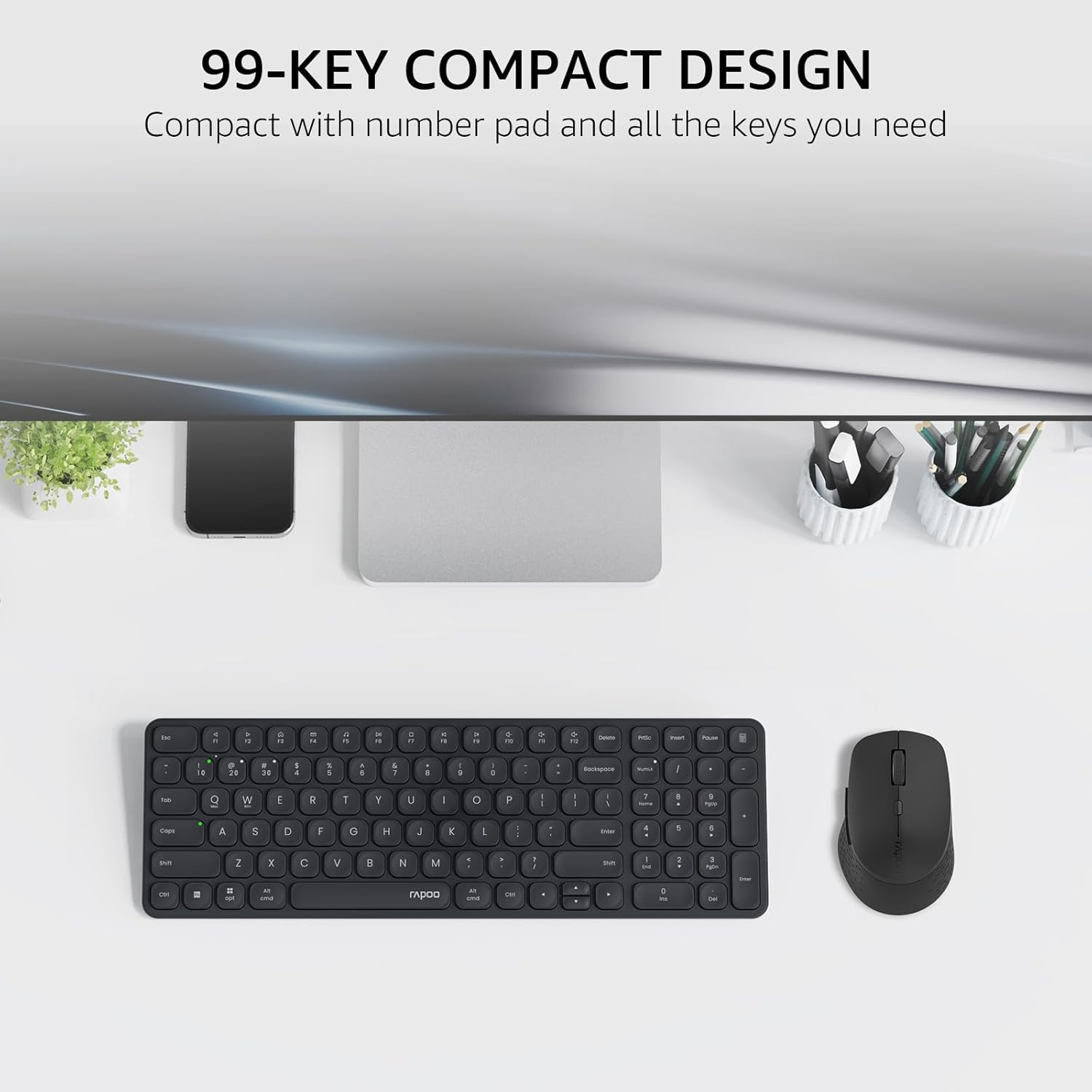
Image: The Rapoo E9310M keyboard and M300G mouse combo, showcasing its compact design on a desk.
2. Інструкцыі па ўсталёўцы
2.1 Устаноўка батарэі
The keyboard and mouse require AAA batteries. Two AAA batteries are included with the product.
- Знайдзіце адсек для батарэек на ніжняй частцы клавіятуры і мышы.
- Адкрыйце крышку батарэйнага адсека.
- Устаўце батарэйкі тыпу AAA, сачыце за правільнай палярнасцю (+/-).
- Надзейна зачыніце крышку батарэйнага адсека.
2.2 Падключэнне да прылад
Your Rapoo combo supports connection via 2.4GHz USB receiver or Bluetooth 5.0/4.0, allowing connection to up to 4 devices (3 via Bluetooth, 1 via 2.4GHz).
2.2.1 Падключэнне USB-прыёмніка 2.4 ГГц
- Знайдзіце USB-прыёмнік, які звычайна знаходзіцца ў батарэйным адсеку мышы.
- Падключыце USB-прыёмнік да вольнага порта USB на вашым кампутары.
- Уключыце клавіятуру і мыш, выкарыстоўваючы адпаведныя выключальнікі харчавання.
- The devices should automatically connect to your computer. If not, press the 2.4G pairing button on the keyboard/mouse (refer to device for exact button location).
2.2.2 Bluetooth Connection (for up to 3 devices)
- Уключыце клавіятуру і мыш.
- On the keyboard, press and hold one of the Bluetooth pairing keys (e.g., Fn + 1, Fn + 2, or Fn + 3) until the indicator light flashes, indicating pairing mode.
- On your device (PC, tablet, phone), go to Bluetooth settings and search for new devices.
- Select the Rapoo keyboard from the list and follow any on-screen prompts to complete pairing.
- Repeat steps 2-4 for the mouse, pressing its Bluetooth pairing button (usually on the underside) until its indicator flashes.
- To switch between paired Bluetooth devices, simply press the corresponding Bluetooth key (Fn + 1/2/3) on the keyboard or the Bluetooth switch on the mouse.
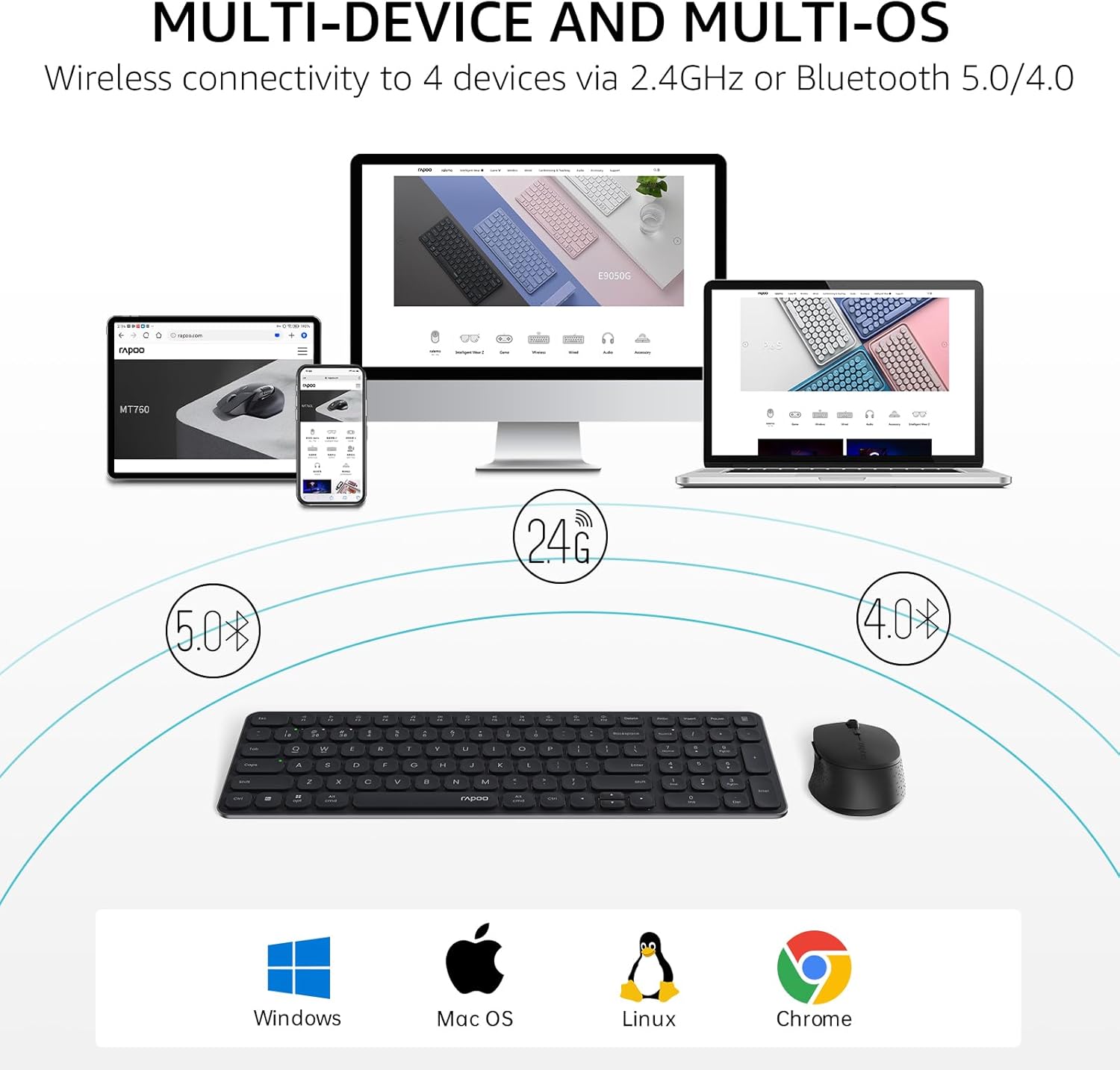
Image: The Rapoo keyboard and mouse combo connected to a desktop, laptop, tablet, and smartphone, illustrating its multi-device capability.
3. Інструкцыя па эксплуатацыі
3.1 Функцыі клавіятуры
The E9310M keyboard features a 99-key layout, including a number pad and dedicated arrow keys, designed for efficient input.
3.1.1 мультымедыйных клавіш
Access 12 widely used function keys by pressing the Fn key in combination with the corresponding F-keys (F1-F12). These shortcuts are compatible with both Windows and Mac OS.
- Fn+F1: Прайграванне/Паўза
- Fn+F2: Стоп
- Fn+F3: Папярэдні трэк
- Fn+F4: Наступны трэк
- Fn+F5: Адключыць гук
- Fn+F6: Памяншэнне гучнасці
- Fn+F7: Павялічыць гучнасць
- Fn+F8: пошук
- Fn+F9: дадому
- Fn+F10: Пошта
- Fn+F11: Мой кампутар
- Fn+F12: Выбранае
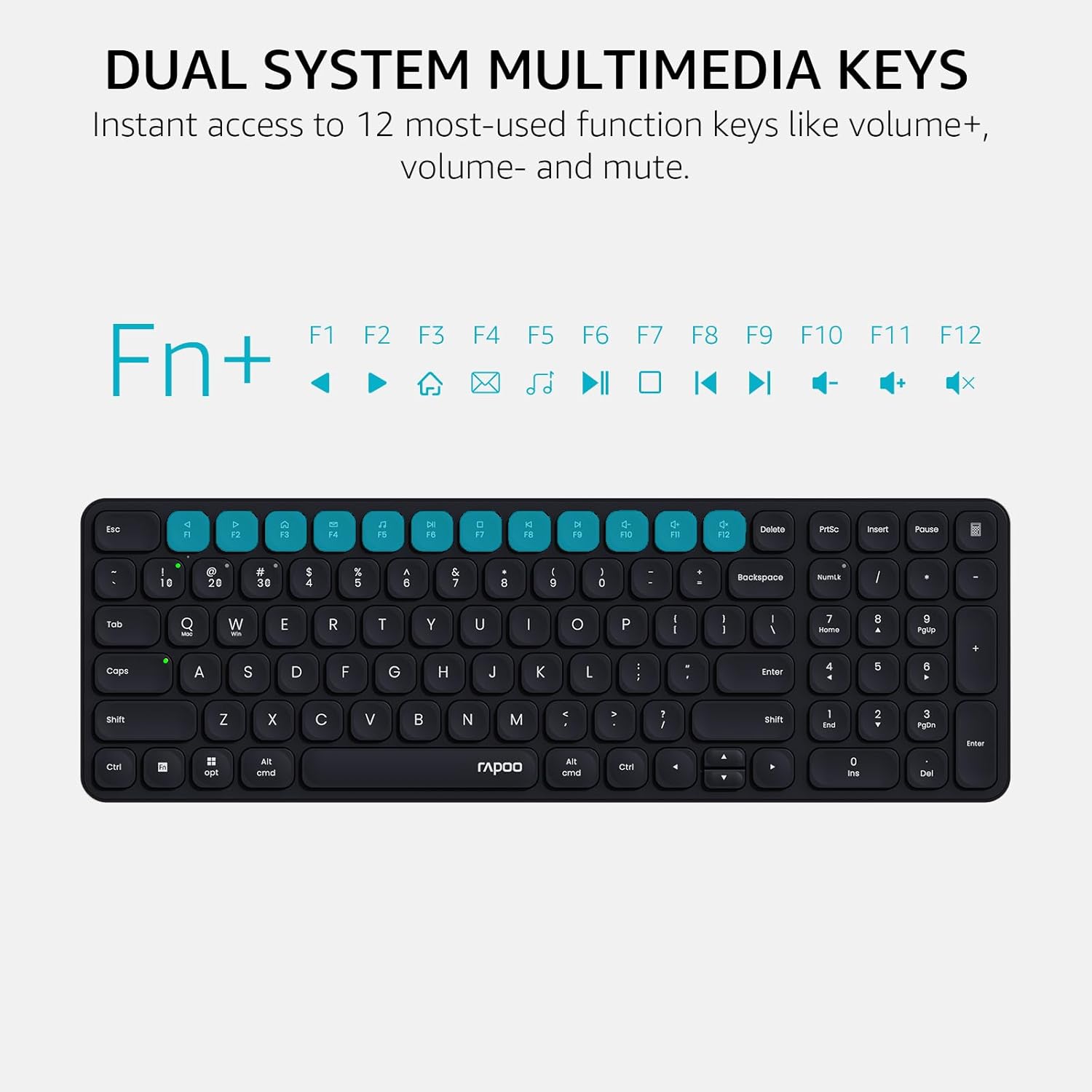
Image: Close-up of the Rapoo E9310M keyboard highlighting the multimedia function keys (F1-F12) and their corresponding icons.
3.1.2 Device and Capitalization Indicator Lights
The keyboard includes indicator lights to show which device is currently active and the status of the Caps Lock key.
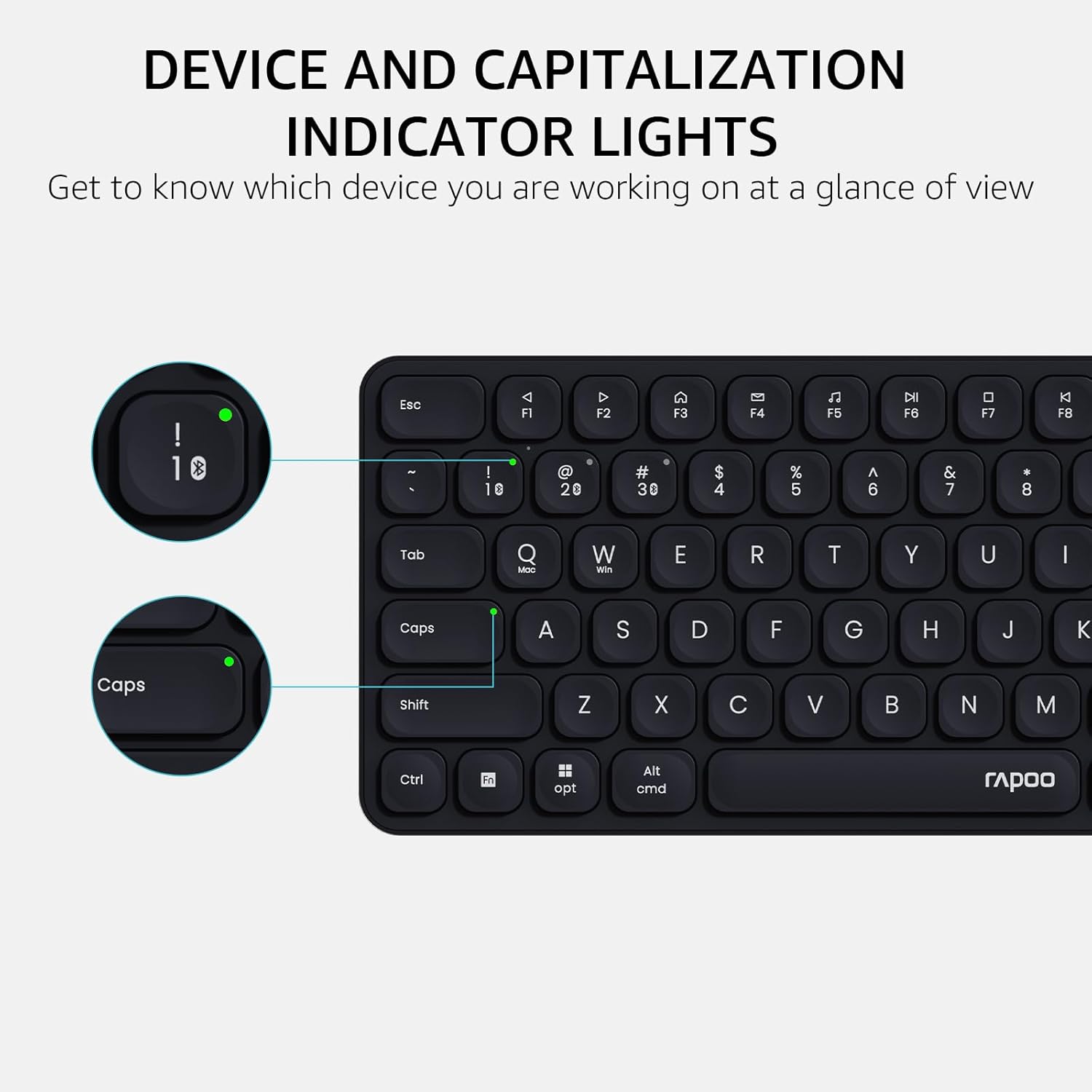
Выява: Падрабязны view of the Rapoo E9310M keyboard, pointing out the indicator lights for device connection and Caps Lock status.
3.2 Функцыі мышы
The M300G Silent Mouse provides precise control with adjustable DPI settings and a quiet click design.
3.2.1 Рэгуляванне DPI
The mouse features 5 adjustable DPI levels (800/1000/1200/1600/2400) to suit different screen resolutions and user preferences. Press the DPI button (usually located near the scroll wheel) to cycle through the settings.
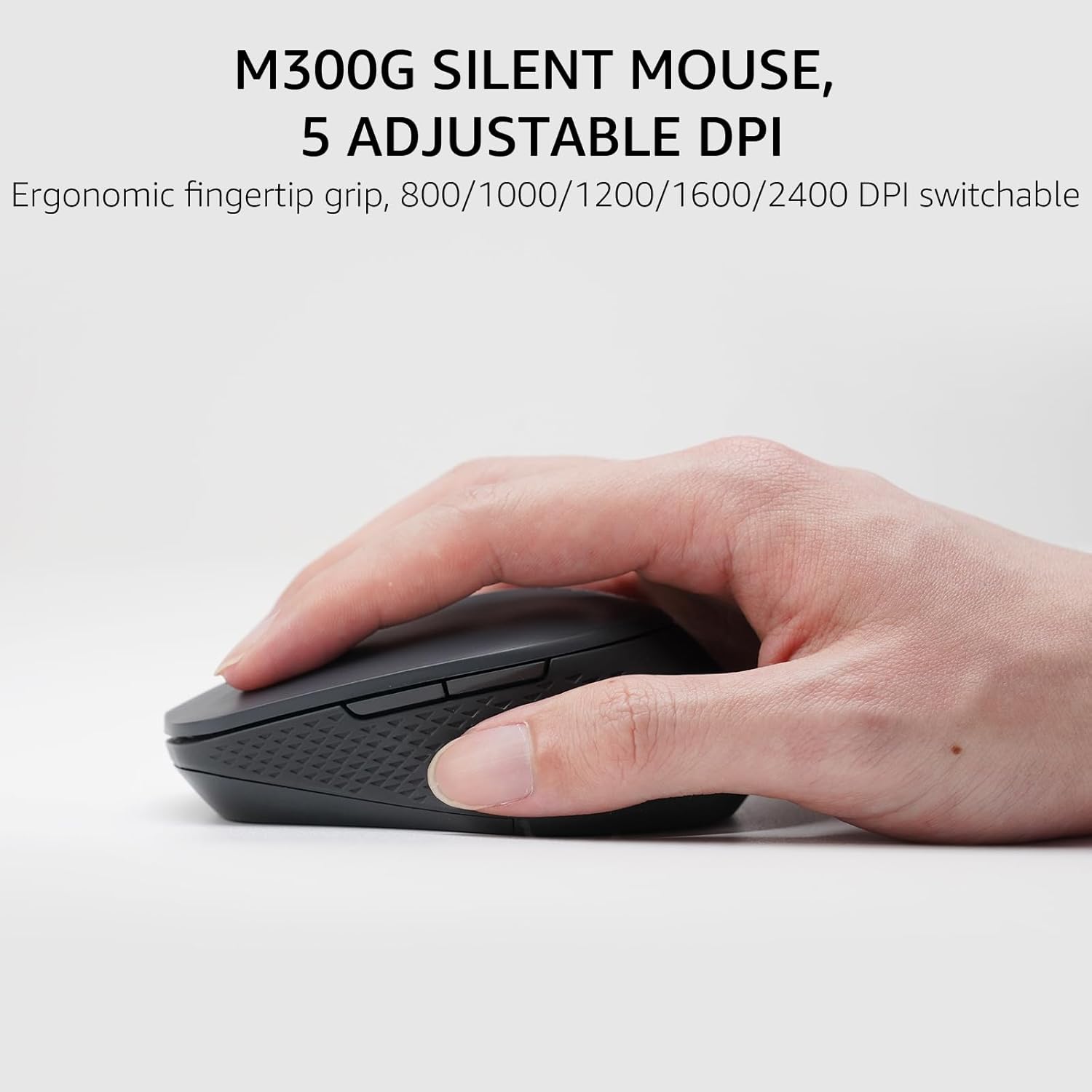
Image: The Rapoo M300G Silent Mouse, highlighting its ergonomic design and the DPI adjustment button.
4. Тэхнічнае абслугоўванне
4.1 Ачыстка
- Выкарыстоўвайце мяккую, сухую тканіну для чысткі паверхняў клавіятуры і мышы.
- Для ўстойлівага бруду злёгку ачысціцеampПрацярыце тканіну вадой або мяккім ачышчальным растворам. Пазбягайце празмернай вільготнасці.
- Не выкарыстоўвайце абразіўныя ачышчальнікі, растваральнікі або аэразольныя спрэі.
4.2 Замена батарэі
When the battery indicator light flashes or performance degrades, replace the batteries. The upgraded Bluetooth 5.0/4.0 technology extends battery life up to 12 months.
- Выключыце прыладу.
- Адкрыйце батарэйны адсек.
- Выміце старыя батарэйкі і ўтылізуйце іх у адпаведнасці з мясцовымі правіламі.
- Устаўце новыя батарэйкі тыпу ААА, выконваючы правільную палярнасць.
- Зачыніце адсек.
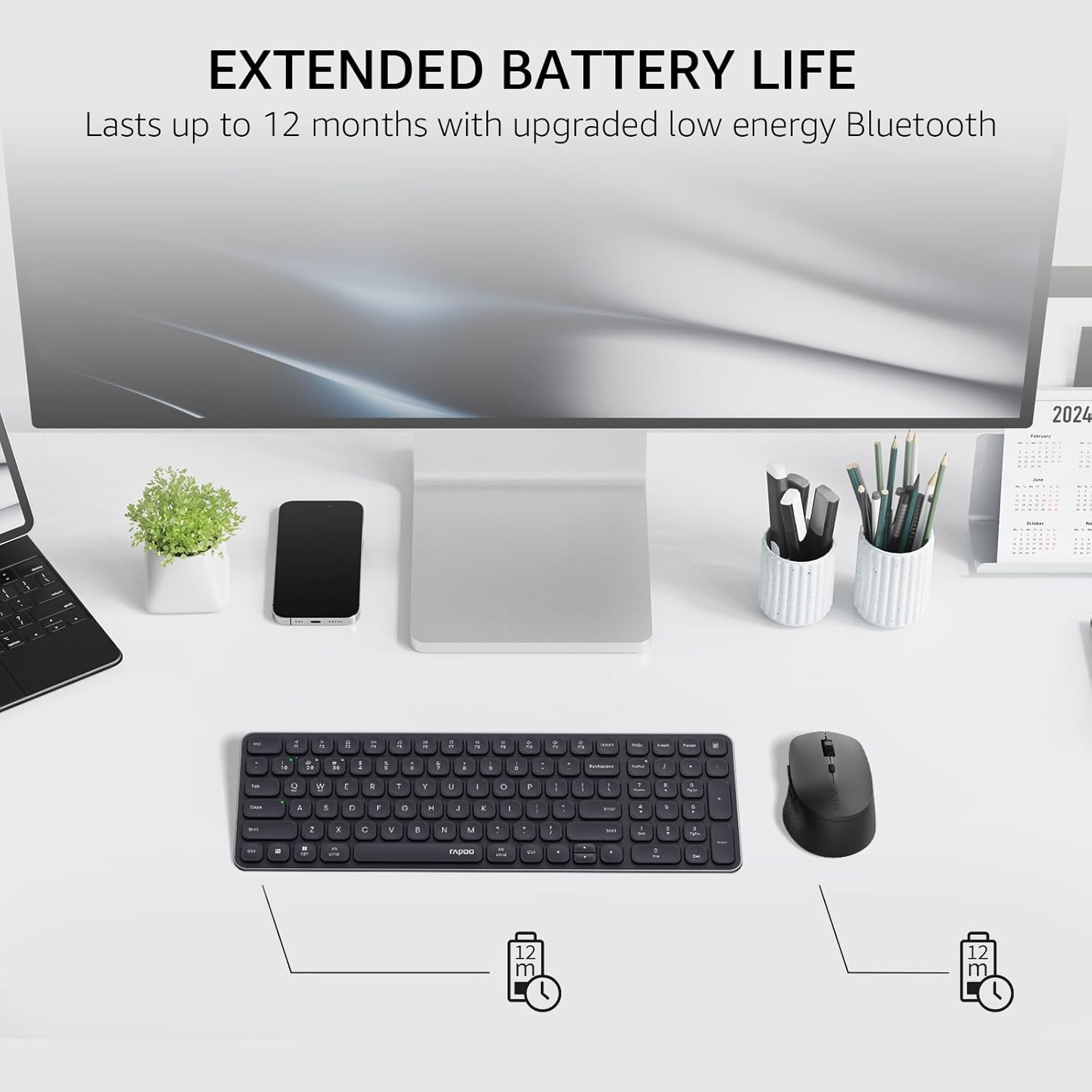
Image: The Rapoo keyboard and mouse on a desk, with an overlay indicating an extended battery life of up to 12 months.
5. Выпраўленне непаладак
5.1 Праблемы з падключэннем
- Прылада не падключаецца: Ensure the keyboard/mouse is turned on and in pairing mode (indicator light flashing). Check your device's Bluetooth settings to ensure Bluetooth is enabled and the correct Rapoo device is selected.
- 2.4GHz connection unstable: Ensure the USB receiver is securely plugged into a working USB port. Try a different USB port. Ensure no other wireless devices are causing interference.
- Bluetooth connection dropping: Ensure the devices are within the effective range (typically 10 meters/33 feet). Check battery levels. Remove and re-pair the device if issues persist.
5.2 Keyboard/Mouse Not Responding
- No input: Check battery levels and replace if necessary. Ensure the correct connection mode (2.4GHz or Bluetooth channel) is selected on the keyboard/mouse.
- Клавішы не працуюць: Ачысціце вакол пашкоджаных клавіш, каб выдаліць смецце.
- Курсор мышы няўстойлівы: Clean the mouse sensor. Ensure the mouse is used on a suitable surface. Adjust DPI settings if sensitivity is an issue.
6. Тэхнічныя характарыстыкі
| Асаблівасць | Дэталь |
|---|---|
| Марка | Рапу |
| Мадэль (клавіятура) | E9310M |
| Мадэль (мыш) | M300G |
| Колер | Чорны |
| Тэхналогія падлучэння | Bluetooth (5.0/4.0), Radio Frequency (2.4GHz) |
| Сумяшчальныя прылады | Laptop, Personal Computer (Windows, macOS, Linux, Chrome OS) |
| Раскладка клавіятуры | QWERTY, 99-Key with Number Pad |
| Мыш DPI | 800/1000/1200/1600/2400 (Adjustable) |
| Крыніца харчавання | Харчаванне ад батарэі (2 батарэі ААА ў камплекце) |
| Вага прадмета | 393.2 грам |
| Вытворца | Shenzhen Rapoo Technology Co., Ltd. |
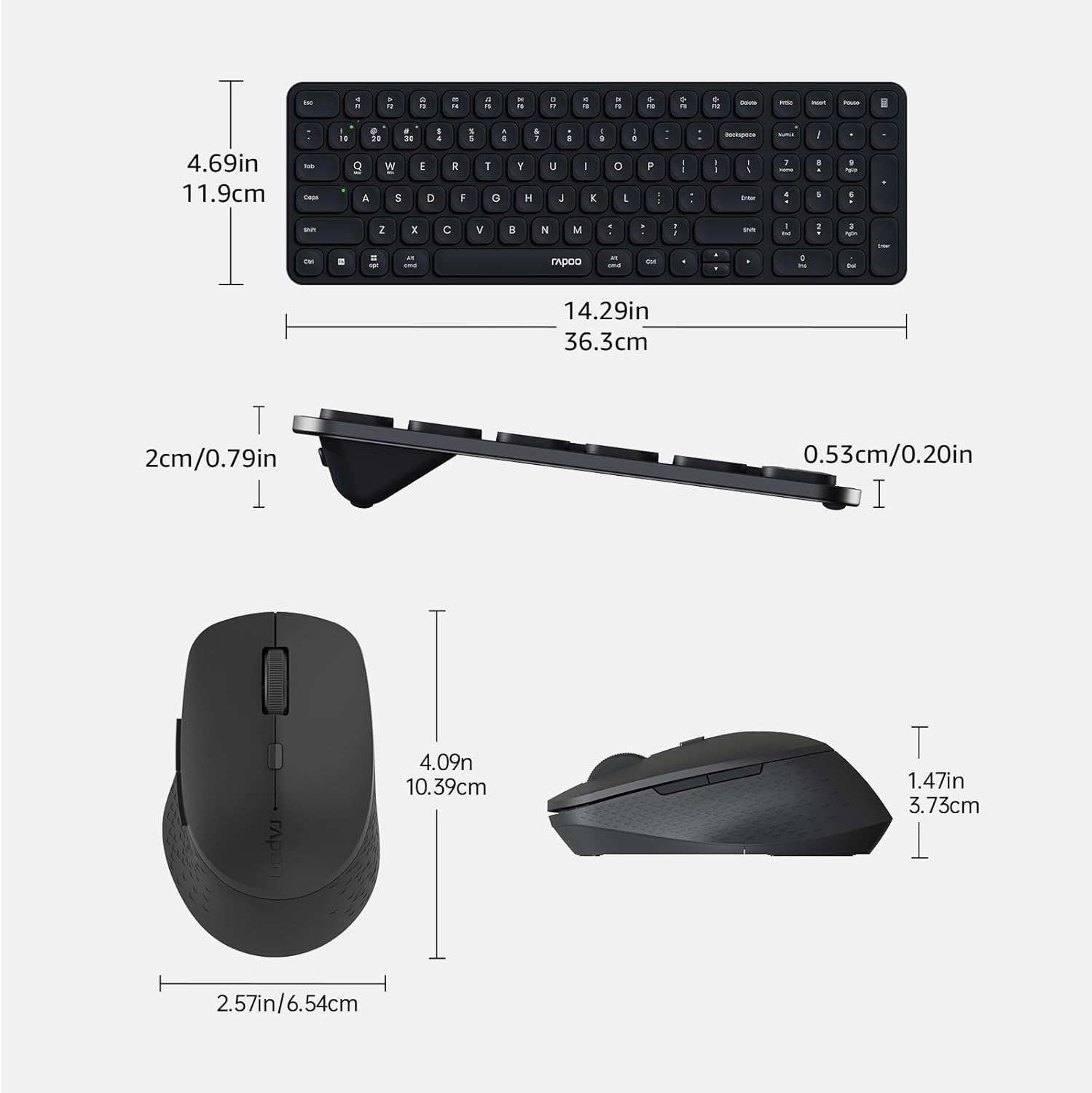
Image: Technical drawing showing the dimensions of the Rapoo E9310M keyboard and M300G mouse in inches and centimeters.
7. Гарантыя і падтрымка
7.1 Інфармацыя аб гарантыі
Гэты прадукт пастаўляецца з a Гарантыя 1 год з даты пакупкі. Калі ласка, захавайце пацвярджэнне пакупкі для прэтэнзій па гарантыі. Гарантыя распаўсюджваецца на вытворчыя дэфекты і няспраўнасці пры нармальных умовах выкарыстання.
7.2 Падтрымка кліентаў
For technical assistance, troubleshooting, or warranty inquiries, please contact Rapoo customer support. Refer to the official Rapoo webна сайце або на ўпакоўцы прадукту, каб знайсці найноўшую кантактную інфармацыю.