
1. Уводзіны
The NICGIGA 24 Port 2.5Gb Ethernet Switch (Model S25-2400) is an unmanaged network switch designed to provide high-speed connectivity for your home or office network. Featuring 24 2.5 Gigabit Ethernet ports, this switch offers a robust solution for expanding your network capacity and enhancing data transfer rates. Its plug-and-play design ensures easy installation without complex configuration, making it suitable for various environments, including desktop and 19-inch rack mount setups. The fanless metal design ensures quiet operation and efficient heat dissipation, contributing to device stability and longevity.
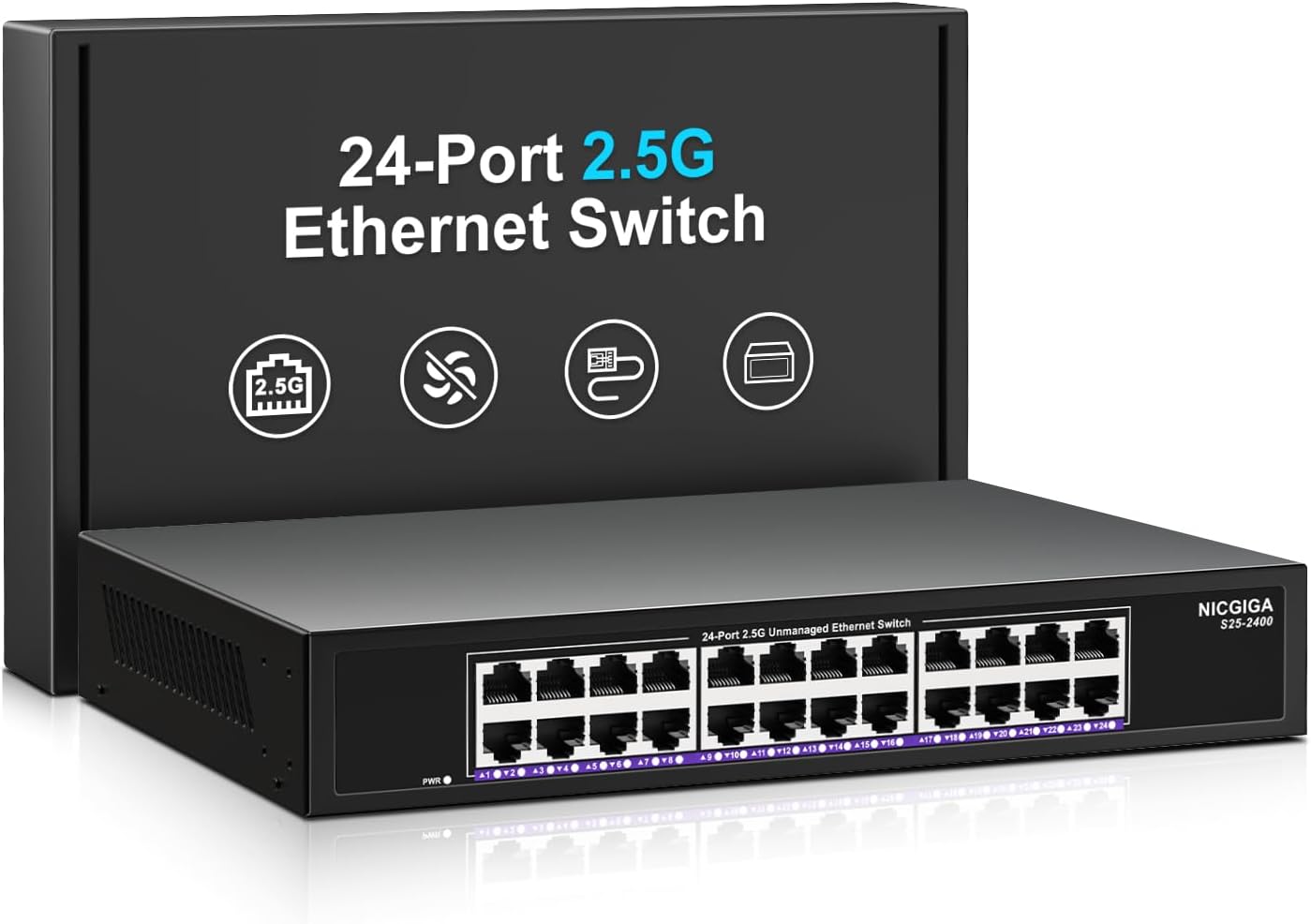
Выява 1.1: Спераду view of the NICGIGA 24 Port 2.5Gb Ethernet Switch, showcasing its 24 RJ45 ports and LED indicators.
2. Змесціва ўпакоўкі
Праверце, ці ёсць у вашай упакоўцы наступныя рэчы:
- NICGIGA 24 Port 2.5Gb Ethernet Switch (Model S25-2400)
- Адаптар сілкавання
- Rack Mount Kit (for 19-inch rack installation)
- Кіраўніцтва карыстальніка (гэты дакумент)
3. Прадукт скончыўсяview
3.1 Пярэдняя панэль
The front panel of the NICGIGA 24 Port 2.5Gb Ethernet Switch features 24 RJ45 ports and LED indicators for monitoring network activity.
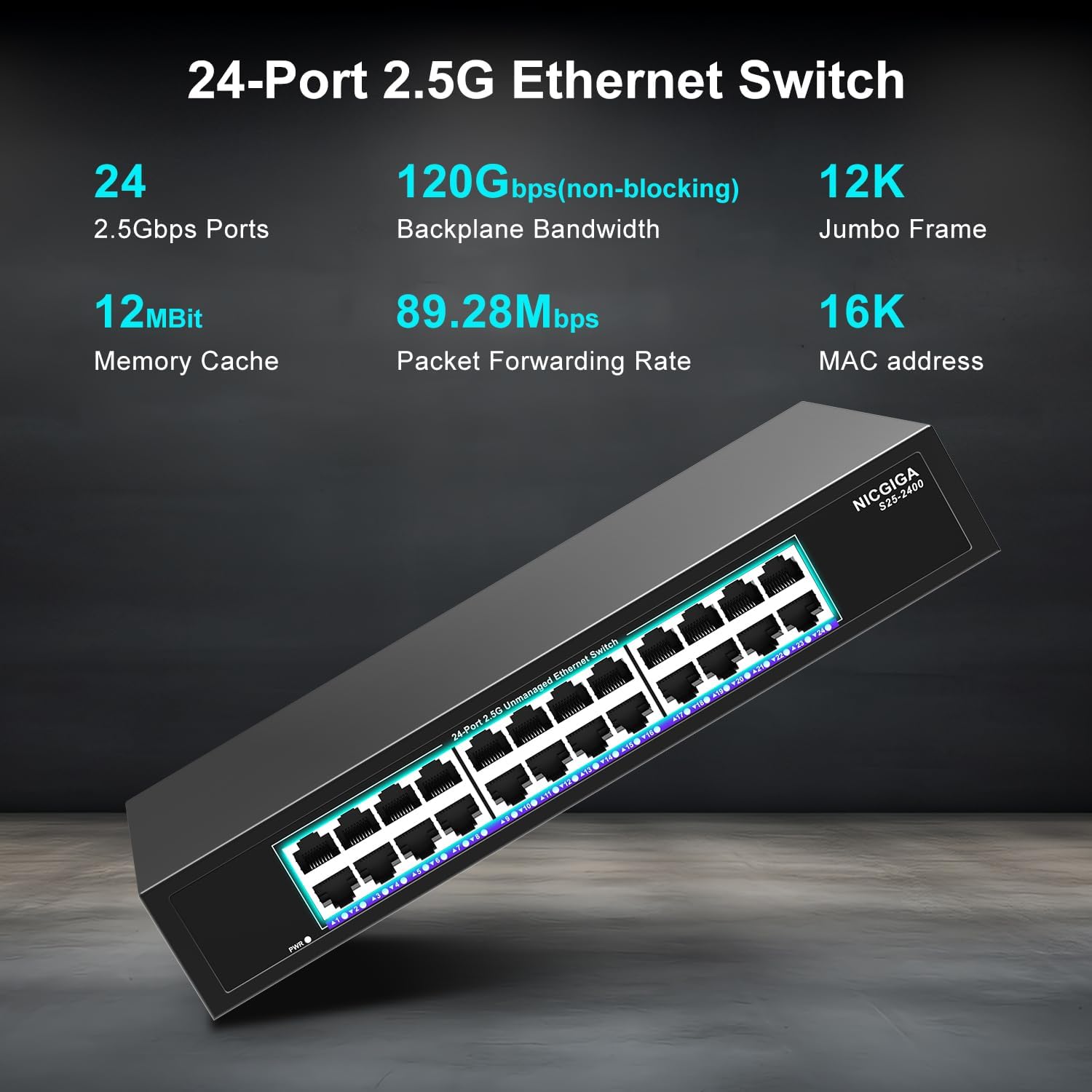
Малюнак 3.1: Падрабязны view of the switch's front panel, highlighting the 24 RJ45 ports and power input.
- Парты RJ45 (1-24): These ports support 100/1000/2500Mbps Ethernet connections. They automatically detect and adjust to the speed of the connected device.
- Святлодыёдныя індыкатары: Each port has an associated LED that indicates link status and activity.
- Цвёрды зялёны: A stable link is established at 2.5Gbps.
- Суцэльны жоўты: A stable link is established at 1Gbps.
- Суцэльны аранжавы: A stable link is established at 100Mbps.
- міргае: На порце адбываецца апрацоўка дадзеных.
- Выключана: No link is established or the device is not connected.
- Святлодыёд харчавання: Паказвае стан харчавання пераключальніка.
- Цвёрды зялёны: Перамыкач уключаны.
- Выключана: Выключальнік выключаны.
3.2 Задняя панэль
The rear panel typically contains the power input and ventilation openings.
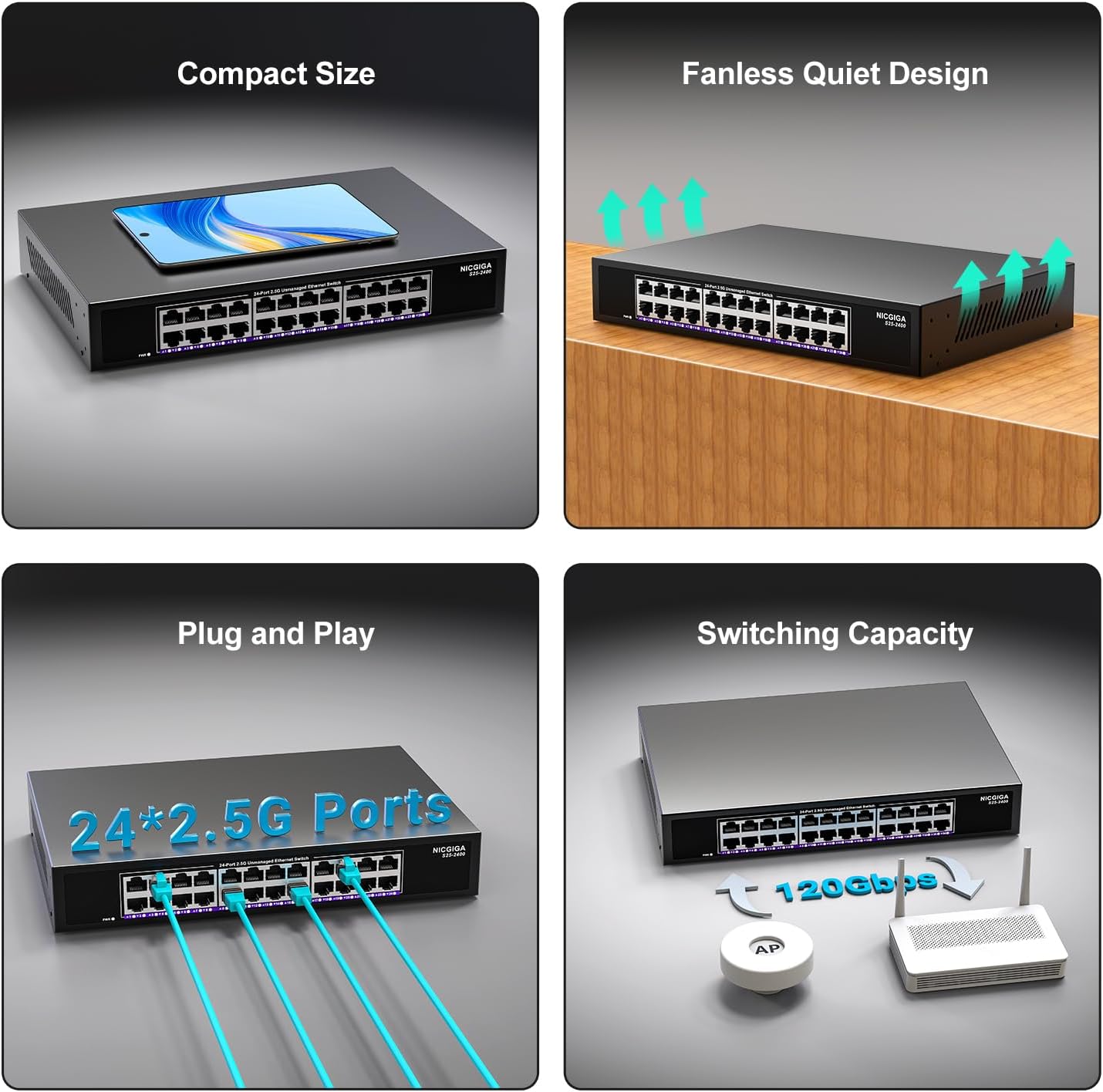
Малюнак 3.2: ззаду view of the switch, showing the power input and fanless design.
4. Настройка
The NICGIGA 24 Port 2.5Gb Ethernet Switch is designed for simple plug-and-play operation, requiring no software installation or complex configuration.
4.1 Усталёўка на працоўны стол
- Place the switch on a stable, flat surface, ensuring adequate ventilation around the device.
- Connect the power adapter to the switch's power input and then to a power outlet.
- Connect your network devices (e.g., computers, NAS, Wi-Fi 6 APs, routers) to any of the 24 RJ45 ports using standard Ethernet cables. The switch will automatically detect the link speed.

Малюнак 4.1: Прыкладample of desktop setup, showing the switch connected to a laptop and a Wi-Fi router.
4.2 19-inch Rack Mount Installation
The switch can be installed in a standard 19-inch equipment rack using the included rack mount kit.
- Attach the two rack-mount brackets to the sides of the switch using the provided screws.
- Secure the switch into an available slot in your 19-inch rack using appropriate rack screws (not included).
- Connect the power adapter and network cables as described in the desktop installation.

Image 4.2: Diagram illustrating the dimensions for rack mounting and an example of the switch installed in a 19-inch rack.
5. Інструкцыя па эксплуатацыі
Once the switch is powered on and devices are connected, it operates automatically.
- Аўтаматычнае ўзгадненне: Each port automatically detects the speed (100Mbps, 1Gbps, or 2.5Gbps) and duplex mode (half/full) of the connected device and adjusts accordingly. This ensures optimal performance and compatibility across various network devices.
- Non-Blocking Architecture: The switch provides full wire-speed forwarding on all ports simultaneously, ensuring maximum throughput for all connected devices without bottlenecks.
- Unmanaged Operation: No configuration or software is required. Simply connect your devices, and the switch will manage data traffic efficiently.

Image 5.1: Illustration of the auto-negotiation feature, showing how the switch adapts to different link speeds.
6. Тэхнічнае абслугоўванне
The NICGIGA 24 Port 2.5Gb Ethernet Switch is designed for minimal maintenance.
- Уборка: Для чысткі вонкавага боку перамыкача выкарыстоўвайце мяккую сухую тканіну. Не выкарыстоўвайце вадкія або аэразольныя ачышчальнікі.
- Вентыляцыя: Ensure that the ventilation openings are not blocked to allow for proper airflow and heat dissipation. The fanless design relies on natural convection.
- Асяроддзе: Operate the switch within its specified environmental conditions (temperature, humidity) to ensure optimal performance and longevity.
7. Выпраўленне непаладак
If you encounter issues with your NICGIGA 24 Port 2.5Gb Ethernet Switch, refer to the following common troubleshooting steps:
- Няма харчавання:
- Пераканайцеся, што адаптар сілкавання надзейна падключаны як да камутатара, так і да спраўнай разеткі.
- Праверце працаздольнасць разеткі, падключыўшы да яе іншую прыладу.
- Check the Power LED on the switch; it should be solid green when powered on.
- Няма спасылкі/актыўнасці на порце:
- Пераканайцеся, што кабель Ethernet надзейна падключаны як да порта камутатара, так і да падлучанай прылады.
- Пераканайцеся, што падключаная прылада ўключана, а яе сеткавы адаптар працуе правільна.
- Паспрабуйце іншы кабель Ethernet, каб выключыць праблемы з кабелем.
- Праверце з іншым портам на камутатары.
- Check the LED indicator for the specific port; if it's off, there's no link.
- Павольная хуткасць сеткі:
- Ensure all connected devices and network adapters support 2.5Gbps speeds for optimal performance. The switch will auto-negotiate to the highest common speed.
- Use Cat5e or higher-rated Ethernet cables for 2.5Gbps connections.
- Праверце наяўнасць празмернага сеткавага трафіку або вузкіх месцаў на іншых сеткавых прыладах.
- Перарывістае падключэнне:
- Inspect Ethernet cables for damage.
- Ensure the switch is placed in a well-ventilated area to prevent overheating, although it has a fanless design.
- Праверце на наяўнасць патэнцыйных электрамагнітных перашкод ад іншых электронных прылад.
8. Тэхнічныя характарыстыкі
| Асаблівасць | Спецыфікацыя |
|---|---|
| мадэль | С25-2400 |
| Колькасць партоў | 24 x 2.5Gbps RJ45 Ports |
| Тып інтэрфейсу | RJ45 |
| Хуткасць перадачы даных | 100/1000/2500Mbps (Auto-Negotiation) |
| Камутацыйны патэнцыял | 160 Гбіт/с |
| Рамка Jumbo | 12 тыс |
| Памер табліцы MAC-адрасоў | 16 тыс |
| Кэш памяці | 12 Мбіт |
| Хуткасць перасылкі пакетаў | 89.28 Мпікс |
| Дызайн | Fanless Metal Design |
| Абарона ад маланак | 4KV |
| Ўстаноўка | Desktop or 19-inch Rack Mount |
| Памеры (Д х Ш х У) | 270.5 х 181 х 44.5 мм (10.6 х 7.1 х 1.7 цалі) |
| Вага прадмета | 1.9 кілаграма (4.18 фунта) |
| Сумяшчальныя прылады | Настольны кампутар, гульнявая кансоль, ноўтбук |
| UPC | 790885830235 |
Заўвага: Тэхнічныя характарыстыкі могуць быць зменены без папярэдняга паведамлення.
9. Гарантыя і падтрымка
NICGIGA provides a one-year warranty for this product, ensuring reliability, quality, and performance. Additionally, lifetime technical support is available for the entire product lifecycle.
For technical assistance or warranty claims, please contact NICGIGA customer support through the official webсайт або ваша платформа для пакупак.