
Уводзіны
Thank you for choosing the TECKNET TK-HS049 Hybrid Active Noise Cancelling Headphones. These headphones are designed to provide a superior audio experience with advanced noise cancellation, long battery life, and versatile connectivity. This manual will guide you through the setup, operation, and maintenance of your new headphones.
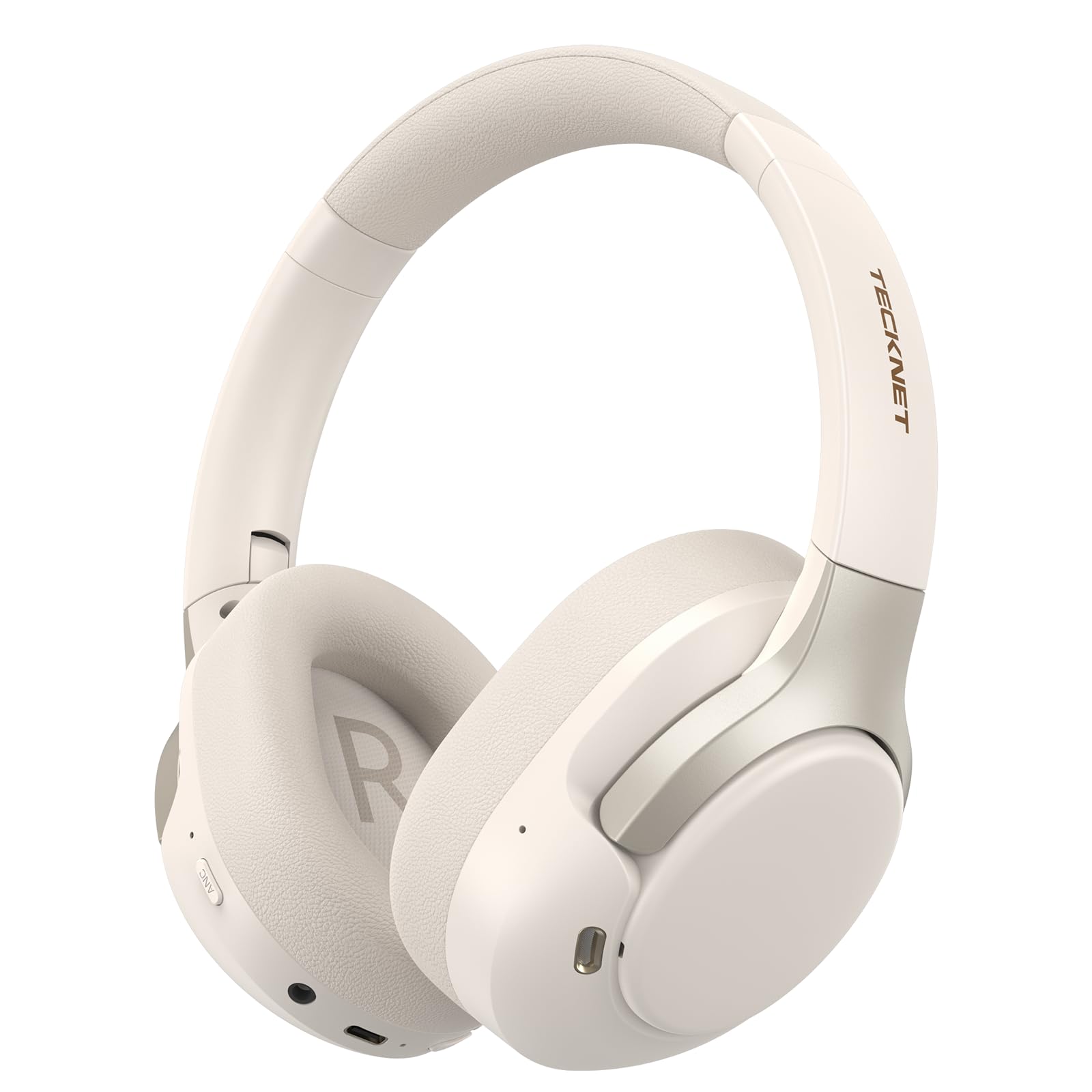
Image: TECKNET TK-HS049 Hybrid Active Noise Cancelling Headphones.
Што ў скрынцы
- 1 x TECKNET TK-HS049 ANC Headphones
- 1 х 3.5 мм аўдыякабель
- 1 х Кіраўніцтва карыстальніка
- 1 х зарадны кабель Type-C

Image: Contents of the product packaging.
Прадукт скончаныview
Familiarize yourself with the various components and controls of your TECKNET TK-HS049 headphones.

Выява: Збоку view of the headphones highlighting control buttons and ports.
Ключавыя кампаненты:
- Кнопка харчавання: Выкарыстоўваецца для ўключэння/выключэння навушнікаў і для спалучэння праз Bluetooth.
- Кнопка павелічэння гучнасці/наступнага трэка: Павялічвае гучнасць або пераходзіць да наступнай кампазіцыі.
- Кнопка памяншэння гучнасці/пераключэння на папярэдні трэк: Змяншае гучнасць або пераходзіць да папярэдняй кампазіцыі.
- Шматфункцыянальная кнопка: Прайграванне/прыпыненне музыкі, адказ/завяршэнне выклікаў.
- Кнопка ANC: Пераключае рэжымы актыўнага шумапрыглушэння.
- Порт для зарадкі Type-C: Для зарадкі навушнікаў.
- 3.5 мм аўдыяраз'ём: Для праваднога падключэння аўдыё.
- Мікрафон: Для званкоў і галасавых каманд.
Настройка
1. Зарадка навушнікаў
Before first use, fully charge your headphones. Connect the supplied Type-C charging cable to the charging port on the headphones and the other end to a USB power source (e.g., wall adapter, computer USB port).
- Святлодыёдны індыкатар пакажа стан зарадкі.
- Поўная зарадка звычайна займае каля 2-3 гадзін.
2. Уключэнне/выключэнне харчавання
- Уключэнне: Press and hold the Power button for 3 seconds until the LED indicator flashes blue.
- Выключэнне: Press and hold the Power button for 3 seconds until the LED indicator flashes red and then turns off.
3. Спарванне Bluetooth
Каб падключыць навушнікі да прылады праз Bluetooth:
- Пераканайцеся, што навушнікі адключаны.
- Націсніце і ўтрымлівайце кнопку харчавання на працягу 5 секунд, пакуль святлодыёдны індыкатар не пачне міргаць па чарзе чырвоным і сінім колерамі, паказваючы рэжым спалучэння.
- На вашай прыладзе (смартфоне, планшэце, ноўтбуку) уключыце Bluetooth і знайдзіце даступныя прылады.
- Select "TECKNET TK-HS049" from the list of devices.
- Пасля падлучэння святлодыёдны індыкатар будзе павольна міргаць сінім.
4. Падключэнне двух прылад
The headphones support simultaneous connection to two Bluetooth devices, allowing seamless switching between them.
- Pair the headphones with the first device (e.g., smartphone) as described above.
- Адключыце Bluetooth на першай прыладзе. Навушнікі зноў пяройдуць у рэжым спалучэння.
- Pair the headphones with the second device (e.g., laptop).
- Зноў уключыце Bluetooth на першай прыладзе. Навушнікі павінны аўтаматычна падключыцца да абедзвюх прылад.
- Каб пераключыць аўдыё, проста прайграйце медыя на патрэбнай прыладзе.

Image: Dual device connection setup.
5. Правадное падключэнне
For devices without Bluetooth or when battery is low, use the included 3.5mm audio cable.
- Падключыце адзін канец аўдыёкабеля 3.5 мм да аўдыёраздыма навушнікаў.
- Падключыце другі канец да 3.5-мм аўдыёвыхаду вашай прылады.
- Note: Some headphone functions (e.g., ANC, EQ modes) may be limited or unavailable in wired mode without power.

Image: Wired connection via 3.5mm audio jack.
Аперацыйная
1. Рэжымы актыўнага шумапрыглушэння (ANC)
Press the ANC button to cycle through the available noise cancellation modes:
- Гібрыдны рэжым ANC: Blocks up to 35dB-38dB of ambient noise, ideal for travel or noisy environments.
- Звычайны рэжым: ANC is off, suitable for everyday use where some environmental awareness is desired.
- Рэжым празрыстасці: Allows ambient sounds to pass through, enhancing awareness of your surroundings.

Image: Hybrid Active Noise Cancellation in action.
2. Прайграванне музыкі
- Прайграванне/Паўза: Націсніце шматфункцыянальную кнопку адзін раз.
- Наступны трэк: Націсніце і ўтрымлівайце кнопку павелічэння гучнасці.
- Папярэдні трэк: Націсніце і ўтрымлівайце кнопку памяншэння гучнасці.
- Павялічыць гучнасць: Коратка націсніце кнопку павелічэння гучнасці.
- Паменшыць гучнасць: Коратка націсніце кнопку памяншэння гучнасці.
3. Кіраванне выклікамі
- Адказ/завяршэнне выкліку: Націсніце шматфункцыянальную кнопку адзін раз.
- Адхіліць выклік: Націсніце і ўтрымлівайце шматфункцыянальную кнопку на працягу 2 секунд.
- Галасавы памочнік: Двойчы націсніце шматфункцыянальную кнопку, каб актываваць галасавога памочніка прылады.
4. EQ Music Modes
The headphones feature 6 EQ music modes to optimize your listening experience for different genres. Press the EQ button (if available, or refer to specific button on your model) to cycle through these modes:
- танцаваць
- Рок
- Класічны
- Вакал
- Бас
- Мяккі

Image: Cycling through 6 EQ music modes.
Тэхнічнае абслугоўванне
To ensure the longevity and optimal performance of your TECKNET TK-HS049 headphones, follow these maintenance guidelines:
- Уборка: Выкарыстоўвайце мяккую сухую тканіну для чысткі амбушюраў і агалоўя. Не выкарыстоўвайце абразіўныя ачышчальнікі або растваральнікі.
- захоўванне: When not in use, store the headphones in a cool, dry place, preferably in a protective case to prevent dust and damage.
- Пазбягайце вільгаці: Although the headphones have a waterproof rating, avoid prolonged exposure to water or high humidity. Do not submerge them.
- Зарадка: Only use the provided Type-C cable for charging. Avoid overcharging the battery.
- тэмпература: Не падвяргайце навушнікі ўздзеянню экстрэмальных тэмператур (высокіх або нізкіх).
Ліквідацыю непаладак
Калі ў вас узніклі праблемы з навушнікамі, звярніцеся да наступных распаўсюджаных праблем і іх рашэнняў:
| праблема | Рашэнне |
|---|---|
| Навушнікі не ўключаюцца. | Пераканайцеся, што навушнікі зараджаныя. Падключыце іх да крыніцы харчавання і паспрабуйце зноў праз некалькі хвілін. |
| Немагчыма падключыцца праз Bluetooth. | Make sure the headphones are in pairing mode (LED flashing red/blue). Disable and re-enable Bluetooth on your device. Ensure no other devices are connected. |
| Няма гуку або нізкі ўзровень гучнасці. | Check volume levels on both headphones and your connected device. Ensure the headphones are properly paired. Try playing audio from a different source. |
| АНК неэфектыўны. | Ensure ANC mode is activated. Check that the earcups form a good seal around your ears. ANC is most effective against low-frequency, constant noise. |
| Не працуе мікрафон. | Ensure the headphones are connected via Bluetooth. Check microphone settings on your device. |
Тэхнічныя характарыстыкі
Detailed technical specifications for the TECKNET TK-HS049 headphones:
| Асаблівасць | Дэталь |
|---|---|
| Нумар мадэлі | TK-HS049 |
| Тэхналогія падлучэння | Бесправадная сувязь (Bluetooth), правадная (раздым 3.5 мм) |
| Версія Bluetooth | 6.0 |
| Кантроль шуму | Гібрыднае шумапрыглушэнне (да 38 дБ) |
| Тып драйвера | Дынамічныя драйверы 40 мм |
| Дыяпазон частот | 20Hz - 20,000Hz (supports up to 40kHz for high-resolution audio) |
| Тэрмін службы батарэі (з уключаным ANC) | Да 40 гадзін (пры гучнасці 60%) |
| Тэрмін службы батарэі (ANC выключаны) | Да 70 гадзін |
| Метад кантролю | Фізічныя кнопкі |
| Размяшчэнне вушэй | Над вухам |
| Матэрыял | Fabric, Silicone, Memory Foam (earcups) |
| Узровень воданепранікальнасці | Воданепранікальны |
| Мікрафон | 4 мікрафоны ENC |
| Рэжымы эквалайзера | 6 Presets (Dance, Rock, Classical, Vocal, Bass, Soft) |

Image: Battery life overview.

Image: 40mm dynamic drivers for premium audio.

Image: Comfort features including memory foam earcups and adjustable headband.
Гарантыя і падтрымка
TECKNET TK-HS049 headphones come with a Гарантыя 36 месяцаў. If you encounter any problems during product use, please contact our professional customer service team for assistance. You can typically find contact information on the TECKNET official webсайт або праз вашу платформу для пакупак.