
Уводзіны
Thank you for choosing the TMEZON C680 Indoor Window Security Camera. This manual provides essential information for setting up, operating, and maintaining your camera. Please read it thoroughly before use and retain it for future reference.
Інфармацыя па бяспецы
- Выкарыстоўвайце толькі адаптар сілкавання, які ўваходзіць у камплект.
- Do not expose the camera to extreme temperatures or humidity.
- Гэтая камера прызначана толькі для выкарыстання ў памяшканні.
- Захоўваць у месцах, недаступных дзецям.
Змест пакета
Праверце наяўнасць усіх прадметаў у вашай упакоўцы. Калі якія-небудзь прадметы адсутнічаюць або пашкоджаныя, звярніцеся ў службу падтрымкі кліентаў.
- TMEZON C680 Indoor Window Security Camera
- Адаптар сілкавання
- USB кабель харчавання
- Mounting Kit (screws, anchors)
- Кіраўніцтва карыстальніка
Прадукт скончаныview
Familiarize yourself with the components of your TMEZON C680 camera.
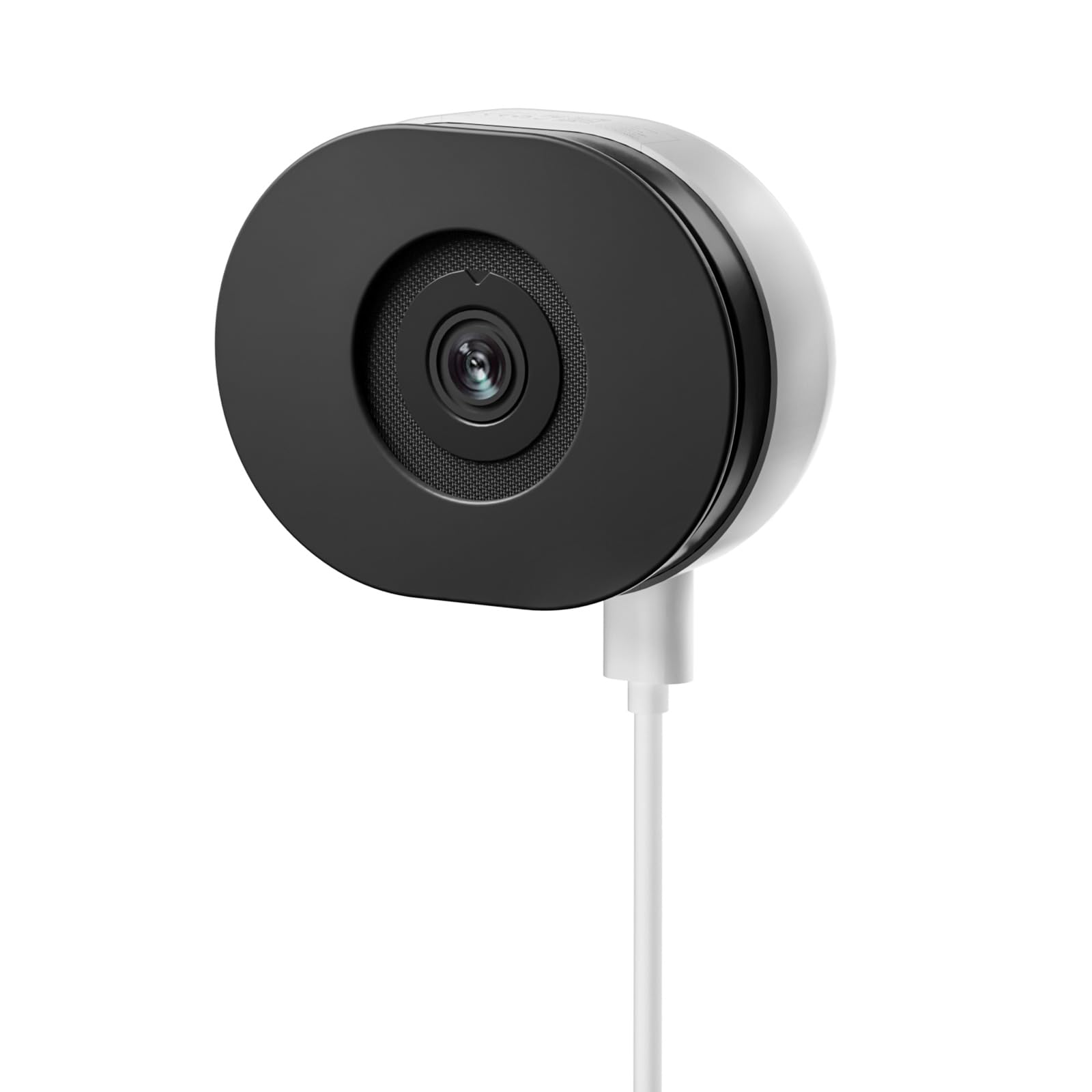
Image: The TMEZON C680 Indoor Window Security Camera. This image displays the camera's compact, circular form factor, highlighting the main lens and overall design.
Кампаненты камеры
- Аб'ектыў камеры: Captures 4MP 2.5K video.
- Светлавы індыкатар стану: Indicates camera status (e.g., solid blue for connected, flashing red for disconnected).
- Мікрафон: For audio input and two-way audio communication.
- Дакладчык: For audio output and two-way audio communication.
- Порт харчавання: Падключаецца да адаптара сілкавання.
- Кнопка скіду: Press and hold for 5 seconds to reset the camera to factory settings.
- Слот для карты MicroSD: For local storage (card not included).
Настройка
Крок 1: Спампуйце прыкладанне
Пошук the "TMEZON Smart" app (or similar, as specified in your product documentation) in your mobile device's app store (App Store for iOS, Google Play Store for Android). Download and install the app.
Крок 2: Уключыце камеру
Connect the USB power cable to the camera's power port and plug the power adapter into a wall outlet. The camera's status indicator light will turn on. Wait for it to flash red, indicating it's ready for pairing.
Крок 3: Дадайце прыладу ў праграму
- Open the TMEZON Smart app and create an account or log in.
- Tap the "+" icon (or "Add Device") to add a new camera.
- Select "Security Camera" or "Smart Camera" from the device list.
- Follow the on-screen instructions to connect the camera to your 2.4GHz Wi-Fi network. Ensure your phone is connected to the same 2.4GHz Wi-Fi network.
- The app will display a QR code. Position your camera to scan this QR code from your phone screen. You will hear a confirmation sound from the camera once scanned successfully.
- Пасля падключэння індыкатар стану будзе гарэць сінім колерам.
Step 4: Window Mounting
The TMEZON C680 is designed for easy window mounting.
- Choose a clean, flat window surface for optimal viewінж.
- Use the provided mounting kit to secure the camera to the window frame or a nearby wall, ensuring the lens faces outwards.
- Adjust the camera angle to cover your desired surveillance area.
Інструкцыя па эксплуатацыі
жыць View
Open the TMEZON Smart app and select your camera from the device list to access the live video feed.
Запіс і прайграванне
The camera supports 24/7 continuous recording to a local MicroSD card (not included).
- Устаўце карту MicroSD: Power off the camera, insert a MicroSD card (up to 128GB, Class 10 or higher recommended) into the slot, then power on.
- View Запісы: In the app's live view, tap the "Playback" or "History" icon to access recorded footage.
Двухбаковае аўдыё
У прамым эфіры view interface, tap the microphone icon to speak through the camera's speaker. Tap the speaker icon to listen to audio from the camera's microphone.
Каляровы начны бачанне
The camera automatically switches to color night vision in low-light conditions, providing clear, vivid footage up to 32 feet. No manual adjustment is typically required.
Выяўленне руху і абвесткі
The camera features motion-only alert type.
- In the app, navigate to the camera settings.
- Find "Motion Detection" or "Alert Settings."
- Enable motion detection and customize sensitivity levels and alert schedules as needed.
- You will receive push notifications on your mobile device when motion is detected.
Тэхнічнае абслугоўванне
Уборка
Акуратна працярыце аб'ектыў і корпус камеры мяккай сухой тканінай. Не выкарыстоўвайце вадкія ачышчальнікі або абразіўныя матэрыялы.
Абнаўленне прашыўкі
Periodically check the TMEZON Smart app for available firmware updates to ensure optimal performance and security. Follow the in-app instructions for updating.
Захоўванне
When not in use for extended periods, store the camera in a cool, dry place, away from direct sunlight.
Ліквідацыю непаладак
| праблема | Рашэнне |
|---|---|
| Камера не ўключаецца. | Ensure the power adapter is securely connected to both the camera and a working power outlet. Try a different outlet. |
| Немагчыма падключыцца да Wi-Fi. |
|
| Няма запісу на карту MicroSD. |
|
| Дрэнная якасць відэа. |
|
Тэхнічныя характарыстыкі
- мадэль: C680
- дазвол: 4MP (2.5K)
- Начное бачанне: Color Night Vision, up to 32 feet
- Падключэнне: 2.4 ГГц Wi-Fi
- захоўванне: Карта памяці MicroSD (да 128 ГБ, не ўваходзіць у камплект)
- Аўдыё: Двухбаковая аўдыёсувязь (убудаваны мікрафон і дынамік)
- Магутнасць: Corded Electric, 5W
- Выкарыстанне ў памяшканні/на вуліцы: Толькі ў памяшканні
- Viewкут нахілу: 120 градусаў
- Памеры: Прыкладна 3.5 х 3.5 х 3.5 цалі
- матэрыял: Пластыкавыя
- Тып абвесткі: Толькі рух
Гарантыя і падтрымка
TMEZON products are designed for reliability and performance. For warranty information, technical support, or customer service inquiries, please refer to the contact information provided on the product packaging or visit the official TMEZON webсайт.
You can also visit the TMEZON store on Amazon for additional product information and support: TMEZON Amazon Store.