
1. Уводзіны
This manual provides detailed instructions for the setup, operation, maintenance, and troubleshooting of your GMKtec Nucbox G10 Mini PC. The Nucbox G10 is a compact and powerful desktop computer designed for various applications, from office tasks to multimedia entertainment, featuring an AMD Ryzen 5 3500U processor, 16GB DDR4 RAM, and a 1TB NVMe SSD.
2. Змесціва ўпакоўкі
Праверце, ці ёсць у вашай упакоўцы ўсе пералічаныя ніжэй прадметы:
- Міні-ПК GMKtec Nucbox G10 з працэсарам AMD Ryzen 5 3500U
- Блок харчавання і кабель
- Кабель HDMI
- Мацаванне і шрубы VESA
- Кіраўніцтва карыстальніка (гэты дакумент)

Image: Retail Boxed Packaging. This image displays the GMKtec Nucbox G10 Mini PC, power supply, HDMI cable, VESA mount, screws, and user manual, illustrating the complete contents of the product package.
3. Прадукт скончыўсяview
3.1 Асноўныя магчымасці
- Працэсар: AMD Ryzen 5 3500U (4 Cores, 8 Threads, up to 3.70GHz Turbo Boost)
- Графіка: Integrated AMD Radeon Vega 8 Graphics (1200 MHz)
- Памяць: 16GB Dual Channel DDR4 RAM (expandable up to 64GB)
- захоўванне: 1TB M.2 2280 NVMe SSD (expandable up to 16TB via dual M.2 2280 PCIe 3.0 slots)
- Сетка: 2.5GbE Ethernet, WiFi 5, Bluetooth 5.0
- Вывад дысплея: Triple 4K display support via HDMI 2.1, DisplayPort 1.4, and Full Function USB-C
- Астуджэнне: Silent Turbo Cooling Fan system

Image: Nucbox G10 Feature Overview. This image provides a visual summary of the mini PC's core components including the AMD Ryzen 5 3500U CPU, Radeon Vega 8 Graphics, DDR4 RAM, M.2 SSD, 2.5GbE LAN, WiFi 5, Bluetooth 5.0, triple display support, and cooling system.
3.2 Парты і раздымы
The Nucbox G10 features a comprehensive set of ports for connectivity:
- Спераду: 1x CTIA Audio Jack, 2x USB 3.2 (5Gbps), 1x Power Button
- Ззаду: 1x Type-C (PD Only), 1x USB 2.0, 1x 2.5G Giga LAN, 1x HDMI 2.1 (4K@60Hz), 1x DP 1.4 (4K@60Hz), 1x Full Function USB-C (PD/DP/Data), 1x Kensington Lock slot

Image: Front Panel Ports. This image shows the front of the Nucbox G10, highlighting the power button, two USB 3.2 ports, and the CTIA audio jack.

Image: Rear Panel Ports. This image illustrates the rear of the Nucbox G10, detailing the USB-C (PD Only), USB 2.0, 2.5G LAN, HDMI 2.1, DisplayPort 1.4, Full Function USB-C, and Kensington Lock slot.
4. Кіраўніцтва па наладцы
4.1 Падключэнне перыферыйных прылад
- Манітор: Connect your monitor(s) to the Mini PC using the HDMI, DisplayPort, or USB-C ports. The Nucbox G10 supports up to three 4K displays simultaneously.
- Клавіятура і мыш: Падключыце клавіятуру і мыш USB да даступных партоў USB.
- Сетка: For a wired connection, connect an Ethernet cable from your router/modem to the 2.5GbE LAN port. For wireless, ensure your WiFi network is available.
- Аўдыё: Connect speakers or headphones to the 3.5mm audio jack on the front panel if needed.
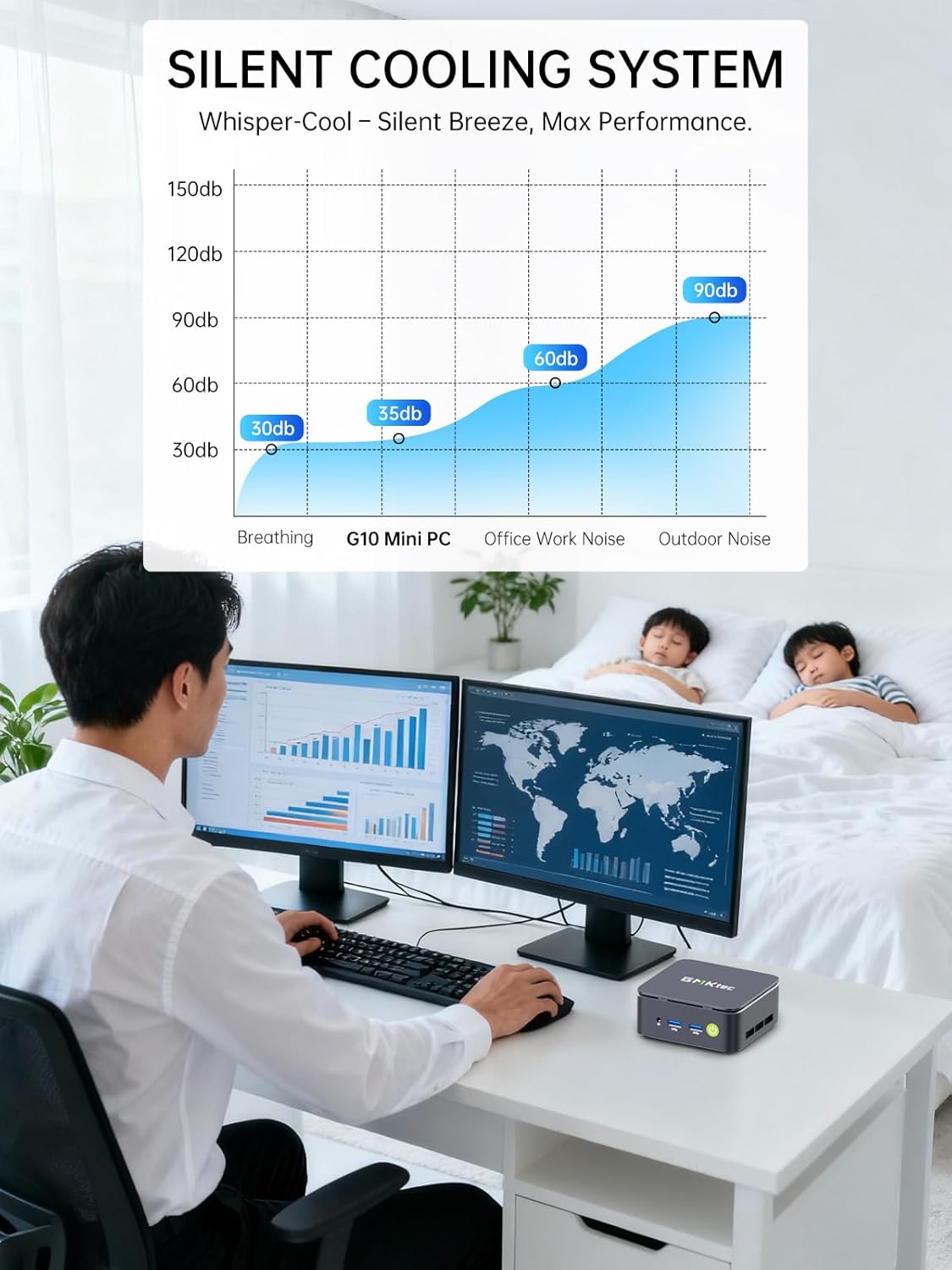
Image: Triple Display Setup. This image demonstrates the Nucbox G10 connected to two vertical monitors and a tablet, showcasing its triple display capability for enhanced productivity.
4.2 Падключэнне харчавання
Connect the provided power adapter to the DC-in port on the Mini PC, then plug the power cable into a wall outlet. The Mini PC is designed for low power consumption.
4.3 Першапачатковая загрузка
Press the power button on the front panel. The Mini PC will boot into the pre-installed Windows 11 Pro operating system. Follow the on-screen instructions for initial Windows setup.
5. Інструкцыя па эксплуатацыі
5.1 Уключэнне/выключэнне сілкавання
- Уключэнне: Націсніце кнопку харчавання адзін раз.
- Выключэнне: From Windows, go to Start > Power > Shut down. Alternatively, press and hold the power button for 5 seconds to force a shutdown (use only when necessary).
5.2 Аперацыйная сістэма
Your Nucbox G10 comes with Windows 11 Pro pre-installed. Ensure you keep your operating system updated for optimal performance and security.
5.3 Падключэнне да сеткі
- Правадны (Ethernet): Пасля падключэння кабеля Ethernet сістэма павінна аўтаматычна выявіць сетку.
- Бесправадная сувязь (Wi-Fi): In Windows, click the Wi-Fi icon in the taskbar, select your network, enter the password, and connect.
- Bluetooth: To connect Bluetooth devices, go to Windows Settings > Bluetooth & devices, and pair your device.
6. Тэхнічнае абслугоўванне
6.1 Ачыстка
Regularly clean the exterior of the Mini PC with a soft, dry cloth. Ensure ventilation openings are free from dust to maintain optimal cooling performance. Do not use liquid cleaners directly on the device.

Image: Ultra Efficient Cooling System. This image provides an internal view of the Nucbox G10, highlighting the silent turbo cooling fan designed for efficient heat dissipation.
6.2 Абнаўленне праграмнага забеспячэння
Keep your Windows operating system and drivers updated to ensure system stability, security, and performance. Windows Update can be accessed via Settings > Windows Update.
6.3 Пашырэнне памяці і аб'ёму захоўвання
The Nucbox G10 supports memory expansion up to 64GB DDR4 RAM and storage expansion up to 16TB via its dual M.2 2280 PCIe 3.0 slots. Consult a qualified technician for hardware upgrades to avoid voiding your warranty or damaging the device.
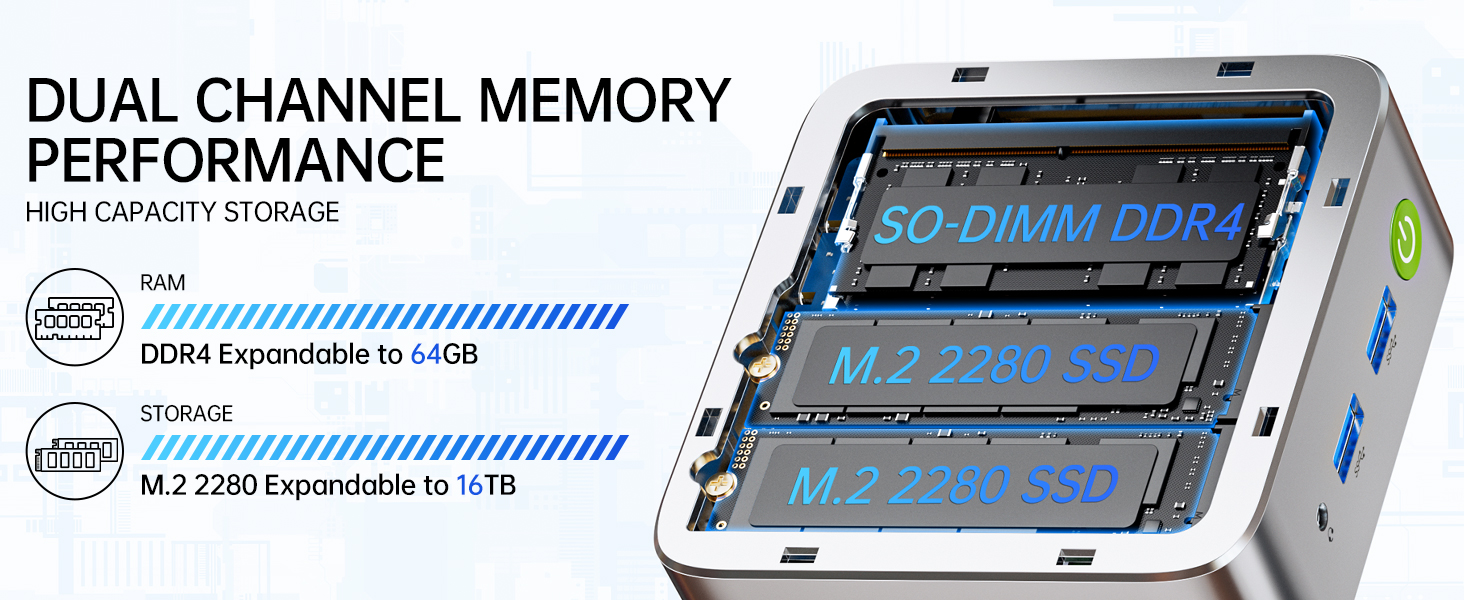
Image: Dual Channel Memory Performance and High Capacity Storage. This diagram illustrates the internal layout for SO-DIMM DDR4 RAM and M.2 2280 SSDs, indicating their expandability.
7. Выпраўленне непаладак
If you encounter issues with your Mini PC, refer to the following common problems and solutions:
- Няма харчавання:
- Пераканайцеся, што адаптар сілкавання надзейна падключаны як да міні-ПК, так і да спраўнай разеткі.
- Праверце працаздольнасць разеткі, падключыўшы да яе іншую прыладу.
- Няма дысплея:
- Check that the HDMI, DisplayPort, or USB-C cable is firmly connected to both the Mini PC and the monitor.
- Пераканайцеся, што манітор уключаны і настроены на правільную крыніцу ўваходнага сігналу.
- Паспрабуйце падключыцца да іншага дысплея або выкарыстаць іншы кабель.
- Праблемы з падключэннем да сеткі:
- Wired: Праверце падключэнне кабеля Ethernet. Перазапусціце маршрутызатар/мадэм.
- Бесправадная сувязь: Ensure Wi-Fi is enabled in Windows settings. Verify your Wi-Fi password. Restart your router.
- Нізкая прадукцыйнасць:
- Зачыніце непатрэбныя праграмы, якія працуюць у фонавым рэжыме.
- Пераканайцеся, што сістэма мае дастатковую вентыляцыю і не пераграваецца.
- Праверце і ўсталюйце ўсе чакаючыя абнаўлення Windows або абнаўлення драйвераў.
- Запусціце ачыстку дыска, каб вызваліць месца на дыску.
8. Тэхнічныя характарыстыкі
| Асаблівасць | Спецыфікацыя |
|---|---|
| Марка | GMKtec |
| Назва мадэлі | G10 |
| Аперацыйная сістэма | Windows 11 Pro |
| Мадэль працэсара | AMD Ryzen 5 3500U |
| Хуткасць працэсара | 3.7 GHz (Boost) |
| Колькасць працэсараў | 4 |
| Графічны супрацэсар | AMD Radeon Vega 8 Graphics 1200 MHz |
| RAM Memory Installed | 16 ГБ DDR4 |
| Максімальны памер аператыўнай памяці | 64 ГБ |
| Хуткасць памяці | 2400 МТ/с |
| Ёмістасць памяці | 1 ТБ NVMe SSD |
| Апісанне жорсткага дыска | Dual Slot M.2 2280 PCIE Max. 16TB |
| Тэхналогія падлучэння | HDMI 2.1, RJ45 2.5GbE LAN, USB 3.2, USB-C (DP/DATA/PD), WIFI5/ BT 5.0 |
| Бесправадная сумяшчальнасць | 802.11a/b/g/n/ac (WiFi 5), Bluetooth 5.0 |
| Відэавыхад | HDMI 2.1, DisplayPort, Type-C (Triple Display) |
| Максімальнае дазвол дысплея | 4096 × 2160 Pixels (4K) |
| Усяго партоў USB | 4 (2x USB 3.2, 1x USB 2.0, 1x USB-C Full Function) |
| Энергаспажыванне | 25 Watts (Typical) |
| Памеры прадмета | 4.1 х 3.8 х 1.7 цалі |
| Вага прадмета | 0.95 кілаграма |
| Спосаб астуджэння | Dual Cooling Fan |
| Дадатковыя магчымасці | RTC Wake, Auto Power On, Wake On LAN, PXE Boot |
9. Гарантыя і падтрымка
9.1 Інфармацыя аб гарантыі
GMKtec прапануе 1-гадовая абмежаваная гарантыя for each Mini PC, starting from the date of purchase. This warranty covers defects due to design and workmanship. Please retain your proof of purchase for warranty claims.
9.2 Падтрымка кліентаў
For technical assistance, warranty claims, or any questions regarding your GMKtec Nucbox G10 Mini PC, please contact GMKtec customer support. You can typically find contact information on the official GMKtec website or through the seller's contact page where you purchased the product (e.g., GMKtec-Direct on Amazon).