
Бігме Б6
Bigme B6 Color Ebook Reader User Manual
Model: B6 | Brand: Bigme
1. Уводзіны
This manual provides detailed instructions for the safe and efficient operation of your Bigme B6 Color Ebook Reader. Please read this manual thoroughly before using the device and retain it for future reference.
Змест пакета
- Электронная кніга для чытання Bigme B6
- Ахоўны футляр
- Кіраўніцтва карыстальніка (гэты дакумент)
- Зарадны кабель

Image 1.1: Bigme B6 Color Ebook Reader and included protective case.
2. Прадукт скончыўсяview
Familiarize yourself with the components and features of your Bigme B6 device.
Асноўныя характарыстыкі
- Дысплей: 6-inch Color E-paper display, 300 PPI resolution.
- Працэсар: Octa-core CPU for responsive performance.
- Памяць і захоўванне: 4GB RAM and 64GB internal storage, expandable via Micro-SD card (up to 1TB).
- Аперацыйная сістэма: Android 14, providing access to various applications.
- Падключэнне: Bluetooth and Wi-Fi for wireless communication.
- Аўдыё: Integrated Hi-Fi Speakers.
- дызайн: Ультратонкі прафесіяналfile at 6.98mm.
- Камфорт для вачэй: Features Zero Blue Light and Flicker-Free technology, TUV Rheinland certified for reduced eye strain.

Выява 2.1: Канецview of the Bigme B6 Ebook Reader's main features.
3. Настройка
3.1 Першапачатковая зарадка
Before first use, fully charge your Bigme B6. Connect the device to a power source using the provided charging cable. The charging indicator will show the charging status.
3.2 Уключэнне/выключэнне сілкавання
- Каб уключыць: націсніце і ўтрымлівайце кнопку харчавання, пакуль не падсвяціцца экран.
- To power off: Press and hold the power button, then select "Power Off" from the options.
- To sleep/wake: Briefly press the power button.
3.3 Падключэнне да сеткі (Wi-Fi)
- З галоўнага экрана перайдзіце да Налады.
- Выберыце Сетка і Інтэрнэт.
- Пераключыць Wi-Fi да ВКЛ.
- Выберыце патрэбную сетку Wi-Fi са спісу.
- Увядзіце пароль, калі будзе прапанавана, і націсніце Злучыцца.
3.4 Initial System Configuration
Upon first power-on or after a factory reset, follow the on-screen prompts to select your language, connect to Wi-Fi, and set up your Google account (optional, for app store access).
4. Інструкцыя па эксплуатацыі
4.1 Асноўная навігацыя
- Сэнсарны экран: Tap to select items, swipe to scroll, pinch to zoom.
- Галоўны экран: Displays installed applications and widgets.
- Панэль апавяшчэнняў: Правядзіце пальцам уніз ад верхняй часткі экрана, каб атрымаць доступ да хуткіх налад і апавяшчэнняў.
- Цэнтр кіравання: Access system settings like Wi-Fi, Bluetooth, brightness, and refresh modes.
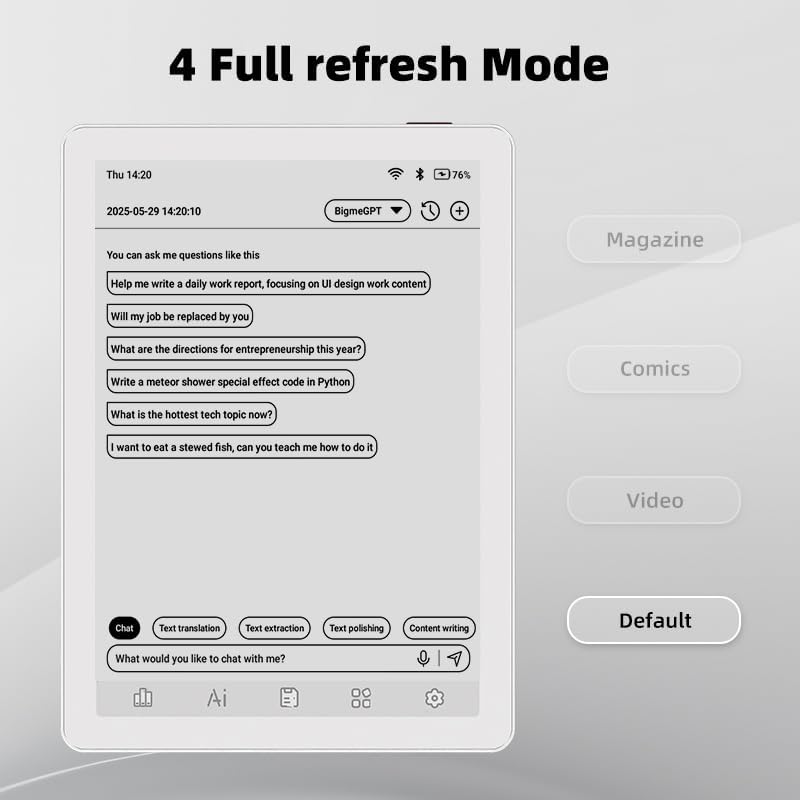
Image 4.1: The Bigme B6 home screen displaying various application icons.

Image 4.2: Accessing the Control Center for quick adjustments to device settings.
4.2 Reading eBooks
The Bigme B6 supports over 19 eBook formats, including PDF, TXT, EPUB, MOBI, and more. You can load books via USB or download them directly through reading applications.
- Open a reading application (e.g., the default reader or a downloaded app like Kindle or Libby).
- Select the book you wish to read from your library.
- Tap the left or right side of the screen to turn pages.
- Tap the center of the screen to access reading options (font size, line spacing, contrast, etc.).
- To highlight text: Press and hold on a word, then drag the selection handles to cover the desired text. Options for highlighting or notes will appear.

Image 4.3: Reading an eBook and highlighting text with color on the Bigme B6.
4.3 Кіраванне праграмамі
As an Android 14 device, you can install applications from the Google Play Store or other compatible sources.
- Усталяванне праграм: Адкрыйце App Store icon (Google Play Store) on your home screen, search for the desired app, and follow the installation prompts.
- Выдаленне праграм: Перайсці да Налады > Праграмы, выберыце праграму і націсніце Выдаліць.
4.4 Audiobooks and Media Playback
The device supports audiobook playback through its built-in Hi-Fi speakers or connected Bluetooth headphones.
- Playing Audiobooks: Use a compatible audiobook application.
- Connecting Bluetooth Headphones: Перайсці да Налады > Падлучаныя прылады > Bluetooth, enable Bluetooth, and pair with your headphones.

Image 4.4: The Bigme B6 supports audiobooks, allowing for hands-free listening.
4.5 Display Refresh Modes
The Bigme B6 offers multiple refresh modes to optimize display performance for different content types.
- Access refresh modes from the Control Center or Display Settings.
- Common modes include:
- Па змаўчанні: Standard reading mode.
- Часопіс: Optimized for images and text in magazines.
- Comics: Enhanced for comic book viewінж.
- Відэа: Provides a smoother refresh rate for video content (note: e-paper displays have limitations for video).

Image 4.5: Selecting from various refresh modes to suit different content types.
5. Тэхнічнае абслугоўванне
5.1 Ачыстка прылады
- Выкарыстоўвайце мяккую тканіну без ворса, каб акуратна працерці экран і корпус прылады.
- Для ўстойлівых плям злёгкуampпрацярыце тканіну вадой або сродкам для чысткі экранаў, спецыяльна прызначаным для электронікі.
- Пазбягайце выкарыстання агрэсіўных хімікатаў, абразіўных матэрыялаў або празмернай вільготнасці.
5.2 Сыход за акумулятарам
- Рэгулярна зараджайце прыладу, але не пакідайце яе цалкам разраджанай на працяглы час.
- Do not expose the device to extreme temperatures, as this can affect battery life.
- Use only the provided or a certified charging cable and adapter.
5.3 Захоўванне
When not in use for extended periods, store the device in a cool, dry place, away from direct sunlight and extreme temperatures. It is recommended to charge the device to about 50% before long-term storage.
6. Выпраўленне непаладак
| праблема | Магчымая прычына | Рашэнне |
|---|---|---|
| Прылада не ўключаецца. | Нізкі зарад батарэі; прылада завісла. | Charge the device for at least 30 minutes. Perform a forced restart by holding the power button for 10-15 seconds. |
| Screen is unresponsive or slow. | Temporary software glitch; too many apps running. | Restart the device. Close unnecessary background applications. Check for system updates. |
| Немагчыма падключыцца да Wi-Fi. | Няправільны пароль; праблема з маршрутызатарам; Wi-Fi адключаны. | Ensure Wi-Fi is enabled and the password is correct. Restart your Wi-Fi router. Try connecting to a different network. |
| Акумулятар хутка разраджаецца. | High screen brightness; many background apps; frequent Wi-Fi/Bluetooth use. | Reduce screen brightness. Close unused applications. Disable Wi-Fi and Bluetooth when not needed. Adjust refresh mode settings. |
| Applications crash or freeze. | App incompatibility; insufficient memory. | Update the application. Clear the app's cache (Settings > Apps > [App Name] > Storage & cache). If issues persist, uninstall and reinstall the app. |
7. Тэхнічныя характарыстыкі
| Назва мадэлі | US-B6 |
| Дысплей | 6-inch Color E-paper, Electronic Ink, 300 PPI |
| Аперацыйная сістэма | Android 14 |
| АЗП | 4 ГБ |
| Унутраная памяць | 64 ГБ |
| Сховішча з магчымасцю пашырэння | Micro-SD card (up to 1TB support) |
| Сувязь | Bluetooth, WiFi |
| акумулятар | 1 нестандартная батарэя (у камплекце) |
| Памеры (Д х Ш х Г) | 5.88 цалі х 4.25 цалі х 0.28 цалі (14.94 см х 10.8 см х 0.71 см) |
| Вага прадмета | 6.2 унцыі (175.77 грам) |
| Падтрымліваюцца фарматы электронных кніг | PDF, TXT, EPUB, EPUB3, HTML, HTM, AZW3, FB2, DOC, DOCX, MOBI, OEB, CBR, RPC, RTF, DJVU, ZIP |
8. Гарантыя і падтрымка
8.1 Інфармацыя аб гарантыі
Please refer to the warranty card included with your product for specific warranty terms and conditions. The warranty typically covers manufacturing defects for a specified period from the date of purchase.
8.2 Падтрымка кліентаў
For technical assistance, troubleshooting not covered in this manual, or warranty claims, please contact Bigme customer support. Contact details can usually be found on the Bigme official webсайце або на ўпакоўцы прадукту.
Вы таксама можаце наведаць Bigme Store on Amazon каб атрымаць дадатковую інфармацыю пра прадукт і рэсурсы падтрымкі.
Звязаныя дакументы - B6
 |
BIGME BIGME READ E-Reader User Manual - Features, Operation, and Specifications Comprehensive user manual for the BIGME BIGME READ e-reader. Learn about its E-Ink display, Android system, Google Play support, basic operations, features, and important precautions. |
 |
Bigme B6 Ebook Reader: Quick Start Guide and User Manual Comprehensive guide for the Bigme B6 Ebook Reader, covering setup, usage, safety, warranty, and FCC compliance. Learn how to power on, charge, transfer data, and protect your device. |
 |
BIGME Hibreak 5.84" E-ink Reader and Smartphone User Manual User manual for the BIGME Hibreak, a 5.84-inch E-ink reader and Android 11 smartphone with Google Play support. Provides information on features, specifications, and usage. |
 |
BIGME B751C E-reader and E-ink Notebook User Manual | BIGME Comprehensive user manual for the BIGME B751C, detailing setup, features, and operations of this versatile E-ink Android tablet, e-reader, and notebook. |
 |
BIGME B7 7-Inch Color E-Ink E-Reader User Manual Comprehensive user manual for the BIGME B7, a 7-inch color E-Ink e-reader featuring Android 14 OS, 36-level frontlight, 8GB+128GB storage, and 4G calling for an enhanced eye-comfort reading experience. |
 |
Кіраўніцтва карыстальніка Bigme inkNote Color+: функцыі, налада і характарыстыкі Азнаёмцеся з электронным планшэтам Bigme inkNote Color+ з дапамогай гэтага падрабязнага кіраўніцтва карыстальніка. Даведайцеся пра наладу прылады, навігацыю па інтэрфейсе, асноўныя праграмы, такія як нататкі і чытанне, пашыраныя функцыі і тэхнічныя характарыстыкі мадэляў B1051C, B1051 і B1051C Pro. |