
ULEXOR R8
ULEXOR R8 Mini 4K WiFi Spy Camera User Manual
Model: R8 | Brand: ULEXOR
Уводзіны
This manual provides detailed instructions for the setup, operation, and maintenance of your ULEXOR R8 Mini 4K WiFi Spy Camera. Designed for discreet surveillance, this camera features 4K Ultra HD video, dual-band 2.4/5 GHz WiFi connectivity, AI-powered motion detection, infrared night vision, and a 150° wide-angle lens. Please read this manual thoroughly before using the device to ensure optimal performance and safety.

Image: ULEXOR R8 Mini 4K WiFi Spy Camera highlighting its 2.4/5 GHz dual-band Wi-Fi connectivity for faster and more stable connections.
Змест пакета
Калі ласка, праверце змесціва ўпакоўкі пасля распакавання. Калі якія-небудзь прадметы адсутнічаюць або пашкоджаныя, звярніцеся ў службу падтрымкі кліентаў.
- Міні-камера
- Зарадны кабель USB-C
- Счытвальнік карт TF
- User Manual (EN/DE/FR)
- Мацаванне камеры
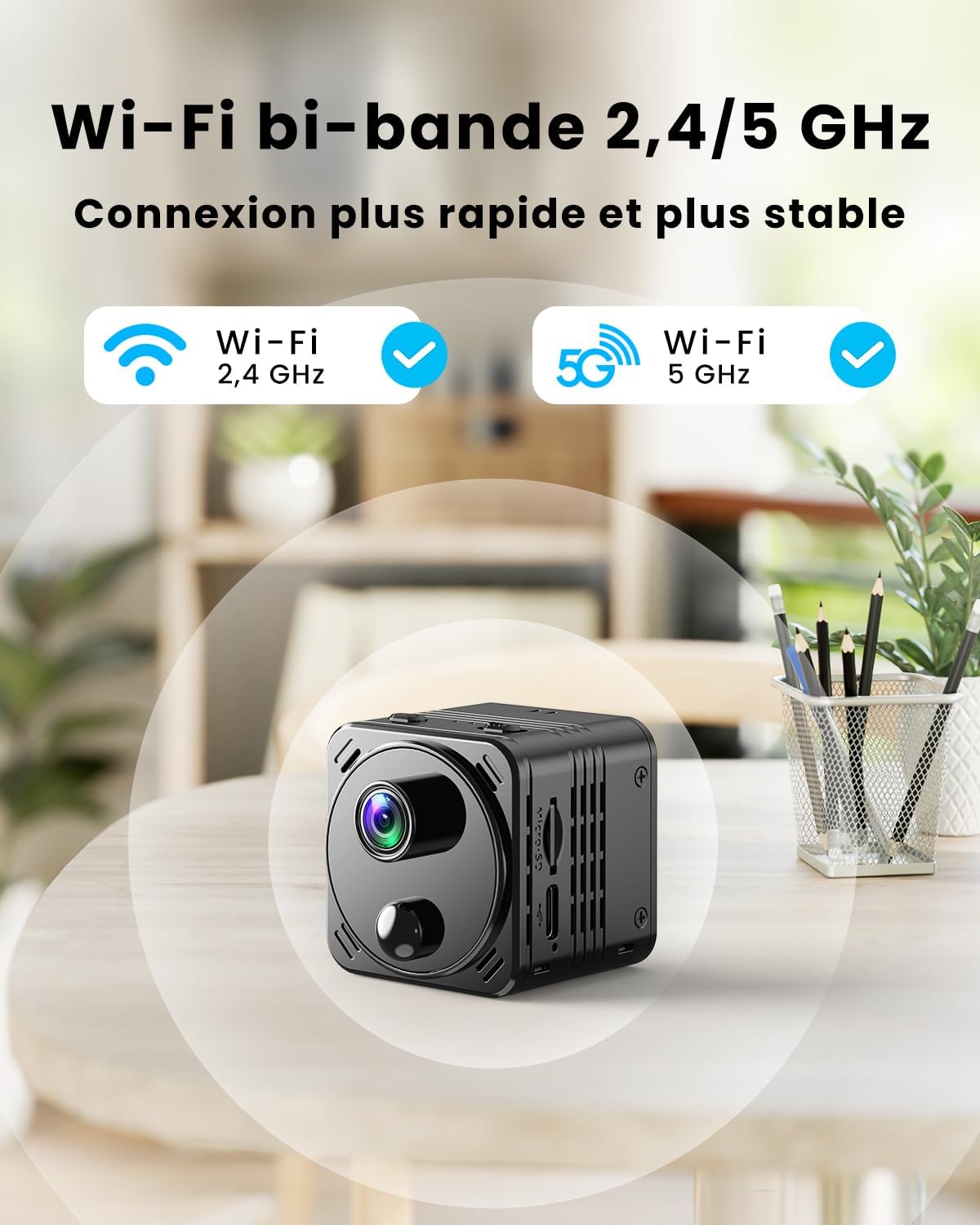
Image: The ULEXOR R8 Mini 4K WiFi Spy Camera shown with its included accessories, such as the charging cable and mount.
Кіраўніцтва па ўстаноўцы
1. Зарадка камеры
Before first use, fully charge the camera using the provided USB-C cable and a standard 5V USB power adapter (not included). The charging indicator light will show the charging status.
Відэа: Кароткая падрыхтоўкаview demonstrating the ULEXOR Mini Camera's features, including charging, 4K resolution, and Wi-Fi compatibility.
The camera is equipped with a 3000 mAh rechargeable battery, offering up to 15 hours of continuous operation. In energy-saving mode, battery life can extend from several days to weeks, and up to 150 days in remote shutdown standby mode.

Image: Illustration of the camera's long battery life in different modes: 15 hours continuous, days to weeks in energy-saving, and up to 150 days in ultra-long standby.
2. Устаўка карты MicroSD (неабавязкова)
For local storage, insert a MicroSD card (up to 256GB, not included) into the designated slot. Ensure the camera is powered off before inserting or removing the card.

Image: The camera's secure storage options, including MicroSD card support up to 256GB and 3 days of free cloud storage.
3. Загрузка праграмы і падключэнне да Wi-Fi
Download the dedicated mobile application (refer to the included manual for app name and QR code). Follow the in-app instructions to connect the camera to your 2.4 GHz or 5 GHz Wi-Fi network. This enables remote access, live viewі кіраванне наладамі.
Інструкцыя па эксплуатацыі
Уключэнне/выключэнне харчавання
Press and hold the power button to turn the camera on or off. Refer to the specific button layout in your included manual.
жыць View і запіс
Once connected to the app, you can access the live video feed. The camera records in 4K Ultra HD resolution, capturing clear details with its 150° wide-angle lens. You can initiate manual recordings or configure automatic recording settings via the app.

Image: Visual comparison demonstrating the superior clarity of 4K Ultra HD resolution compared to lower resolutions.
The app also allows for 5x digital zoom to focus on specific areas of interest.

Image: A smartphone screen displaying the camera's live view with a 5x digital zoom function, allowing users to observe fine details.
Выяўленне руху AI
The camera features intelligent AI and PIR sensor-based motion detection. This system can distinguish between humans and other moving objects like animals or vehicles, reducing false alarms. You will receive instant alerts on your smartphone only for relevant movements.

Image: The camera's intelligent motion detection system highlighting human figures while ignoring pets, ensuring only relevant alerts are sent.
You can customize detection zones and schedules within the app to focus on specific areas and times.

Image: An illustration showing how to customize motion detection zones and set schedules within the camera's application.
Начное бачанне
The camera is equipped with infrared LEDs for automatic night vision. This feature activates in low-light conditions, providing clear video footage even in complete darkness. The camera automatically switches between day and night modes for continuous surveillance.

Image: The camera's night vision feature, showing clear visibility up to 8 meters in dark environments using infrared LEDs.
Параметры захоўвання
The camera supports both local MicroSD card storage (up to 256GB, not included) and cloud storage. You receive 3 days of free cloud storage for motion-triggered videos, accessible anytime via the app.
Тэхнічнае абслугоўванне
Сыход за батарэяй
To prolong battery life, avoid extreme temperatures and fully charge the camera regularly. If the camera will not be used for an extended period, charge it to about 50% and store it in a cool, dry place.
Уборка
Use a soft, dry cloth to clean the camera lens and body. Do not use liquid cleaners or abrasive materials, as they may damage the device.
Ліквідацыю непаладак
| праблема | Магчымая прычына | Рашэнне |
|---|---|---|
| Камера не ўключаецца | Нізкі акумулятар | Charge the camera fully. |
| Немагчыма падключыцца да Wi-Fi | Incorrect Wi-Fi password, camera too far from router, or incorrect band (2.4GHz/5GHz) selected. | Verify password, move camera closer to router, ensure correct Wi-Fi band is selected in the app. |
| No recording to MicroSD card | Card not inserted correctly, card full, or card corrupted. | Reinsert card, format card via app, or replace card. |
| Частыя сігналы аб ілжывых рухах | Sensitivity too high, or non-human movement triggering alerts. | Adjust motion detection sensitivity in the app. Utilize AI human detection and customize detection zones. |
Тэхнічныя характарыстыкі
- Назва мадэлі: R8
- Марка: ULEXOR
- Памеры (Д х Ш х У): 40 х 40 х 40 мм (1.57 х 1.57 х 1.57 цалі)
- Вага: 260 грамаў
- Дазвол запісу відэа: 4K Ultra HD
- Тэхналогія падключэння: Wireless (Wi-Fi 2.4 GHz & 5 GHz)
- Асаблівасці: HD Resolution, AI Motion Detection, Infrared Night Vision, 150° Wide Angle Lens
- Тып батарэі: Літый-іённы (3000 мАг)
- Тэрмін службы батарэі: Up to 15 hours continuous, up to 150 days standby (remote shutdown mode)
- захоўванне: MicroSD card (up to 256GB, not included), 3-day free cloud storage
- Рэкамендаванае выкарыстанне: Ахова ў памяшканні
- Тып мацавання: Настольнае мацаванне

Image: The ULEXOR R8 Mini Camera with its compact dimensions of 4cm x 4cm x 4cm highlighted.
Гарантыя і падтрымка
Your ULEXOR R8 Mini 4K WiFi Spy Camera comes with a standard manufacturer's warranty. For detailed warranty information, technical support, or customer service, please refer to the contact information provided in your product packaging or visit the official ULEXOR webсайт. Калі ласка, захавайце пацвярджэнне пакупкі для прэтэнзій па гарантыі.
Звязаныя дакументы - R8
 |
ULEXOR 5G/2.4G WiFi Mini Camera User Manual User manual for the ULEXOR 5G/2.4G WiFi Mini Camera, covering setup, features, troubleshooting, technical specifications, and safety warnings. |
 |
Кіраўніцтва карыстальніка міні-камеры VIONMIO R8 Wi-Fi Хутка пачніце працаваць з вашай міні-камерай VIONMIO R8 Wi-Fi. Гэта кіраўніцтва карыстальніка змяшчае неабходную інфармацыю, у тым ліку відэаўрок для хуткага пачатку, інструкцыі па загрузцы праграмы, кіраўніцтва карыстальніка і відэаплэер H.264. |
 |
Кіраўніцтва па прадуктах IDIS і Aritech Security Solutions Азнаёмцеся з поўным асартыментам сістэм відэаназірання IDIS і выяўлення ўварванняў Aritech, у тым ліку кантролераў, клавіятур і аксесуараў. Гэта кіраўніцтва змяшчае агульны аглядview рашэнняў для павышэння бяспекі і прадукцыйнасці. |
 |
ELEPRO R8+ 小型ネットワーク防犯カメラ 取扱説明書 ELEPRO R8+ 小型ネットワーク防犯カメラの包括的な取扱説明書。O-KAMアプリを使用したセットアップ、機能、およびトラブルシューティングをカバーしています。 |
 |
8801 Electric Round-corner Cutter Operation Manual Operation manual for the 8801 Electric Round-corner Cutter, detailing product usage, characteristics, technical parameters, component instructions, notices, operation procedures, and adjustment guidelines. |
Ask a question about this manual
Ask about setup, troubleshooting, compatibility, parts, safety, or missing instructions. Manuals+ will review the question and use this page’s manual context to help answer it.