
1. Прадукт скончыўсяview
The HP 17.3" Laptop PC is designed for performance and comfort, featuring a large display and efficient processing power. This manual provides essential information for setting up, operating, and maintaining your device.
Асноўныя функцыі ўключаюць у сябе:
- Працэсар: AMD Ryzen 5 7430U (6 cores, 12 threads, up to 4.3GHz burst frequency)
- Дысплей: 17.3" Full HD (1920x1080) IPS display with narrow bezels and flicker-free technology
- Графіка: Інтэграваная відэакарта AMD Radeon
- Аперацыйная сістэма: Windows 11 Pro
- Памяць: 32 ГБ аператыўнай памяці
- захоўванне: Цвёрдацельны назапашвальнік (SSD) ёмістасцю 1 ТБ
- дызайн: Lift-hinge keyboard for comfortable typing
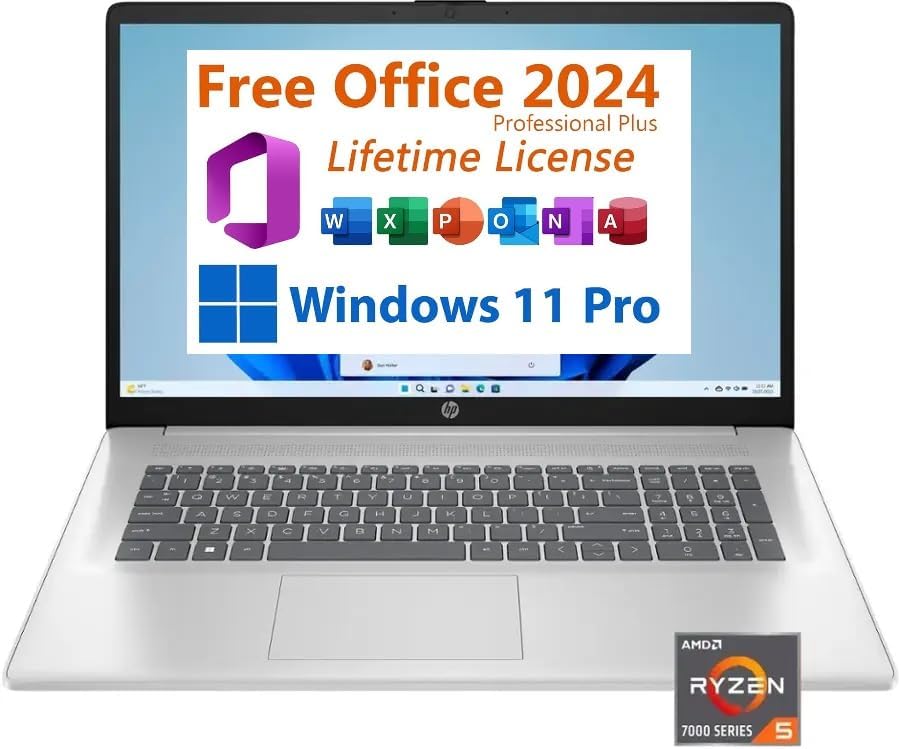
Малюнак 1: Спераду view of the HP 17.3" Laptop PC.
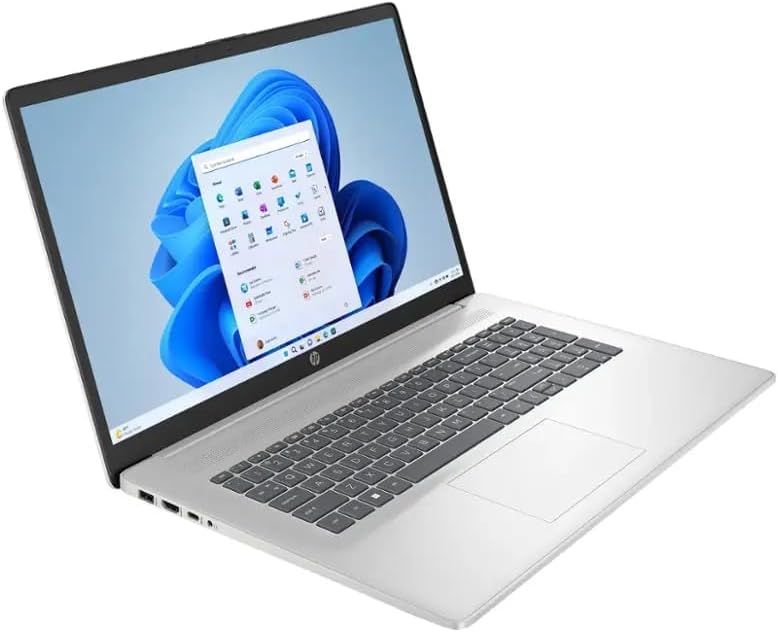
Малюнак 2: Пад вуглом view of the HP 17.3" Laptop PC.
2. Што ў скрынцы
Upon opening your HP 17.3" Laptop PC package, you should find the following items:
- HP 17.3" Laptop PC
- 45W Smart AC Power Adapter

Figure 3: Contents of the HP 17.3" Laptop PC package.
3. Настройка
Follow these steps to set up your new HP 17.3" Laptop PC:
- Падключыце харчаванне: Plug the 45W Smart AC Power Adapter into the AC Smart Pin port on your laptop and then into a power outlet.
- Уключэнне: Адкрыйце вечка ноўтбука і націсніце кнопку харчавання.
- Першапачатковая канфігурацыя: Выконвайце падказкі на экране, каб завяршыць наладу Windows 11 Pro, у тым ліку выбар мовы, падключэнне да сеткі і стварэнне ўліковага запісу карыстальніка.
4. Інструкцыя па эксплуатацыі
4.1 Клавіятура і сэнсарная панэль
Your HP laptop features a full-size keyboard with a dedicated numeric keypad for efficient data entry. The integrated touchpad supports multi-touch gestures for navigation.
4.2 Парты і падключэнне
Ноўтбук мае некалькі партоў для падключэння знешніх прылад:
- 2x USB Type-A 3.0 ports
- 1 порт USB тыпу C
- 1 камбінаваны раз'ём для навушнікаў/мікрафона
- 1x HDMI port (for external displays)
- 1x AC Smart Pin (for power adapter)
Wireless connectivity includes Wi-Fi 6 for fast internet access and Bluetooth 5.0 for connecting peripherals like headphones or mice.
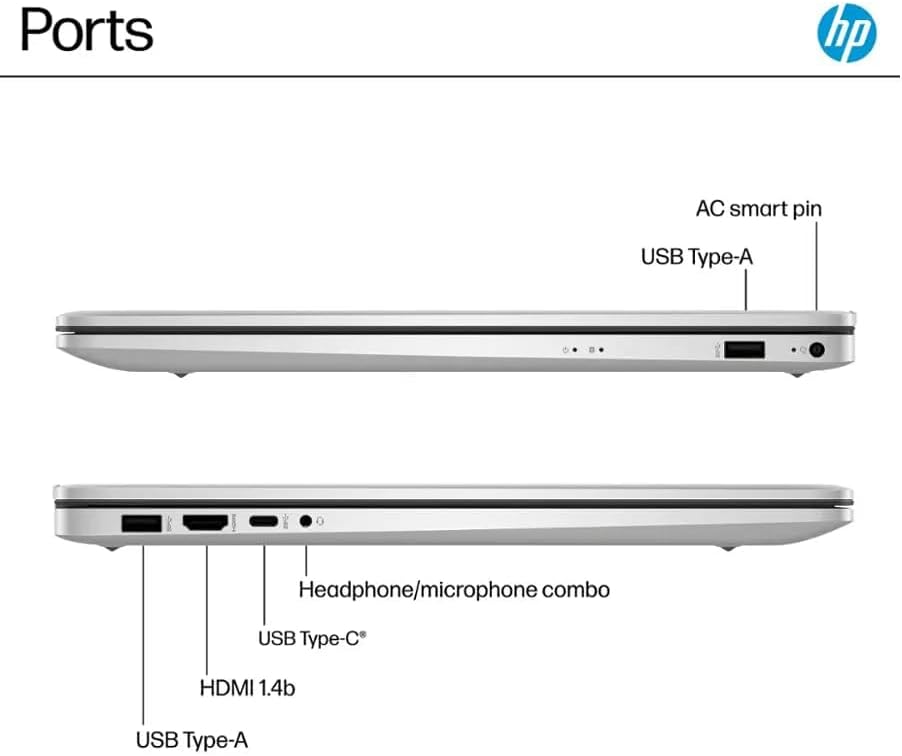
Figure 4: Available ports on the HP 17.3" Laptop PC.
4.3 Webкамера і аўдыё
Інтэграваны webcam is located above the display, suitable for video calls and conferences. The laptop features HD Audio with stereo speakers and an integrated microphone for clear sound input and output.
5. Тэхнічнае абслугоўванне
To ensure the longevity and optimal performance of your HP laptop, consider the following maintenance tips:
- Уборка: Regularly clean the screen with a soft, lint-free cloth and the keyboard with compressed air. Avoid harsh chemicals.
- Абнаўленні праграмнага забеспячэння: Keep your Windows 11 Pro operating system and drivers updated to ensure security and performance.
- Сыход за батарэяй: While the laptop offers up to 9 hours of battery life, avoid consistently draining the battery to 0% or keeping it plugged in at 100% for extended periods.
- Фізічная абарона: Transport the laptop in a protective sleeve or bag to prevent scratches and impacts.
6. Выпраўленне непаладак
If you encounter issues with your HP laptop, try these basic troubleshooting steps:
- Няма харчавання: Пераканайцеся, што адаптар сілкавання надзейна падключаны як да ноўтбука, так і да спраўнай разеткі. Паспрабуйце іншую разетку, калі такая маецца.
- Сістэма не рэагуе: Press and hold the power button for 10-15 seconds to perform a hard shutdown, then restart the laptop.
- Праблемы з падключэннем: For Wi-Fi, ensure your router is working and try reconnecting. For Bluetooth, ensure the device is paired correctly and within range.
- Праблемы з дысплеем: If the screen is blank, try connecting an external monitor via HDMI to check if the issue is with the laptop's display or graphics output.
У выпадку пастаянных праблем звярніцеся ў службу падтрымкі HP webсайт або звярніцеся ў службу падтрымкі.
7. Тэхнічныя характарыстыкі
| Асаблівасць | Спецыфікацыя |
|---|---|
| Марка | HP |
| Назва мадэлі | HP Laptop 17 |
| Мадэль працэсара | AMD Ryzen 5 7430U |
| Хуткасць працэсара | Да 4.3 Ггц |
| Аператыўная памяць | 32 ГБ DDR4 |
| Памер жорсткага дыска | 1 ТБ SSD |
| Аперацыйная сістэма | Windows 11 Pro |
| Памер экрана | 17.3 цалі |
| Дазвол дысплея | 1920 x 1080 (Full HD) |
| Графічны супрацэсар | Графіка AMD Radeon |
| Бесправадныя тэхналогіі | Wi-Fi 6, Bluetooth 5.0 |
| Парты | 2x USB Type-A 3.0, 1x USB Type-C, 1x HDMI, 1x Headphone/microphone combo, 1x AC Smart Pin |
| Тэрмін службы батарэі | Да 9 гадзін |
| Вага прадмета | 4.6 фунта |
| Памеры (Д х Ш х В) | 15.78" x 10.15" x 0.78" |
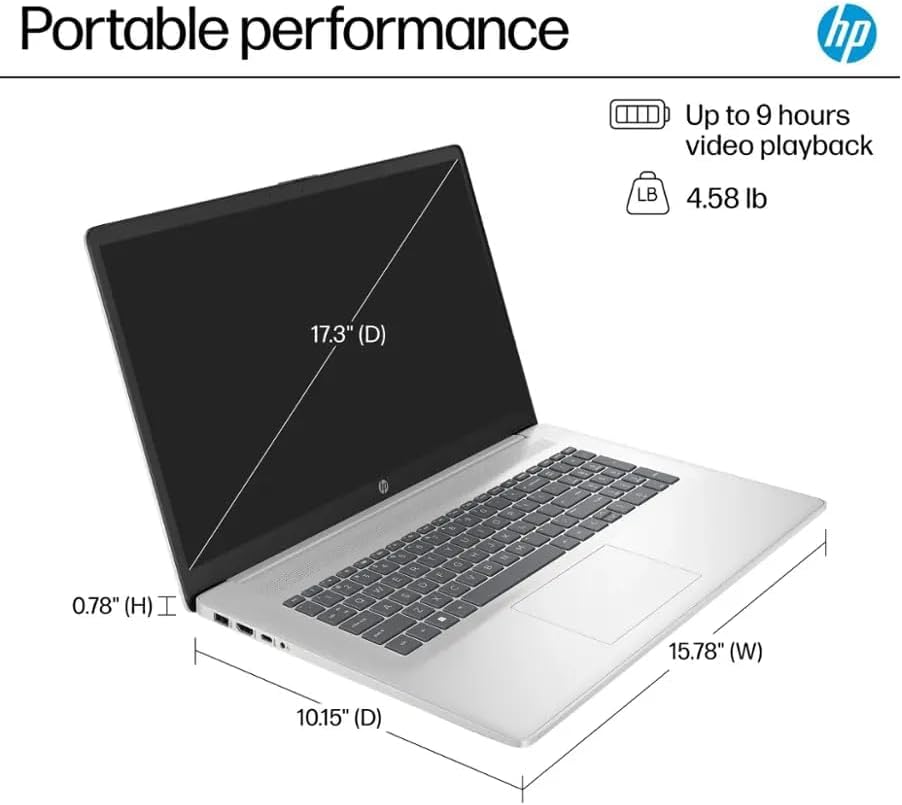
Figure 5: Physical dimensions and weight of the HP 17.3" Laptop PC.
8. Гарантыя і падтрымка
Your HP 17.3" Laptop PC comes with a warranty to protect against manufacturing defects. Please note the following details:
- A 1-year warranty on the upgraded RAM/SSD is provided by the seller.
- Remaining components are covered by the original 1-year manufacturer's warranty from HP.
For warranty claims or technical assistance, please contact the seller for RAM/SSD related issues or HP customer support for other hardware components. Keep your purchase receipt and product serial number readily available.