
Уводзіны
Thank you for choosing the Altec Lansing Comfort Pro Over Ear Bluetooth Headphones. These headphones are designed to provide a high-quality audio experience with advanced features such as Active Noise Cancellation (ANC), Environmental Noise Cancellation (ENC), Spatial Audio, and a long-lasting battery. This manual will guide you through the setup, operation, and maintenance of your new headphones.
Што ў скрынцы
- Altec Lansing Comfort Pro Wireless Headphones
- Зарадны кабель USB-C (не ўключаны ў спіс, але маецца на ўвазе, што ён прызначаны для зарадкі)
- Audio Cable (not explicitly listed but common for wired use)
- Carrying Case (implied by images)
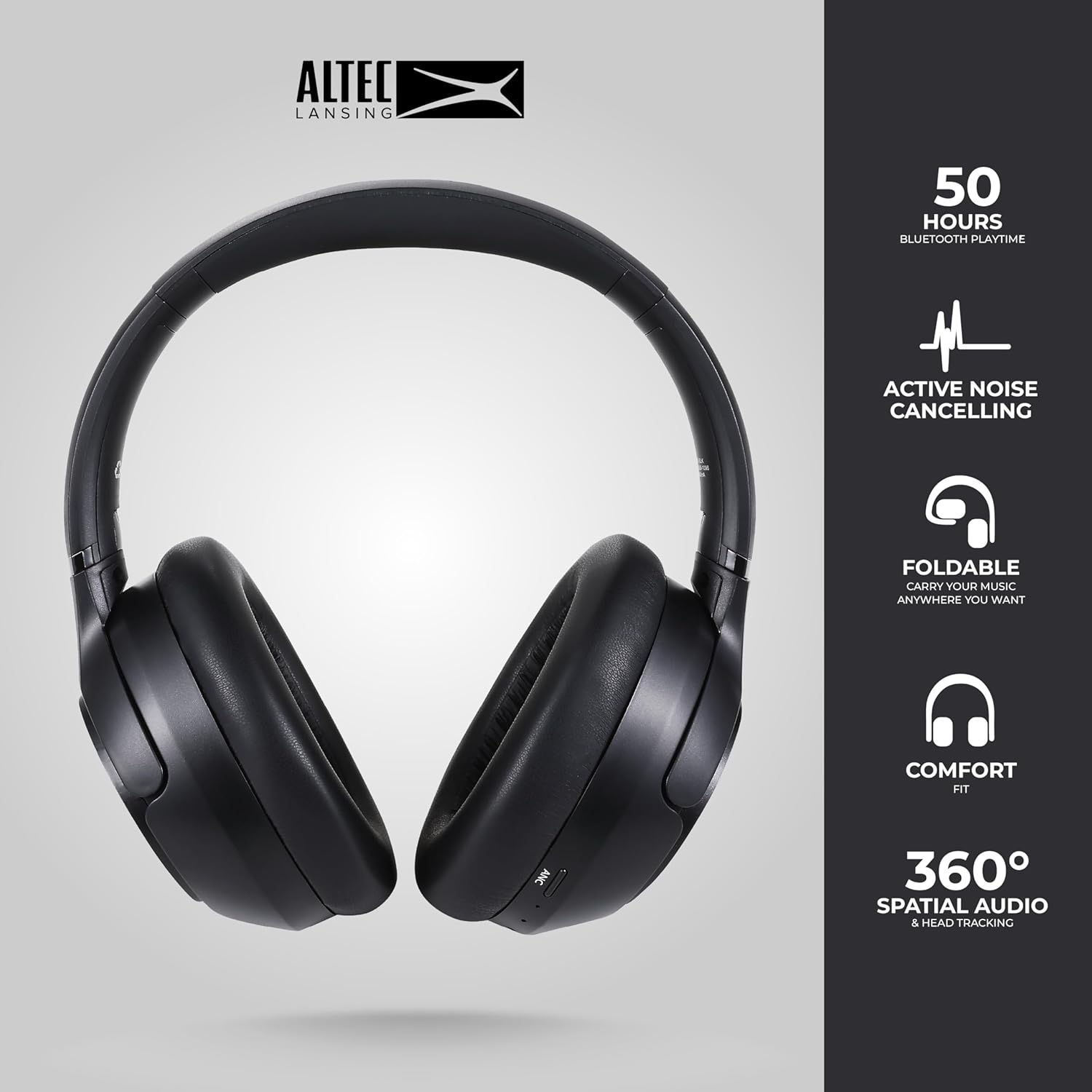
Image: The Altec Lansing Comfort Pro headphones, showcasing their sleek design and key features like 50 hours Bluetooth playtime, Active Noise Cancelling, foldable design, comfort fit, and 360° Spatial Audio & Head Tracking.
Настройка
1. Зарадка навушнікаў
Before first use, fully charge your headphones. Connect the provided USB-C charging cable to the charging port on the headphones and the other end to a USB power source. The LED indicator will show charging status and turn off or change color when fully charged. A full charge typically takes approximately two hours.
2. Уключэнне / выключэнне харчавання
- Каб уключыць: Націсніце і ўтрымлівайце кнопку харчавання прыблізна 3 секунды, пакуль не загарыцца святлодыёдны індыкатар.
- Каб выключыць: Націсніце і ўтрымлівайце кнопку харчавання прыблізна 3 секунды, пакуль не пагасне святлодыёдны індыкатар.
3. Спарванне Bluetooth
The headphones support Bluetooth 5.4 for stable connectivity and multipoint pairing for connecting to two devices simultaneously.
- Пераканайцеся, што навушнікі адключаны.
- Націсніце і ўтрымлівайце кнопку харчавання прыблізна 5-7 секунд, пакуль святлодыёдны індыкатар не пачне хутка міргаць (звычайна сінім і чырвоным), паказваючы рэжым спалучэння.
- На вашай прыладзе (смартфоне, ноўтбуку, планшэце) перайдзіце ў налады Bluetooth і ўключыце Bluetooth.
- Пошук available devices and select "Altec Lansing Comfort Pro" from the list.
- Пасля падлучэння святлодыёдны індыкатар перастане міргаць і застанецца сінім.
- For multipoint pairing, connect to the first device, then put the headphones back into pairing mode and connect to the second device. The headphones will intelligently switch between the two connected devices.

Выява: Падрабязны view of the Altec Lansing Comfort Pro headphones highlighting the adjustable headband and the soft, lightweight ear cushions designed for comfort during extended use.
Аперацыйная
Элементы кіравання навушнікамі
The headphones feature intuitive controls located on the earcups. Refer to the image below for button identification.

Выява: буйны план view of the right earcup of the Altec Lansing Comfort Pro headphones, showing the power button, volume controls, and other function buttons.
- Кнопка харчавання: Press and hold to power on/off. Short press for play/pause, answer/end calls.
- Павялічыць гучнасць (+): Кароткае націсканне для павелічэння гучнасці. Доўгае націсканне для наступнай кампазіцыі.
- Памяншэнне гучнасці (-): Кароткае націсканне для памяншэння гучнасці. Доўгае націсканне для папярэдняга трэка.
- Кнопка ANC: Press to cycle through Active Noise Cancellation modes (ANC On, Ambient Mode, ANC Off).
- Шматфункцыянальная кнопка (МФК): Double press to activate Voice Assistant (Siri/Google Voice). Triple press to activate Low Latency Mode.
Active Noise Cancellation (ANC) & Environmental Noise Cancellation (ENC)
The Comfort Pro headphones feature powerful ANC to block out external noise and ENC for clear calls. Press the dedicated ANC button to toggle between ANC On, Ambient Mode (allowing some environmental sounds for awareness), and ANC Off. ENC is automatically active during calls to ensure your voice is clear.
Прасторавае аўдыё
Experience immersive sound with Spatial Audio. This feature creates a 3D soundstage, making audio feel more lifelike. Spatial Audio is automatically enabled when supported by your device and content.
Рэжым нізкай затрымкі
For gaming or video playback where audio-visual synchronization is critical, activate Low Latency Mode by triple-pressing the MFB. This reduces audio delay for a more synchronized experience.
Галасавы памочнік
Access your device's voice assistant (Siri or Google Voice) by double-pressing the MFB. You can then issue commands through the headphone's microphone.
Кіраванне званкамі
- Адказ/завяршэнне выкліку: Кароткае націсканне кнопкі харчавання.
- Адхіліць выклік: Націсніце і ўтрымлівайце кнопку харчавання на працягу 2 секунд.
Тэхнічнае абслугоўванне
Уборка
Каб падтрымліваць прадукцыйнасць і знешні выгляд вашых навушнікаў:
- Працярыце амбушуры і агалоўе мяккай, сухой тканінай без ворса.
- Для ўстойлівых забруджванняў злёгку dampпрамыйце тканіну вадой. Пазбягайце выкарыстання агрэсіўных хімікатаў, растваральнікаў або абразіўных ачышчальнікаў.
- Не дапускайце траплення вільгаці ў якія-небудзь адтуліны.
Захоўванне
When not in use, store your headphones in the provided carrying case to protect them from dust, scratches, and impacts. The foldable design allows for compact storage.

Image: The Altec Lansing Comfort Pro headphones neatly folded and stored inside their protective carrying case, emphasizing portability and protection.
Сыход за батарэяй
- Пазбягайце частай поўнай разрадкі акумулятара.
- Store the headphones with a partial charge if not used for extended periods.
- Пазбягайце экстрэмальных тэмператур, якія могуць пагоршыць тэрмін службы батарэі.
Ліквідацыю непаладак
If you encounter any issues with your Altec Lansing Comfort Pro headphones, refer to the following common solutions:
- Навушнікі не ўключаюцься: Пераканайцеся, што навушнікі цалкам зараджаныя. Падключыце іх да крыніцы харчавання і паспрабуйце зноў праз некалькі хвілін.
- Немагчыма спалучыць прыладу з:
- Пераканайцеся, што навушнікі знаходзяцца ў рэжыме спалучэння (святлодыёд хутка міргае).
- Выключыце і ўключыце Bluetooth на вашай прыладзе.
- Delete "Altec Lansing Comfort Pro" from your device's Bluetooth list and attempt to pair again.
- Паспрабуйце падключыць прыладу да іншай, каб выключыць праблемы, звязаныя з ёй.
- Няма гуку або нізкі гук:
- Праверце ўзровень гучнасці як на навушніках, так і на падлучанай прыладзе.
- Пераканайцеся, што навушнікі правільна падключаны праз Bluetooth.
- Пры выкарыстанні праваднога падключэння пераканайцеся, што аўдыёкабель цалкам устаўлены як у навушнікі, так і ў крыніцу гуку.
- АНК працуе неэфектыўна:
- Пераканайцеся, што ANC уключаны, націснуўшы кнопку ANC.
- Adjust the fit of the headphones to ensure a good seal around your ears.
- ANC is most effective against low-frequency, constant noise. It may not completely block out voices or sudden, high-frequency sounds.
- Галасавы памочнік не адказвае: Ensure your device's voice assistant is enabled and that the headphones are properly connected. Double-press the MFB firmly.
Тэхнічныя характарыстыкі
| Назва мадэлі | MX3050 (MZX3050-BLK-STK-6) |
| Тэхналогія падлучэння | Бесправадная сувязь (Bluetooth) |
| Версія Bluetooth | 5.4 |
| Тэрмін службы батарэі | Up to 60 Hours (40 Hours with ANC activated) |
| Функцыі кантролю шуму | Актыўнае шумапрыглушэнне (ANC), шумапрыглушэнне навакольнага асяроддзя (ENC) |
| Форма навушніка | Надвушная |
| Метад кантролю | App, Voice, On-headphone buttons |
| Сумяшчальныя прылады | Smartphones, Laptops, Tablets |
| Матэрыял | Fabric/Silicone and Plastic/Metal (Combination) |
| Вага прадмета | 1 фунт |
| Узровень воданепранікальнасці | Воданепранікальны |
Гарантыя і падтрымка
For warranty information and customer support, please refer to the documentation included with your purchase or visit the official Altec Lansing website. You can typically find detailed warranty terms, FAQs, and contact information for technical assistance there.
Інтэрнэт-рэсурсы: www.alteclansing.com