
1. Уводзіны
Thank you for choosing the CINMOORE CM-C2U 3K Indoor Security Camera. This manual provides essential information for setting up, operating, and maintaining your camera to ensure optimal performance and security. This camera is designed for indoor use, offering advanced features such as 3K UHD video, AI-powered detection, pan-tilt-zoom functionality, and dual-band Wi-Fi connectivity.
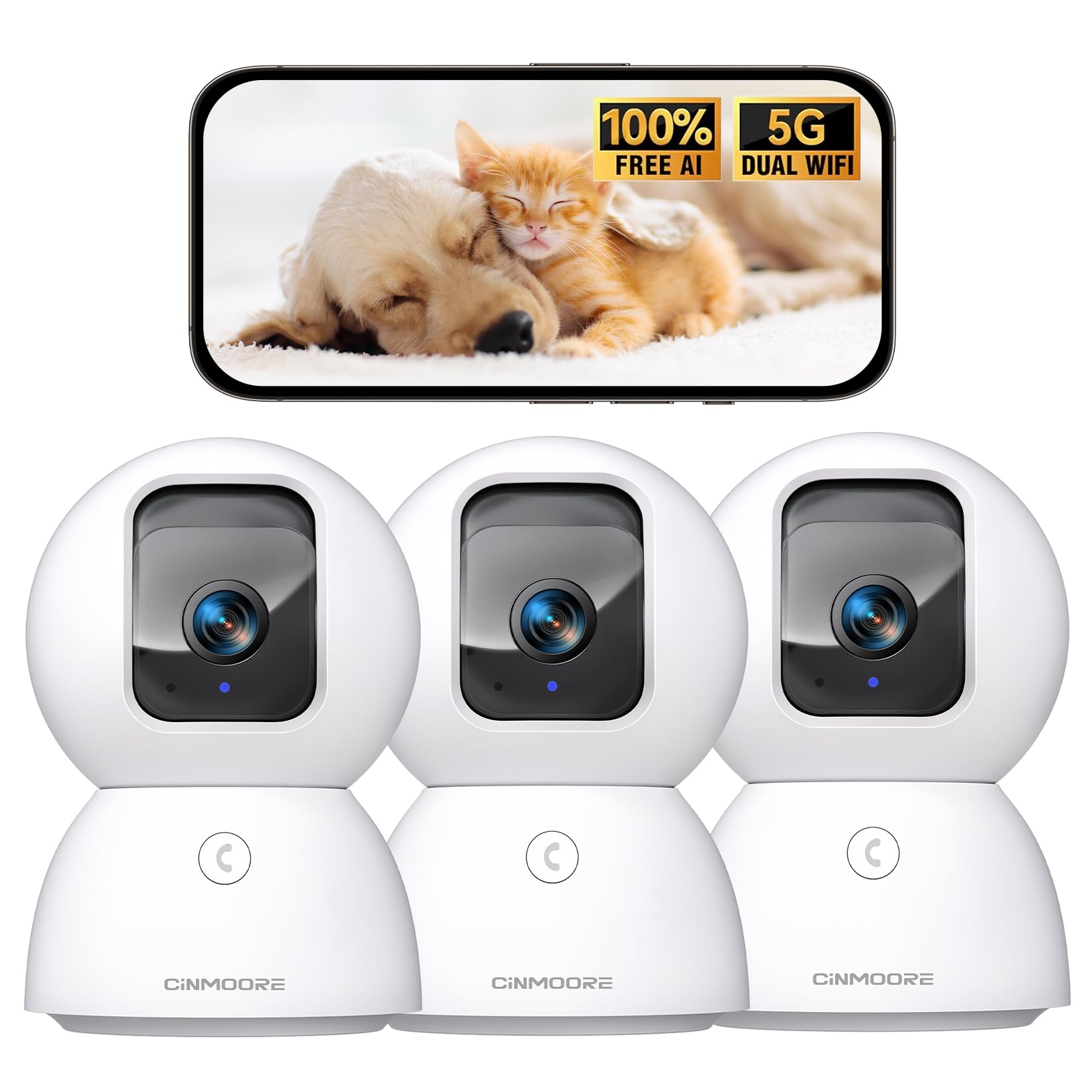
Figure 1: CINMOORE CM-C2U 3K Indoor Security Camera
2. Што ў скрынцы
- CINMOORE Security Camera (x3)
- Mounting Bracket Base (x3)
- Адаптар харчавання (x3)
- Кабель для перадачы дадзеных (x3)
- Шрубавыя анкеры (x3)
- Кіраўніцтва карыстальніка (x1)
3. Інструкцыі па ўсталёўцы
3.1 Першапачатковае ўключэнне
- Connect the data cable to the camera's power port.
- Падключыце адаптар сілкавання да стандартнай электрычнай разеткі.
- The camera will power on, and an indicator light will blink, signaling it's ready for setup.
3.2 Загрузка праграмы і падключэнне
- Download the official CINMOORE app from your smartphone's app store (iOS or Android).
- Стварыце ўліковы запіс або ўвайдзіце, калі ў вас ужо ёсць.
- Follow the in-app instructions to add your new camera. This typically involves scanning a QR code located on the camera's base.
- Connect the camera to your home Wi-Fi network. The camera supports Dual-Band 2.4GHz/5GHz Wi-Fi 6 for a stable connection.
Video: C2U Indoor Camera 1-minute Setup. This video demonstrates the quick and easy setup process for the CINMOORE C2U Indoor Camera, guiding users through connecting the device to the power supply and linking it to the mobile application.
4. Інструкцыя па эксплуатацыі
4.1 Live Video Monitoring
Access the live feed from your camera anytime, anywhere via the CINMOORE app. The 3K UHD resolution provides clear and detailed visuals.

Figure 2: Demonstrates the superior 3K clarity of the camera's video feed compared to 2K resolution, highlighting vivid detail for monitoring.
4.2 Кіраванне панарамаваннем, нахілам і маштабаваннем (PTZ)
Use the virtual joystick in the app to remotely control the camera's movement. Enjoy a 360° horizontal pan and a 109° vertical tilt to cover every corner of your room. The camera also features AI auto-tracking to follow detected movement.

Figure 3: Illustrates the camera's comprehensive 360° pan and tilt capabilities, along with other key features like 3K Ultra HD, sound/crying alerts, and local facial recognition.
4.3 Двухбаковае аўдыё
Engage in real-time conversations using the full-duplex two-way audio feature. Speak through the app and hear responses from the camera's location. A one-click call button can trigger family alerts.
4.4 AI Detection and Tracking
The camera offers free AI detections for facial recognition (stores up to 5 faces locally), person detection, pet detection, baby crying detection, and smoke/gas alarm recognition. Receive instant alerts on your smartphone when activity is detected. Customize detection zones to focus on specific areas.

Figure 4: Highlights the camera's no-subscription local AI detection features, including recognition of up to 5 faces and 6 types of detections (person, pet, motion, noise, loitering, facial) while ensuring 100% privacy.
4.5 Начное бачанне
The 0-Glow Night Vision 2.0 provides clear monitoring in low-light conditions without emitting a visible red glow, ensuring undisturbed sleep for babies and pets. The night vision range is up to 33 feet.

Figure 5: Compares the CINMOORE camera's 0-Glow Night Vision with a traditional camera's red glow, emphasizing safe and undisturbed monitoring for infants and pets.
4.6 Варыянты захоўвання
Choose between local storage via an SD card (up to 512GB, not included) for 24/7 recording, or optional AWS Cloud storage with bank-level security (30-day free trial available). SD card encryption ensures footage is only viewable within the CINMOORE App.

Figure 6: Details the camera's encrypted and secure storage options, including SD card support (up to 512GB, not included) and optional AWS Cloud Storage with a 30-day free trial.
4.7 Рэжым прыватнасці
Activate the one-tap privacy mode, which physically covers the camera lens, ensuring your privacy when you are home.
5. Варыянты мантажу
The CINMOORE CM-C2U camera offers flexible mounting options to suit your needs:
- Настольнае мацаванне: Проста пакладзеце камеру на любую роўную паверхню, напрыклад, на стол, паліцу або пісьмовы стол.
- Насценны мацаванне: Use the included mounting bracket base and screw anchors to securely attach the camera to a wall.
- Потолочное мацаванне: The camera can also be mounted to the ceiling using the provided bracket for an overhead view.
Ensure the camera is positioned to provide the optimal viewкут нахілу для патрэбнай зоны маніторынгу.
Video: Setup Guide for IMILAB indoor camera. This video provides a step-by-step guide on how to set up an IMILAB indoor camera, including unboxing, connecting to power, app setup, and mounting options.
6. Тэхнічныя характарыстыкі
| Назва мадэлі | CM-C2U |
| Выкарыстанне ў памяшканні/на вуліцы | У памяшканні |
| Дазвол відэазахопу | 3K/4MP |
| Пратакол злучэння | Wi-Fi (Dual-Band 2.4GHz/5GHz Wi-Fi 6) |
| Крыніца харчавання | Правадная электрычная |
| Тып кантролера | Amazon Alexa |
| Тып мацавання | Мацаванне на столь / Мацаванне на стол / Мацаванне на сцяну |
| Дыяпазон начнога бачання | 33 Feet (0-Glow) |
| Лакальнае сховішча | SD card (up to 512GB, not included) |
| Памеры | 3 х 4.5 х 3 цалі |
| Вага прадмета | 2.33 фунта |
7. Тэхнічнае абслугоўванне
- Уборка: Акуратна працярыце аб'ектыў і корпус камеры мяккай сухой тканінай. Пазбягайце выкарыстання агрэсіўных хімічных рэчываў або абразіўных матэрыялаў.
- Абнаўленні прашыўкі: Regularly check the CINMOORE app for available firmware updates to ensure your camera has the latest features and security enhancements.
- Цыкл харчавання: If the camera experiences connectivity issues, try unplugging it from the power source for 10 seconds and then plugging it back in.
- Кіраванне SD-картай: If using an SD card, periodically review і кіраваць запісаным footagе, каб прадухіліць перапаўненне карты.
8. Выпраўленне непаладак
- Камера не падключаецца да Wi-Fi:
- Пераканайцеся, што ваша сетка Wi-Fi працуе на частаце 2.4 ГГц або 5 ГГц.
- Праверце, ці правільна ўведзены пароль Wi-Fi.
- Перамясціце камеру бліжэй да вашага Wi-Fi маршрутызатара.
- Перазагрузіце маршрутызатар і камеру.
- Дрэнная якасць відэа:
- Праверце хуткасць падключэння да Інтэрнэту.
- Пераканайцеся, што аб'ектыў камеры чысты.
- Adjust video quality settings in the app if available.
- Няма папярэджанняў аб выяўленні руху:
- Праверце, ці ўключана выяўленне руху ў наладах праграмы.
- Adjust motion sensitivity levels.
- Праверце налады апавяшчэнняў праграм на вашым смартфоне.
- Праблемы з двухбаковым гукам:
- Пераканайцеся, што мікрафон вашага тэлефона ўключаны для праграмы.
- Check the volume settings in the app.
- Мінімізуйце фонавы шум для больш выразнай камунікацыі.
9. Гарантыя і падтрымка
The CINMOORE CM-C2U camera comes with a 24-month warranty. For any issues or inquiries, please contact CINMOORE customer support. We offer free replacement for eligible issues, extended warranty options, and professional support to ensure your satisfaction.
For further assistance, refer to the help section within the CINMOORE app or visit our official webсайт.