
1. Прадукт скончыўсяview
The AOSU T2 Ultra 4-Cam Kit is a comprehensive 4K solar security camera system designed for wireless outdoor home surveillance. It features TrueColor Night Vision, AI recognition, motion tracking, and 360-degree pan and tilt capabilities, ensuring extensive coverage and intelligent monitoring.
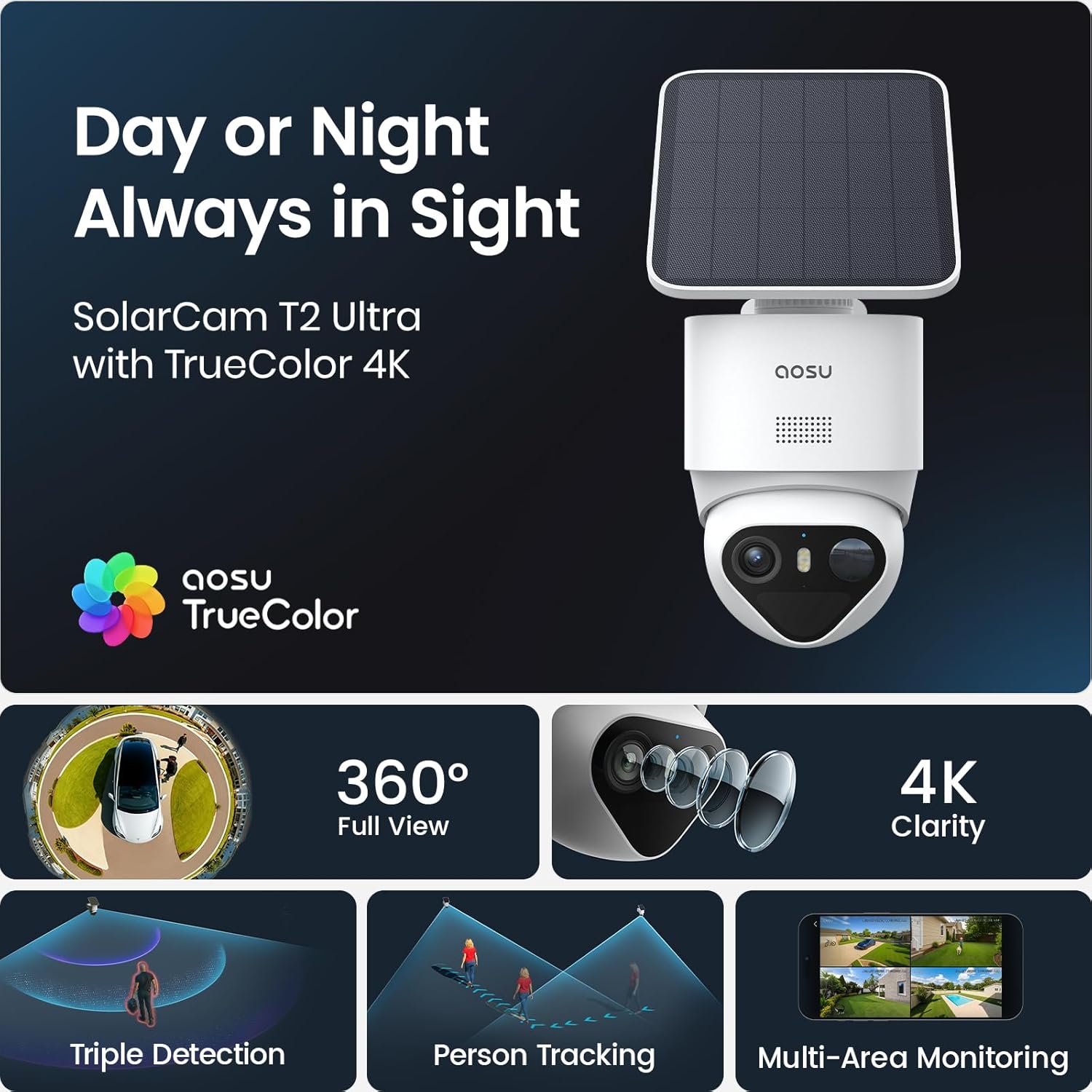
Image: AOSU T2 Ultra camera with solar panel, illustrating its 24/7 surveillance capability.
2. Што ўваходзіць у камплект
The AOSU T2 Ultra 4-Cam Kit includes the following components:
- 1 × AOSU SolarCam Max System 4-Cam Kit
- 1 × aosuCortex/Power Adapter/Ethernet
- 4 × Сонечная панэль
- 4 × Mounting Kit & Screw Packs
- 1 × Кіраўніцтва карыстальніка
The system is designed for easy installation with all necessary hardware provided.
3. Настройка і ўстаноўка
Follow these steps to set up and install your AOSU T2 Ultra 4-Cam Kit:
- Download the AOSU App: Download the "aosu" application from your device's App Store or Google Play.
- Стварыць уліковы запіс: Open the app and create your user account by filling in the registration information.
- Дадаць прылады: Click "Add devices" within the app.
- Сканаванне QR -кода: Scan the QR code located on the camera to pair it with the app.
- Уключэнне камеры: Open the waterproof plug at the bottom of the camera. Press and hold the power button for 5 seconds until you hear "Hello aosu" and the blue light flashes.
- Скінуць налады камеры (пры неабходнасці): Press and hold the RST button for 5 seconds until hearing a beep to reset the camera for pairing.
- Падключыцеся да Wi-Fi: Select your 2.4GHz Wi-Fi network and enter the password. Wait for the camera to connect successfully.
- Выберыце месца ўстаноўкі: Select a location with strong Wi-Fi signal, 7-10 feet from the ground, and up to 30 feet from the motion detection zone. Ensure the solar panel has optimal sunlight exposure.
- Мантаж сонечнай панэлі: Attach the positioning sticker for the solar panel, drill holes with a 16/64" (6mm) drill bit, insert anchors, and tighten screws. Connect the solar panel to its base.
- Мацаванне камеры: Attach the positioning sticker for the camera, drill holes, insert anchors, and secure the camera base with screws. Install the camera into the base.
- Connect Solar Panel to Camera: Plug the cord from the solar panel into the USB port of the camera.
For a visual guide, please refer to the setup video below:
Video: Step-by-step guide on how to set up and install the AOSU SolarCam D1 Lite, demonstrating app connection and physical mounting.

Image: A woman easily installing an AOSU camera with a solar panel, highlighting the quick and easy DIY setup without messy wires or professional installers.
4. Кіраванне сістэмай
The AOSU T2 Ultra system offers intuitive control via the AOSU app. Once connected, you can view live feeds, manage settings, and review запісаныя падзеі.
- жыць View: Доступ да Foo ў рэжыме рэальнага часуtagз усіх падлучаных камер.
- Нахіл і нахіл: Control the camera's 360-degree pan and tilt directly from the app.
- Двухбаковая размова: З дапамогай убудаванага мікрафона і дынаміка можна мець зносіны з наведвальнікамі або адпужваць зламыснікаў.
- Рэжымы начнога бачання: Switch between black & white IR, full-color night vision (with spotlight activation), or turn night vision off.
- Выяўленне руху: Customize sensitivity and detection zones to receive alerts only when necessary.

Image: A smartphone showing a multi-camera live view from the AOSU system, demonstrating simultaneous monitoring of different areas.
5. Асноўныя магчымасці
- 4K каляровае начное бачанне: The F/1.0 ultra-wide aperture and large 1/1.8'' starlight sensor capture full-color footage even in total darkness without a floodlight.
- 90-Day Local Storage: Store up to 90 days of footage with built-in 32GB memory, expandable to 16TB via an external drive, with no subscription fees.
- 360° Coverage + Auto Patrol: Pan 355° and tilt 90° for wide-area monitoring. Tap-to-view and app-based patrol functions allow instant angle checks. Supports up to 4 cameras for full property coverage.
- Triple Smart Detection: PIR, radar, and on-device AI accurately detect human activity, filtering out false alarms from trees, pets, or vehicles.
- Solar + Battery Power: Stay powered all year long with just 90 minutes of direct sunlight daily. The large-capacity battery ensures reliable operation during cloudy days, and the detachable solar panel allows optimal mounting.
- Multi-Camera Tracking: The system links clips from multiple cameras into one video for a complete event context, sending a single alert for comprehensive understanding.
- AI-Powered aosuCortex: Enjoy disguise detection, smart event tracking, and multi-camera live view for clearer event understanding.
- Optional AI Features: Customize surveillance with pay-as-you-go features via the aosu App, including Smart Search, Daily Security Reports, and Abnormal Behavior Analysis (subscription-based).

Image: A clear demonstration of AOSU's TrueColor Night Vision, showing vivid, natural colors in low-light conditions without a spotlight.

Image: The aosuCortex hub with an external hard drive, emphasizing the private and expandable local storage solution.
6. Тэхнічныя характарыстыкі
| Атрыбут | Каштоўнасць |
|---|---|
| Тып мацавання | Насценнае мацаванне |
| Дазвол захопу відэа | 2160p, 4k |
| Колер | Белы |
| Колькасць элементаў | 4 |
| Тэхналогія бесправадной сувязі | Bluetooth, WiFi |
| Формаў-фактар | Купал |
| Viewing кут | 360 градусаў |
| Дыяпазон начнога бачання | 32.8 футаў |
| Частата кадраў | 15 кадраў у секунду |
| Узровень воданепранікальнасці | Воданепранікальны |
| Батарэі | Патрабуецца 2 батарэйка 9 В (у камплекце). |
| Асаблівасці | 32G Local Recording, Face Recognition, True Color Vision in Darkness, aosuCortex AI With Behavior Detection |
| Рэкамендуемае выкарыстанне прадукту | Ахова на адкрытым паветры |
| Тэхналогія падключэння | Бесправадная сувязь |
| Сумяшчальныя прылады | Смартфон |
| Крыніца харчавання | На сонечных батарэях |
| Тып кантролера | Amazon Alexa, Apple HomeKit, Google Assistant |
7. Тэхнічнае абслугоўванне
To ensure optimal performance and longevity of your AOSU T2 Ultra 4-Cam Kit, regular maintenance is recommended:
- Чыстыя лінзы: Periodically wipe camera lenses with a soft, damp сурвэткай для выдалення пылу і смецця.
- Праверце сонечныя панэлі: Ensure solar panels are free from obstructions (leaves, dirt) to maximize charging efficiency.
- Абнаўленні прашыўкі: Keep your camera firmware updated through the AOSU app for the latest features and security enhancements.
- Зарад батарэі: Monitor battery levels via the app and ensure consistent solar charging.
8. Выпраўленне непаладак
If you encounter issues with your AOSU T2 Ultra 4-Cam Kit, consider the following troubleshooting steps:
- Няма сувязі: Verify your Wi-Fi network is 2.4GHz and the password is correct. Ensure the camera is within Wi-Fi range.
- Дрэнная якасць відэа: Check your Wi-Fi signal strength. Ensure camera lenses are clean and free from obstructions.
- Ілжывыя трывогі: Adjust motion detection sensitivity and detection zones in the AOSU app to minimize unwanted alerts.
- Акумулятар не зараджаецца: Ensure solar panels are receiving direct sunlight for at least 90 minutes daily and are free from obstructions.
- Праблемы прыкладання: Ensure your AOSU app is updated to the latest version. Try restarting the app or your smartphone.
Калі праблемы не знікнуць, звярніцеся ў службу падтрымкі.
9. Гарантыя і падтрымка
The AOSU T2 Ultra 4-Cam Kit comes with a Гарантыя 1 год. For any questions or assistance, AOSU provides responsive customer support.
You can find support and additional resources through the AOSU app or by visiting the official AOSU webсайт.