
1. Уводзіны
This manual provides essential information for setting up, operating, and maintaining your Auusda 15.6-inch FHD Laptop. Designed for work, study, and entertainment, this laptop features an Athlon Silver 3050E Processor, 32GB DDR4 RAM, and a 1TB SSD for efficient performance and ample storage. Its thin and light design enhances portability, making it suitable for various environments.
Key features include a vibrant 15.6-inch Full HD IPS display, comprehensive connectivity options, a secure fingerprint reader, and a backlit keyboard for comfortable use in diverse lighting conditions. The laptop comes pre-installed with Windows 11 Pro.


2. Настройка
2.1 Распакоўка і першапачатковы агляд
Carefully remove the laptop and its accessories from the packaging. Ensure all components are present and undamaged.
- Auusda 15.6" FHD Laptop
- Зарадная прылада 12 В 3 А
- US Layout Keyboard Cover
- Кіраўніцтва карыстальніка (гэты дакумент)
2.2 Уключэнне і пачатковая канфігурацыя
- Connect the charger to the laptop's DC-in port and a power outlet.
- Адкрыйце вечка ноўтбука. Ноўтбук можа ўключыцца аўтаматычна, альбо вам можа спатрэбіцца націснуць кнопку харчавання.
- Выконвайце інструкцыі на экране, каб завяршыць наладу Windows 11 Pro, у тым ліку мову, рэгіён, сеткавае падключэнне і стварэнне ўліковага запісу карыстальніка.
- For secure login, configure the integrated fingerprint reader during setup or via Windows Settings later.
3. Аперацыя
3.1 Дысплей і візуальныя элементы
The laptop features a 15.6-inch Full HD (1920x1080) IPS display, providing crisp and vibrant visuals. The narrow bezel design enhances the viewing experience for various tasks, from document editing to streaming media.

3.2 Працэсар і прадукцыйнасць
Powered by an Athlon Silver 3050E Processor with 2 cores and 4 threads, the laptop offers a base frequency of 1.4 GHz and a maximum turbo frequency of up to 2.8 GHz. This configuration supports daily office tasks, online learning, and video playback efficiently.

3.3 Памяць і захоўванне
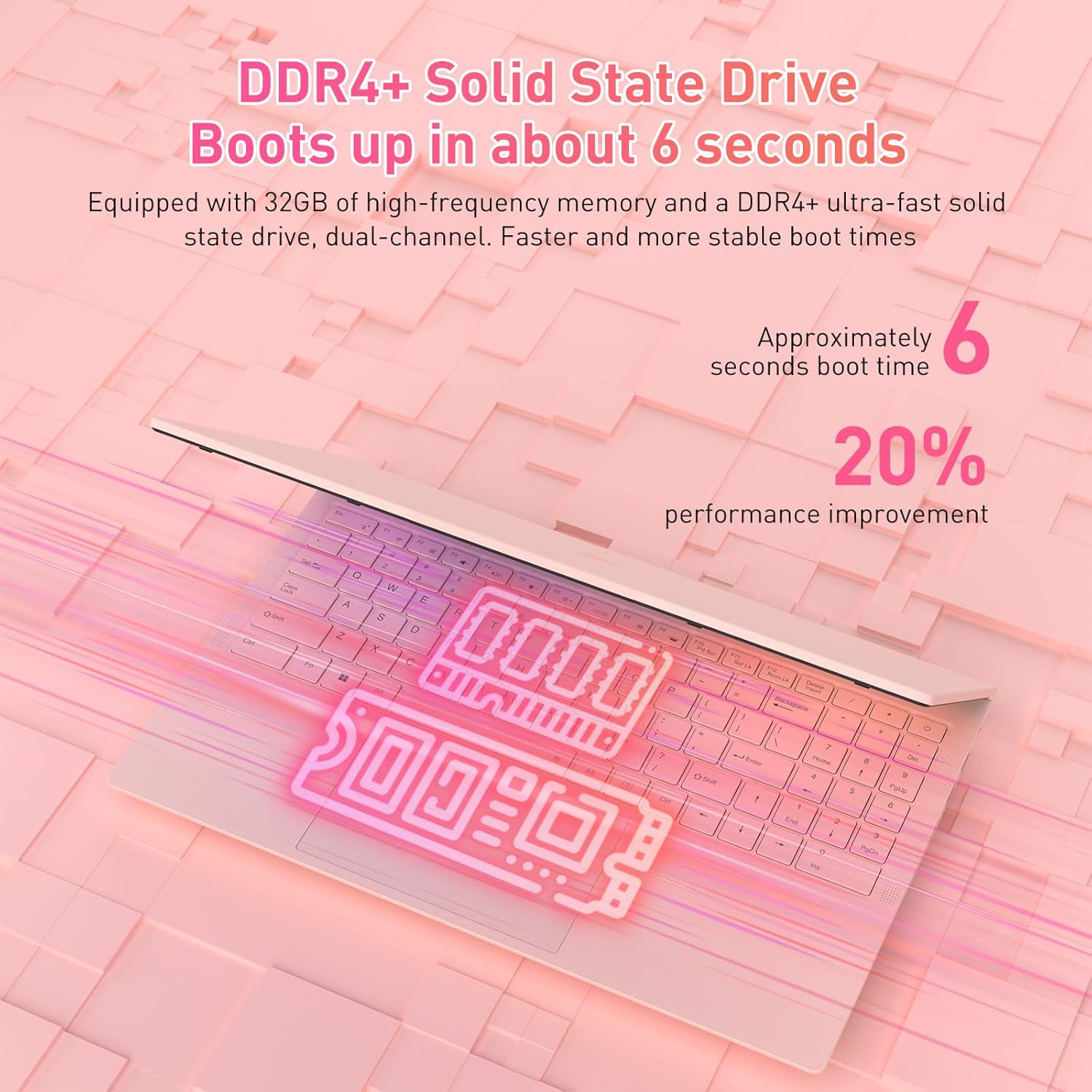
The laptop is equipped with 32GB of DDR4 RAM (2400 MHz) and a 1TB M.2 SATA 3.0 SSD. This combination ensures fast boot times (approximately 6 seconds) and smooth multitasking, allowing you to run multiple applications without significant slowdowns.

3.4 Keyboard and Security Features
The full-size backlit keyboard includes a numeric keypad for enhanced productivity. The large touchpad provides precise navigation. For secure access, the laptop is equipped with an integrated fingerprint reader, allowing for quick and reliable unlocking.

The laptop also features a privacy camera, which can be physically covered for enhanced security.
3.5 Падключэнне
The Auusda laptop offers a variety of ports and wireless options for versatile connectivity:
- Парты USB: 1x USB 3.0, 2x USB 2.0
- Порт тыпу C: Full-featured, supporting charging and data transfer.
- HDMI: Для падлучэння да знешніх дысплеяў.
- Аўдыё: Гняздо для навушнікаў 3.5 мм.
- Чытальнік карт: Слот для карты TF.
- Бесправадная сувязь: Built-in Wi-Fi 5 (802.11a/b/g/n) and Bluetooth 5.0.
- Бяспека: Security Lock Slot.
- Магутнасць: DC Jack for charging.

3.6 Multi-Screen Expansion
The laptop supports multi-screen expansion, allowing you to connect external monitors via the HDMI port for an extended desktop experience, enhancing productivity for work or entertainment.
While not primarily a gaming laptop, the Athlon Silver 3050E processor with RX Vega 3 integrated graphics can handle some lighter gaming titles. For optimal performance in gaming, ensure your system drivers are up to date.
4. Тэхнічнае абслугоўванне
4.1 Ачыстка
- Для чысткі экрана выкарыстоўвайце мяккую тканіну без ворса. Для выдалення ўстойлівых плям,ampпрацярыце тканіну вадой або спецыяльным растворам для чысткі экранаў.
- Wipe the keyboard and chassis with a slightly damp тканінай. Пазбягайце празмернай вільгаці.
- Рэгулярна чысціце вентыляцыйныя адтуліны, каб прадухіліць назапашванне пылу, які можа паўплываць на прадукцыйнасць астуджэння.
4.2 Сыход за акумулятарам
- Пазбягайце частай поўнай разрадкі акумулятара.
- Захоўвайце ноўтбук у прахалодным, сухім месцы, калі ён не выкарыстоўваецца працяглы час.
- Use only the provided charger to prevent damage to the battery and laptop.
4.3 Абнаўленне праграмнага забеспячэння
Regularly check for and install Windows updates and driver updates (especially for graphics and chipset) to ensure optimal performance and security. You can typically find driver updates on the Auusda support webсайт або афіцыйны сайт AMD website for the Athlon processor.
5. Выпраўленне непаладак
Калі ў вас узніклі праблемы з ноўтбукам, звярніцеся да наступных распаўсюджаных крокаў па ліквідацыі непаладак:
- Ноўтбук не ўключаецца: Ensure the charger is securely connected and the power outlet is functional. Try pressing and holding the power button for 10-15 seconds.
- Праблемы з экранам (няма дысплея, мігценне): Connect an external monitor via HDMI to check if the issue is with the laptop's internal display. Restart the laptop.
- Павольная прадукцыйнасць: Close unnecessary applications, check for background processes, ensure sufficient free storage space, and run a malware scan.
- Праблемы з падключэннем (Wi-Fi, Bluetooth): Check if wireless adapters are enabled in Windows settings. Restart your router/modem for Wi-Fi issues.
- Клавіятура або сэнсарная панэль не рэагуюць: Restart the laptop. Ensure no external devices are interfering.
- Перагрэў: Ensure the laptop's vents are clear and not obstructed. Use the laptop on a hard, flat surface to allow for proper airflow.
For persistent issues, please contact Auusda customer support.
6. Тэхнічныя характарыстыкі
| Асаблівасць | Дэталь |
|---|---|
| Марка | Аўсда |
| Назва мадэлі | T156A-3050E-32GB+1TB |
| Нумар мадэлі тавару | 3050E |
| Памер экрана | 15.6 цалі |
| Дазвол экрана | 1920 x 1080 пікселяў (Full HD IPS) |
| Працэсар | AMD Athlon Silver 3050E (1.4 GHz base, up to 2.8 GHz) |
| АЗП | 32 ГБ аператыўнай памяці DDR4 SDRAM (2400 МГц) |
| Захоўванне | 1 TB SSD (PCIE x 2 interface) |
| Графічны супрацэсар | RX Vega 3 (Integrated Graphics) |
| Аперацыйная сістэма | Windows 11 Pro |
| Бесправадны тып | 802.11a/b/g/n (Wi-Fi 5), Bluetooth 5.0 |
| Парты USB | 1x USB 3.0, 2x USB 2.0, 1x Type-C (Full-Featured) |
| Іншыя парты | HDMI, 3.5mm Headphone Jack, TF Card Slot, DC Jack, Security Lock Slot |
| Вага прадмета | 3.7 фунта |
| Памеры прадукту | 14 х 11 х 0.7 цалі |
| Колер | Ружовы |
| Асаблівасці | Anti Glare Coating, Backlit Keyboard, Fingerprint Reader, Numeric Keypad, Portable |
| акумулятар | 1x 12V battery (included) |
7. Гарантыя і падтрымка
7.1 Гарантыя вытворцы
Your Auusda laptop comes with a 2-year manufacturer-backed coverage. This warranty covers defects in materials and workmanship under normal use. Please retain your proof of purchase for warranty claims.
7.2 Падтрымка кліентаў
For technical assistance, warranty claims, or any questions regarding your Auusda laptop, please contact our customer support team:
- электронная пошта: Auusda.ltd@gmail.com (as per A+ content FAQ)
- Інтэрнэт: Log in to your Amazon buyer account, find your order, and click "Get Help" or "Ask questions" to reach the seller.
When contacting support, please provide your order number and a detailed description of the issue, including any relevant videos or screenshots.
