
1. Уводзіны
Thank you for choosing the AULA F3018 Mechanical Keyboard. This keyboard is designed for high-level mechanical performance and robust construction, offering precision for gaming and comfort for typing. It features Blue switches for a tactile and audible click, an ABNT2 layout with 'Ç' for Brazilian Portuguese compatibility, and full RGB lighting with multiple customizable effects. The reinforced braided cable enhances durability and ensures a stable connection. This manual provides essential information for setup, operation, and maintenance of your keyboard.
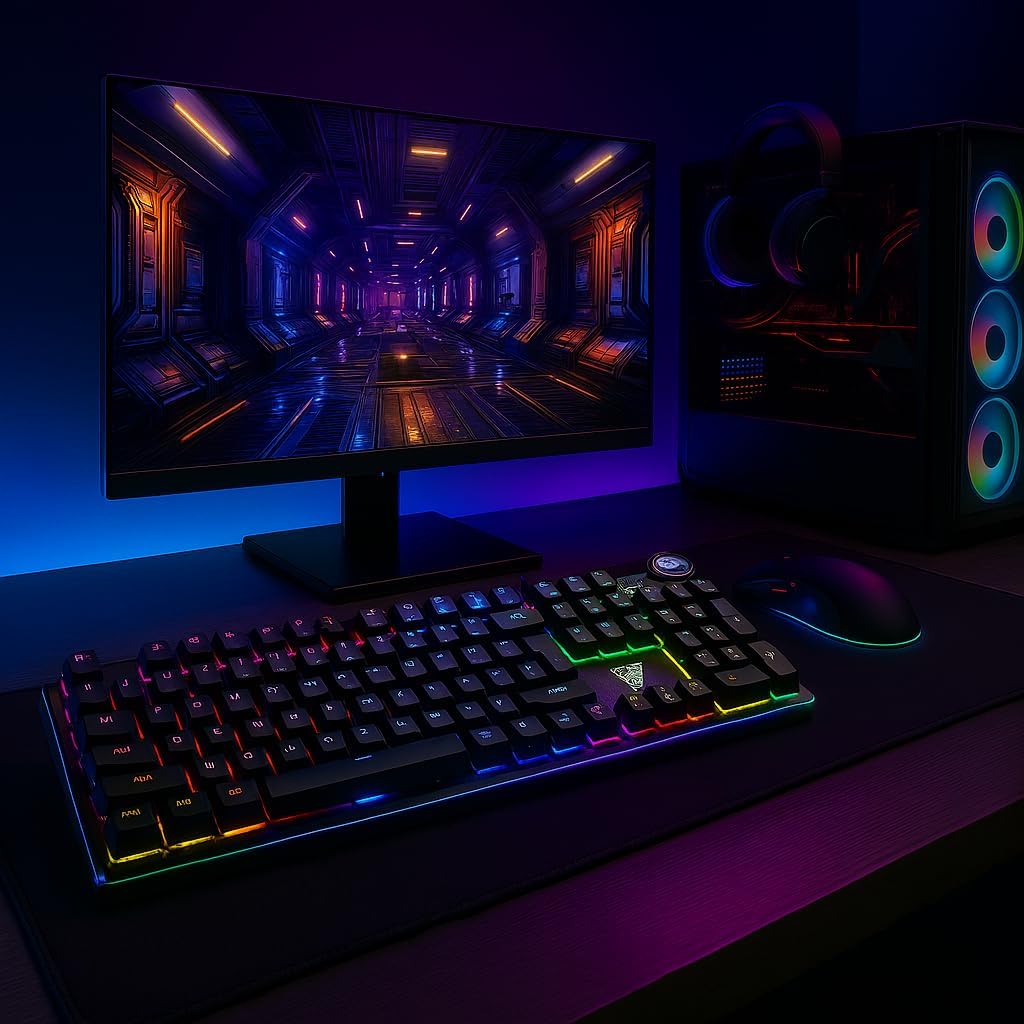
Image 1.1: AULA F3018 Mechanical Keyboard in a typical desktop setup, showcasing its RGB lighting and full-size design.
2. Змесціва ўпакоўкі
Пераканайцеся, што ўсе прадметы прысутнічаюць у пасылцы:
- Механічная клавіятура AULA F3018
- USB-кабель (прыкладаецца)
- Кіраўніцтва карыстальніка (гэты дакумент)
3. Настройка
Follow these steps to connect your AULA F3018 Mechanical Keyboard:
- Распакуйце клавіятуру: Асцярожна дастаньце клавіятуру з упакоўкі.
- Падключыцеся да кампутара: Insert the USB connector of the keyboard's reinforced cable into an available USB port on your computer (PC, Notebook, or MacBook). The keyboard supports USB 2.0 and USB 3.0 ports.
- Ўстаноўка драйвера: The keyboard is plug-and-play. Your operating system will automatically detect and install the necessary drivers. No additional software installation is required for basic functionality.
- Праверце злучэнне: Once connected, the keyboard's RGB lighting should illuminate, indicating a successful connection. You can now begin using your keyboard.

Малюнак 3.1: Пад вуглом view of the AULA F3018 keyboard, highlighting the durable, reinforced USB cable for connection.
4. Інструкцыя па эксплуатацыі
4.1. Асноўныя функцыі
The AULA F3018 is a full-size ABNT2 layout keyboard with 108 keys, providing all standard typing and navigation functions.
4.2. Кіраванне RGB-падсветкай
The keyboard features full RGB backlighting with multiple effects. Use the following key combinations to control the lighting:
- Fn + [клавіша]: Specific keys may have secondary functions for lighting control. Refer to the keycaps for symbols indicating lighting adjustments.
- Рэжымы асвятлення: Cycle through various lighting effects and patterns.
- Рэгуляванне яркасці: Increase or decrease the brightness of the backlighting.
- Рэгуляванне хуткасці: Change the speed of dynamic lighting effects.

Image 4.1: The AULA F3018 keyboard illuminated with vibrant RGB lighting, demonstrating customizable visual effects.
4.3. Multimedia Controls
The keyboard includes dedicated multimedia keys and a volume control knob for convenient media management:
- Рэгулятар гучнасці: Rotate the knob clockwise to increase volume, counter-clockwise to decrease volume. Press the knob to mute/unmute audio.
- Спецыяльныя мультымедыйныя клавішы: Located above the numeric keypad, these keys provide quick access to functions like Play/Pause, Stop, Previous Track, and Next Track.

Малюнак 4.2: Падрабязны view of the volume control knob and adjacent multimedia keys on the AULA F3018 keyboard.
5. Тэхнічнае абслугоўванне
Правільнае абслугоўванне забяспечвае даўгавечнасць і аптымальную прадукцыйнасць вашай клавіятуры:
- Уборка: Use a soft, dry cloth to wipe the surface of the keyboard. For dust and debris between keys, use compressed air. Avoid using harsh chemicals or abrasive materials.
- Прадухіленне разліву: While the keyboard is moisture-resistant, avoid direct liquid spills. In case of a spill, immediately disconnect the keyboard and allow it to dry completely before reconnecting.
- Сыход за кабелем: Do not bend or twist the reinforced cable excessively. Store it neatly to prevent damage.
- захоўванне: Калі клавіятура не выкарыстоўваецца працяглы час, захоўвайце яе ў чыстым, сухім месцы, удалечыні ад прамых сонечных прамянёў і экстрэмальных тэмператур.
6. Выпраўленне непаладак
Калі ў вас узніклі праблемы з клавіятурай AULA F3018, звярніцеся да наступных распаўсюджаных праблем і рашэнняў:
- Клавіятура не адказвае:
- Пераканайцеся, што USB-кабель надзейна падключаны як да клавіятуры, так і да кампутара.
- Паспрабуйце падключыць клавіятуру да іншага USB-порта на вашым кампутары.
- Перазагрузіце кампутар.
- Праверце клавіятуру на іншым кампутары, каб выключыць праблему, характэрную для гэтага кампутара.
- RGB-асвятленне не працуе:
- Check if the lighting is turned off or set to minimum brightness using the keyboard's lighting control functions (e.g., Fn + [Key]).
- Пераканайцеся, што клавіятура правільна падключана і атрымлівае харчаванне.
- Клавішы не рэгіструюцца або набіраюцца два разы:
- Clean the affected key(s) with compressed air to remove any debris.
- If the issue persists, it might indicate a hardware fault. Contact customer support.
- Мультымедыйныя клавішы не працуюць:
- Ensure your operating system's media player is active and in focus.
- Праверце наяўнасць канфліктуючых праграм або драйвераў.
7. Тэхнічныя характарыстыкі
| Асаблівасць | Апісанне |
|---|---|
| Назва мадэлі | Механічная клавіятура AULA F3018 |
| Нумар мадэлі | F3018 |
| Марка | AULA (Generic) |
| Тып перамыкача | Tactile Blue Switch |
| Раскладка клавіятуры | ABNT2 (Portuguese) |
| Колькасць ключоў | 108 |
| Сувязь | Wired (USB, USB 2.0, USB 3.0) |
| Падсвятленне | Full RGB, Adjustable |
| Сумяшчальныя прылады | MacBook, Notebook, PC |
| Матэрыял | Акрыланітрылбутадыенстырол (АБС) |
| Колер | Чорны |
| Памеры (Д х Ш х У) | 44 см х 14 см х 3 см |
| Узровень воданепранікальнасці | Вільгацятрывалы |
| Рэкамендуемае выкарыстанне | Gaming, Personal, Programming |
| Уключаныя кампаненты | Кабель USB |
| Краіна паходжання | Кітай |

Image 7.1: Dimensions of the AULA F3018 Mechanical Keyboard, showing its length, width, and height.

Image 7.2: Key features of the AULA F3018 keyboard, including switch type, layout, and connectivity.
8. Гарантыя і падтрымка
The AULA F3018 Mechanical Keyboard comes with a 30-day seller warranty з даты пакупкі. Гэтая гарантыя распаўсюджваецца на вытворчыя дэфекты пры нармальным выкарыстанні.
For technical support, warranty claims, or any questions regarding your product, please contact your retailer or the seller directly. Please retain your proof of purchase for warranty validation.