
1. Уводзіны
This manual provides detailed instructions for the installation, operation, and maintenance of your GNCC GT1Pro-W-1P Outdoor Security Camera. This product is designed to enhance your home security with features such as 2K resolution, motion detection, color night vision, and two-way audio. Please read this manual thoroughly before use to ensure proper functionality and safety.
2. Змесціва ўпакоўкі
Праверце наяўнасць усіх прадметаў у вашай упакоўцы. Калі якія-небудзь прадметы адсутнічаюць або пашкоджаныя, звярніцеся ў службу падтрымкі кліентаў.
- GNCC GT1Pro-W-1P Outdoor Security Camera (2 units)
- Кіраўніцтва па эксплуатацыі
- Мантажныя шрубы і дзюбелі
- Power Adapters (2 units)
- Mounting Stands (2 units)
3. Настройка і ўстаноўка
3.1 Фізічная ўстаноўка
The GNCC GT1Pro-W-1P camera is designed for wall mounting. Choose a location that provides the desired viewing angle and is within reach of a power outlet. Ensure the camera is positioned to cover the area you wish to monitor.
- Адзначыць кропкі свідравання: Use the included mounting stand as a template to mark the screw holes on the wall.
- Свідраваць адтуліны: Drill pilot holes at the marked positions. Insert the wall plugs if mounting on masonry.
- Замацуеце падстаўку: Attach the mounting stand to the wall using the provided screws.
- Прымацаваць камеру: Securely attach the camera to the mounting stand. Adjust the camera angle as needed.
- Падключыце харчаванне: Connect the power adapter to the camera and plug it into a suitable outdoor-rated power outlet.

Image: The GNCC GT1Pro-W-1P camera mounted on a wall, highlighting its IP65 waterproof rating, suitable for outdoor use.
3.2 Загрузка праграмы і стварэнне ўліковага запісу
The GNCC camera operates with the Osaio app. Download the app to your smartphone to manage your camera settings and view жывыя каналы.
- Download Osaio App: Пошук "Osaio" in your smartphone's app store (Apple App Store or Google Play Store) and download the application.
- Стварыць уліковы запіс: Open the Osaio app and follow the on-screen instructions to create a new user account.
3.3 Падключэнне да Wi-Fi
Ensure your Wi-Fi network is 2.4 GHz, as the camera is compatible only with this frequency band. If your router uses both 2.4 GHz and 5 GHz, ensure the 2.4 GHz band is enabled and accessible.
- Уключэнне камеры: Plug in the camera. Wait for the indicator light to flash, indicating it's ready for pairing.
- Дадаць прыладу ў праграму: Open the Osaio app, tap the "+" icon to add a new device. Select your camera model from the list.
- Выконвайце інструкцыі ў дадатку: The app will guide you through connecting the camera to your 2.4 GHz Wi-Fi network. This typically involves scanning a QR code generated by the app with the camera lens.
- Пацверджанне: Once connected, the camera's indicator light will change, and the app will confirm successful pairing.
4. Аперацыя
4.1 У прамым эфіры View and 2K Resolution
Access the live video feed from your camera through the Osaio app. The camera provides 2K Ultra HD resolution, offering clear and detailed images of your monitored area.

Малюнак: Example of 2K HDR video quality, showcasing the camera's ability to capture clear details.
4.2 Двухбаковае аўдыё
The camera features built-in two-way audio, allowing you to communicate with individuals near the camera through the Osaio app. This is useful for speaking to visitors or deterring unwanted guests.
- Уключыць мікрафон: У прамым эфіры view interface of the Osaio app, tap the microphone icon to speak.
- Слухай: The camera's speaker will transmit your voice, and you can hear responses through your phone's speaker.

Image: Illustration of the camera's two-way audio feature, enabling communication with people near the camera.
4.3 Выяўленне руху і абвесткі
The camera is equipped with advanced motion detection. When motion is detected, the camera can record footage and send instant notifications to your smartphone via the Osaio app.
- Уключыць выяўленне руху: Navigate to the camera settings in the Osaio app to enable motion detection.
- Адрэгуляваць адчувальнасць: Адрэгулюйце адчувальнасць выяўлення руху, каб мінімізаваць колькасць ілжывых спрацоўванняў.
- Атрымліваць апавяшчэнні: Ensure app notifications are enabled on your smartphone to receive alerts.
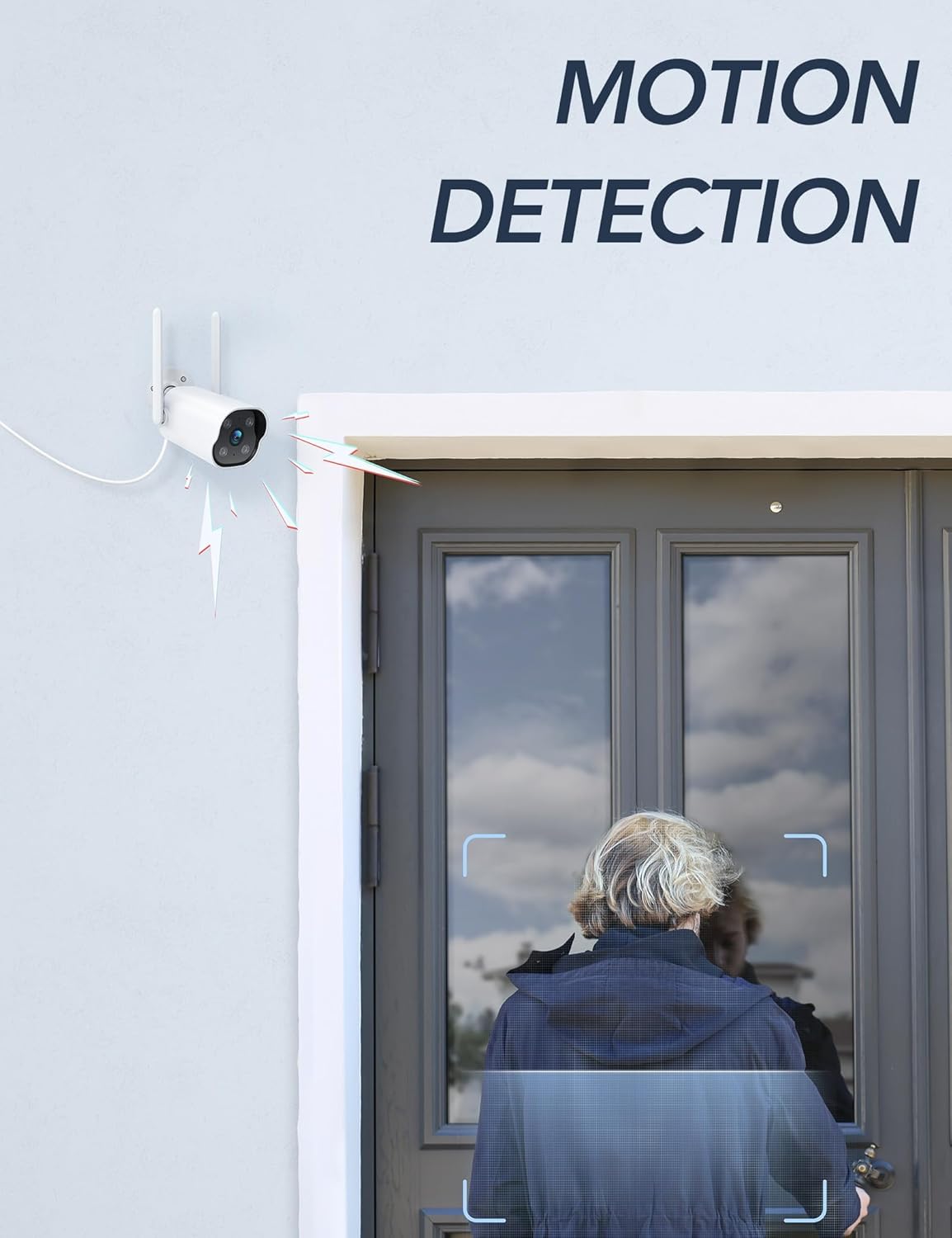
Image: The camera's motion detection feature, showing it identifying a person at a doorway.

Малюнак: Example of push notifications received on a smartphone when motion or sound is detected by the camera.
4.4 Начное бачанне
The camera provides enhanced night vision, allowing clear visibility up to 50 feet (15 meters) in low-light conditions. It supports color night vision for improved detail.
4.5 24/7 Recording
The camera supports continuous 24/7 recording, ensuring constant surveillance of your property. Recorded footage can be accessed via the Osaio app.

Image: The Osaio app interface displaying a timeline of continuous 24/7 video recording, with thumbnails of captured events.
5. Варыянты захоўвання відэа
Your GNCC camera offers flexible options for storing recorded video footage.
- Local Storage (SD Card): The camera supports local storage via a Micro SD card (not included). Insert an SD card (up to 128 GB) into the designated slot on the camera for continuous recording or event-triggered footage.
- Воблачнае сховішча: Optional cloud storage services are available through the Osaio app. This provides off-site backup of your recordings. A free trial period may be offered.

Image: Visual representation of the camera's dual storage options: cloud storage and local SD card storage (up to 128GB).
6. Тэхнічнае абслугоўванне
- Уборка: Periodically clean the camera lens with a soft, dry cloth to ensure clear image quality. Do not use harsh chemicals.
- Абнаўленні прашыўкі: Check the Osaio app regularly for available firmware updates. Keeping your camera's firmware updated ensures optimal performance and security.
- Падключэнне сілкавання: Ensure the power connection remains secure and free from damage.
7. Выпраўленне непаладак
| праблема | Рашэнне |
|---|---|
| Камера не падключаецца да Wi-Fi. | Ensure your Wi-Fi network is 2.4 GHz. The camera does not support 5 GHz Wi-Fi. Check Wi-Fi password and signal strength. Restart your router and camera. |
| Апавяшчэнняў не атрымана. | Verify that motion detection is enabled in the Osaio app. Check your smartphone's notification settings to ensure the Osaio app has permission to send alerts. |
| Дрэнная якасць выявы. | Ачысціце аб'ектыў камеры. Пераканайцеся, што ў полі зроку камеры няма перашкод. viewПраверце хуткасць падключэння да Інтэрнэту. |
| Двухбаковая аўдыёсувязь не працуе. | Ensure your smartphone's microphone and speaker are enabled and not muted. Check the volume settings in the Osaio app. |
| SD-карта не запісвае. | Ensure the SD card is correctly inserted and formatted within the Osaio app. Check if the SD card has sufficient free space. The camera supports up to 128 GB. |
8. Тэхнічныя характарыстыкі
| Асаблівасць | Дэталь |
|---|---|
| Нумар мадэлі | GT1Pro-W-1P |
| Дазвол відэа | 2K Ultra HD |
| Сувязь | 2.4 GHz Wi-Fi, Wired (Power) |
| Асаблівасці | 2-Way Audio, Motion Sensor, Night Vision (Color), Weather Proof (IP65) |
| Параметры захоўвання | Карта памяці Micro SD (да 128 ГБ, не ўваходзіць у камплект), воблачнае сховішча (дадаткова) |
| Выкарыстанне ў памяшканні/на вуліцы | На адкрытым паветры |
| Крыніца харчавання | Правадная электрычная |
| Сумяшчальныя прылады | Smartphone (via Osaio App) |
| Памеры (Д х Ш х У) | 11 х 7.6 х 5 см |
| Вага | 608 г |
| Уключаныя кампаненты | Instruction Manual, Mounting Screws, Power Adapter, Stand |
9. Гарантыя і падтрымка
For warranty information or technical support, please refer to the warranty card included with your product or visit the official GNCC website. You can also contact GNCC customer service through the Osaio app or their website for assistance with product inquiries, troubleshooting, or service requests.
Інтэрнэт-падтрымка: www.gncc.com/support