
MEETION K9880
MEETION K9880 Foldable Bluetooth Keyboard User Manual
Мадэль: K9880
Уводзіны
Thank you for choosing the MEETION K9880 Foldable Bluetooth Keyboard. This ultra-thin, portable keyboard is designed for business travel and compatible with iOS, Android, Windows, and macOS devices. Its ergonomic split-key layout and multi-device connectivity enhance productivity on the go. Please read this manual carefully to ensure proper use and optimal performance of your device.
Што ў скрынцы
- 1 x MEETION K9880 Foldable Bluetooth Keyboard
- 1 х кабель для зарадкі USB-C
- 1 х Кіраўніцтва карыстальніка
- 1 x Velvet Bag
Прадукт скончаныview
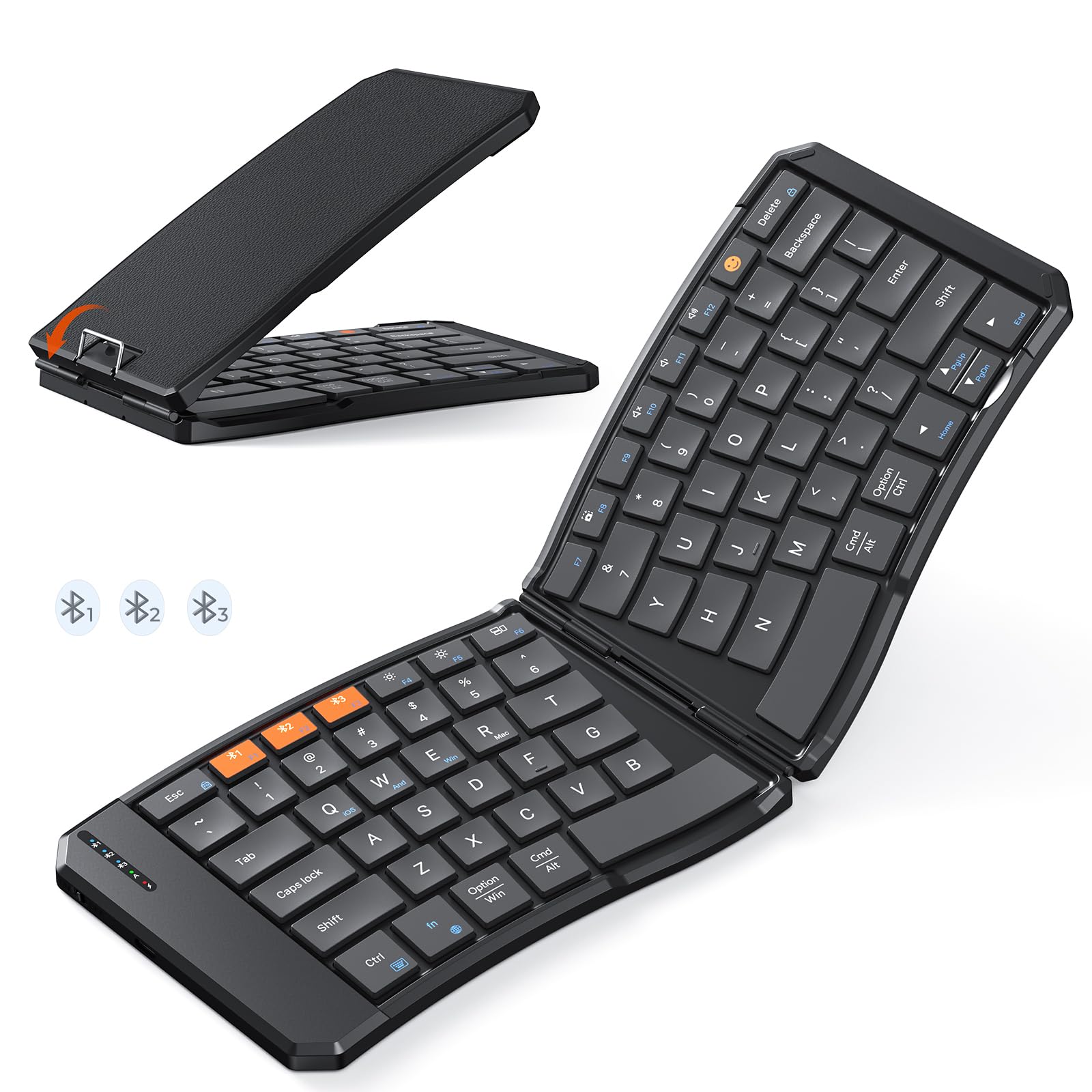
The MEETION K9880 Foldable Bluetooth Keyboard in its compact, folded state, ready for travel.

The keyboard unfolded, showcasing its ergonomic 166-degree V-shaped split-key layout for comfortable typing.

Падрабязны view of the scissor-switch keys, designed for quiet and responsive typing.

The keyboard being charged via its USB-C port, with indicator lights for Bluetooth, Caps Lock, and Power.
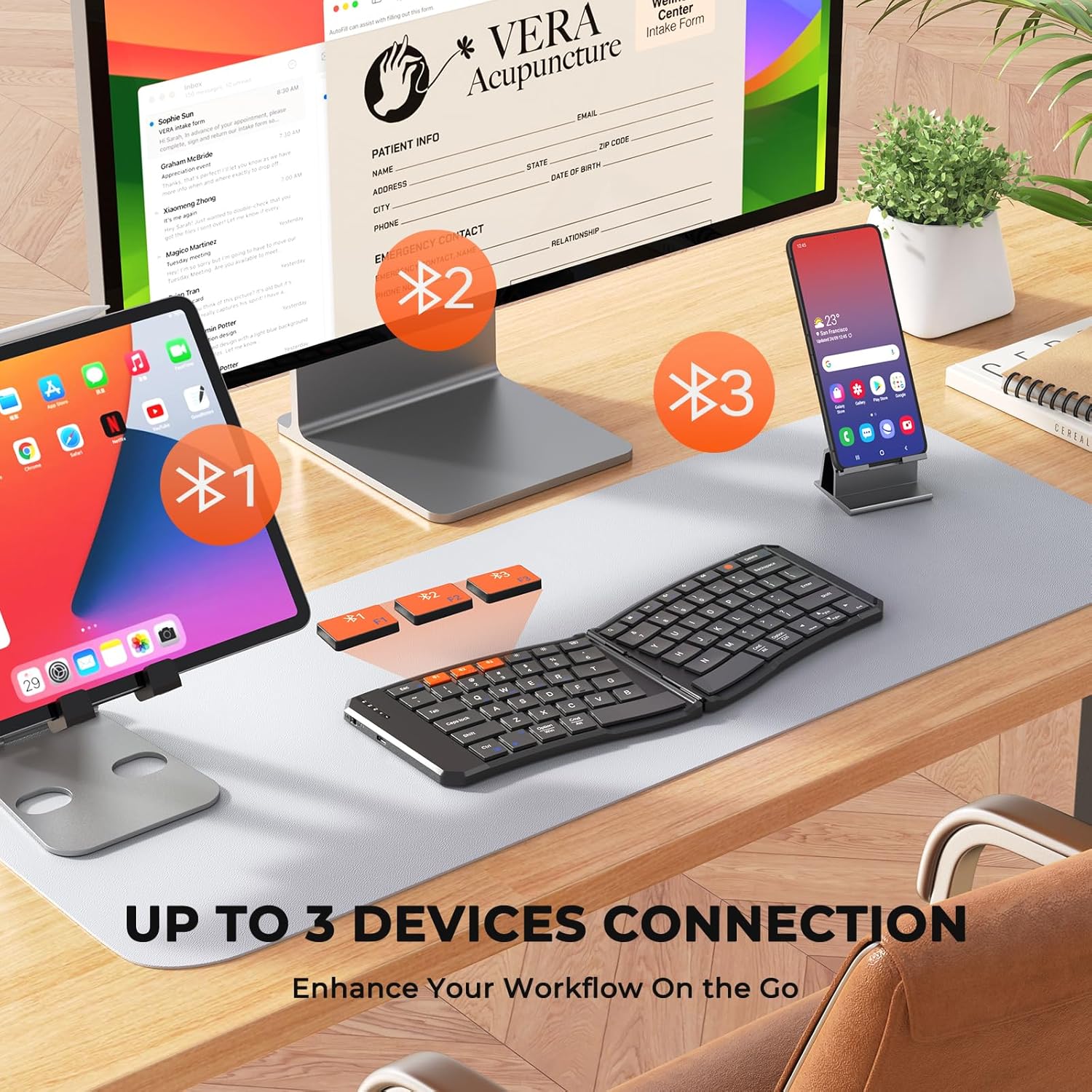
The keyboard's multi-device connectivity, allowing simultaneous connection to up to three devices.

Visual guide for establishing a Bluetooth connection with the keyboard.

Instructions for switching keyboard layouts to match iOS, Android, Windows, or macOS operating systems.
Настройка
1. Уключэнне / выключэнне харчавання
- To power on the keyboard, slide the power switch located on the side to the 'ON' position.
- Каб выключыць харчаванне, перавядзіце перамыкач у становішча «ВЫКЛ».
- The keyboard features a 20-minute auto-sleep mode to conserve power. Press any key to wake it up.
2. Зарадка клавіятуры
- Connect the provided USB-C charging cable to the keyboard's charging port and the other end to a USB power source.
- The red light will flash rapidly when the battery is low.
- The green light will flash during charging and stay solid green when fully charged.
- A full charge provides up to 60 hours of standby time.
3. Bluetooth Pairing (Multi-Device Connection)
- Пераканайцеся, што клавіятура ўключана.
- Press and hold the Bluetooth button (labeled #1, #2, або #3) for 3 seconds to enter pairing mode. The corresponding blue indicator light will blink rapidly.
- On your device (computer, phone, tablet), enable Bluetooth and search for available devices.
- Select "Meetion-KB-BT1", "Meetion-KB-BT2", or "Meetion-KB-BT3" from the list to connect.
- Once connected, the blue light will stay on for 5 seconds and then turn off.
- To switch between paired devices, simply press the corresponding Bluetooth button (#1, #2, або #3). The blue light will stay on for 5 seconds to indicate the active connection.
4. Пераключэнне сістэмы
To optimize keyboard functionality for your specific operating system, use the following key combinations:
- Fn + Q: Switch to iOS system
- Fn + W: Switch to Android system
- Fn + E: Switch to Windows system
- Fn + R: Switch to macOS system
Кіраванне клавіятурай
1. Вопыт набору тэксту
- The keyboard features X-shaped scissor-switch keys for quiet, precise input with responsive feedback.
- The V-shaped 166° angle and split-key layout promote a natural typing posture, reducing strain on hands and wrists.
- The 6-row layout provides a laptop-like typing experience.
2. Спецыяльныя функцыянальныя клавішы
The keyboard includes several shortcut keys for enhanced productivity:
- Fn + Esc: Toggle between multimedia functions (F1-F12) and standard F-key functionality.
- Клавіша эмодзі: Access emoji input (supports Windows, MacBook (macOS), iPad (iPadOS), and Android Samsung devices; does not support iPhone (iOS)).
- Экран блакіроўкі: Lock your device's screen.
- Віртуальная клавіятура: Enable or disable the virtual keyboard on your device.
- Яркасць +/-: Адрэгулюйце яркасць экрана.
- Пераключальнік задач: Switch between open applications.
- пошук: Open the search function.
- Скрыншот: Capture a screenshot.
- Play/Pause, Mute, Volume +/-: Control media playback and volume.
3. Foldable Design and Stability
- The keyboard folds compactly for easy portability. Magnetic adsorption keeps it securely closed when folded.
- A built-in rear metal support wire ensures stability when unfolded, allowing for typing on uneven surfaces like your lap.
Тэхнічнае абслугоўванне
1. Уборка
- The keyboard features a scratch-resistant, easy-to-clean PU leather exterior.
- Працярыце паверхню мяккай, damp тканіна. Пазбягайце выкарыстання агрэсіўных хімічных рэчываў або абразіўных матэрыялаў.
- Для ачысткі паміж клавішамі выкарыстоўвайце сціснутае паветра або мяккую шчотку.
2. Сыход за батарэяй
- Каб падоўжыць тэрмін службы батарэі, пазбягайце частай поўнай разрадкі клавіятуры.
- Захоўвайце клавіятуру ў прахалодным, сухім месцы, калі яна не выкарыстоўваецца працяглы час.
- Utilize the auto-sleep mode by ensuring the keyboard is idle for 20 minutes to save power.
Ліквідацыю непаладак
- Клавіятура не падключаецца праз Bluetooth: Ensure the keyboard is powered on and in pairing mode (blue light blinking). Check your device's Bluetooth settings to confirm it's discoverable and try re-pairing.
- Клавішы не рэагуюць: Check the battery level. If the red light is flashing, charge the keyboard. Ensure the keyboard is properly connected to your device.
- Incorrect key layout: Verify that the keyboard is set to the correct operating system mode (Fn + Q/W/E/R).
- Перарывістае падключэнне: Ensure there are no obstructions between the keyboard and your device. Try moving closer to your device. Avoid using the keyboard near strong electromagnetic interference.
- Keyboard not folding/unfolding properly: Check for any debris or obstructions in the hinge mechanism. Do not force the keyboard.
Тэхнічныя характарыстыкі
| Асаблівасць | Дэталь |
|---|---|
| Марка | СУСТРЭЧА |
| Нумар мадэлі | К9880 |
| Тэхналогія падлучэння | Bluetooth |
| Сумяшчальныя прылады | PC, iOS, Android, Windows, macOS devices |
| Асаблівасці | Ergonomic, Foldable, Low-Profile Key, Portable, Rechargeable, Multi-device connection (up to 3) |
| Апісанне клавіятуры | Мультымедыя |
| Матэрыял | Plastic (with PU leather exterior) |
| Ёмістасць батарэі | Літыевая батарэя 140 мАг |
| Час чакання | Да 60 гадзін |
| Порт для зарадкі | USB-C |
Гарантыя
The MEETION K9880 Foldable Bluetooth Keyboard comes with a 1-гадовая гарантыя ад вытворцы. Please retain your proof of purchase for any warranty claims. This warranty covers manufacturing defects and does not cover damage caused by misuse, accidents, or unauthorized modifications.
Падтрымка
For further assistance, technical support, or warranty inquiries, please contact MEETION customer service through the official brand website or your retailer's support channels. You may also refer to the included user manual for additional information.
Ask a question about this manual
Ask about setup, troubleshooting, compatibility, parts, safety, or missing instructions. Manuals+ will review the question and use this page’s manual context to help answer it.