
1. Уводзіны
The SENTKENG Y03008 InstaVision 1080P WiFi Camera is an indoor security camera designed for monitoring your home, baby, or pets. It offers 1080P Full HD video, pan and tilt functionality for wide coverage, two-way audio communication, infrared night vision, and intelligent motion detection. This manual provides essential information for setting up, operating, and maintaining your camera.
2. Інфармацыя па бяспецы
- Ensure the camera is used indoors only.
- Выкарыстоўвайце толькі прадастаўлены адаптар харчавання і кабель.
- Трымайце прыладу далей ад вады, вільгаці і экстрэмальных тэмператур.
- Не спрабуйце разбіраць або рамантаваць камеру самастойна. Звярніцеся ў службу падтрымкі, калі ўзнікнуць праблемы.
- Захоўваць у месцах, недаступных дзецям і хатнім жывёлам.
3. Змесціва ўпакоўкі
Калі ласка, праверце ўпакоўку на наяўнасць наступных прадметаў:
- SENTKENG Y03008 InstaVision 1080P WiFi Camera
- Кіраўніцтва па эксплуатацыі
- Зарадны кабель Type-C
- Кранштэйн для сцен
- Шрубавы пакет

Image: The camera, Type-C charging cable, wall bracket, screw package, and instruction manual are included in the box.
4. Прадукт скончыўсяview
Азнаёмцеся з асноўнымі кампанентамі вашай камеры:
- Аб'ектыў камеры: Запісвае відэа ў фармаце Full HD 1080P.
- Дакладчык: Для двухбаковай гукавой сувязі.
- Storage Card Slot: Insert a microSD card (up to 128GB, not included) for local storage.
- Ключ скіду: Выкарыстоўваецца для скіду камеры да заводскіх налад.
- Порт для зарадкі Type-C: Падключыце сюды кабель сілкавання.
Выява: Падрабязны view of the camera highlighting the camera lens, speaker, storage card slot, reset key, and Type-C charging port.
5. Кіраўніцтва па наладцы
5.1 Powering On and App Installation
- Уключэнне: Connect the camera to a power outlet using the provided Type-C charging cable and power adapter. The camera will power on automatically.
- Download the InstaVision App: Пошук 'InstaVision' in your smartphone's app store (iOS or Android) and download the application.
- Рэгістрацыя/Уваход: Open the InstaVision app and follow the on-screen instructions to register a new account or log in if you already have one.

Image: The camera next to a smartphone displaying the InstaVision app's welcome screen, illustrating the easy connection process.
5.2 Падключэнне да Wi-Fi
- Дадаць прыладу: In the InstaVision app, tap the '+' icon or 'Add Device' to begin the pairing process.
- Выберыце тып камеры: Choose the appropriate camera model from the list.
- Выконвайце інструкцыі ў дадатку: The app will guide you through connecting the camera to your 2.4GHz Wi-Fi network. Ensure your phone is connected to the same 2.4GHz Wi-Fi network during setup.
- Пацверджанне: Once connected, the camera's indicator light will change, and the app will confirm successful pairing.
5.3 Параметры ўстаноўкі
The SENTKENG Y03008 camera offers flexible installation:
- Tabletop Mount (Freestanding): Place the camera on any flat surface such as a table, shelf, or desk. Ensure it has a clear view вобласці, якую вы хочаце кантраляваць.
- Мацаванне на столі: Use the included wall bracket and screws to mount the camera to the ceiling. After mounting, you may need to adjust the image orientation in the InstaVision app settings.

Малюнак: Examples of camera placement, showing both flat surface installation and ceiling mounting options.
6. Інструкцыя па эксплуатацыі
6.1 У прамым эфіры View і прайграванне
Once connected, open the InstaVision app to access the live video feed from your camera. You can view у рэжыме рэальнага часу footagе і паўторнаview recorded events from anywhere, anytime.
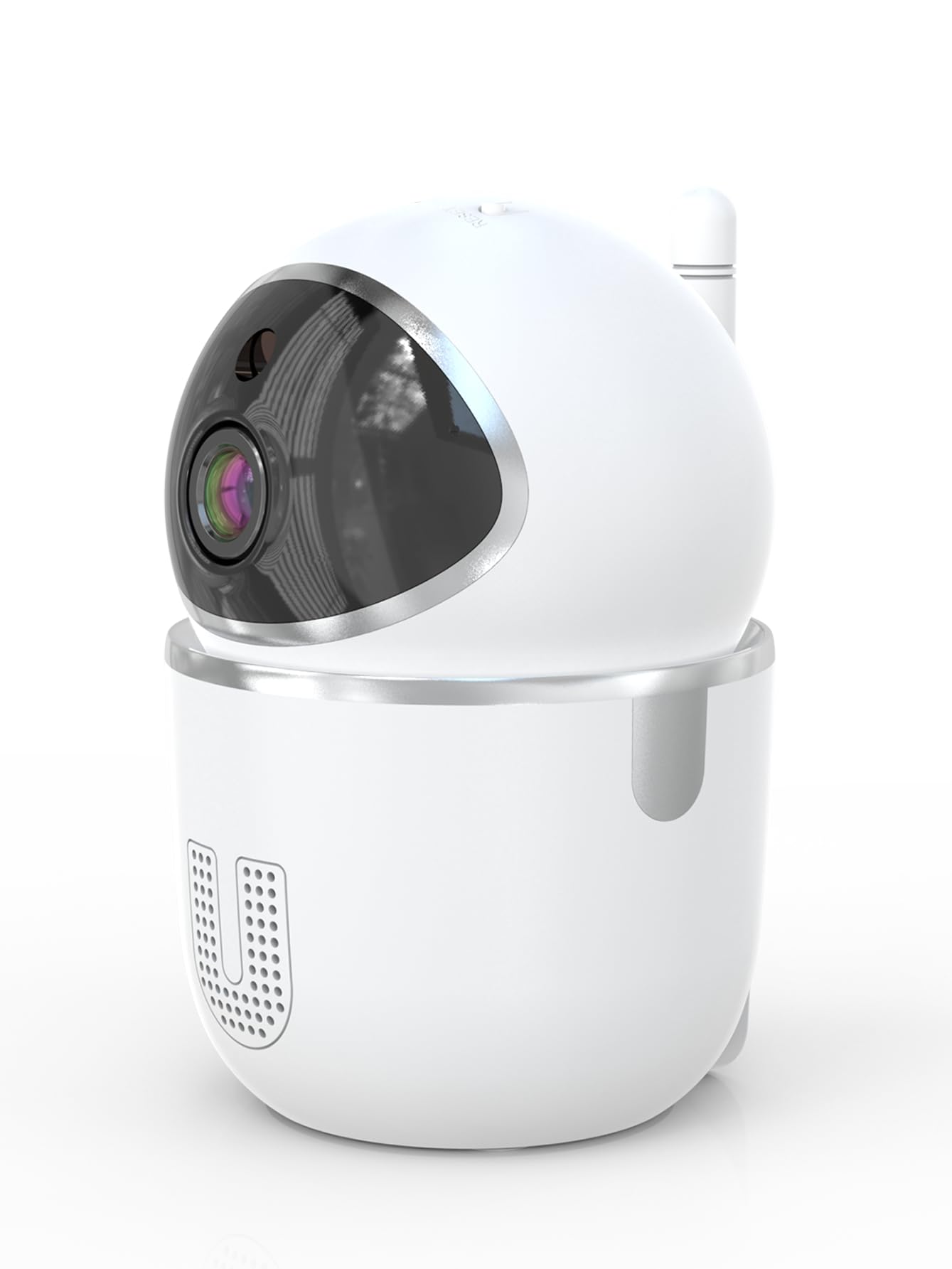
Image: A smartphone displaying the live video feed from the camera, showing a living room scene.
6.2 Кіраванне паваротам і нахілам
Дыстанцыйна кіраваць камерай viewing angle through the InstaVision app. The camera supports 355° horizontal rotation and 90° vertical tilt, allowing you to cover a wide area with minimal blind spots.

Image: The camera illustrating its pan (355°) and tilt (90°) capabilities, showing the range of motion.
6.3 Двухбаковае аўдыё
The built-in microphone and speaker enable real-time two-way communication. Tap the microphone icon in the app to speak through the camera, and listen to audio from the camera's surroundings.
6.4 Начное бачанне
The camera is equipped with powerful infrared LEDs, providing clear black-and-white video footage in low-light conditions or complete darkness, ensuring 24/7 monitoring.
6.5 Выяўленне руху і абвесткі
The camera detects motion and sends instant notifications to your smartphone. You can customize motion detection sensitivity and alert schedules within the InstaVision app.

Image: A smartphone screen showing a list of motion detection events and alerts, indicating human presence.
6.6 Варыянты захоўвання
- Захоўванне карты MicroSD: Insert a microSD card (up to 128GB, not included) into the camera's card slot for local recording. The camera will automatically overwrite the oldest footagе., калі карта запоўненая.
- Воблачнае сховішча: An optional cloud service is available via a paid InstaVision app subscription. This provides secure off-site storage for your recordings.

Image: The camera with visual cues indicating support for both local microSD card storage (up to 128GB) and optional cloud storage.
6.7 AI Detection (Subscription)
With a paid InstaVision app subscription, you can access advanced AI-powered features such as recognizing people, pets, and specific human actions. This allows for more precise alerts and faster searching of recorded events.

Image: A smartphone screen demonstrating the contextual AI search feature, allowing users to quickly find specific events like package deliveries or pet movements.
6.8 Multi-User Viewінж
Share access to your camera's live feed with family members or trusted individuals through the InstaVision app, allowing multiple users to view the camera simultaneously.

Image: The camera surrounded by multiple smartphones, illustrating the multi-user viewing capability for real-time online monitoring.
7. Тэхнічнае абслугоўванне
- Уборка: Выкарыстоўвайце мяккую сухую тканіну для чысткі аб'ектыва і корпуса камеры. Не выкарыстоўвайце вадкія ачышчальнікі або аэразолі.
- Абнаўленні прашыўкі: Regularly check the InstaVision app for available firmware updates. Keeping your camera's firmware updated ensures optimal performance and security.
- Кіраванне карткай MicroSD: If using a microSD card, periodically check its status in the app. Format the card if necessary to maintain recording quality.
8. Выпраўленне непаладак
8.1 Камера не падключаецца да Wi-Fi
- Пераканайцеся, што ваша сетка Wi-Fi працуе на частаце 2.4 ГГц. Камера не падтрымлівае Wi-Fi на частаце 5 ГГц.
- Check that your Wi-Fi password is entered correctly.
- Перамясціце камеру бліжэй да вашага Wi-Fi маршрутызатара.
- Перазагрузіце маршрутызатар і камеру.
- Perform a factory reset on the camera using the reset key and try connecting again.
8.2 Няма відэатрансляцыі
- Пераканайцеся, што камера ўключана і падключана да Wi-Fi.
- Праверце падключэнне да Інтэрнэту.
- Restart the InstaVision app.
8.3 Выяўленне руху не працуе
- Ensure motion detection is enabled in the InstaVision app settings.
- Адрэгулюйце адчувальнасць выяўлення руху.
- Check the detection zone settings to ensure the desired area is covered.
8.4 Праблемы з двухбаковым аўдыё
- Ensure your phone's microphone is enabled for the InstaVision app.
- Праверце налады гучнасці на тэлефоне і ў дадатку.
- Ensure there are no obstructions blocking the camera's speaker or microphone.
9. Тэхнічныя характарыстыкі
| Назва мадэлі | Y03008 InstaVision |
| Выкарыстанне ў памяшканні/на вуліцы | У памяшканні |
| Дазвол відэазахопу | 1080p Full HD |
| Дыяпазон павароту/нахілу | 355° па гарызанталі, 90° па вертыкалі |
| Тэхналогія падлучэння | Бесправадная сувязь (2.4 ГГц Wi-Fi) |
| Крыніца харчавання | Правадная электрычная |
| Дыяпазон начнога бачання | 8 метраў |
| Параметры захоўвання | Карта MicroSD (да 128 ГБ, не ўваходзіць у камплект), воблачнае сховішча (дадатковая падпіска) |
| Асаблівасці | 2-Way Audio, PTZ Technology, Motion Detection, AI Detection (subscription) |
| Памеры прадукту | 3.18 х 2.63 х 4.02 цалі |
| Вага прадмета | 8.5 унцыі |
10. Гарантыя і падтрымка
10.1 Інфармацыя аб гарантыі
For detailed warranty information, please refer to the documentation included with your purchase or visit the official SENTKENG webсайт. Захоўвайце пацвярджэнне пакупкі для прэтэнзій па гарантыі.
10.2 Падтрымка кліентаў
If you encounter any issues or have questions regarding your SENTKENG Y03008 InstaVision Camera, please contact SENTKENG customer support through the InstaVision app or the official SENTKENG website. Our support team is available to assist you.