
Уводзіны
Thank you for choosing the NEWFAST AC1200 WiFi Repeater. This device is designed to extend the coverage of your existing wireless network, eliminating Wi-Fi dead zones and providing a stronger, more reliable connection throughout your home or office. Please read this manual carefully before using the device to ensure proper installation and operation.
Змест пакета
Праверце, ці ёсць усе прадметы ў вашай упакоўцы:
- 1 x NEWFAST AC1200 WiFi Repeater
- 1 х Кіраўніцтва карыстальніка
- 1 кабель Ethernet RJ-45
Прадукт скончаныview
Familiarize yourself with the physical components of your NEWFAST AC1200 WiFi Repeater.
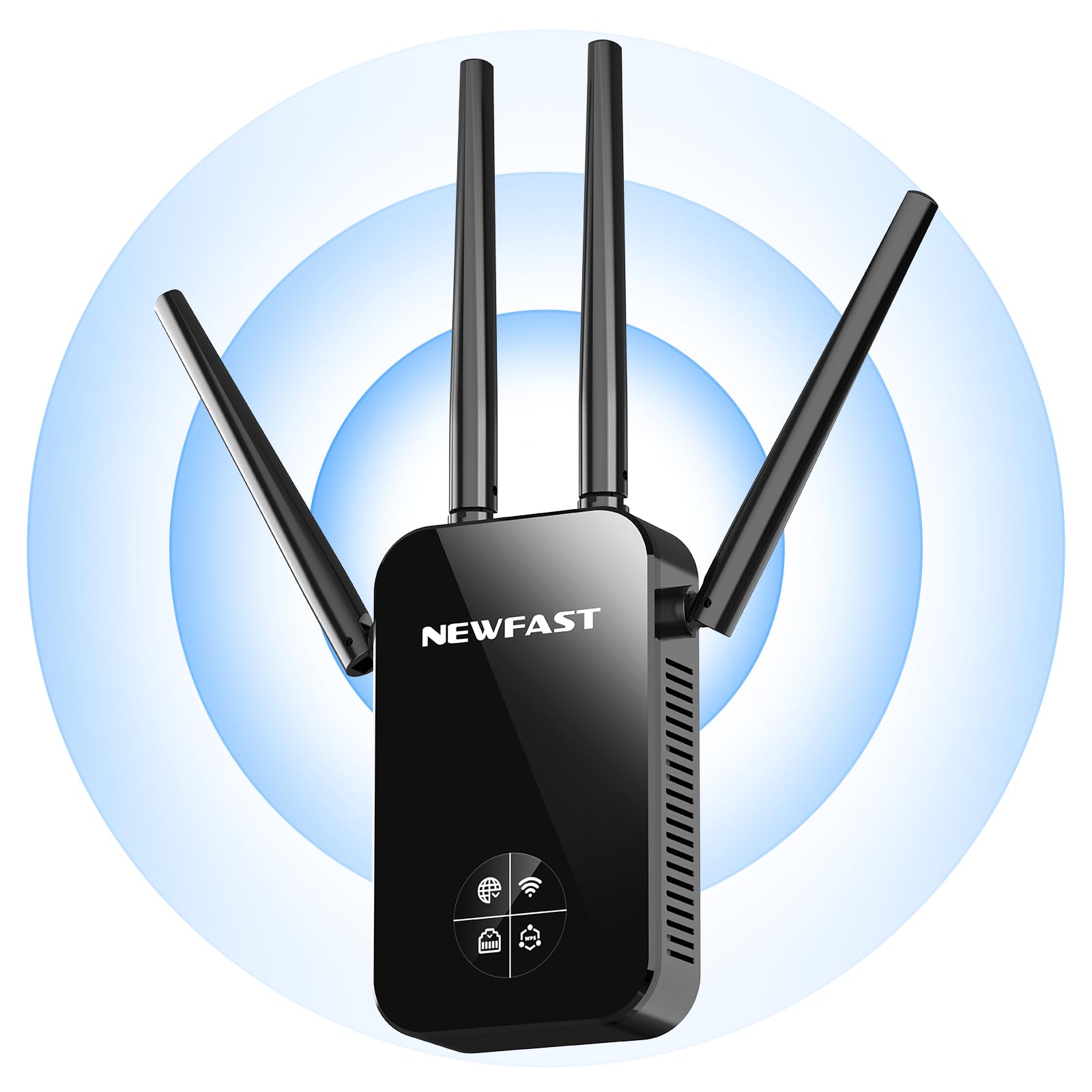
Фронт view of the NEWFAST AC1200 WiFi Repeater, showing its compact design and indicator lights.
The device typically features indicator LEDs for power, Wi-Fi signal strength, and connection status. It also includes an Ethernet port for wired connections and a WPS button for quick setup.
Настройка
Follow these steps for initial setup of your NEWFAST AC1200 WiFi Repeater:
- Уключэнне: Plug the repeater into an electrical outlet near your existing router. Wait for the power indicator light to turn on.
- Падключэнне да рэтранслятара: On your computer or mobile device, connect to the repeater's default Wi-Fi network (e.g., "NEWFAST_Repeater" or similar, usually found on a label on the device). No password is required for the initial connection.
- Старонка наладкі доступу: Адкрыйце a web browser and enter the default IP address (e.g., 192.168.10.1) or web address (e.g., repeater.net) provided in the device's label or quick start guide.
- Лагін: Enter the default username and password (e.g., admin/admin).
- Выберыце рэжым: Choose the desired operating mode (Repeater Mode or Access Point Mode).
- Наладзіць сетку:
- Рэжым рэтранслятара: Select your existing Wi-Fi network from the list, enter its password, and choose whether to keep the same SSID or create a new one for the extended network.
- Рэжым кропкі доступу: Connect the repeater to your router via an Ethernet cable. Configure a new Wi-Fi network name (SSID) and password for the repeater.
- Ужыць налады: Save the settings and wait for the repeater to restart. The indicator lights will show the connection status.
Alternatively, you can use the WPS (Wi-Fi Protected Setup) button for a quicker setup if your router supports it. Press the WPS button on your router, then within two minutes, press the WPS button on the repeater. The devices will automatically connect.
Рэжымы працы
The NEWFAST AC1200 WiFi Repeater supports multiple operating modes:
- Рэжым паўтаральніка (пашыральнік дыяпазону): This is the primary mode, extending the range of your existing Wi-Fi network. The repeater connects wirelessly to your router and re-broadcasts the signal.
- Рэжым кропкі доступу (AP): In this mode, the repeater connects to your router via an Ethernet cable and creates a new wireless network. This is useful for adding Wi-Fi capability to a wired network or creating a separate Wi-Fi network.
Інструкцыя па эксплуатацыі
Once set up, the repeater operates automatically. To ensure optimal performance:
- Размяшчэнне: Position the repeater halfway between your router and the area with poor Wi-Fi coverage. Ensure it receives a good signal from the router.
- падключэнне: Connect your wireless devices (smartphones, tablets, laptops) to the extended Wi-Fi network created by the repeater.
- Правадныя прылады: If in Repeater Mode, you can connect a wired device (e.g., a desktop computer or gaming console) to the repeater's Ethernet port for a stable connection.
Тэхнічнае абслугоўванне
To maintain the performance and longevity of your device:
- Уборка: Акуратна працярыце прыладу сухой мяккай тканінай. Не выкарыстоўвайце вадкія ачышчальнікі або аэразолі.
- Абнаўленні прашыўкі: Перыядычна правярайце інфармацыю вытворцы webсайт для абнаўленняў прашыўкі. Абнаўленне прашыўкі можа палепшыць прадукцыйнасць, дадаць новыя функцыі і выправіць памылкі. Уважліва выконвайце інструкцыі, якія прыкладаюцца да абнаўлення прашыўкі.
- Перазапуск: Калі ў вас узніклі праблемы з сеткай, паспрабуйце перазапусціць рэтранслятар, адключыўшы яго ад разеткі на 10 секунд, а затым зноў падключыўшы.
Ліквідацыю непаладак
If you encounter problems with your NEWFAST AC1200 WiFi Repeater, refer to the following common issues and solutions:
- Няма харчавання: Ensure the repeater is securely plugged into a working electrical outlet. Check the power indicator light.
- Немагчыма атрымаць доступ да старонкі налад: Verify that your device is connected to the repeater's Wi-Fi network. Try clearing your browser's cache or using a different browser. Ensure you are using the correct IP address or web адрас.
- Слабая магутнасць сігналу: Relocate the repeater closer to your main router. Ensure there are no major obstructions (thick walls, metal objects) between the router and the repeater.
- Няма доступу ў Інтэрнэт: Check if your main router has internet access. Ensure the repeater is correctly configured and connected to your router's Wi-Fi network with the correct password.
- Памылка налады WPS: Ensure your router supports WPS and that you are pressing the buttons within the specified time frame. If it continues to fail, try manual setup via the web інтэрфейс.
- Забыты пароль: If you forget the repeater's login password or Wi-Fi password, you may need to perform a factory reset. Locate the reset button (usually a small pinhole) on the device, press and hold it for 5-10 seconds until the lights flash, then release. This will restore the device to its factory default settings.
Тэхнічныя характарыстыкі
Key technical specifications for the NEWFAST AC1200 WiFi Repeater:
| Марка | NEWFAST |
| Вытворца | NEWFAST |
| Памеры прадукту | 8.6 х 4.5 х 19.7 см; 120 г |
| Сумяшчальныя прылады | Internet Box, Computer, Access Point, Router |
| Асаблівасці | 360 degrees, 1-touch setup, 1-click setup, MU-MIMO, Access Point Mode, LCD Display |
| Уключаныя кампаненты | 1 RJ-45 Ethernet Cable, 1 User Manual, 1 AC1200 WiFi Repeater |
| Колькасць прадуктаў | 1 |
| Патрабуюцца батарэі | няма |
| Хуткасць перадачы даных | 1200 мегабіт у секунду |
| Тып бесправаднога злучэння | 802.11a/b/g/n/ac |
| Частата | 5.8 ГГц |
| Вага прадукту | 120 г |
| Стандарт бесправадной сувязі | 802.11a/b/g/n/ac |
| Клас дыяпазону частот | Двухдыяпазонны |
| Колер | Чорны |
Гарантыя і падтрымка
This NEWFAST AC1200 WiFi Repeater comes with a standard manufacturer's warranty. Please refer to the warranty card included in your package or visit the official NEWFAST webсайт для атрымання падрабязных гарантыйных умоў.
For technical support, troubleshooting assistance, or to inquire about product information, please contact NEWFAST customer service through their official webсайт або кантактную інфармацыю, указаную ў дакументацыі да прадукту.