
Уводзіны
The FREEWOLF K100 is a versatile 99-key wireless membrane keyboard designed for various computing environments. It offers three connectivity modes: Bluetooth, 2.4GHz wireless, and USB-C wired, ensuring compatibility with a wide range of devices including PCs, Macs, laptops, tablets, and phones. Key features include customizable RGB backlighting, a convenient multimedia control knob, durable PBT keycaps with side-printed legends, and a long-lasting 4000mAh battery.
Асаблівасці прадукту
Трымадыскавае падключэнне
Connect via Bluetooth (up to 3 devices), 2.4GHz wireless (with included receiver), or USB-C wired mode. Seamlessly switch between devices for enhanced productivity and gaming.

This image illustrates the three available connection modes: Bluetooth, 2.4GHz wireless, and USB-C wired, highlighting the flexibility for various devices.
Падсвятленне RGB
Experience vibrant 16.8 million color RGB lighting with multiple dynamic effects. Customize your keyboard's appearance to match your setup or mood.

This image demonstrates the various RGB backlight effects and the key combinations used to control them, including switching modes, colors, brightness, and speed.
Multimedia Control Knob
An intuitive rotary knob allows for quick volume adjustments (rotate) and instant muting (press). Dedicated media keys for play/pause, previous, and next track are also included.

Гэта выява дае падрабязную інфармацыю view of the multimedia knob and its functions, including volume control and mute, alongside the dedicated media playback buttons.
Durable PBT Gradient Keycaps
Crafted from high-quality PBT material, these gradient keycaps resist shine, oil, and wear. Double-shot injection molding ensures legends never fade, with side-printed characters for a clean look and radiant backlighting.

This image highlights the gradient PBT keycaps, showcasing their side-printed legends and how they allow backlight to shine through for improved visibility.
4000mAh Battery & Smart Sleep Mode
A large 4000mAh rechargeable battery provides extended wireless usage. Intelligent sleep modes conserve power: backlight off after 2 minutes of inactivity, deep sleep after 30 minutes (2.4G/BT), and wired mode follows computer sleep.

This image details the keyboard's 4000mAh battery and its intelligent sleep features designed to maximize battery life during wireless operation.
Compact 99-Key Layout & Anti-Ghosting
The 99-key layout includes a crucial number pad while saving desk space. Full 26-key rollover (NKRO) ensures every keystroke is registered accurately, ideal for fast typing and gaming.
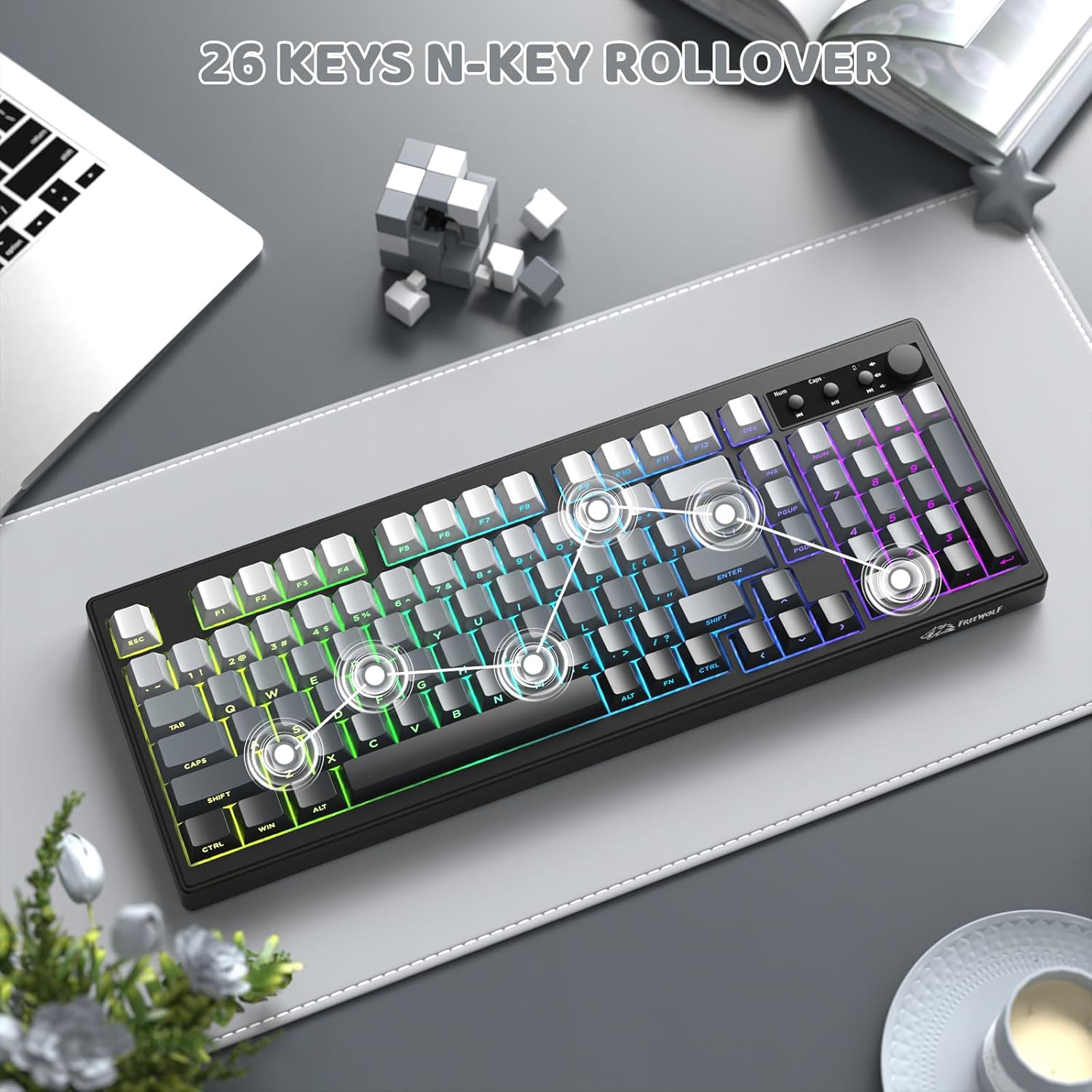
This image shows the compact 99-key layout of the keyboard, emphasizing its N-key rollover capability for precise input.
Эрганамічны дызайн
The keyboard features adjustable double leg braces, allowing you to set the typing angle for optimal comfort. A built-in slot securely stores the 2.4G USB receiver when not in use.

This image illustrates the adjustable feet for ergonomic positioning and the convenient storage slot for the 2.4G USB receiver.
Інструкцыя па наладзе
- Распакуйце клавіятуру: Carefully remove the keyboard and all accessories from the packaging. Ensure all components are present: keyboard, USB-C cable, and 2.4GHz USB receiver.
- Першапачатковая зарадка: Connect the keyboard to a USB power source using the provided USB-C cable. The battery indicator light will show charging status. A full charge is recommended before first use.
- Выберыце рэжым падключэння: Use the switch located on the back or side of the keyboard to select your desired connection mode:
- Бесправадны рэжым 2.4 ГГц:
- Locate the 2.4GHz USB receiver, typically stored in a slot on the keyboard's underside.
- Падключыце прыёмнік да вольнага порта USB на вашым кампутары.
- Switch the keyboard to 2.4G mode. The keyboard should connect automatically.
- Рэжым Bluetooth:
- Switch the keyboard to BT mode.
- Націсніце і ўтрымлівайце FN + 2 (або FN + 3, FN + 4) for 3-5 seconds until the indicator light flashes, indicating pairing mode.
- On your device (PC, Mac, tablet, phone), go to Bluetooth settings and search for "K100 Keyboard" (or similar).
- Select the keyboard to pair. Repeat for up to three different Bluetooth devices using FN+2, FN+3, and FN+4.
- Правадны рэжым USB-C:
- Connect the USB-C cable from the keyboard to your computer.
- Switch the keyboard to wired mode (if applicable, some keyboards automatically detect wired connection).
- Сумяшчальнасць сістэмы:
- Прэса FN + W to switch to Windows system layout.
- Прэса FN + M to switch to macOS system layout.
Інструкцыя па эксплуатацыі
Кіраванне RGB асвятленнем
- FN + INS: Switch between different RGB lighting effects.
- FN + DEL: Switch between solid RGB colors.
- FN + Backspace: Уключыць/выключыць падсветку.
- FN + PgUp: Павялічце яркасць падсветкі.
- ФН + ПгДн: Паменшыць яркасць падсветкі.
- FN + - / =: Адрэгулюйце хуткасць эфекту асвятлення.
Multimedia Knob and Keys
- Паваротная ручка: Адрэгулюйце гучнасць уверх або ўніз.
- Націсніце кнопку: Выключыць або ўключыць гук.
- Выдзеленыя медыяклавіші: Use the buttons next to the knob for Play/Pause, Previous Track, and Next Track.
Sleep Mode Behavior
- Бесправадны рэжым: Backlight turns off after 2 minutes of inactivity. The keyboard enters deep sleep (disconnected) after 30 minutes of inactivity. Wake by pressing any key.
- Правадной рэжым: The keyboard's sleep behavior follows your connected computer's sleep settings.
Тэхнічнае абслугоўванне
- Чыстка клавіятуры: Выкарыстоўвайце мяккую безворсовую тканіну, злёгку dampened with water or a mild cleaning solution to wipe down the surface of the keyboard. Avoid excessive moisture.
- Чыстка клавіш: For deeper cleaning, keycaps can be carefully removed (using a keycap puller if available) and washed with mild soap and water. Ensure they are completely dry before reattaching.
- Выдаленне пылу: Use compressed air to remove dust and debris from between the keycaps and under the keyboard.
- захоўванне: Калі клавіятура не выкарыстоўваецца працяглы час, захоўвайце яе ў сухім, прахалодным месцы, удалечыні ад прамых сонечных прамянёў.
Ліквідацыю непаладак
- Keyboard not connecting via 2.4GHz wireless:
- Ensure the 2.4GHz USB receiver is securely plugged into a working USB port. Check that the keyboard is switched to 2.4G mode. Try re-pairing by unplugging and re-plugging the receiver, then restarting the keyboard.
- Праблемы з падключэннем Bluetooth:
- Make sure the keyboard is in BT mode and in pairing mode (indicator light flashing after holding FN+2/3/4). Ensure Bluetooth is enabled on your device and try removing and re-pairing the keyboard in your device's Bluetooth settings. Check the keyboard's battery level.
- RGB backlight not working or dim:
- Прэса FN + Backspace to ensure the backlight is turned on. Use FN + PgUp to increase brightness. Check the battery level; low battery can affect backlight performance. If in wired mode, ensure the USB-C cable is fully connected.
- Keys not responding or input lag:
- Ensure the keyboard is fully charged. If using wireless modes, try moving closer to the receiver/device or switching to wired mode to rule out interference. Clean any debris from under the affected keys. For multiple keys, check the connection mode.
- Мультымедыйная кнопка не працуе:
- Ensure the keyboard is properly connected. Try restarting the keyboard. Verify that no software conflicts are present on your operating system that might override multimedia controls.
Тэхнічныя характарыстыкі
| мадэль | К100 |
| Марка | ВОЛЬНЫ ВОЎК |
| Сувязь | Bluetooth, бесправадная сувязь 2.4 ГГц, правадны USB-C |
| Падлік ключоў | 99 Ключы |
| Тып клавіятуры | Мембрана |
| Падсвятленне | RGB (16.8 мільёнаў колераў) |
| Клавішы | PBT Gradient, Side-Printed Legends |
| Ёмістасць батарэі | 4000 мАг |
| Анты-прывіды | 26-Key Rollover (NKRO) |
| Памеры | 16.06 х 5.79 х 1.50 цалі (408 мм х 147 мм х 38 мм) |
| Вага прадмета | 1.98 фунта |
| Сумяшчальнасць | Windows, macOS |

This image provides a visual representation of the keyboard's dimensions, including length, width, and height.
Прадукт скончаныview Відэа
Гэта відэа дае візуальнае ўяўленне праview of the FREEWOLF K100 Wireless Membrane Keyboard, showcasing its design, RGB lighting, multimedia knob, and connectivity options.
Гарантыя і падтрымка
The FREEWOLF K100 keyboard comes with a standard manufacturer's warranty. For specific warranty details, return policies, or technical support, please refer to the documentation included with your purchase or contact FREEWOLF customer service directly through their official webсайт або прадаўца, дзе быў набыты тавар.