
1. Уводзіны
Thank you for choosing the Dytole Wireless Headset DY108. This headset is designed to provide clear audio communication and comfort for various professional and personal uses. Featuring advanced AI noise cancellation, Bluetooth 5.3 connectivity, and a long-lasting battery, it is optimized for calls, online meetings, and general audio playback.

Figure 1.1: Dytole Wireless Headset DY108
2. Змесціва ўпакоўкі
Калі ласка, праверце ўпакоўку на наяўнасць наступных прадметаў:
- Bluetooth Wireless Headset x 1
- 2.4G USB Dongle x 1
- Зарадны кабель USB-C х 1
- Кіраўніцтва карыстальніка x 1
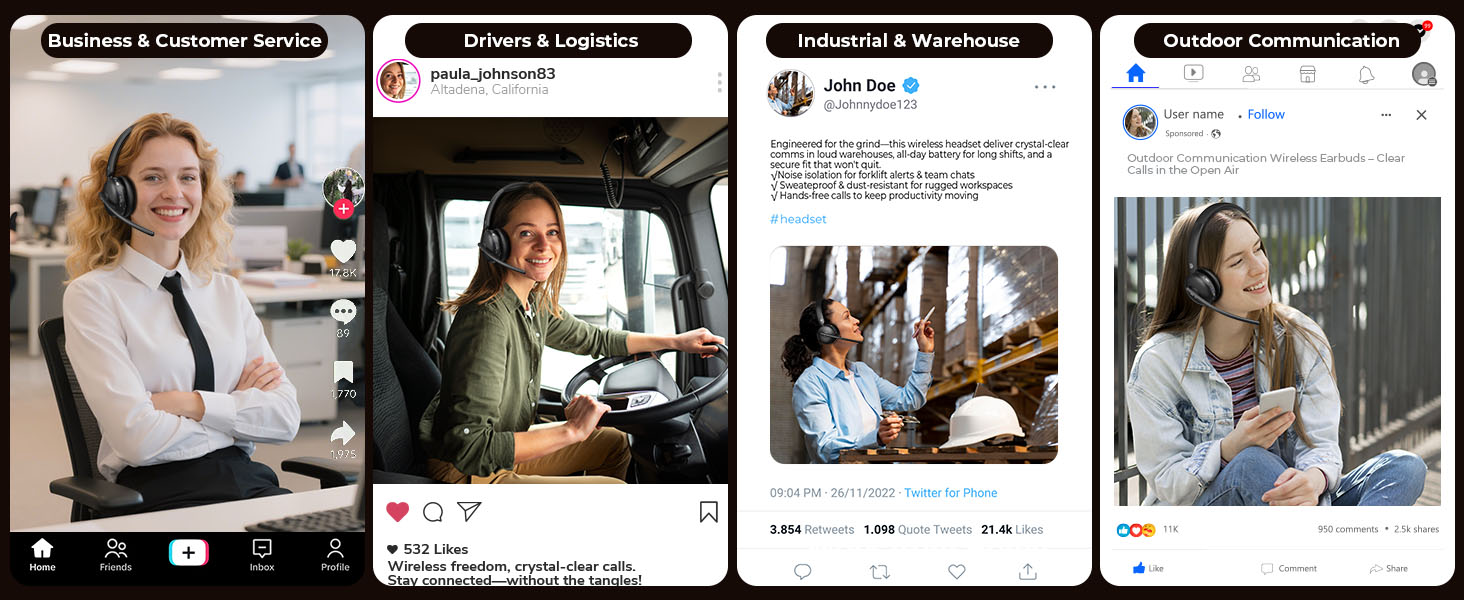
Малюнак 2.1: Змест пакета
3. Прадукт скончыўсяview і элементы кіравання
Familiarize yourself with the headset's components and control buttons.

Малюнак 3.1: Элементы кіравання гарнітурай
- Гнуткі мікрафон: 135° adjustable mic boom for optimal voice pickup.
- Кнопкі гучнасці: Адрэгулюйце ўзровень выхаднога гуку.
- Кнопка адключэння: Выключыць/уключыць мікрафон падчас званкоў.
- MFB (шматфункцыянальная кнопка): Power on/off, play/pause music, answer/end calls, activate voice assistant.
- Кнопка харчавання: On/Off switch for the headset.
- Soft Breathable Earmuffs: Распрацаваны для камфорту пры працяглым нашэнні.
- Рэгуляваная павязка на галаву: Для надзейнай і камфортнай пасадкі.
4. Настройка
4.1. Зарадка гарнітуры
Before first use, fully charge the headset. Connect the USB-C charging cable to the headset's charging port and the other end to a USB power source (e.g., computer, wall adapter). The LED indicator will show charging status.
- Час зарадкі: Прыкладна 2 гадзіны для поўнай зарадкі.
- Тэрмін службы батарэі: Up to 65 hours of talk/music time on a full charge.
Малюнак 4.1: Зарадка і тэрмін службы батарэі
4.2. Падключэнне праз Bluetooth
- Пераканайцеся, што гарнітура зараджана і выключана.
- Press and hold the MFB button until the LED indicator flashes blue and red alternately, indicating pairing mode.
- На вашай прыладзе (смартфоне, планшэце, ноўтбуку) уключыце Bluetooth і знайдзіце даступныя прылады.
- Select "DY108" from the list of devices.
- Пасля падлучэння святлодыёдны індыкатар будзе павольна міргаць сінім.
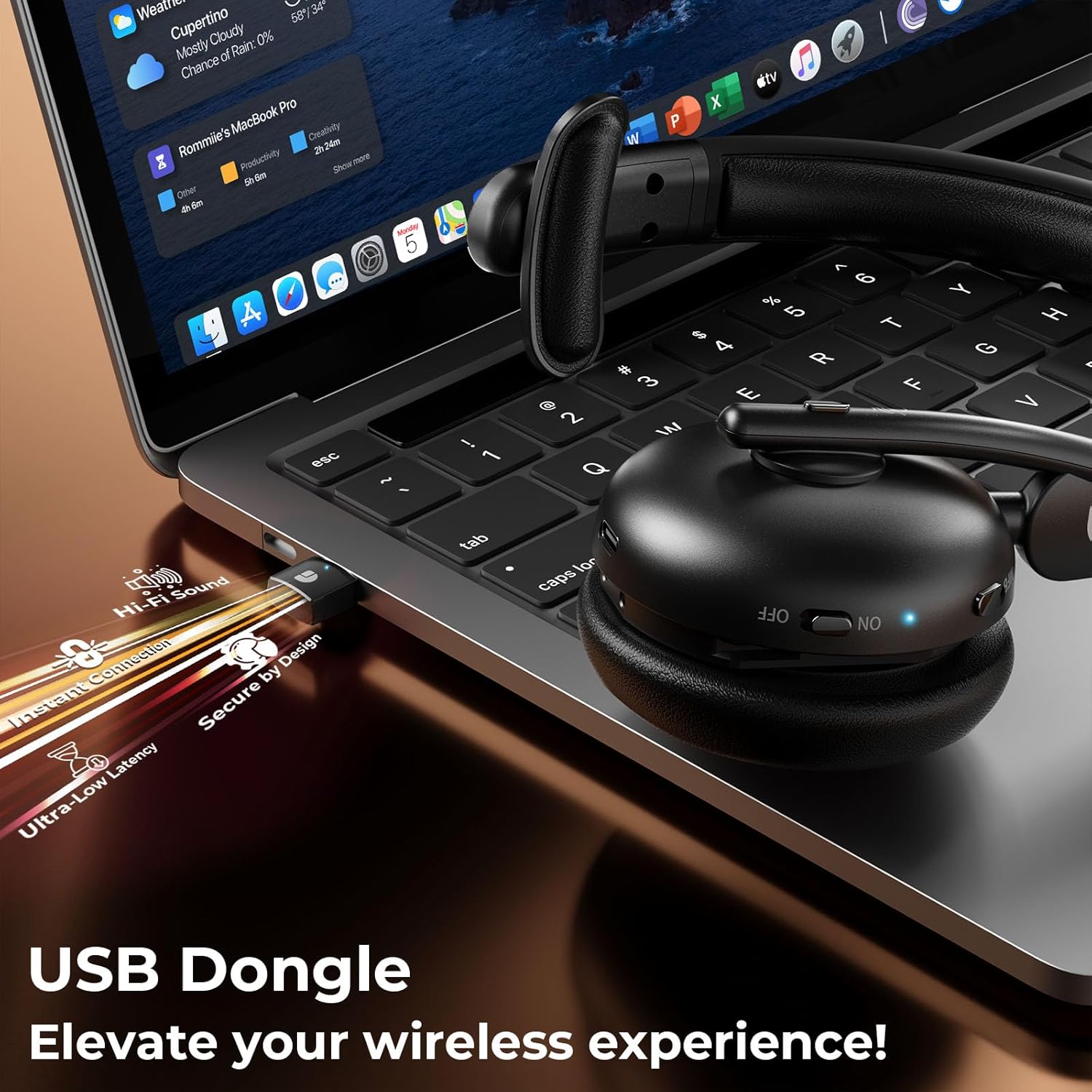
4.3. Connecting via USB Dongle
The USB dongle provides a stable and low-latency connection, ideal for PC/laptop use.
- Падключыце USB-адаптар 2.4 Гбіт/с да даступнага USB-порта вашага кампутара.
- Power on the headset. It will automatically connect to the USB dongle.
- The LED indicator on both the headset and dongle will show a steady blue light when connected.
- Ensure the headset is selected as the audio input/output device in your computer's sound settings.
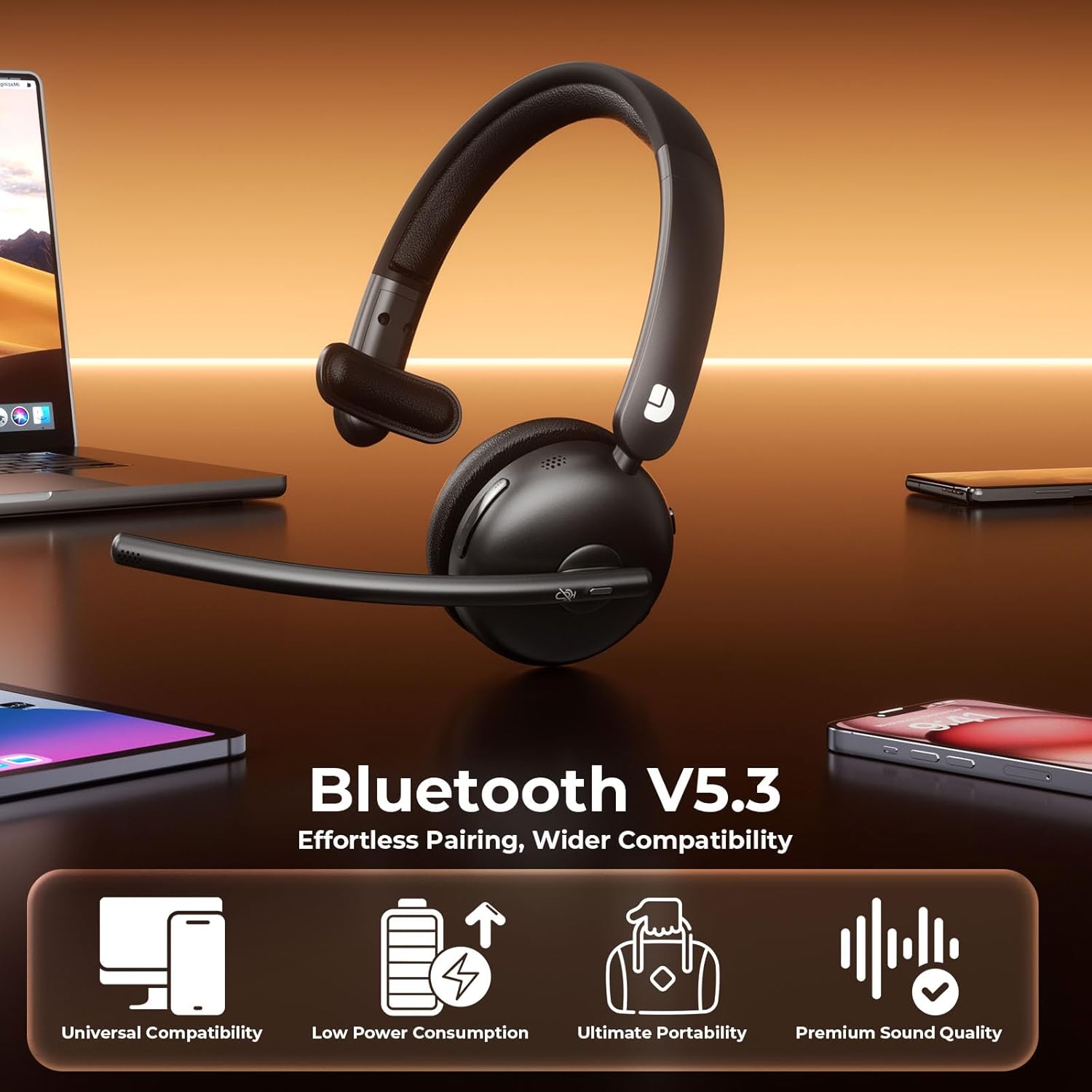
Figure 4.2: USB Dongle Connection
5. Інструкцыя па эксплуатацыі
5.1. Уключэнне/выключэнне харчавання
- Уключэнне: Slide the Power Button to the 'ON' position. The LED indicator will light up.
- Выключэнне: Slide the Power Button to the 'OFF' position. The LED indicator will turn off.
5.2. Рэгуляванне гучнасці
- Павялічыць гучнасць: Press the 'Volume+' button.
- Паменшыць гучнасць: Press the 'Volume-' button.
5.3. Функцыя адключэння гуку
- Выключыць мікрафон: Press the Mute Button once during a call. The LED indicator on the microphone will turn red.
- Уключыць мікрафон: Press the Mute Button again. The LED indicator will turn off.
5.4. Кіраванне выклікамі
- Адказаць на званок: Націсніце кнопку MFB адзін раз.
- Завяршыць выклік: Press the MFB button once during a call.
- Адхіліць выклік: Націсніце і ўтрымлівайце кнопку MFB 2 секунды.
5.5. Прайграванне музыкі
- Прайграванне/Паўза: Націсніце кнопку MFB адзін раз.
- Наступны трэк: Press and hold the 'Volume+' button.
- Папярэдні трэк: Press and hold the 'Volume-' button.
5.6. Галасавы памочнік
- Актываваць галасавы памочнік: Двойчы націсніце кнопку MFB.
6. Асноўныя магчымасці
6.1. Мікрафон з шумапрыглушэннем на базе штучнага інтэлекту
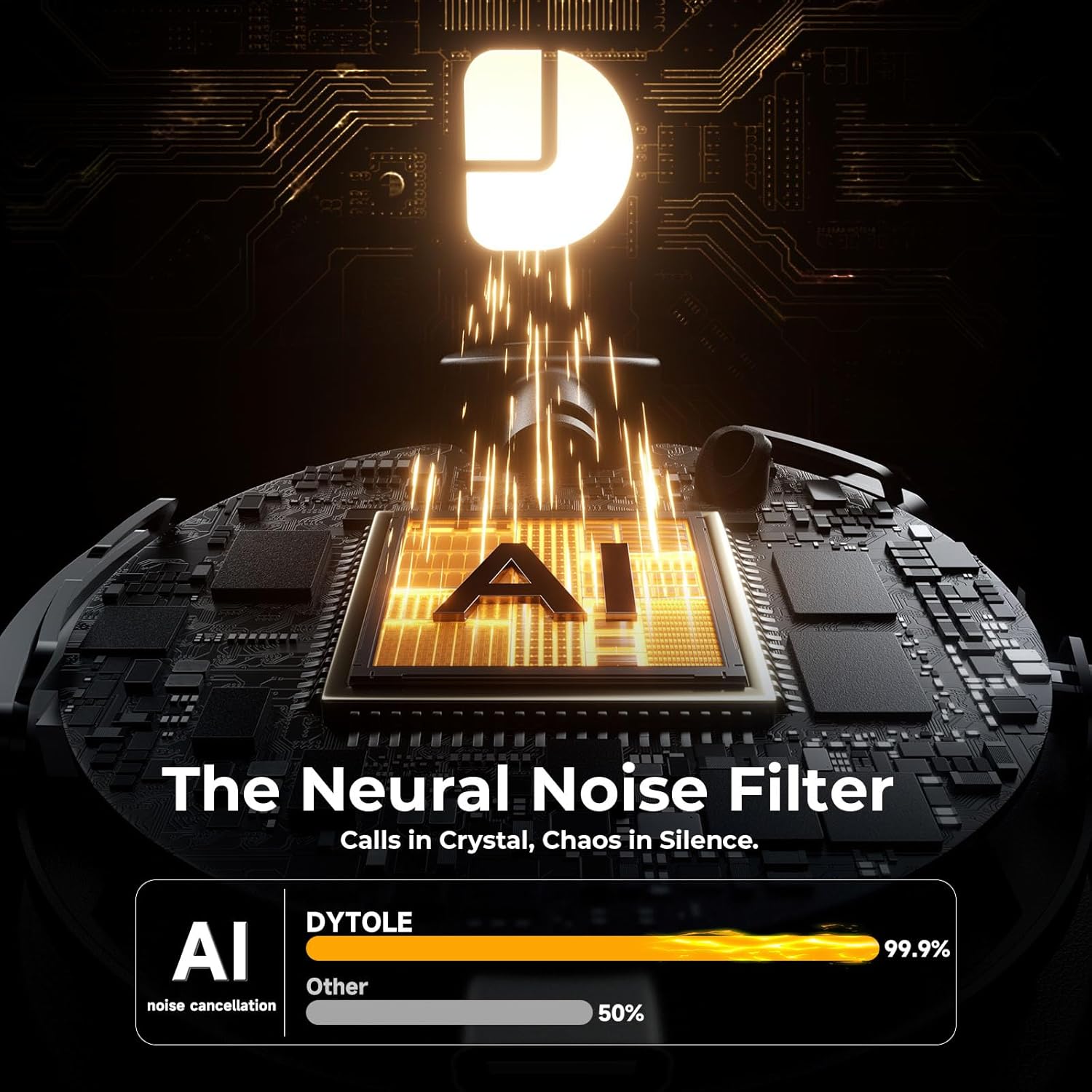
The headset features advanced AI noise cancellation technology, designed to eliminate up to 99% of background noise. This ensures your voice is transmitted clearly and professionally, even in noisy environments.

Figure 6.1: AI Noise Cancelling in Action
6.2. Comfortable and Durable Design
Constructed with lightweight, skin-friendly materials, the DY108 headset offers all-day comfort. The adjustable headband and soft, breathable earmuffs ensure a secure yet gentle fit, making it suitable for extended use.
6.3. Універсальная сумяшчальнасць
With Bluetooth 5.3 and a dedicated USB dongle, the headset provides seamless compatibility across a wide range of devices, including PCs, laptops, smartphones, and tablets. It supports various communication platforms like Teams and Zoom.
Малюнак 6.2: Універсальная сумяшчальнасць прылад
7. Тэхнічныя характарыстыкі
| Назва мадэлі | DY108 |
| Тэхналогія падлучэння | Wireless (Bluetooth 5.3, 2.4G USB Dongle) |
| Кантроль шуму | Шумапрыглушэнне AI |
| Тэрмін службы батарэі | Да 65 гадзін |
| Час зарадкі | Прыбл. 2 гадзін |
| Дыяпазон Bluetooth | Да 15 метраў |
| Размяшчэнне вушэй | На вуха |
| Матэрыял | Faux Leather, Stainless Steel |
| Вага прадмета | 10.5 унцыі |
8. Выпраўленне непаладак
8.1. Няма гуку або нізкі ўзровень гучнасці
- Пераканайцеся, што гарнітура ўключана і падключана да вашай прылады.
- Праверце ўзровень гучнасці як на гарнітуры, так і на падлучанай прыладзе.
- Verify that the headset is selected as the audio output device in your computer's sound settings.
8.2. Cannot Connect via Bluetooth/USB Dongle
- Make sure the headset is in pairing mode (flashing blue/red) for Bluetooth connection.
- For USB dongle, ensure it is properly inserted and the headset is powered on.
- Паспрабуйце перазагрузіць і гарнітуру, і прыладу.
- Ачысціце папярэднія спалучэнні Bluetooth на прыладзе і паспрабуйце зноў.
8.3. Мікрафон не працуе
- Check if the microphone is muted (red LED on mic). Press the Mute Button to unmute.
- Ensure the headset is selected as the audio input device in your device's sound settings.
- Размясціце штангу мікрафона бліжэй да рота.
9. Догляд і абслугоўванне
- Рэгулярна працірайце гарнітуру мяккай сухой тканінай. Пазбягайце выкарыстання агрэсіўных хімічных рэчываў або абразіўных матэрыялаў.
- Захоўвайце гарнітуру ў прахалодным, сухім месцы, удалечыні ад прамых сонечных прамянёў і экстрэмальных тэмператур.
- Не падвяргайце гарнітуру ўздзеянню вады або празмернай вільгаці.
- Пазбягайце падзення або моцных удараў гарнітуры.
10. Гарантыя і падтрымка
The Dytole Wireless Headset DY108 comes with a standard manufacturer's warranty. For detailed warranty information, technical support, or service inquiries, please refer to the warranty card included in your package or contact Dytole customer support through their official webсайт або прадаўца, дзе быў набыты тавар.