
YOSUN MJFM3LL
YOSUN Replacement Remote Control for Apple TV 4K/HD (Model MJFM3LL) Instruction Manual
Model: MJFM3LL
Уводзіны
This manual provides instructions for the YOSUN Replacement Remote Control, designed for use with Apple TV 4K and HD models. This remote offers essential control functions without requiring complex setup. Please read this manual thoroughly before use.
Важная заўвага: This remote control does NOT support Siri or voice control functions. It also does not feature Bluetooth or touchpad functionality. Power, Volume, and Mute buttons are compatible with specific TV brands only (Samsung, LG, Vizio, Hisense, Sony, Amazon Fire TV, Toshiba, Insignia Fire TV).
Сумяшчальнасць прылад
The YOSUN Replacement Remote Control is compatible with the following Apple TV models:
- Apple TV Remote (white) A1156 MA128LL/A
- Apple TV Remote (aluminum) MM4T2AM/A
- Siri Remote (1st Gen) / Apple TV Remote (1st Gen) MQGD2LL/A
- Siri Remote (2nd Gen) / Apple TV Remote (2nd Gen) MJFM3LL/A
- Siri Remote (3rd Gen) / Apple TV Remote (3rd Gen) MNC73AM/A
This remote is designed to work with Apple TV (1st/2nd/3rd Gen), Apple TV HD (4th/5th Gen), and Apple TV 4K (1st/2nd/3rd Gen).
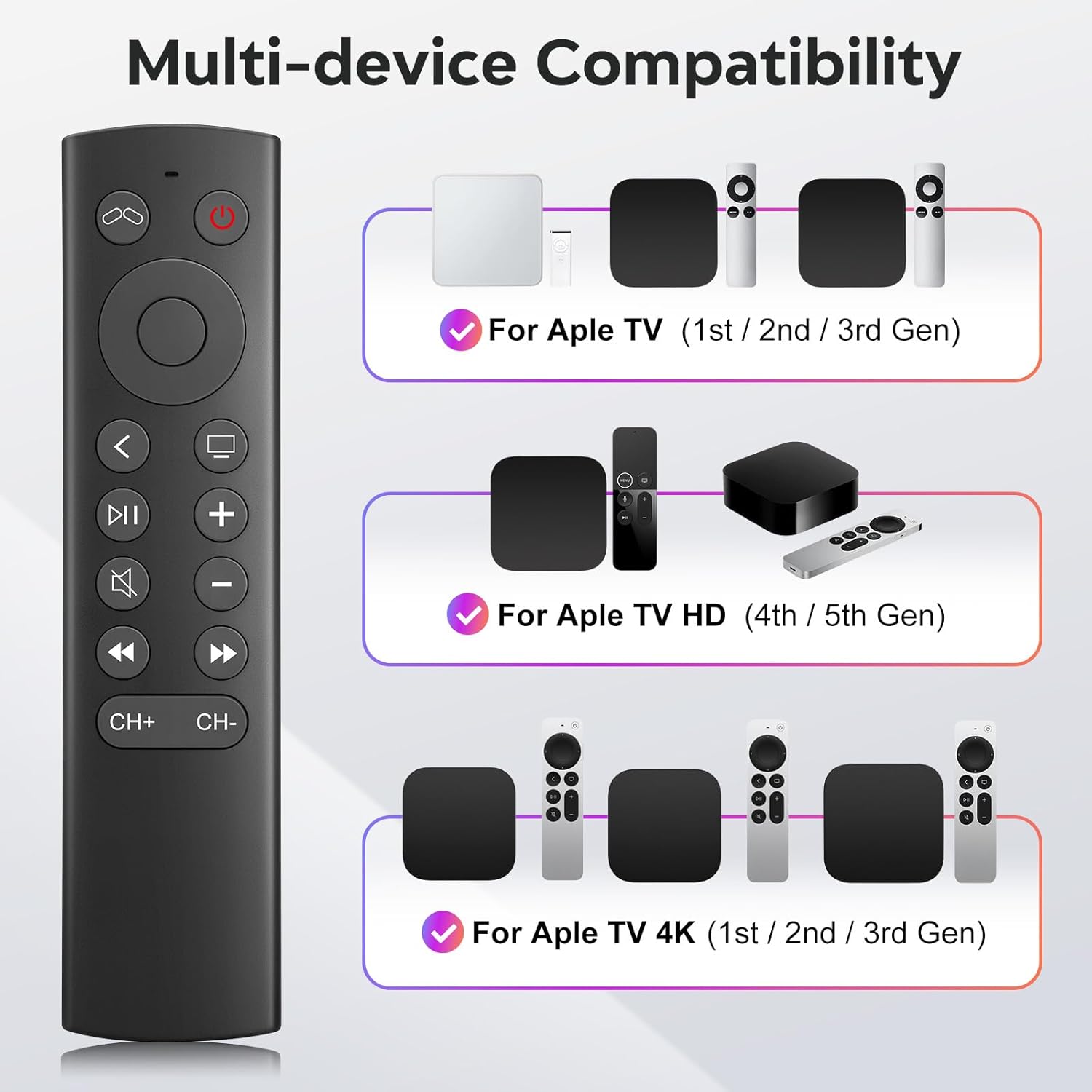
Figure 1: Multi-device compatibility overview for the YOSUN remote.
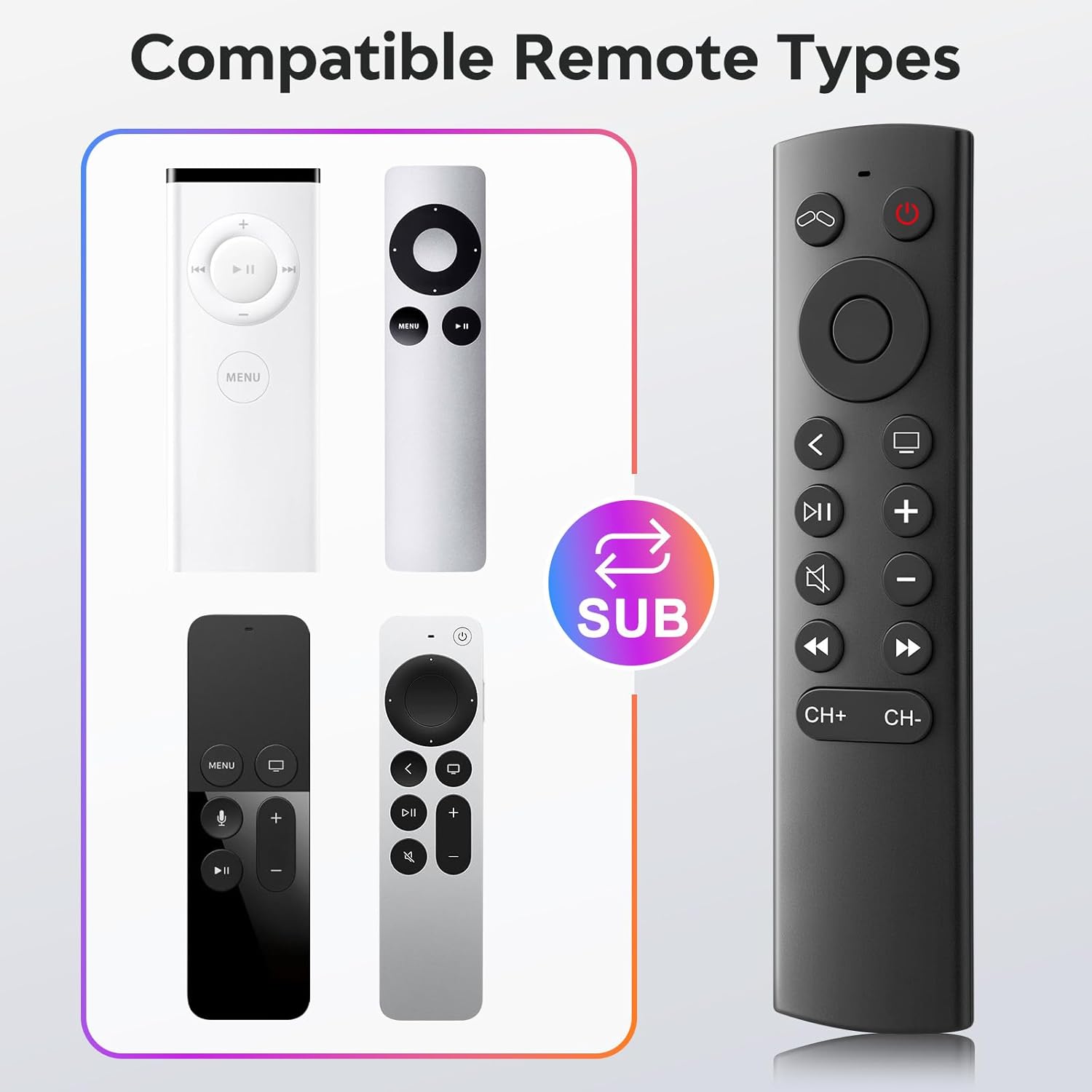
Figure 2: Compatible remote types that the YOSUN remote can replace.
Інструкцыя па наладзе
- Устаўце батарэі: Open the battery compartment on the back of the remote control. Insert two (2) AAA batteries, ensuring correct polarity (+/-). (Batteries are not included).
- Спалучэнне не патрабуецца: This remote control operates using infrared (IR) technology and does not require any programming or pairing with your Apple TV device. It is ready to use immediately after battery installation.
- Unlock Previous Device (if applicable): If you are replacing an older Apple TV remote (1st, 2nd, or 3rd Gen), you might need to "unlock" the old device using its original remote control first. This ensures the new remote can connect properly.
- Націсніце ТБ сілкаванне button on the YOSUN remote.
- Wait for the "unlocked" icon (two interlocking circles, one purple, one orange) to appear on your screen.
- Націсніце ТБ сілкаванне button once more to "unlock" your old device.
- Once unlocked, the YOSUN remote should function as usual.
Note: The "Unlock / Locked" function only supports Apple TV (1st / 2nd / 3rd Gen).
Малюнак 3: Схема ўстаноўкі акумулятара.
Інструкцыя па эксплуатацыі
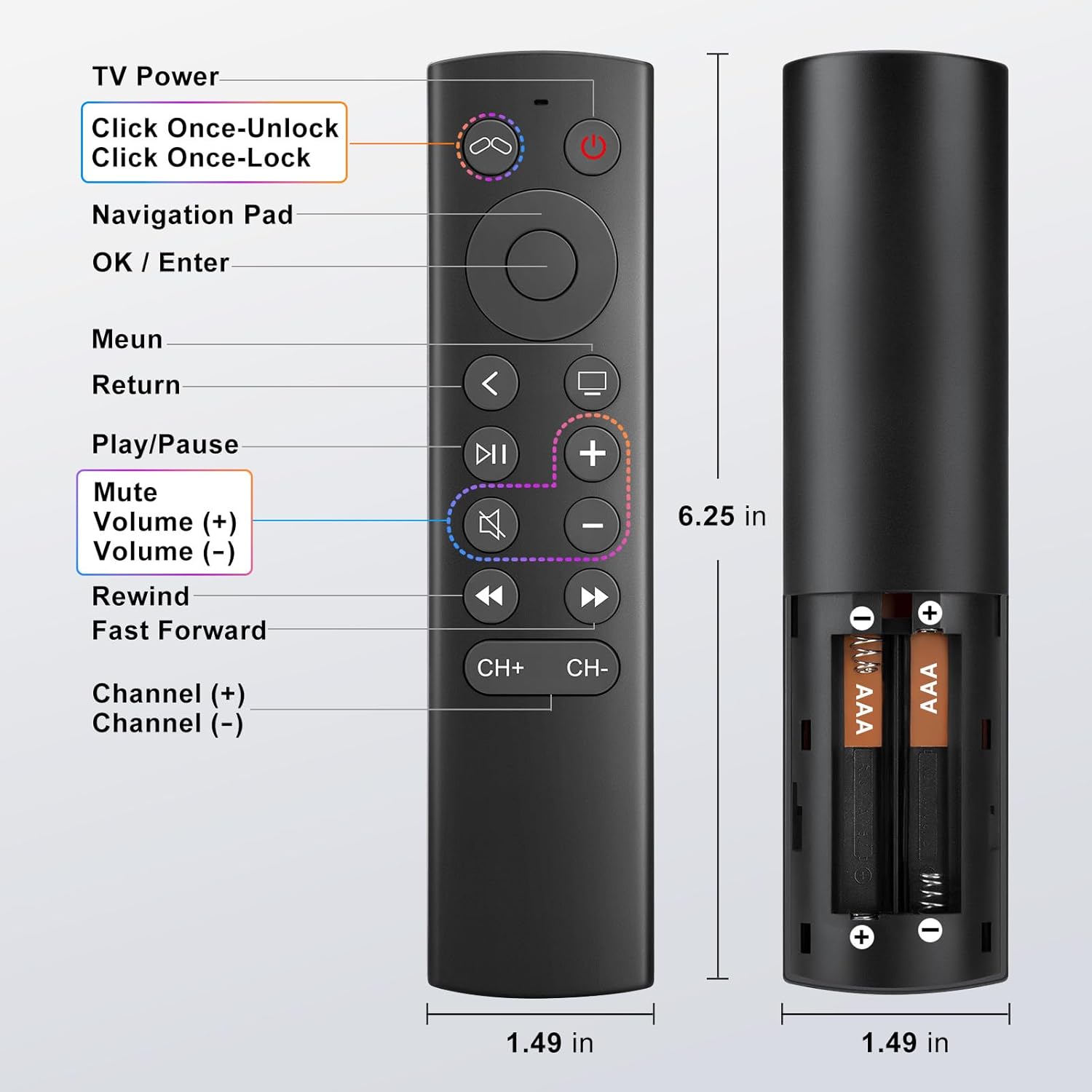
The YOSUN Replacement Remote Control provides intuitive access to your Apple TV functions. Refer to the button layout below for specific controls.
Figure 4: Remote Control Button Layout and Functions.
Асноўныя функцыі:
- Кнопка ўключэння тэлевізара: Controls the power of your television.
- Навігацыйная панэль (уверх, уніз, налева, направа): Навігацыя па меню і змесце.
- OK / Enter Button: Пацвярджае выбар.
- Кнопка меню: Returns to the previous menu or home screen.
- Кнопка вяртання: Вяртаецца да папярэдняга экрана.
- Кнопка прайгравання/паўзы: Кіруе прайграваннем мультымедыя.
- Кнопка адключэння: Уключае або выключае гук тэлевізара.
- Volume (+) / Volume (-) Buttons: Рэгулюе гучнасць тэлевізара.
- Rewind / Fast Forward Buttons: Кіруе хуткасцю прайгравання медыяфайлаў.
- Channel (+) / Channel (-) Buttons: Changes channels (if supported by your TV setup).
Note on TV Control Buttons: The Power, Volume, and Mute buttons are designed to control your television directly. These buttons are compatible with Samsung, LG, Vizio, Hisense, Sony, Amazon Fire TV, Toshiba, and Insignia Fire TV brands only. For other TV brands, these buttons may not function.

Figure 5: Important functional limitations of the remote.
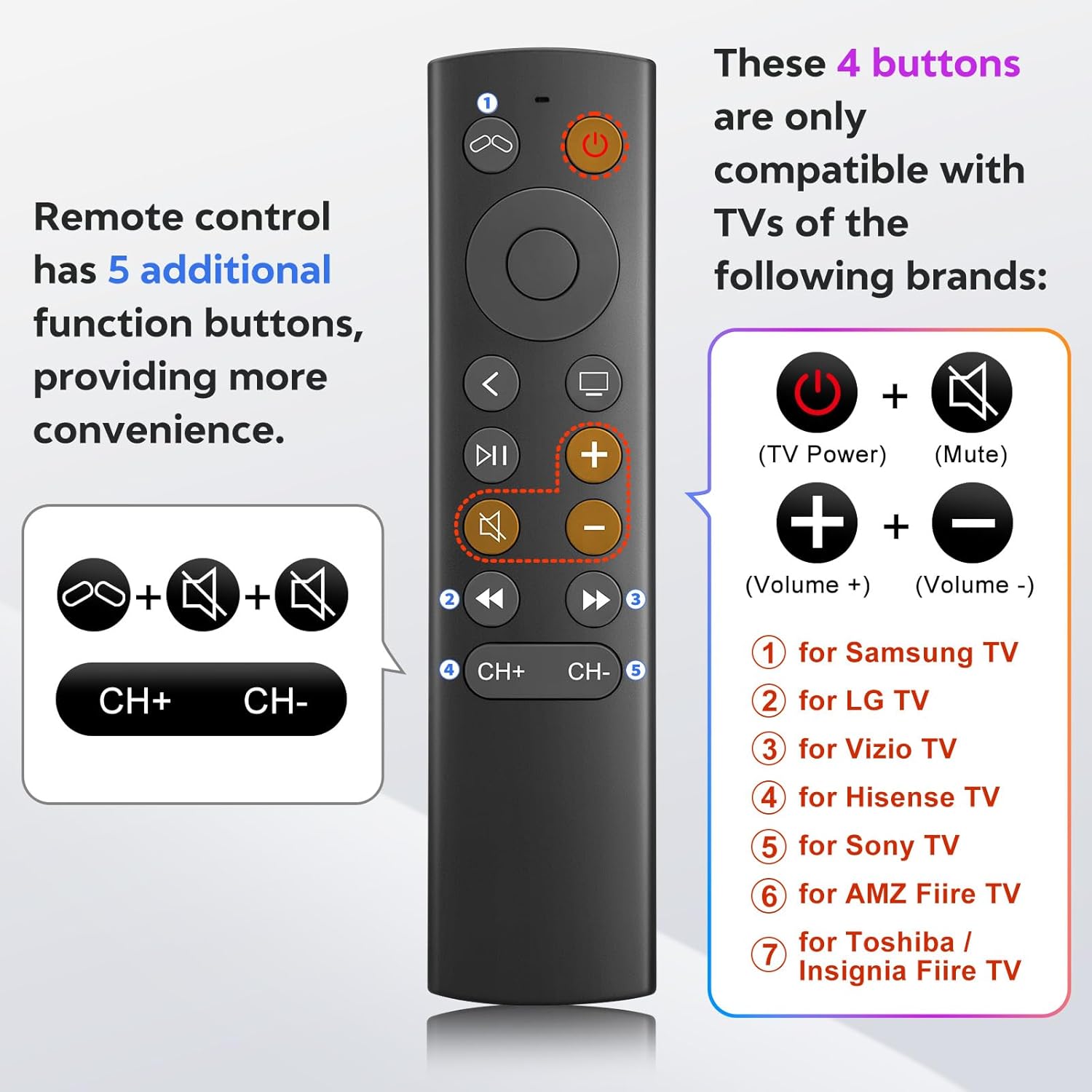
Figure 6: TV control button compatibility.
Тэхнічнае абслугоўванне
- Уборка: Для чысткі пульта дыстанцыйнага кіравання выкарыстоўвайце мяккую сухую тканіну. Не выкарыстоўвайце вадкія ачышчальнікі або абразіўныя матэрыялы.
- Замена батарэі: Replace batteries when the remote's response becomes sluggish or stops working. Always replace both AAA batteries at the same time.
- захоўванне: Захоўвайце пульт у прахалодным, сухім месцы, удалечыні ад прамых сонечных прамянёў і экстрэмальных тэмператур.
Ліквідацыю непаладак
- Problem: Remote is not responding.
- Праверце батарэі: Ensure batteries are inserted correctly with the correct polarity and are not depleted. Replace with fresh AAA batteries if necessary.
- Лінія візавання: Ensure there is a clear line of sight between the remote and your Apple TV. Infrared remotes require direct line of sight.
- "Unlock" Procedure: If you are using an older Apple TV (1st, 2nd, or 3rd Gen), ensure you have performed the "unlock" procedure as described in the Setup Instructions.
- Problem: Power, Volume, or Mute buttons are not working on my TV.
- Сумяшчальнасць: These buttons are only compatible with specific TV brands: Samsung, LG, Vizio, Hisense, Sony, Amazon Fire TV, Toshiba, and Insignia Fire TV. If your TV is not one of these brands, these functions may not work.
- Problem: No Siri, voice control, Bluetooth, or touchpad functionality.
- Intended Design: This remote is an infrared replacement and is specifically designed without these advanced features to offer a simpler, direct control experience. These are not malfunctions.
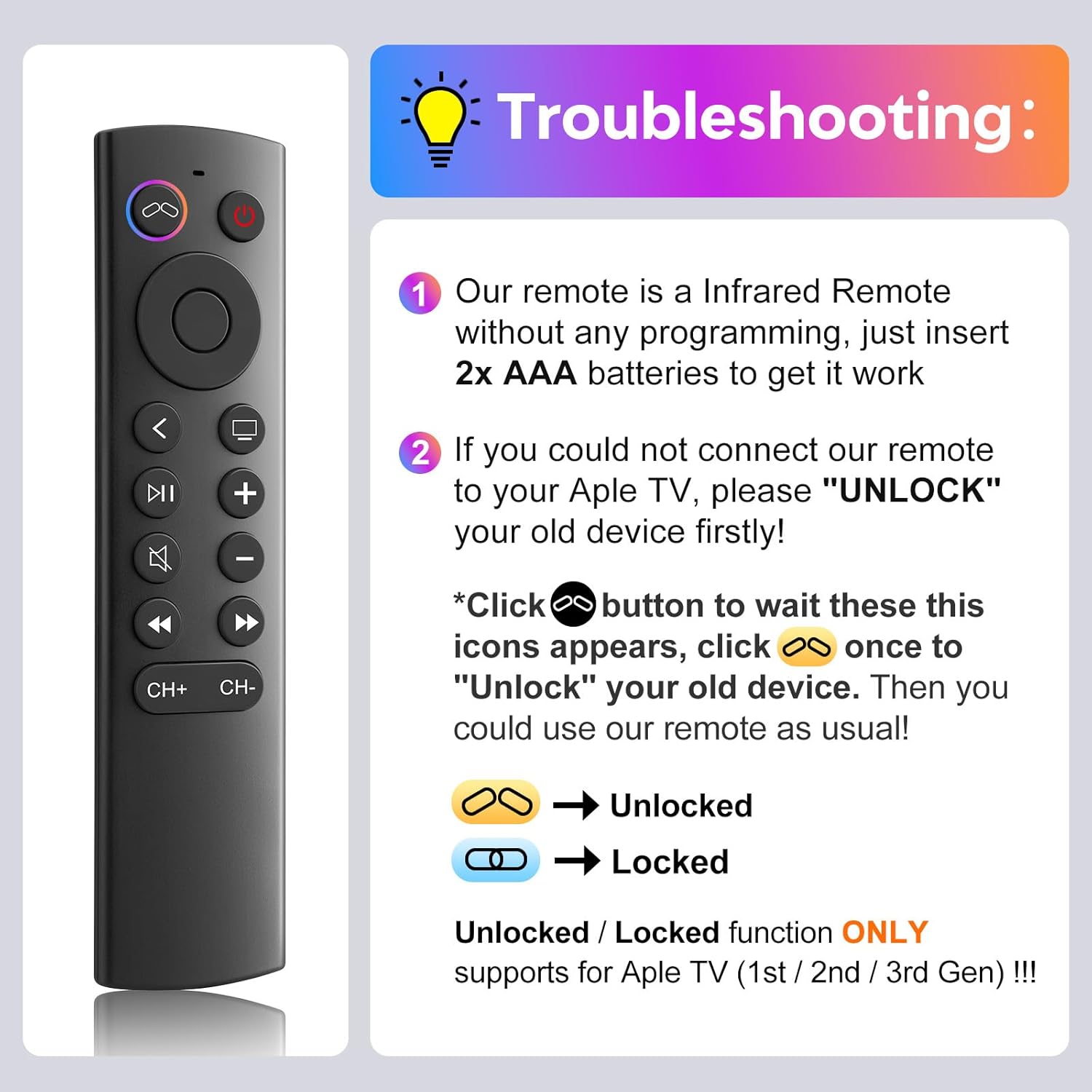
Figure 7: Troubleshooting guide for common issues.
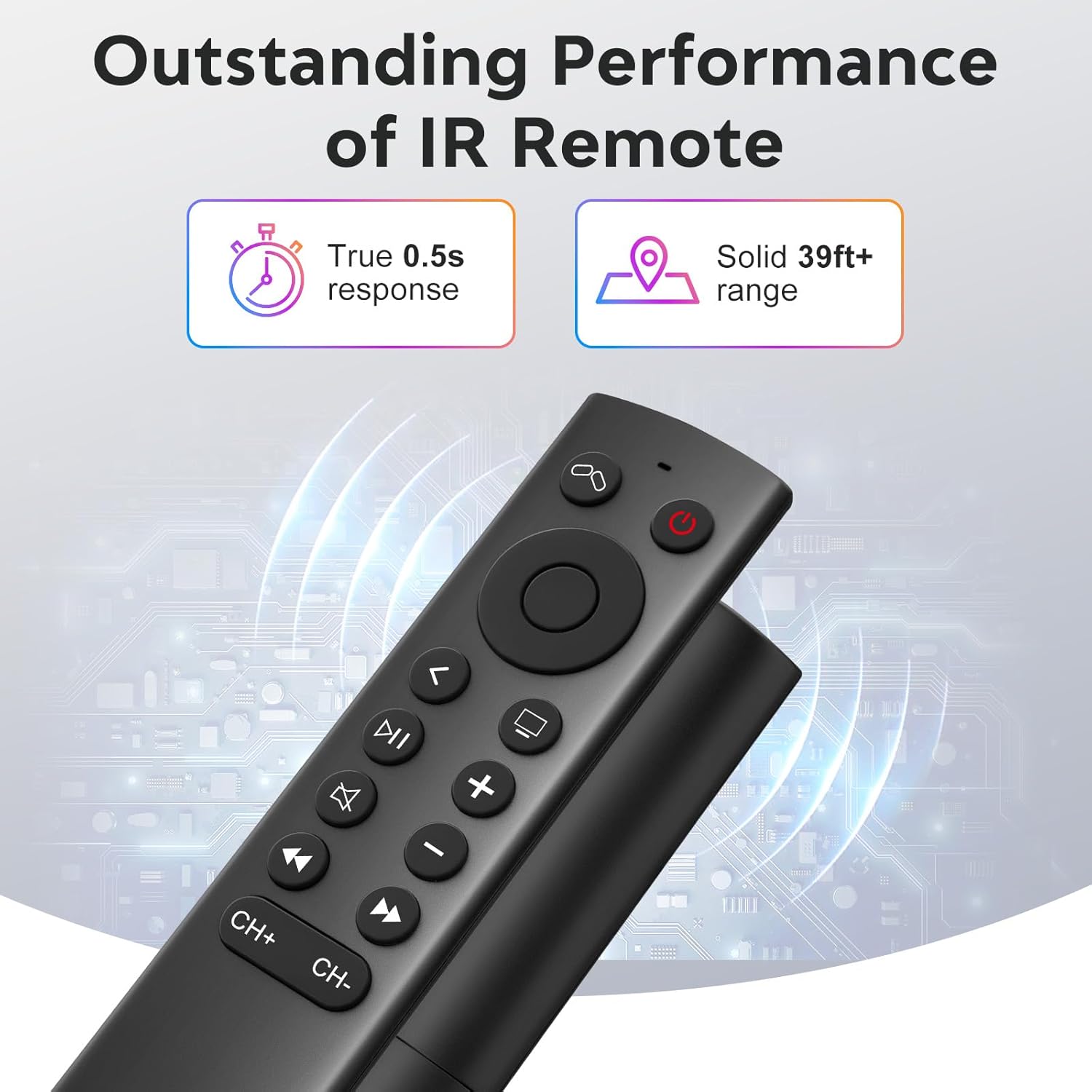
Figure 8: Visual comparison of unlocked vs. locked device states.
Тэхнічныя характарыстыкі
| Марка | YOSUN |
| Нумар мадэлі | MJFM3LL |
| Памеры прадукту | 6.29 х 1.57 х 0.66 цалі |
| Вага прадмета | 1.44 унцыі |
| Колер | Чорны |
| Асаблівасць | Праграмаванне не патрабуецца |
| Максімальная колькасць падтрымоўваных прылад | 1 |
| Сумяшчальныя прылады | Apple TV (various generations) |
| Час водгуку | True 0.5s response |
| Працоўны дыяпазон | Solid 39ft+ range (approx. 10 meters) |
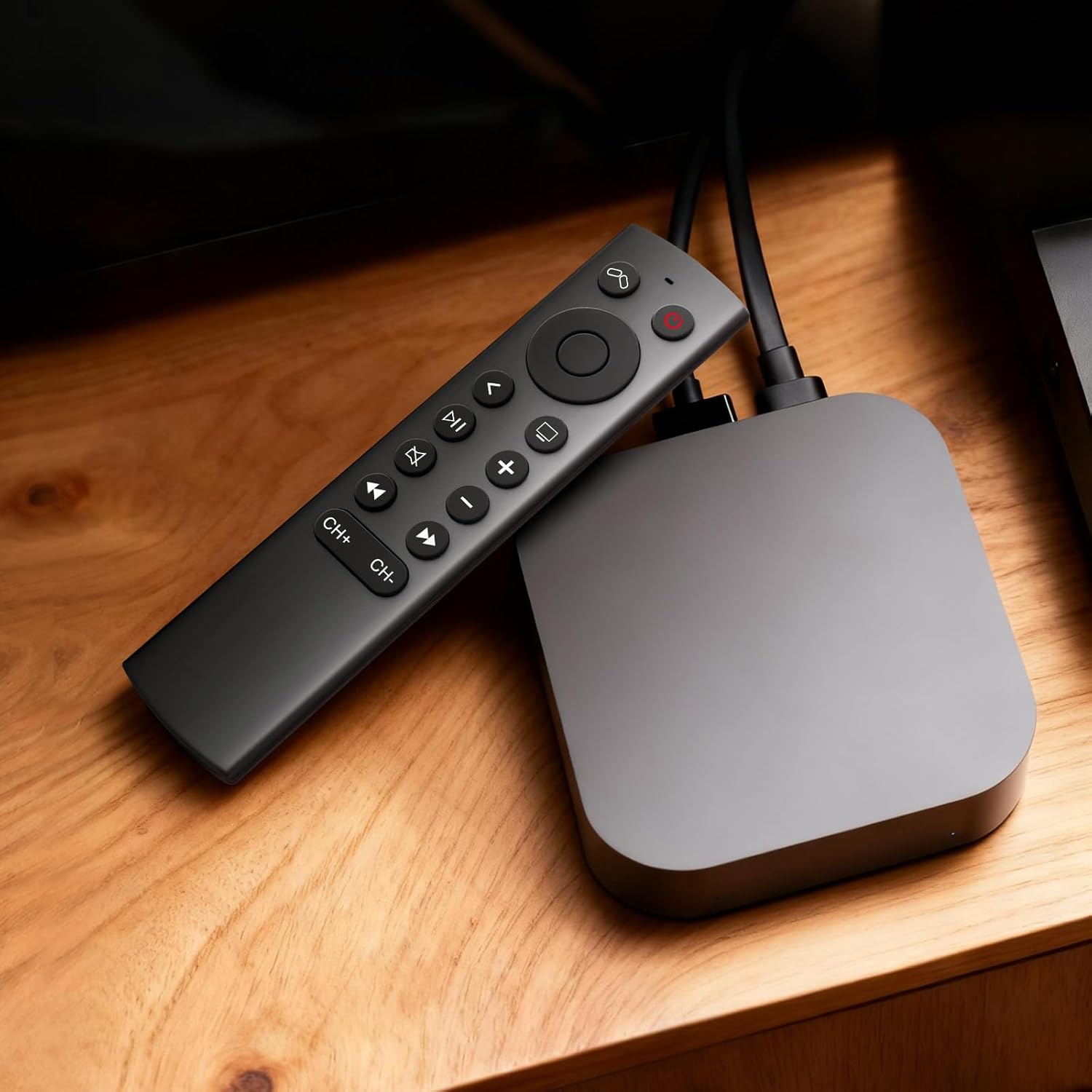
Figure 9: Performance features of the IR remote.
Гарантыя і падтрымка
This YOSUN Replacement Remote Control comes with a 1-Year Warranty. For warranty claims or technical support, please contact YOSUN customer service through the retailer where the product was purchased.
Калі ласка, захавайце пацвярджэнне пакупкі для гарантыйных мэт.
Відэадэманстрацыя прадукту
Відэа 1: Кароткі аглядview of the YOSUN Replacement Remote Control for Apple TV, highlighting its features and compatibility.