
1. Уводзіны
The EPOMAKER TH87 is a versatile 87-key Tenkeyless (TKL) mechanical keyboard designed for various computing environments. It features tri-mode connectivity (Wired USB-C, 2.4GHz Wireless, and Bluetooth), hot-swappable switches, PBT keycaps, and customizable RGB backlighting. This manual provides detailed instructions for setting up, operating, maintaining, and troubleshooting your keyboard.
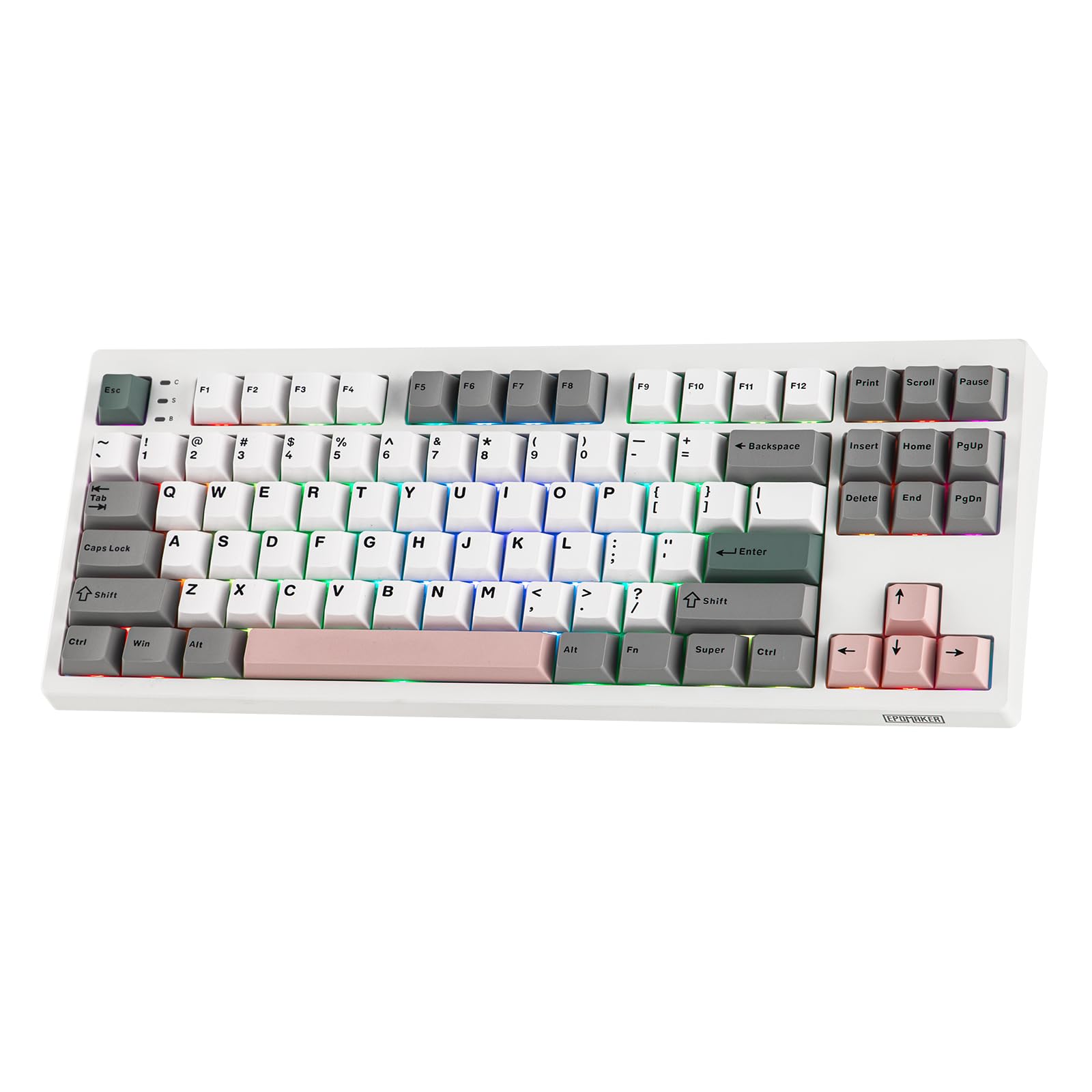
Figure 1: EPOMAKER TH87 Wireless Mechanical Keyboard
2. Змесціва ўпакоўкі
Пераканайцеся, што ўсе прадметы прысутнічаюць у вашай упакоўцы:
- TH87 Wireless Gaming Keyboard
- USB-кабель A-C
- Extra Switches (for customization)
- Wireless 2.4Ghz Receiver (stored under the side kick-stand)
- 2-in-1 Switch-and-Keycap Puller
- Кіраўніцтва карыстальніка (гэты дакумент)
Video 1: EPOMAKER TH87 Unboxing & Overview & Typing Video. This video demonstrates the unboxing process and provides a general overview of the keyboard's features and typing experience.
3. Настройка
Follow these steps to set up your EPOMAKER TH87 keyboard:
3.1. Правадное падключэнне
- Знайдзіце порт USB-C на клавіятуры.
- Connect the provided USB A-to-C cable to the keyboard and your computer.
- Пераканайцеся, што перамыкач рэжымаў на клавіятуры ўсталяваны ў становішча «USB».
3.2. Бесправадное злучэнне 2.4 ГГц
- Locate the 2.4GHz wireless receiver, typically stored in a compartment under the side kick-stand of the keyboard.
- Падключыце прыёмнік да вольнага порта USB на вашым кампутары.
- Set the mode switch on the keyboard to '2.4G'. The keyboard should automatically connect.
3.3. Злучэнне Bluetooth
- Усталюйце перамыкач рэжымаў на клавіятуры ў становішча «BT».
- On your device (PC, Mac, Tablet, Phone), open Bluetooth settings.
- Пошук new devices and select 'EPOMAKER TH87' to pair.
- Клавіятура падтрымлівае некалькі Bluetooth Profiles; refer to the full user manual for specific pairing instructions for each profile.
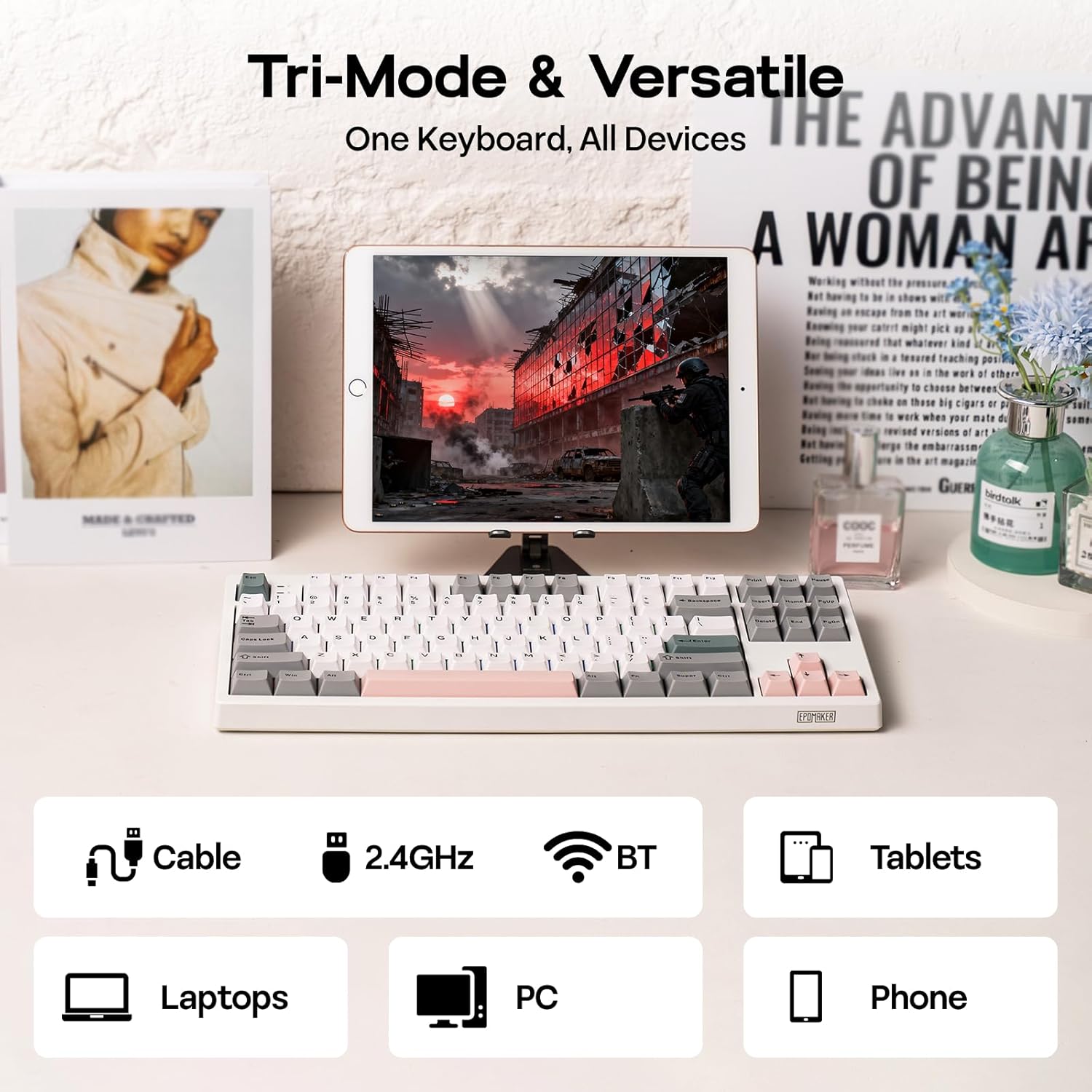
Figure 2: Tri-Mode Connectivity Options
4. Інструкцыя па эксплуатацыі
4.1. Асноўныя функцыі
The TH87 features a standard 87-key TKL layout. All keys function as labeled in their default state.
4.2. Функцыянальныя клавішы (камбінацыі Fn)
The keyboard includes an 'Fn' key to access secondary functions printed on certain keycaps. Common combinations include:
- Fn + F1-F12: Multimedia controls, volume adjustment, etc.
- Fn + клавішы са стрэлкамі: Adjust RGB lighting effects (brightness, speed, direction).
- Fn + Win: Клавіша блакавання/разблакавання Windows.
- Fn + Enter: Праверце стан батарэі.
4.3. Пераключэнне рэжымаў АС
Use the dedicated switch on the keyboard to toggle between Mac and Windows compatibility modes.
5. Налада
The EPOMAKER TH87 offers extensive customization through its webпраграмнае забеспячэнне на аснове драйвераў.
5.1. Web-Кіроўца на аснове
The custom driver allows you to:
- Перапрызначыць асобныя клавішы.
- Record and assign macros for complex key sequences.
- Adjust RGB lighting effects, colors, brightness, and speed.
- Configure advanced key functions like SOCD (Simultaneous Opposite Cardinal Directions) and Mod Tap.
Access the driver online via the official EPOMAKER website or the QR code provided in the brand card.
Video 2: How to Use TH87 Online Web Driver. This video guides you through connecting your keyboard to the web driver and customizing key functions, macros, and lighting settings.
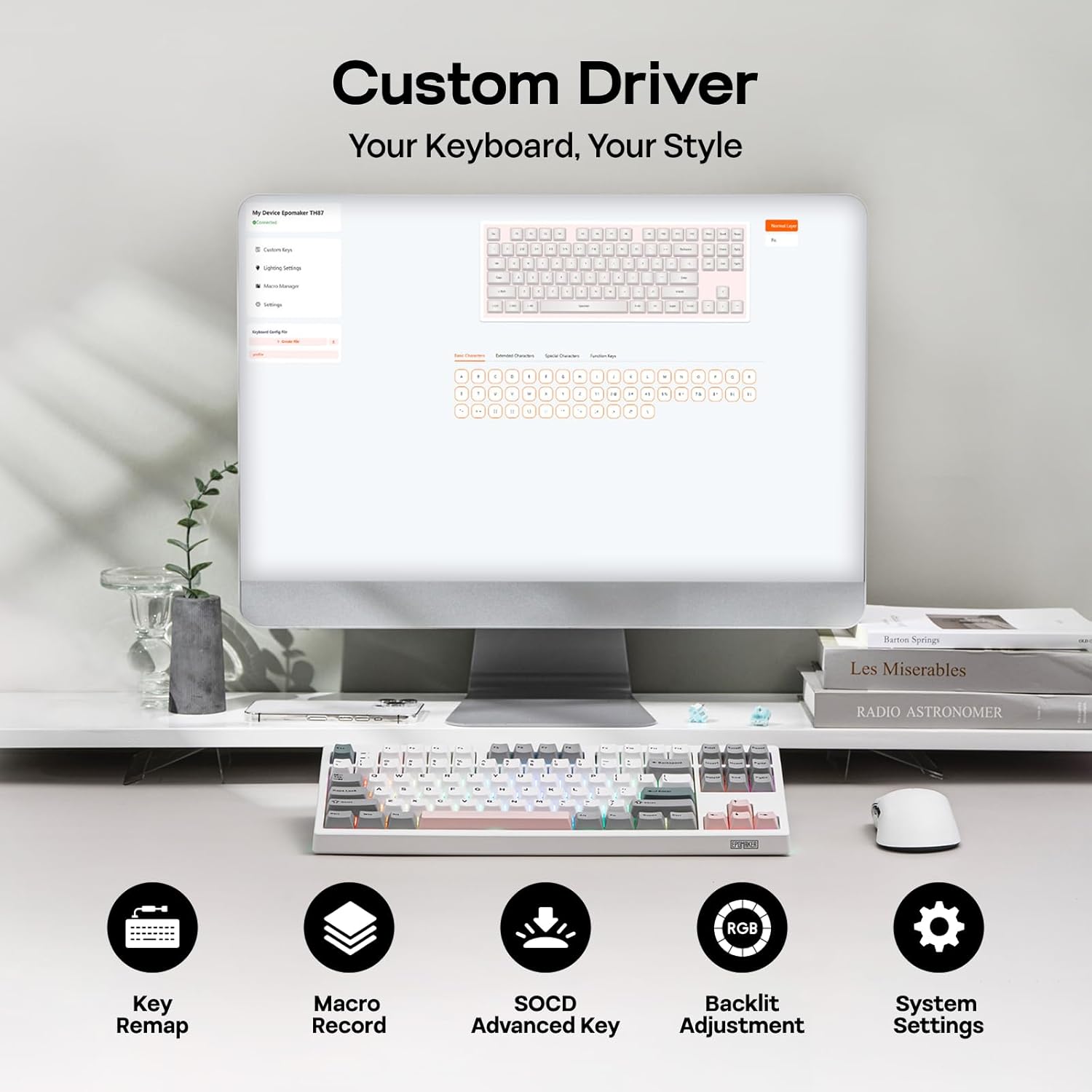
Figure 3: Custom Driver Interface
5.2. Камутатары з магчымасцю гарачай замены
The TH87 features a hot-swappable PCB, allowing you to change mechanical switches without soldering. It is compatible with 3-pin and 5-pin switches.
Каб замяніць перамыкач:
- Выкарыстоўвайце прадугледжаны здымнік для клавіш, каб зняць каўпачок.
- Use the provided switch puller to gently remove the switch from the PCB.
- Сумясціце кантакты новага перамыкача з адтулінамі на друкаванай плаце і моцна націсніце, пакуль ён не зафіксуецца пачуеце пстрычку.
- Заменіце каўпачок клавішы.
The keyboard comes with pre-lubed EPOMAKER Sea Salt Silent V2 switches (Linear, 45±5gf Trigger Force, 51±5gf Bottom-Out Force, 1.8±0.4mm Pre-Travel, 3.5±0.4mm Total Travel).

Figure 4: Hot-Swappable Switches and Sea Salt Silent V2 Specifications
Video 3: EPOMAKER TH87 Typing with Creamy Jade/Sea Salt Silent Switch. This video demonstrates the sound profile of the included switches.
5.3. Падсвятленне RGB
The TH87 features per-key RGB backlighting with various effects. You can adjust the saturation, brightness, and speed of the lighting through the Fn key combinations or the custom driver software.
6. Інфармацыя аб батарэі
The keyboard is equipped with a 10000mAh battery, providing extended usage times:
- Up to 45 hours of continuous use with RGB backlight at brightest setting.
- Up to 200 hours of continuous use with RGB backlight off.
To charge the keyboard, connect it via the USB-C cable to a computer or a compatible USB power adapter. The keyboard charges when plugged in. Always use a computer USB port for charging. Using a power adapter directly may cause battery damage.
7. Тэхнічнае абслугоўванне
Правільнае абслугоўванне забяспечвае даўгавечнасць і прадукцыйнасць вашай клавіятуры:
- Уборка: Regularly clean keycaps and the keyboard surface with a soft, dry cloth. For deeper cleaning, remove keycaps using the provided puller and use compressed air to clear debris.
- захоўванне: Захоўвайце клавіятуру ў прахалодным, сухім месцы, удалечыні ад прамых сонечных прамянёў і экстрэмальных тэмператур.
- Апрацоўка: Avoid dropping the keyboard or exposing it to liquids.
8. Выпраўленне непаладак
Калі ў вас узніклі праблемы з клавіятурай, звярніцеся да наступных распаўсюджаных рашэнняў:
- Клавіятура не рэагуе: Ensure the keyboard is charged and the correct connectivity mode (Wired, 2.4G, BT) is selected. Try reconnecting the cable or re-pairing the wireless connection.
- Ключы не рэгіструюцца: Check if the switches are properly seated. If a specific key is not working, try replacing its switch with one of the extra switches provided.
- RGB-падсветка не працуе/няправільна працуе: Verify lighting settings in the custom driver or cycle through effects using Fn key combinations. Ensure the keyboard is sufficiently charged.
- Праблемы з падключэннем: For 2.4GHz, ensure the dongle is securely plugged in and close to the keyboard. For Bluetooth, ensure your device's Bluetooth is enabled and the keyboard is paired correctly. Avoid interference from other wireless devices.
- Праблемы з праграмным забеспячэннем: If the custom driver is not detecting the keyboard, ensure it is connected via USB-C and the mode switch is set to 'USB'.
9. Тэхнічныя характарыстыкі
| Асаблівасць | Дэталь |
|---|---|
| Марка | ЭПАМАКЕР |
| Нумар мадэлі | TH87 |
| Апісанне клавіятуры | TKL Layout Mechanical Keyboard |
| Колькасць ключоў | 87 |
| Тэхналогія падлучэння | 2.4Ghz Wireless, BT, USB A-to-C Wired |
| Крыніца харчавання | Акумулятар (10000 мАг) |
| Падсвятленне клавіятуры | RGB |
| Тып перамыкача | Linear (EPOMAKER Sea Salt Silent Switch) |
| Асаблівасці | Backlit, Ergonomic, Hot-Swappable, Programmable Keys, Rechargeable |
| Памеры прадукту | 14.43 см Д х 5.59 см Ш х 1.63 см В |
| Матэрыял | Пластыкавыя |
| Сумяшчальныя прылады | Gaming Console, Laptop, PC, Projector, Tablet |

Figure 5: Technical Specifications and Layout
10. Гарантыя і падтрымка
The EPOMAKER TH87 Wireless Mechanical Keyboard comes with a 1 год гарантыі з дня пакупкі.
For technical support, warranty claims, or any inquiries, please contact EPOMAKER customer service:
- электронная пошта: support@epomaker.com
- Афіцыйны Webсайт: www.epomaker.com
Please have your purchase receipt and product model number (TH87) ready when contacting support.