
1. Уводзіны
Thank you for choosing Dpofirs Earphones Model Dpofirsuir40pg6nm-11. This manual provides essential information for the proper use, setup, and maintenance of your new earphones. Please read this guide thoroughly before using the product to ensure optimal performance and longevity.
2. Асаблівасці прадукту
- Разумны дысплей батарэі: Equipped with a low-power chip and a high-capacity lithium battery, providing approximately 7-8 hours of playback time. The smart display indicates battery status.
- Унікальны дызайн накладных вушэй: Lightweight and comfortable over-ear hook design ensures a secure fit during various activities.
- Панарамны аб'ёмны гук ACS: Features professional acoustic tuning technology and a high-elastic composite diaphragm for high-fidelity sound quality and dynamic audio experience.
- Разумнае падаўленне шуму: Dual microphones with noise cancellation technology enhance clarity during video calls and conversations, even in noisy environments.
- Directional Sound Transmission Technology: Utilizes DT4.0 pulse directional sound transmission to accurately deliver audio and effectively reduce sound leakage by up to 99%.
3. Змесціва ўпакоўкі
Калі ласка, праверце ўпакоўку на наяўнасць наступных прадметаў:
- 1 Pair of Dpofirs Earphones
- 1 Зарадны кейс
- 1 Зарадны кабель USB

Image: The charging case and the included USB charging cable.
4. Інструкцыі па ўсталёўцы
4.1 Зарадка навушнікаў і чахла
Перад першым выкарыстаннем цалкам зарадзіце навушнікі і зарадны футляр.
- Падключыце зарадны кабель USB, які ўваходзіць у камплект, да порта зарадкі на корпусе і да крыніцы харчавання USB (напрыклад, камп'ютара, адаптара для насценных прылад).
- Змесціце навушнікі ў зарадны чахол. Пераканайцеся, што яны правільна ўсталяваны ў адпаведныя гнязда.
- The indicator lights on the case and earphones will show the charging status. Refer to the smart battery display for charge levels.
- A full charge typically takes approximately 1-2 hours for the earphones and 2-3 hours for the charging case.
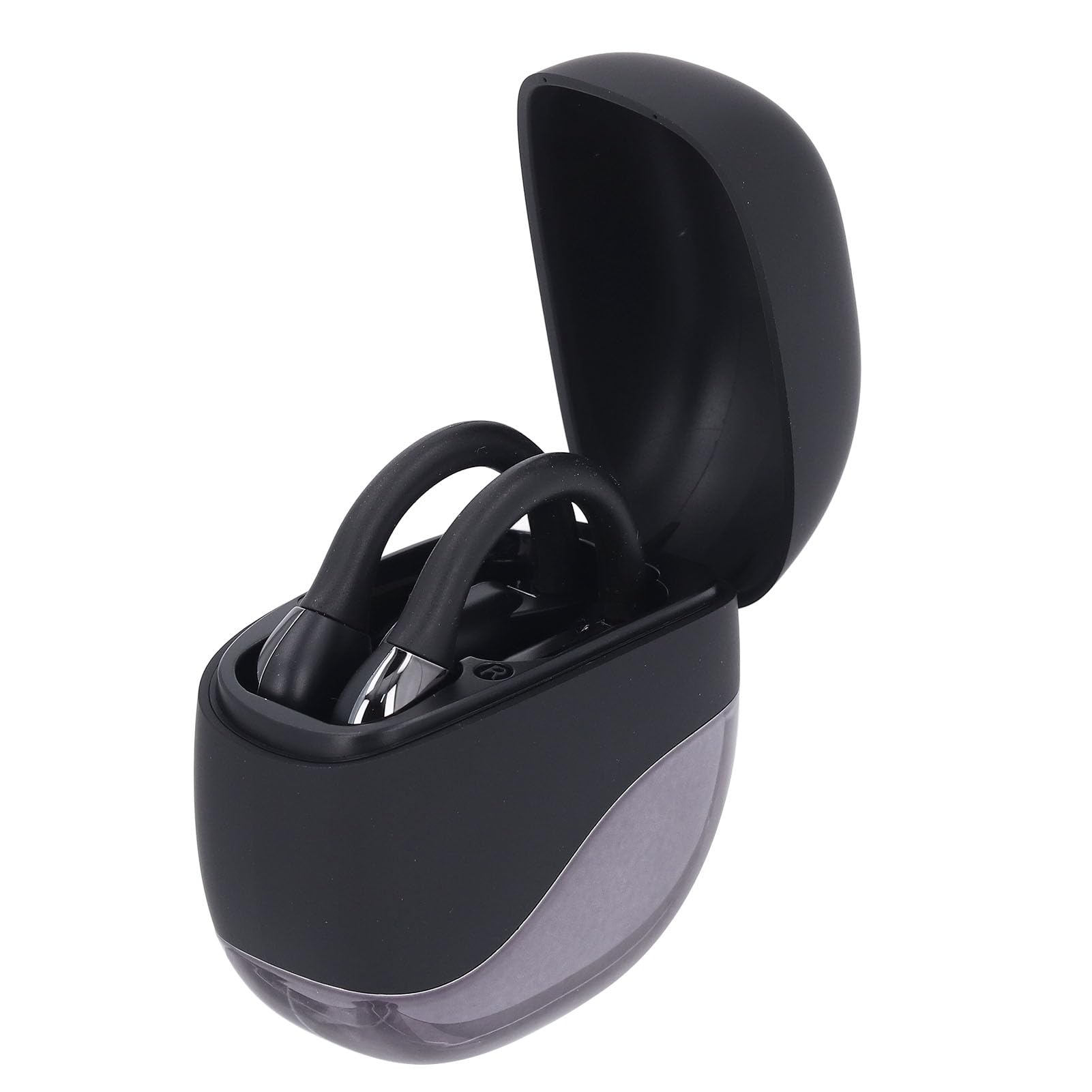
Image: Earphones placed inside the open charging case.
4.2 Спалучэнне па Bluetooth
To connect your earphones to a device (smartphone, tablet, etc.):
- Ensure the earphones are charged. Open the charging case. The earphones will automatically enter pairing mode, indicated by a flashing LED light (if present).
- На прыладзе перайдзіце ў налады Bluetooth.
- Уключыце Bluetooth і знайдзіце даступныя прылады.
- Select "Dpofirs Earphones" (or similar name) from the list of found devices.
- Once connected, the earphone indicator light will stop flashing, and your device will confirm the connection.
- The earphones will automatically reconnect to the last paired device when removed from the case and within range.
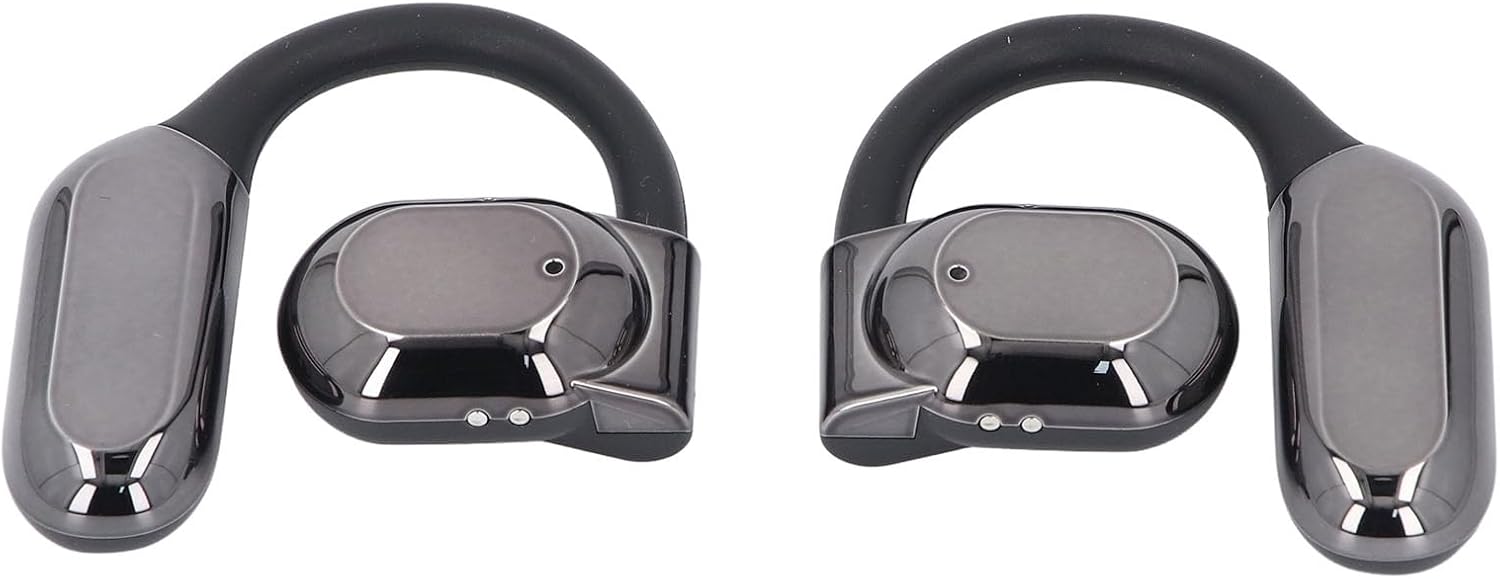
Выява: спераду view of both Dpofirs earphones, showing their design.
5. Інструкцыя па эксплуатацыі
5.1 Уключэнне/выключэнне сілкавання
- Уключэнне: Адкрыйце зарадны кейс, і навушнікі аўтаматычна ўключацца.
- Выключэнне: Змясціце навушнікі назад у зарадны чахол і зачыніце вечка. Яны аўтаматычна выключацца і пачнуць зараджацца.
5.2 Прайграванне музыкі
Control music playback through your connected device or via the touch controls on the earphones (if available, refer to specific product documentation for exact touch functions):
- Прайграванне/Паўза: Звычайна адно націсканне на любы з навушнікаў.
- Наступны трэк: Often a double tap on the right earphone.
- Папярэдні трэк: Often a double tap on the left earphone.
- Рэгулятар гучнасці: May involve a long press or multiple taps; consult specific product instructions.
5.3 Кіраванне выклікамі
Manage phone calls using the earphone controls:
- Адказ/завяршэнне выкліку: Typically a single tap on either earphone during an incoming call or an active call.
- Адхіліць выклік: Often a long press on either earphone during an incoming call.
The smart noise cancellation feature with dual microphones helps ensure clear communication during calls.
5.4 Накіраваная перадача гуку
The DT4.0 pulse directional sound transmission technology is designed to focus audio towards your ears, significantly reducing sound leakage to those around you. This allows for a more private listening experience.

Image: A person wearing the Dpofirs earphones, demonstrating the over-ear fit.
6. Тэхнічнае абслугоўванне
To ensure the longevity and optimal performance of your Dpofirs Earphones, follow these maintenance guidelines:
- Уборка: Regularly wipe the earphones and charging case with a soft, dry, lint-free cloth. Do not use abrasive cleaners, alcohol, or chemical solvents.
- захоўванне: Калі навушнікі не выкарыстоўваюцца, захоўвайце іх у зарадным чахле, каб абараніць ад пылу і пашкоджанняў. Захоўвайце ў прахалодным, сухім месцы, удалечыні ад экстрэмальных тэмператур.
- Воданепранікальнасць: Пазбягайце кантакту навушнікаў з вадой або празмернай вільгаццю. Яны не прызначаныя для воданепранікальнасці.
- Зарадка: Use only the provided charging cable or a certified equivalent. Avoid overcharging for extended periods.
7. Выпраўленне непаладак
Калі ў вас узніклі праблемы з навушнікамі, паспрабуйце наступныя рашэнні:
- Няма гуку:
- Пераканайцеся, што навушнікі зараджаныя і ўключаныя.
- Праверце ўзровень гучнасці як на прыладзе, так і ў навушніках.
- Verify that the earphones are correctly paired and connected to your device.
- Паспрабуйце прайграць аўдыё з іншай праграмы або крыніцы.
- Памылка спалучэння:
- Пераканайцеся, што Bluetooth уключаны на вашай прыладзе.
- Make sure the earphones are in pairing mode (out of the case, or by following specific reset instructions if available).
- Выключыце Bluetooth на іншых прыладах паблізу, каб пазбегнуць перашкод.
- Forget the earphones from your device's Bluetooth list and try pairing again.
- Перазагрузіце і прыладу, і навушнікі.
- Праблемы з зарадкай:
- Пераканайцеся, што зарадны кабель надзейна падключаны як да корпуса, так і да крыніцы харчавання.
- Праверце, ці актыўная крыніца харчавання.
- Ачысціце зарадныя кантакты на навушніках і чахле сухім ватным тампонам.
- Паспрабуйце іншы кабель USB або адаптар сілкавання.
- Дрэнная якасць выкліку:
- Пераканайцеся, што мікрафоны нічым не перакрываюцца.
- Падыдзіце бліжэй да падлучанай прылады, каб палепшыць узровень сігналу.
- Праверце наяўнасць навакольнага шуму, які можа паўплываць на выразнасць гуку пры званку.
8. Тэхнічныя характарыстыкі
| Марка | Дпофіры |
| Назва мадэлі | Dpofirsuir40pg6nm-11 |
| Сувязь | Bluetooth v5.46 (USB for charging) |
| Формаў-фактар | Over-ear hook with in-ear component |
| Адлегласць перадачы | Да 10 метраў (32.8 футаў) |
| Ёмістасць акумулятара для навушнікаў | 90 mAh (Li battery) |
| Ёмістасць батарэі зараднага кейса | 300 mAh (Li battery) |
| Тэрмін службы батарэі (прайграванне) | Прыбл. 7-8 гадзіны |
| Колер | Чорны |
| Матэрыял | ПК, АБС |
9. Гарантыя і падтрымка
Каб атрымаць інфармацыю аб гарантыі і падтрымцы кліентаў, звярніцеся да дакументацыі, якая пастаўляецца з вашай пакупкай, або звярніцеся непасрэдна да прадаўца. Захоўвайце пацвярджэнне пакупкі для любых гарантыйных прэтэнзій.
For further assistance, you may visit the Dpofirs brand store on Amazon: Крама Dpofirs