
Уводзіны
The MINIX 100W USB C Charger (NEO P3 Pro) is a versatile 3-port GaN charger designed for rapid charging of various devices, including laptops, tablets, and smartphones. It features a smart display for real-time charging information and a compact, travel-friendly design. This manual provides essential information for the safe and efficient use of your charger.

Image: The MINIX 100W USB C Charger (NEO P3 Pro) connected to a laptop, illustrating its fast charging capability.
What's in the Box (Setup)
Your MINIX 100W USB C Charger package includes the following items:
- 1x MINIX P3 PRO 100W Charger
- 1x EU Plug Adapter
- 1x UK Plug Adapter
- 1x Кіраўніцтва карыстальніка
- 1x мяшок для захоўвання

Image: The MINIX P3 Pro charger, EU plug, UK plug, and storage bag, as included in the package.
Attaching the Correct Plug Adapter
The MINIX P3 Pro charger comes with interchangeable plug adapters (US, EU, UK) to ensure compatibility in various regions. To attach an adapter:
- Align the desired plug adapter with the charger's prongs.
- Gently push the adapter onto the charger until it clicks securely into place.
- To remove, press the release button (if present) and slide the adapter off.

Image: The MINIX charger with its switchable US, EU, and UK plug adapters.
Інструкцыя па эксплуатацыі
Падключэнне прылад
The MINIX P3 Pro features two USB-C ports and one USB-A port. Connect your devices using appropriate charging cables. For optimal 100W charging, use a 100W 5A cable connected to a single USB-C port.
- USB-C1: Up to 100W Max output.
- USB-C2: Up to 100W Max output.
- USB-A1: Up to 30W Max output.

Image: The MINIX P3 Pro charging three devices concurrently: a laptop via USB-C1, a tablet via USB-C2, and a smartphone via USB-A1.
Smart Display and Touch Control
The integrated smart display provides real-time information about your charging status. You can interact with the display using the touch control button.
- Стан зарадкі: View the current wattagэлектронны выхад.
- Port-Specific Details: Tap the touch button to cycle through individual port outputs.
- Temperature Reminder: The display may show temperature-related information for safety.
- Агульны час: Displays the total charging duration.
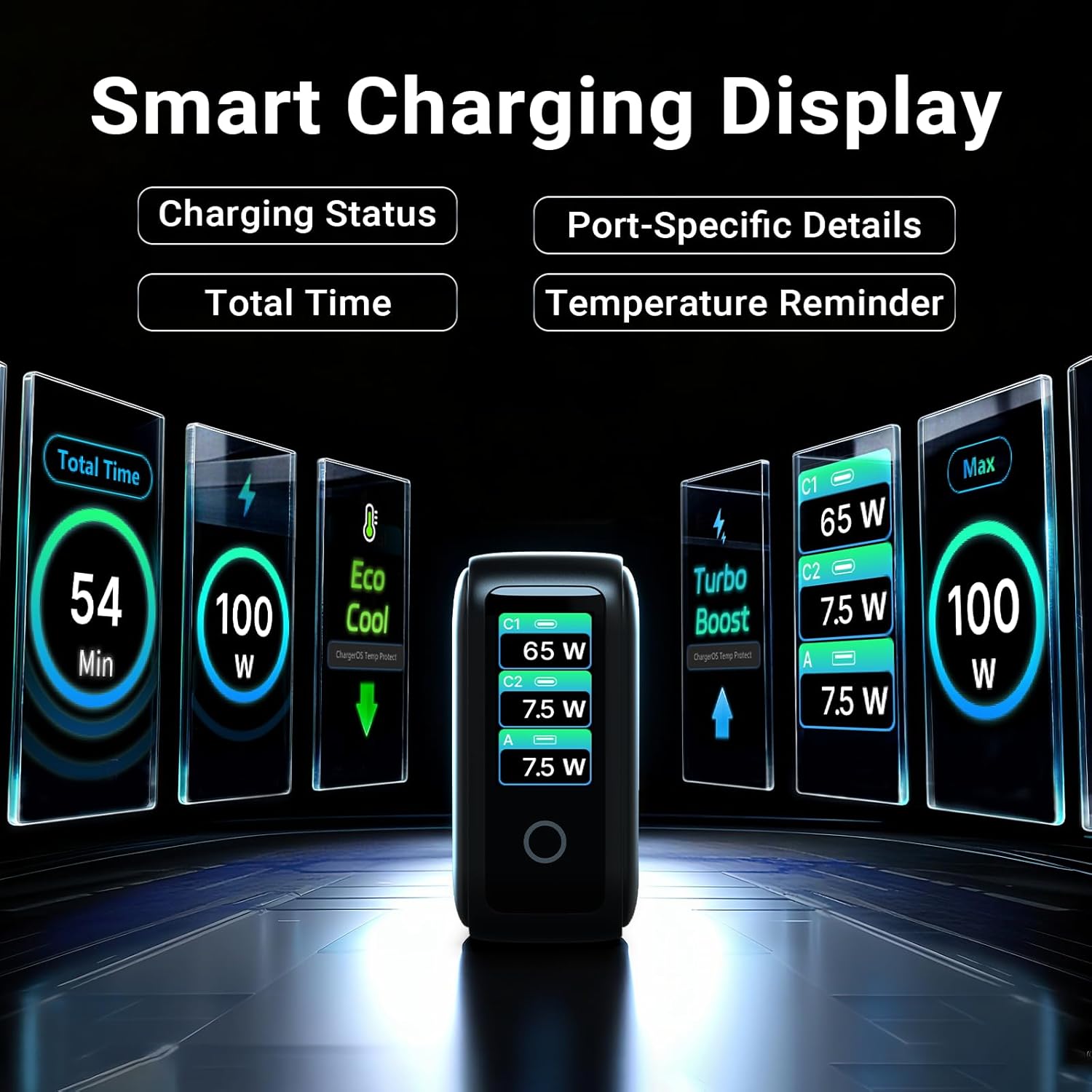
Image: The smart display of the MINIX P3 Pro, showcasing real-time charging status and port-specific details.
Паварот экрана
To adapt the display orientation to your wall outlet, press and hold the touch control button for 3 seconds. The screen will rotate 180°.
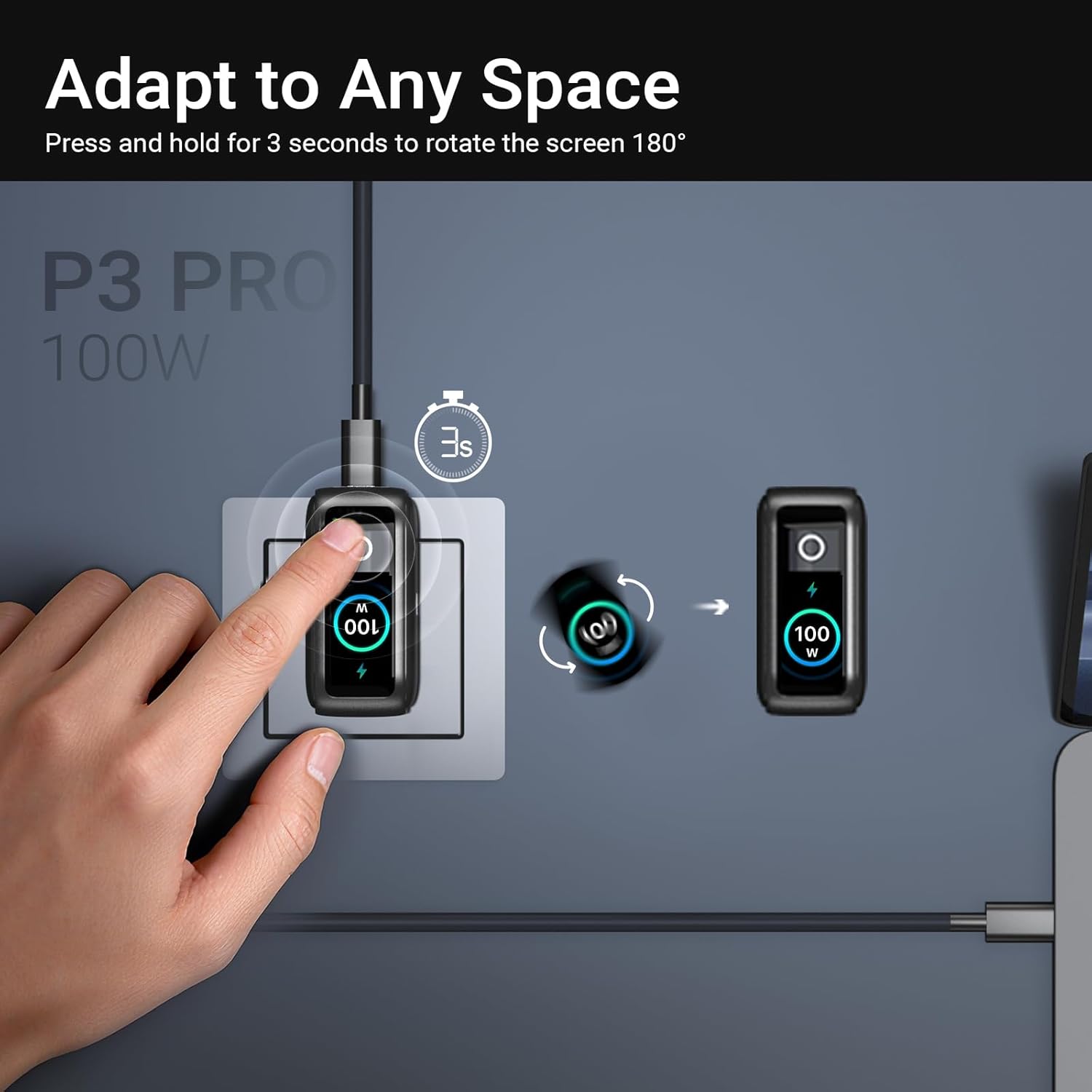
Image: The MINIX P3 Pro charger plugged into a wall socket, illustrating how to rotate the smart display by 180 degrees for better viewінж.
Размеркаванне магутнасці
The charger intelligently redistributes power based on the number of connected devices and their power requirements. Below is a general guide to power output configurations:
- 1 выхадны порт:
- USB-C1: 100 Вт
- USB-C2: 100 Вт
- USB-A1: 30W
- 2 выхадныя порты:
- USB-C1 + USB-C2: 65 Вт + 30 Вт
- USB-C1 + USB-A1: 65W + 7.5W
- USB-C2 + USB-A1: 7.5W + 7.5W
- 3 выхадныя порты:
- USB-C1 + USB-C2 + USB-A1: 65W + 7.5W + 7.5W
Video: An official product introduction video for the MINIX P3 Pro, demonstrating its features and functionality, including power distribution across multiple ports.
Тэхнічнае абслугоўванне
To ensure the longevity and optimal performance of your MINIX P3 Pro charger, follow these maintenance guidelines:
- Трымайце зарадную прыладу ў чысціні, без пылу і смецця. Выкарыстоўвайце для чысткі мяккую сухую тканіну.
- Пазбягайце ўздзеяння экстрэмальных тэмператур, вільготнасці або прамых сонечных прамянёў на зарадную прыладу.
- Не кідайце зарадную прыладу і не падвяргайце яе моцным ударам.
- Store the charger in the provided storage bag when not in use, especially during travel, to protect it from scratches and damage.
- Ensure proper ventilation around the charger during operation to prevent overheating.
Тэхнічныя характарыстыкі
| Асаблівасць | Дэталь |
|---|---|
| Марка | МІНІКС |
| Нумар мадэлі | P5010 |
| Усяго партоў USB | 3 (2x USB Type-C, 1x USB Type-A) |
| Ватtage | 100 Вт (макс.) |
| Уваходны кнtage | 240 вольт |
| Выхадны ток | 5 Amps |
| Выхад Voltage | 120 вольт |
| Тып раздыма | USB тыпу A, USB тыпу C |
| Сумяшчальныя прылады | Laptops, Tablets, Samsung Galaxy S21-S24 Series, iPhone 17/16/15/14/13/12 Series, iPhone SE (3rd Gen) |
| Асаблівасці | Fast Charging, Lightweight Design, Multi-Device Charging, Travel-Friendly, Smart Display, Touch Control |
| Колер | Чорны |
| Вага прадмета | 200 грам |
| Матэрыял | Тэрмапластычны эластамер (TPE) |
| Сертыфікаты | CE, FCC, WEEE |
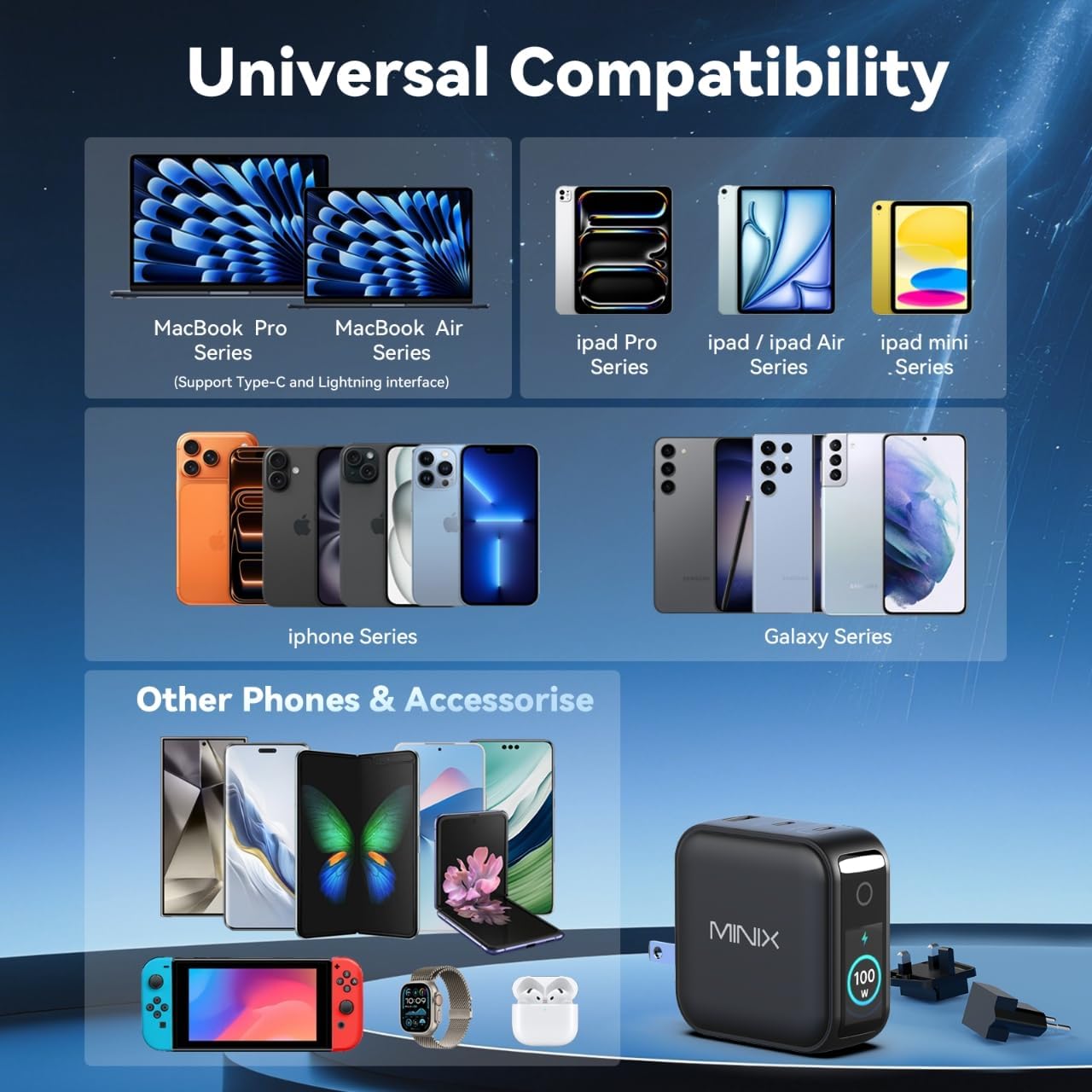
Image: A visual representation of the MINIX P3 Pro's universal compatibility with various devices.
Ліквідацыю непаладак
If you encounter issues with your MINIX P3 Pro charger, please refer to the following common troubleshooting steps:
- Зарадная прылада не ўключаецца:
- Пераканайцеся, што зарадная прылада надзейна падключана да спраўнай разеткі.
- Verify that the correct regional plug adapter is firmly attached.
- Device not charging or charging slowly:
- Check that the charging cable is securely connected to both the charger and your device.
- Ensure the charging cable is not damaged and supports the required power delivery (e.g., 100W for high-power devices).
- Try a different port on the charger.
- If charging multiple devices, note that power is distributed, which may reduce individual port output. Refer to the "Power Distribution" section.
- Ensure your device supports the charging protocols (PPS, PD3.0, QC3.0) supported by the charger.
- Smart display not working or showing incorrect information:
- Ensure the charger is powered on and a device is connected.
- Tap the touch button to cycle through display modes.
- If the display is unresponsive, unplug the charger from the wall for a few seconds and then plug it back in.
- Зарадная прылада награваецца падчас выкарыстання:
- It is normal for the charger to become warm during operation, especially during high-power charging.
- Ensure there is adequate ventilation around the charger. If it becomes excessively hot, disconnect it immediately and contact support.
Інфармацыя па бяспецы
Калі ласка, прачытайце і выконвайце гэтыя меры бяспекі, каб пазбегнуць пашкоджання вырабу або траўмаў:
- Не падвяргайце зарадную прыладу ўздзеянню вады, вільгаці або высокай вільготнасці.
- Avoid using the charger in environments with extreme temperatures.
- Do not disassemble, modify, or attempt to repair the charger yourself. This will void the warranty.
- Захоўвайце зарадная прылада ў месцах, недаступных дзецям і хатнім жывёлам.
- Выкарыстоўвайце з зараднай прыладай толькі сумяшчальныя кабелі і прылады.
- Адключайце зарадную прыладу ад сеткі падчас навальніцы або калі яна не выкарыстоўваецца працяглы час.
- The charger includes built-in safety features such as over-current, over-voltagе, абарона ад перагрэву і кароткага замыкання.
Гарантыя і падтрымка
The MINIX 100W USB C Charger (NEO P3 Pro) comes with a 1-гадовая гарантыя вытворцы.
Падтрымка кліентаў
For any questions, technical assistance, or warranty claims, please contact MINIX customer service:
- Інтэрнэт-падтрымка: Наведайце ст MINIX Store on Amazon and use the "Ask Product Question" feature.
- Offline Maintenance Service: Калі ласка, наведайце наш афіцыйны webсайт для атрымання дадатковай інфармацыі.
Please have your product model number (P5010) and purchase details ready when contacting support.