
1. Уводзіны
The Portronics MPort View Three is a versatile 10-in-1 USB-C multifunction docking station designed to expand the connectivity of your USB-C enabled laptop, tablet, or smartphone. It provides a comprehensive solution for connecting to external displays, wired networks, and various peripherals, enhancing productivity and convenience.

Выява 1.1: Канецview of the Portronics MPort View Three docking station with connected devices, illustrating its 10-in-1 functionality.
2. Асаблівасці прадукту
- 10-у-1 падключэнне: Integrates multiple ports for comprehensive device expansion.
- Пастаўка харчавання 100 Вт праз USB-C: Charges your host device while simultaneously supporting connected peripherals.
- Выхад 4K HDMI: Supports high-resolution video output up to 4K at 30Hz for external displays.
- Выхад VGA: Provides compatibility with older monitors and projectors, supporting up to 1080P resolution.
- Порт Ethernet RJ45: Ensures a stable and reliable wired internet connection at 100Mbps.
- Некалькі партоў USB: Includes three USB 3.0 ports (5Gbps) for high-speed data transfer and two USB 2.0 ports (480Mbps) for general peripherals.
- SD & MicroSD Card Readers: Facilitates quick transfer of photos, videos, and documents (480Mbps).
- 3.5 мм аўдыяраз'ём: Для падлучэння навушнікаў або дынамікаў.
- Transparent Casing: Features a durable, transparent design that reveals internal circuitry.
- Падключыў і гуляй: No drivers or additional software required for most operating systems.
- Шырокая сумяшчальнасць: Works with USB-C devices supporting Alt Mode, including Windows, macOS, Android, and iOS.
- Кампактны дызайн: Лёгкі і партатыўны для зручнай транспарціроўкі.
3. Інструкцыі па ўсталёўцы
- Падключэнне да хост-прылады: Plug the integrated USB-C cable from the MPort View Three into the USB-C port of your laptop, tablet, or smartphone. Ensure your device's USB-C port supports DisplayPort Alternate Mode (Alt Mode) for video output functionality.
- Падача харчавання (дадаткова): For charging your host device and ensuring stable power for all connected peripherals, connect a USB-C power adapter (not included) to the USB-C PD port on the docking station. The docking station supports up to 100W Power Delivery.
- Падключэнне перыферыйных прылад:
- Знешнія дысплеі: Connect your HDMI or VGA monitor/projector to the corresponding ports on the docking station.
- Сетка: Connect an Ethernet cable from your router/modem to the RJ45 Ethernet port.
- USB прылады: Plug in USB devices such as keyboards, mice, external hard drives, or USB flash drives into the available USB 3.0 or USB 2.0 ports.
- Карты памяці: Insert SD or MicroSD cards into their respective slots.
- Аўдыяпрылады: Падключыце навушнікі або дынамікі да аўдыёраздыма 3.5 мм.
- Праверце злучэнне: Your host device should automatically detect the docking station and connected peripherals. No drivers are typically required for Windows or macOS.
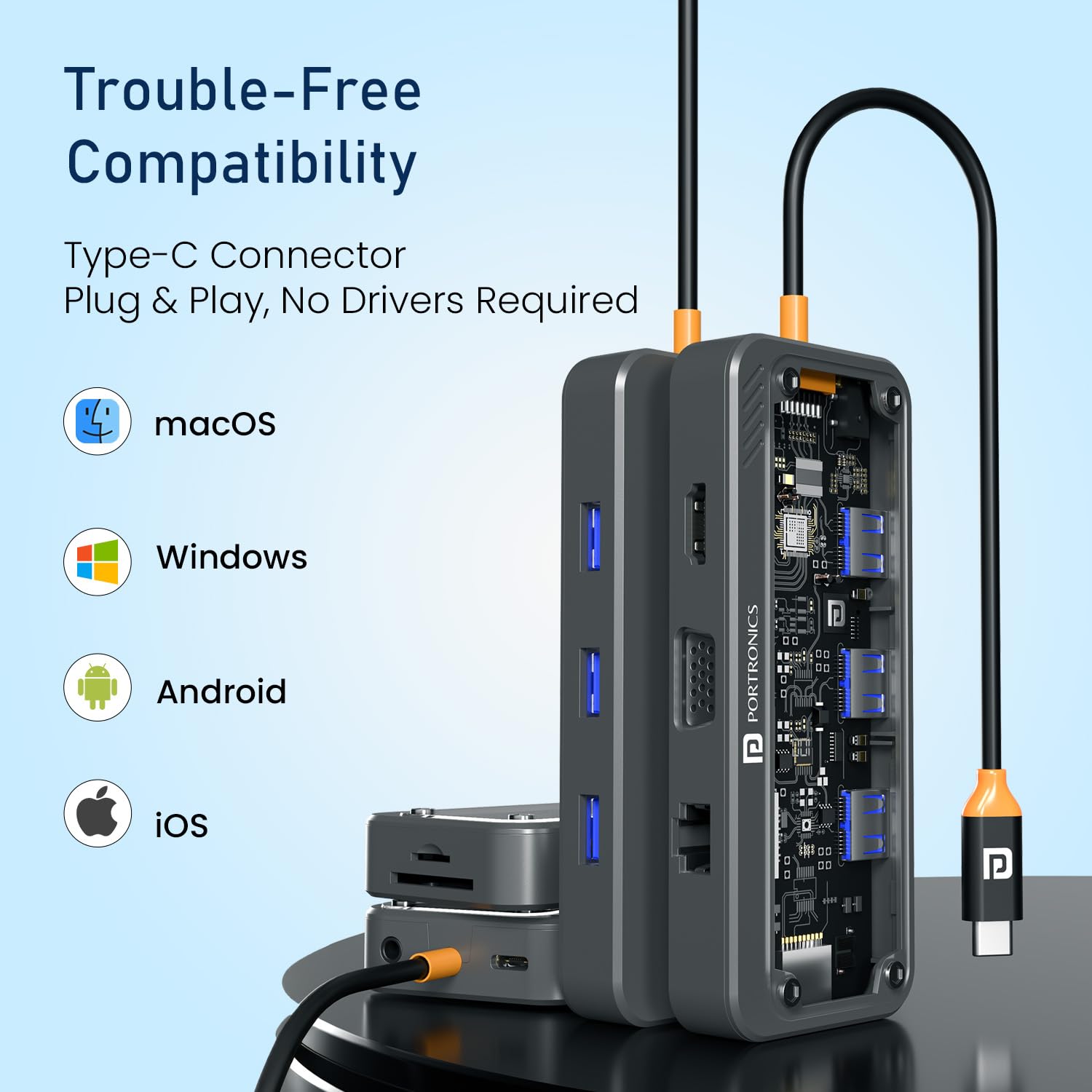
Image 3.1: The MPort View Three is compatible with various operating systems including macOS, Windows, Android, and iOS, offering plug-and-play functionality.
4. Інструкцыя па эксплуатацыі
Once the MPort View Three is set up, operating its various functions is straightforward:
- Вывад дысплея:
- For HDMI or VGA displays, ensure the monitor is powered on and set to the correct input source. Your operating system's display settings can be used to configure display modes (e.g., extend, duplicate).
- The HDMI port supports resolutions up to 4K at 30Hz. The VGA port supports resolutions up to 1080P.

Image 4.1: A laptop connected to an external monitor via the docking station's HDMI port, showcasing 4K @ 30Hz output for clear visuals.

Image 4.2: A laptop connected to a VGA monitor and external speakers through the docking station, demonstrating 1080P VGA output and 3.5mm audio functionality.
- USB прылады: Connected USB devices will function immediately. USB 3.0 ports offer faster data transfer speeds (up to 5Gbps) compared to USB 2.0 ports (up to 480Mbps).
- Счытвальнікі карт: Insert SD or MicroSD cards into the appropriate slots. They will appear as removable drives on your host device, allowing for file access and transfer.
- Падключэнне Ethernet: Once an Ethernet cable is connected, your host device should automatically establish a wired network connection. This provides a stable internet connection, ideal for streaming or online meetings.
- Аўдыявыхад: When headphones or speakers are connected to the 3.5mm audio jack, your host device should automatically switch audio output to the connected device. You may need to select the audio output device in your operating system's sound settings.
- Энергазабеспячэнне: If a power adapter is connected to the USB-C PD port, your host device will begin charging. This allows you to use all docking station functions without draining your device's battery.
5. Перанесці портview
The MPort View Three features a comprehensive array of ports to meet diverse connectivity needs. Refer to the video below for a visual guide to the ports.
Video 5.1: A detailed walkthrough of the Portronics MPort View Three's various ports and their functions.
- Порт USB-C PD: Located on the side, this port supports Power Delivery up to 100W for charging your host device.
- 3.5 мм аўдыяраз'ём: Also on the side, for connecting standard audio devices.
- Слот для SD-карты: Для стандартных карт памяці SD.
- Слот для карты MicroSD: For smaller MicroSD memory cards.
- Порт HDMI: Supports video output up to 4K@30Hz.
- Порт VGA: Supports video output up to 1080P.
- Порт Ethernet RJ45: Provides a 100Mbps wired network connection.
- Парты USB 3.0 (x3): High-speed data transfer ports (up to 5Gbps).
- Парты USB 2.0 (x2): Standard data transfer ports (up to 480Mbps).
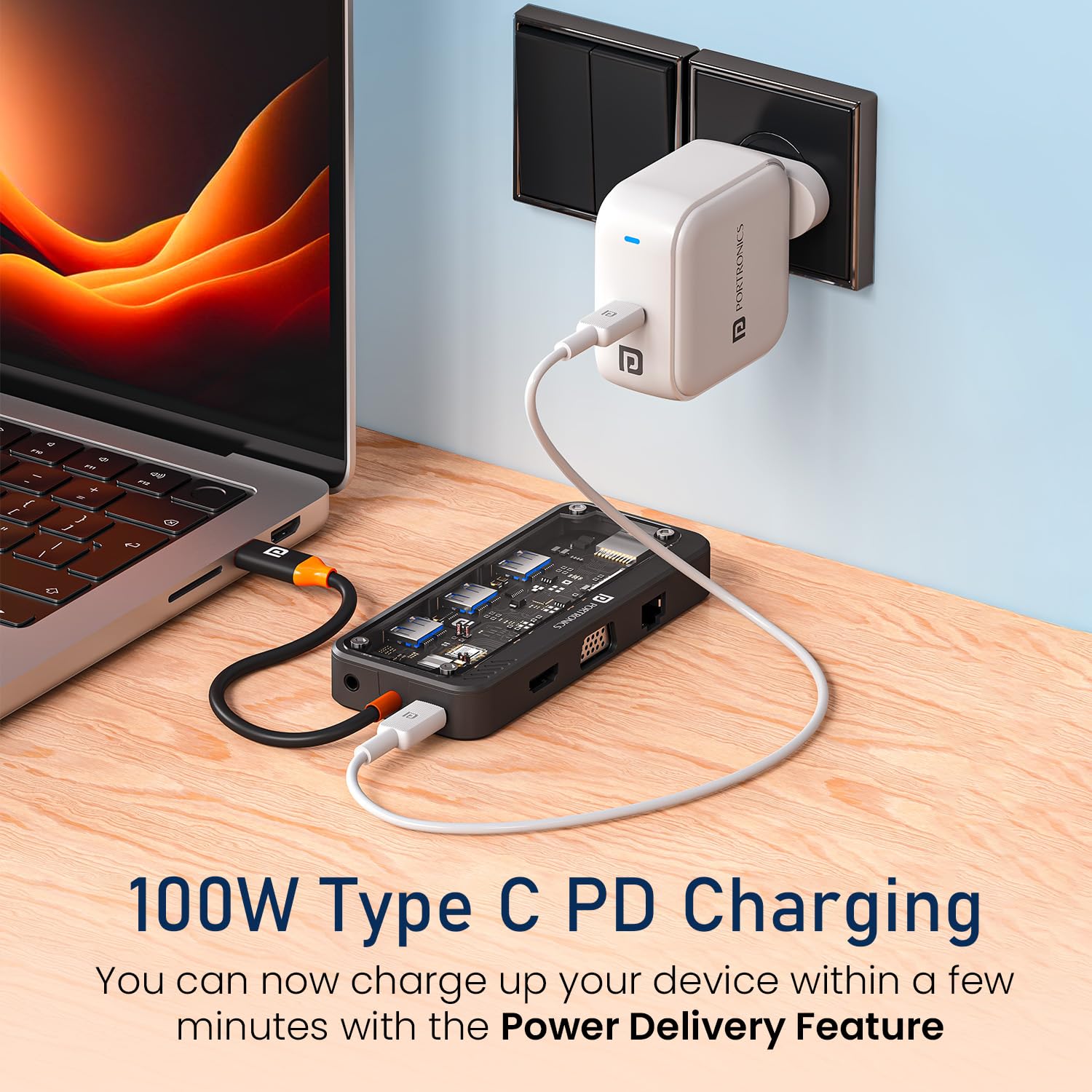
Image 5.2: The docking station connected to a power source, highlighting its 100W Type-C Power Delivery capability.
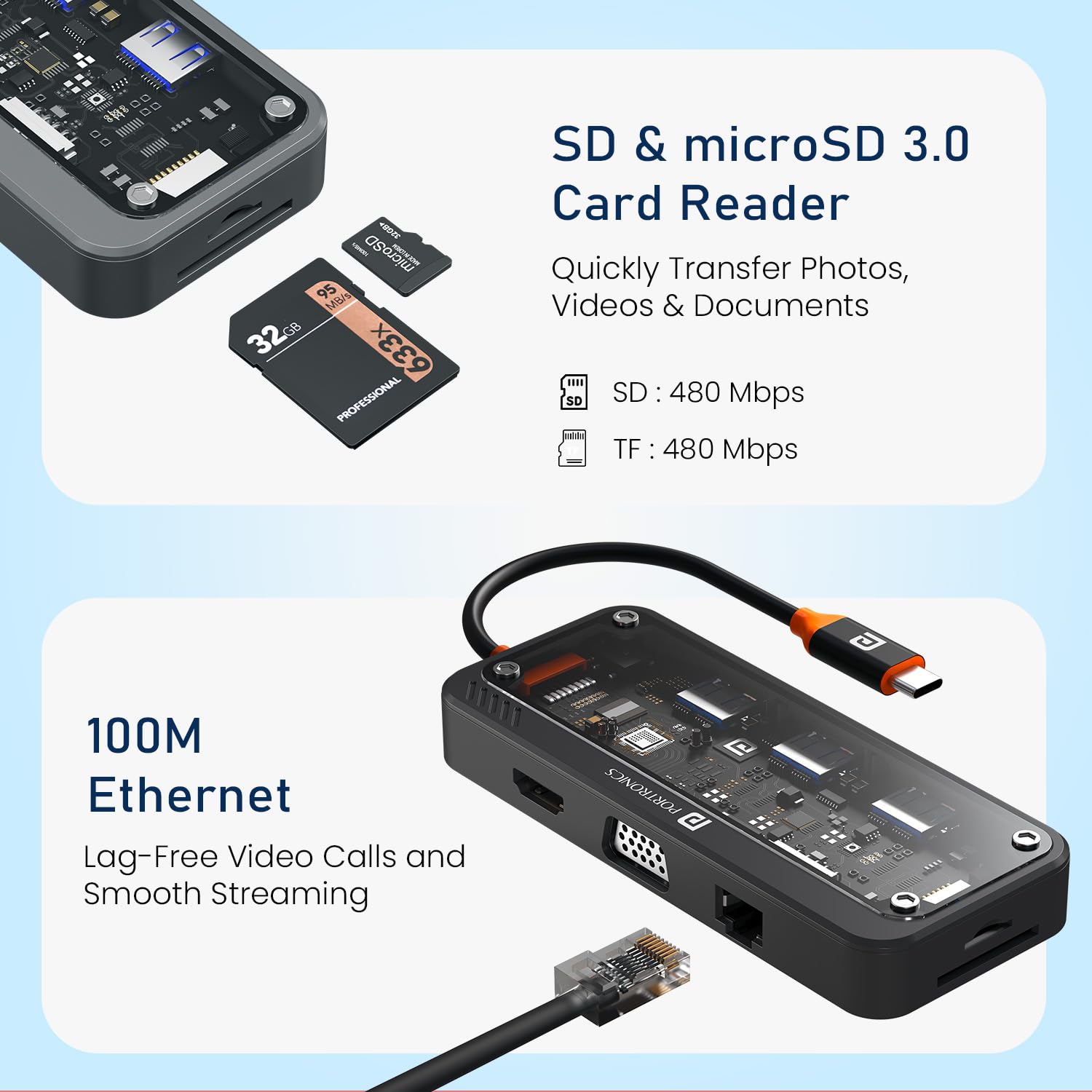
Image 5.3: Close-up of the SD and MicroSD card readers and the 100Mbps RJ45 Ethernet port on the docking station.

Image 5.4: The transparent casing design of the MPort View Three, alongside a visual comparison of USB 2.0 (480Mbps) and USB 3.0 (5Gbps) file хуткасці перадачы.
6. Сумяшчальнасць
The Portronics MPort View Three is designed for broad compatibility with devices featuring a USB-C port that supports DisplayPort Alternate Mode (Alt Mode). It is compatible with:
- Аперацыйныя сістэмы: Windows (Windows 11 and later recommended), macOS (Mac OS 14 Sonoma and later recommended), Android, and iOS.
- Тыпы прылад: Laptops, Tablets, and Smartphones with compatible USB-C ports.
Note: Full functionality, especially video output, depends on the host device's USB-C port supporting DisplayPort Alt Mode.
7. Выпраўленне непаладак
If you encounter issues with your MPort View Three, consider the following troubleshooting steps:
- Няма вываду на дысплей:
- Ensure the USB-C connection to your host device is secure.
- Verify your host device's USB-C port supports DisplayPort Alt Mode.
- Check that the HDMI/VGA cable is securely connected to both the docking station and the monitor.
- Пераканайцеся, што манітор уключаны і настроены на правільную крыніцу ўваходнага сігналу.
- Try connecting the monitor directly to your host device (if possible) to rule out monitor issues.
- Перыферыйныя прылады не выяўлены:
- Ensure all USB devices, SD/MicroSD cards, and Ethernet cables are firmly inserted into their respective ports.
- If using high-power USB devices (e.g., external hard drives), ensure a power adapter is connected to the docking station's USB-C PD port.
- Паспрабуйце падключыць перыферыйную прыладу непасрэдна да галоўнай прылады, каб пераканацца ў яе працаздольнасці.
- Павольная перадача дадзеных:
- Ensure you are using the USB 3.0 ports for devices requiring higher speeds.
- Performance can be affected by the host device's capabilities and the quality of connected cables.
- Праблемы з зарадкай:
- Verify that a compatible USB-C PD power adapter is connected to the docking station.
- Ensure the power adapter provides sufficient wattage (up to 100W supported).
- Няма аўдыя:
- Check that your headphones/speakers are properly connected to the 3.5mm audio jack.
- Verify the audio output device is selected correctly in your host device's sound settings.
8. Тэхнічнае абслугоўванне
- Уборка: Для чысткі вонкавай паверхні док-станцыі выкарыстоўвайце мяккую сухую тканіну. Пазбягайце выкарыстання вадкіх ачышчальнікаў або растваральнікаў.
- захоўванне: Захоўвайце прыладу ў прахалодным, сухім месцы, удалечыні ад прамых сонечных прамянёў і экстрэмальных тэмператур.
- Апрацоўка: Пазбягайце падзення прылады і моцных удараў. Не спрабуйце разбіраць прыладу.
9. Тэхнічныя характарыстыкі
| Марка | Портроніка |
| Назва мадэлі | МПорт View Тры |
| Нумар мадэлі | ПОР-3264 |
| Колер | Чорны |
| Абсталяванне інтэрфейсу | Ethernet, HDMI, MicroSD, USB 2.0, USB 3.0, USB Type C, VGA |
| Асаблівасці | 10-in-1 Transparent Docking Station, Transparent Case, Type-C PD, HDMI, Ethernet, VGA, USB 3.0, USB 2.0, SD & Micro SD, Audio, Type-C Plug |
| Сумяшчальныя прылады | Ноўтбукі, планшэты, смартфоны |
| Усяго партоў USB | 5 (3x USB 3.0, 2x USB 2.0) |
| Колькасць партоў | 10 |
| Пастаўка электраэнергіі | Да 100 Вт праз порт USB-C PD |
| Выхад HDMI | 4K пры 30 Гц |
| Выхад VGA | 1080P |
| Хуткасць Ethernet | 100 Мбіт/с (RJ45) |
| Хуткасць чытання карт | 480Mbps (SD/MicroSD) |
| Падтрымка аперацыйнай сістэмы | Windows (11+), macOS (14+), Android, iOS |
| Матэрыял корпуса | АБС-пластык |
| Памеры прадмета (Д х Ш х У) | 16.9 Д х 9.1 Ш х 2.1 У сантыметраў |
| Вага прадмета | 105 грам |
| Краіна паходжання | Кітай |
10. Гарантыя і падтрымка
Гарантыйны тэрмін: The Portronics MPort View Three comes with a Гарантыя 1 год з дня пакупкі.
This warranty covers manufacturing defects and material faults under normal use. It does not cover damage caused by misuse, accidents, unauthorized modifications, or natural disasters.
Падтрымка кліентаў: For any technical assistance, warranty claims, or product-related inquiries, please contact Portronics customer support:
- электронная пошта: help@portronics.com
- тэлефон: +91 9555-245-245
Please have your product model number (POR-3264) and proof of purchase ready when contacting support.