
1. Уводзіны
The Generico Otag GPS Locator is a smart tracker designed to help you find lost items. It connects wirelessly via Bluetooth to your Android smartphone and utilizes the "Find HUB" application for precise network positioning. This device is ideal for tracking keys, wallets, luggage, and other personal belongings.
Важная заўвага: This device is compatible only with Android operating systems. It does not support iOS.
2. Інфармацыя па бяспецы
- Трымайце прыладу далей ад экстрэмальных тэмператур і прамых сонечных прамянёў.
- Не спрабуйце разабраць або мадыфікаваць прыладу.
- Утылізуйце батарэі ў адпаведнасці з мясцовымі правіламі.
- Keep out of reach of small children and pets to prevent choking hazards.
3. Змесціва ўпакоўкі
Калі ласка, праверце ўпакоўку на наяўнасць наступных прадметаў:
- 1 x Generico Otag GPS-лакатар
- 1 x Battery (pre-installed or separate)
- 1 бірулька
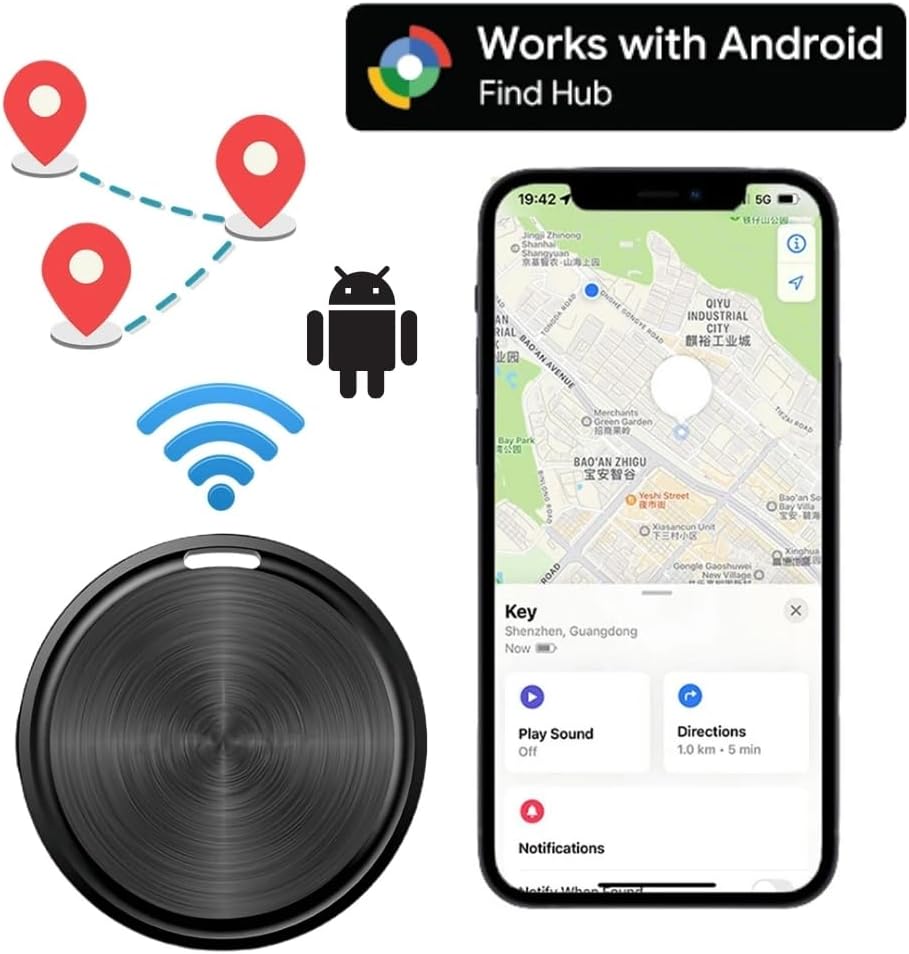
Image: The Generico Otag GPS Locator shown with its packaging.
4. Настройка
4.1. Initial Activation and App Installation
- Уключэнне: Ensure the Otag device is powered on. If it has a power button, press and hold it until an indicator light appears or a sound is heard.
- Сумяшчальнасць з Android: Confirm your smartphone is running an Android operating system. This device is not compatible with iOS.
- Актывацыя Bluetooth: On your Android phone, open the Bluetooth settings and ensure Bluetooth is enabled.
- Загрузка прыкладання: Оtag locator uses its own application called "Find HUB". Пошук "Find HUB" in the Google Play Store and download it.
- Запусціць праграму: Open the "Find HUB" application on your Android phone.

Image: The Otag device next to an Android phone displaying the "Find HUB" application interface with a map.
4.2. Спалучэнне прылады
- Блізкасць: Place the Otag device close to your Android phone.
- Аўтаматычнае спалучэнне: Within the "Find HUB" app, the device should automatically detect and prompt you to pair with the Otag. Follow the on-screen instructions to complete the pairing process.
- Бяспека дадзеных: The network connection is encrypted and anonymous to ensure data security and privacy.
5. Operating the Otag GPS-лакатар
5.1. Locating Lost Items
If you believe a tagged item is nearby but out of sight, you can use the audible alert feature:
- Open the "Find HUB" app on your Android phone.
- Выберыце Otag device associated with the lost item.
- Tap the "Ring" or "Play Sound" button within the app. The Otag will emit a familiar ringtone at the set volume, helping you pinpoint its location.

Image: The Otag device attached to a set of keys, indicating an audible alert, with a smartphone displaying its location on a map.
5.2. Real-time Tracking and Location History
The "Find HUB" app provides precise network positioning, allowing you to view the current location of your Otag device on a map. You can also access the location history to see where your item has been.

Image: An Otag device attached to a dog's collar, demonstrating its use for pet tracking, with a smartphone displaying the tracking application.
5.3. Воданепранікальнасць
Оtag anti-loss locator supports IPX5 water resistance. This means it is protected against low-pressure water jets from any direction. You do not need to worry about damage from rain or water splashes, but it is not designed for submersion.

Image: A circular diagram illustrating multiple applications for the Otag device, such as tracking keys, pets, suitcases, umbrellas, cameras, purses, rucksacks, and thermoses.
6. Тэхнічнае абслугоўванне
6.1. Замена батарэі
Оtag device features a long-lasting battery, typically lasting 4-6 months. When the battery is depleted, it can be easily replaced in a few seconds. Replacement batteries are widely available, including in supermarkets.
- Locate the battery compartment on the Otag прылада.
- Carefully open the compartment (refer to the device's physical design for specific opening mechanism, e.g., twist, pry).
- Зніміце старую батарэю.
- Insert a new, compatible battery, ensuring correct polarity.
- Надзейна зачыніце батарэйны адсек.
6.2. Уборка
To clean your Otag device, wipe it gently with a soft, dry cloth. Avoid using harsh chemicals or abrasive materials, as these may damage the device's surface or internal components. While the device is IPX5 water-resistant, do not submerge it in water for cleaning.
7. Выпраўленне непаладак
| праблема | Магчымая прычына | Рашэнне |
|---|---|---|
| Прылада не ўключаецца. | Батарэя разраджаная або няправільна ўсталяваная. | Replace the battery or ensure it is installed with correct polarity. |
| Cannot connect/pair with Android phone. | Bluetooth is off on phone; Otag is out of range; "Find HUB" app not open; device already paired to another phone; Otag not powered on. |
|
| Audible alert is not loud enough or not working. | Volume setting in app is low; device is too far; battery is low. |
|
| Недакладнае адсочванне месцазнаходжання. | Weak Bluetooth signal; environmental interference; app not updated. |
|
8. Тэхнічныя характарыстыкі
| мадэль: | AT001RTG |
| Марка: | Джэнерыка |
| Памеры: | 4 х 1 х 4 см |
| Вага: | 30 грамаў |
| Падключэнне: | Bluetooth |
| Сумяшчальныя прылады: | Смартфоны Android |
| App Supported: | Find HUB |
| Асаблівасці: | Location History, Real-time Tracking, IPX5 Water Resistance |
| матэрыял: | Акрыланітрылбутадыенстырол (АБС) |
| Тэрмін службы батарэі: | Approximately 4-6 months (replaceable) |
9. Гарантыя і падтрымка
9.1. Інфармацыя аб гарантыі
Specific warranty details for the Generico Otag GPS Locator are typically provided by the seller at the time of purchase. Please refer to your purchase documentation or contact the retailer for information regarding warranty coverage and terms.
9.2. Падтрымка кліентаў
For technical assistance, troubleshooting not covered in this manual, or other inquiries, please contact the seller or manufacturer directly. Contact information can usually be found on the product packaging or the retailer's webсайт.