
Уводзіны
This manual provides instructions for the setup, operation, maintenance, and troubleshooting of your MOFII Wireless Keyboard and Mouse Combo. Please read this manual thoroughly before using the product to ensure proper function and longevity.
Інфармацыя па бяспецы
- Трымайце прыладу далей ад вады і іншых вадкасцей.
- Пазбягайце ўздзеяння на прыладу экстрэмальных тэмператур.
- Не спрабуйце разбіраць або рамантаваць прыладу самастойна. Звярніцеся да кваліфікаванага абслугоўваючага персаналу.
- Утылізуйце батарэі ў адпаведнасці з мясцовымі правіламі.
Змест пакета
- MOFII Wireless Keyboard
- MOFII Wireless Mouse
- USB Nano Receiver (stored in the mouse battery compartment)
- Cleaning Brush (for keycaps)
Настройка
- Усталюйце батарэі:
Open the battery compartment on the underside of both the keyboard and the mouse. Insert one AA battery into each device, ensuring correct polarity. Batteries are not included.
- Знайдзіце USB-прыёмнік:
The USB nano receiver is stored in the battery compartment of the mouse for convenience during transport.
- Падключэнне прыёмніка:
Plug the USB nano receiver into an available USB port on your computer (PC, Laptop, Desktop, Smart TV). The system will automatically detect and install the necessary drivers.
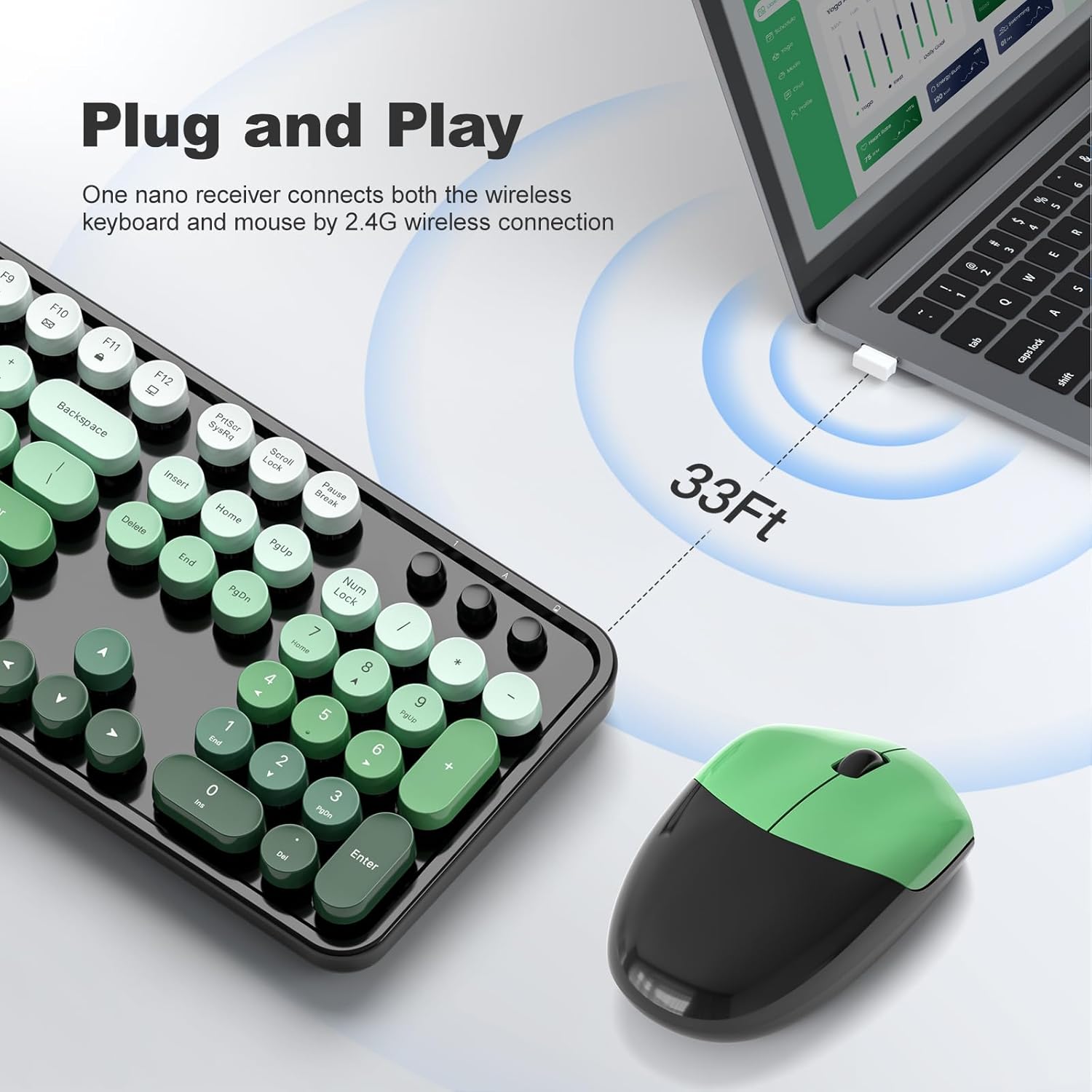
Figure 1: Plug and Play connection with USB receiver.
- Уключэнне:
Turn on the keyboard and mouse using their respective power switches, usually located on the underside of each device. The devices are now ready for use.
Інструкцыя па эксплуатацыі
Асаблівасці клавіятуры
- Поўнапамерны макет: The keyboard features a 104-key full-size layout, including a numeric keypad for efficient data entry.
- Мультымедыйныя ярлыкі: Access 13 multimedia shortcuts (Fn + F1-F12, etc.) to control audio/video playback, volume, web browsing, and email. Refer to the key legends for specific functions.
- Эрганамічны дызайн: The keyboard includes foldable stands and anti-slip pads to adjust the typing angle and reduce wrist pressure.
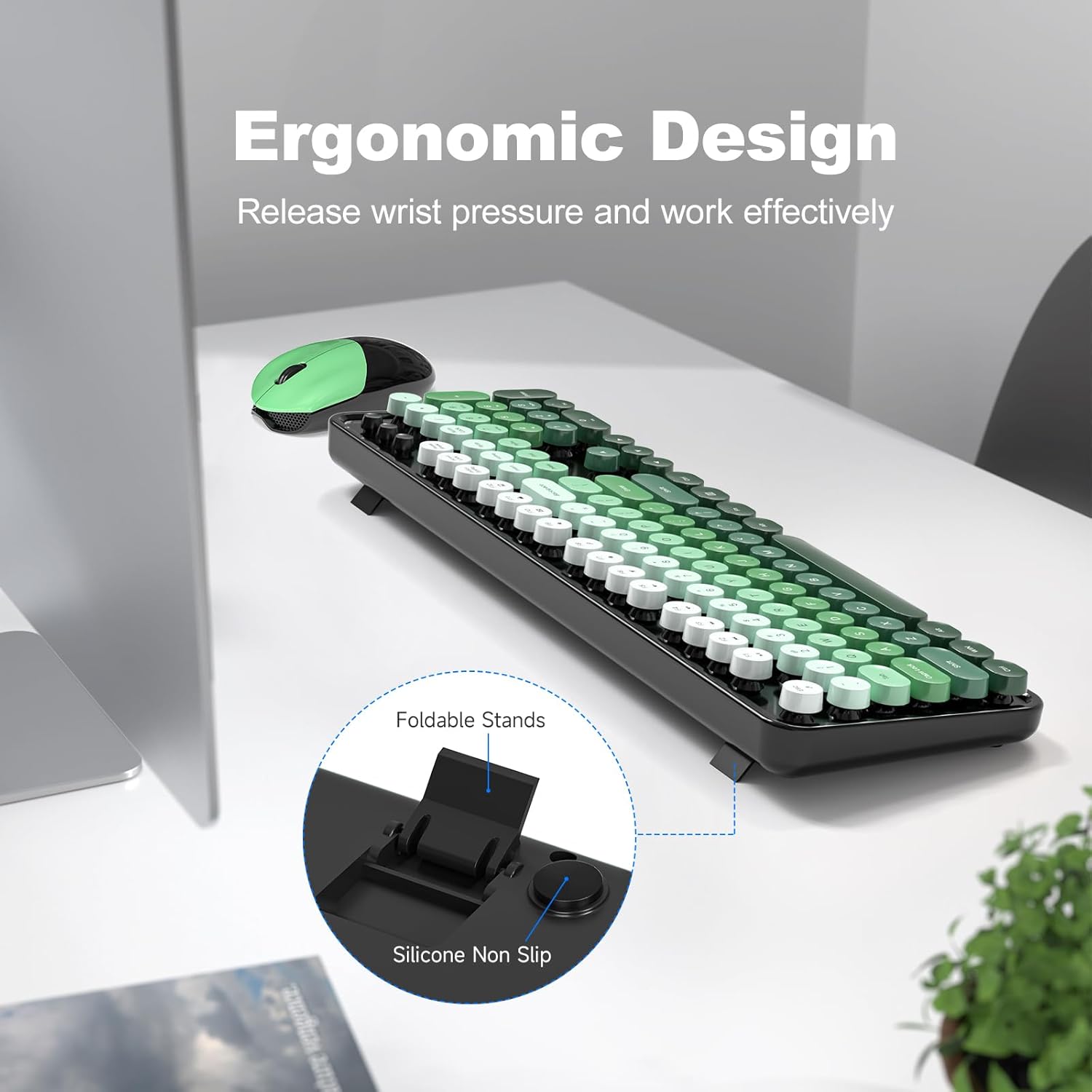
Figure 2: Ergonomic design with foldable stands.
Асаблівасці мышы
- Стандартная функцыянальнасць: The mouse provides standard left-click, right-click, and scroll wheel functions.
- Плаўнае адсочванне: Designed for precise and smooth cursor movement.
Аўтаматычны рэжым сну
To conserve battery life, both the keyboard and mouse will automatically enter sleep mode after 5 minutes of inactivity. To wake them up, simply click any key on the keyboard or move/click the mouse. This feature helps extend battery life to approximately 18 months, though actual battery life may vary based on usage.

Figure 3: Intelligent Auto-Sleep feature.
Тэхнічнае абслугоўванне
- Чыстка клавіш: The round keycaps are detachable for easy cleaning. Use the provided cleaning brush to remove dust and debris from between the keys.
- Генеральная ўборка: Wipe the keyboard and mouse with a soft, damp тканіна. Пазбягайце выкарыстання агрэсіўных хімікатаў або абразіўных матэрыялаў.
- Замена батарэі: When performance degrades, replace the AA batteries in both the keyboard and mouse.

Figure 4: Detachable keycaps and cleaning brush.
Ліквідацыю непаладак
- Няма сувязі:
- Пераканайцеся, што USB-прыёмнік надзейна падключаны да спраўнага USB-порта.
- Праверце, ці ўключаны клавіятура і мыш.
- Пераканайцеся, што акумулятары ўсталяваны правільна і маюць дастатковы зарад.
- Паспрабуйце падключыць прыёмнік да іншага USB-порта.
- Перазагрузіце кампутар.
- Затрымка або перарывістае падключэнне:
- Ensure the devices are within the 33ft operating range of the receiver.
- Minimize obstructions between the devices and the receiver.
- Avoid using the devices near strong electromagnetic interference sources.
- Замяніце батарэйкі, калі яны разраджаныя.
- Клавішы не рэагуюць:
- Праверце ўзровень зарада батарэі.
- Пераканайцеся, што клавіятура ўключана і падключана.
- Clean under the keycaps if debris is suspected.
- Mouse Not Moving:
- Праверце ўзровень зарада батарэі.
- Пераканайцеся, што мыш уключана і падключана.
- Ачысціце аптычны датчык на ніжняй частцы мышы.
- Пераканайцеся, што вы карыстаецеся мышшу на прыдатнай паверхні.
Тэхнічныя характарыстыкі
| Марка | МОФІІ |
| мадэль | B0FZ84SQFD |
| Колер | Black Green Gradient Color |
| Тэхналогія падлучэння | Бесправадная сувязь 2.4 ГГц (USB-прыёмнік) |
| Асаблівасці | Round Keycaps, Detachable Keycaps, Ergonomic Design, Auto Sleep Mode, Multimedia Keys |
| Сумяшчальныя прылады | Laptop, Personal Computer, Desktop, Smart TV |
| Сумяшчальнасць аперацыйнай сістэмы | Windows 7/8/10/11/XP/Vista, Linux, Chrome |
| Тып батарэі | AA (1 for keyboard, 1 for mouse - not included) |
| Далёкасць бесправадной сувязі | Да 33 футаў (10 метраў) |
| Памеры клавіятуры | Approximately 17.4 inches (length) |
| Памеры мышкі | Approximately 4 inches (length) x 2.9 inches (width) x 1.7 inches (height) |
| Вага прадмета | 0.2 Pounds (approximate, likely for mouse only) |

Figure 5: Keyboard and mouse dimensions.
Гарантыя і падтрымка
The product comes with a 1-year warranty as specified by the manufacturer. For technical support, warranty claims, or further assistance, please contact MOFII customer service through their official webсайт або прадаўца, дзе быў набыты прадукт. Калі ласка, захавайце пацвярджэнне пакупкі для гарантыйных мэт.
Для атрымання дадатковай інфармацыі вы можаце наведаць MOFII Store on Amazon.