
1. Уводзіны
The Auvoda S300 is a versatile 16W stereo Bluetooth speaker designed to enhance your audio experience and daily routine. It integrates multiple functions including 15W fast wireless charging, a 13-color dimmable night light, a smart alarm clock, 7 soothing white noise sounds, and an FM radio. This manual provides detailed instructions for setup, operation, and maintenance to ensure optimal performance.
2. Змесціва ўпакоўкі
- Auvoda S300 Bluetooth Speaker
- Зарадны кабель Type-C
- Кіраўніцтва карыстальніка
3. Прадукт скончыўсяview
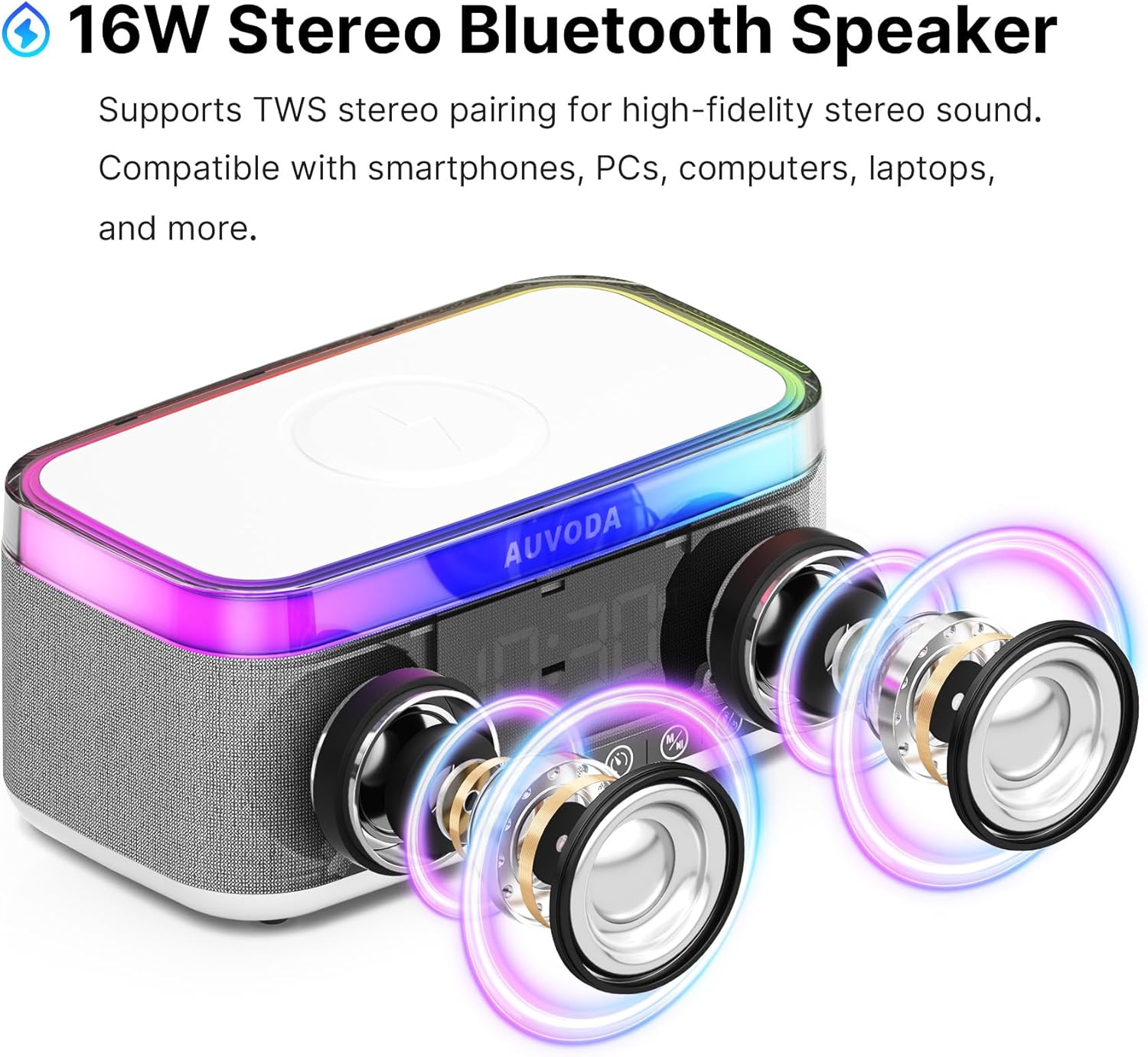
Малюнак 3.1: Спераду View з элементамі кіравання
The front panel features a digital clock display and a row of intuitive control buttons for various functions.

Малюнак 3.2: Задняя частка View з партамі
The rear panel includes the DC5V (USB-C) charging port, TF card slot, USB-A port, and 3.5mm AUX input.

Малюнак 3.3: Верх View with Wireless Charging Pad
The top surface features an integrated 15W wireless charging pad for Qi-compatible devices.
Кнопкі кіравання:
- Кнопка гадзінніка: Націсніце, каб view time, press and hold to enter clock setting mode.
- Кнопка сігналізацыі: Націсніце, каб view alarm, press and hold to enter alarm setting mode.
- Папярэдні трэк / Зменшыць гучнасць: Кароткае націсканне для папярэдняга трэка, доўгае націсканне для памяншэння гучнасці.
- Кнопка прайгравання/паўзы: Прайграванне або прыпыненне гуку.
- Наступны трэк / Павелічэнне гучнасці: Кароткае націсканне для наступнага трэка, доўгае націсканне для павелічэння гучнасці.
- Кнопка рэжыму (M): Switch between Bluetooth, FM Radio, and White Noise modes.
- Светлавая кнопка: Cycle through 13 color modes for the night light.
- Кнопка харчавання: Націсніце і ўтрымлівайце, каб уключыць/выключыць харчаванне.
4. Настройка
4.1 Першапачатковая зарадка
- Connect the provided Type-C charging cable to the DC5V port on the rear of the speaker.
- Connect the other end of the cable to a compatible USB power adapter (not included). For fast wireless charging, ensure the adapter meets 9V/2A specifications.
- The device will begin charging. A full charge provides approximately 6-8 hours of battery life.
4.2 Уключэнне/выключэнне сілкавання
- To power on, press and hold the Power Button until the display illuminates and an audible prompt is heard.
- To power off, press and hold the Power Button again until the display turns off.
4.3 Налада гадзін
- Press and hold the Clock Button to enter time setting mode. The hour digits will flash.
- Use the Previous Track / Volume Down and Next Track / Volume Up buttons to adjust the hour.
- Press the Clock Button again to switch to minute setting. The minute digits will flash.
- Use the Previous Track / Volume Down and Next Track / Volume Up buttons to adjust the minutes.
- Press the Clock Button a third time to confirm and exit time setting mode.
5. Інструкцыя па эксплуатацыі
5.1 Спалучэнне па Bluetooth
- Power on the Auvoda S300 speaker. It will automatically enter Bluetooth pairing mode, indicated by a flashing 'BT' on the display.
- On your smartphone, PC, or other Bluetooth-enabled device, enable Bluetooth and search for available devices.
- Select 'AUVODA S300' from the list. Once connected, the 'BT' indicator will stop flashing, and a confirmation sound will play.
- Цяпер вы можаце прайграваць аўдыё з прылады праз дынамік.
Video 5.1: AUVODA S300 Bluetooth Speaker Overview
This video demonstrates the power-on sequence, volume adjustment, light switching, FM radio, white noise, alarm clock, and clock setting features of the Auvoda S300 Bluetooth Speaker.
5.2 15W Fast Wireless Charging
- Ensure the Auvoda S300 speaker is connected to a power outlet using a compatible 9V/2A adapter for fast charging functionality.
- Place your Qi-enabled device (e.g., smartphone) on the wireless charging pad located on the top surface of the speaker.
- The device should begin charging automatically. Adjust the position of your device if charging does not start immediately.
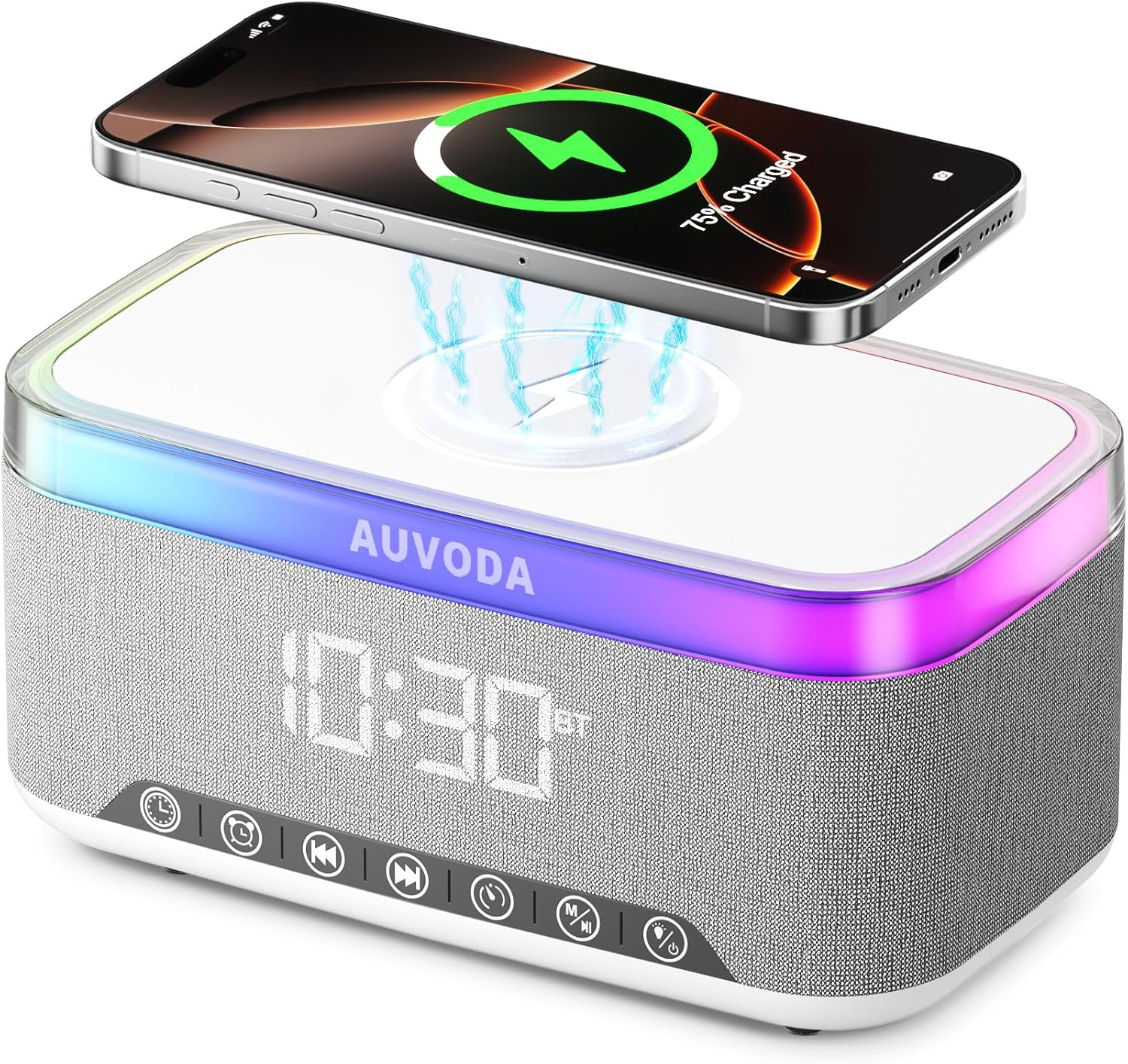
Figure 5.2: Wireless Charging in Action
A smartphone is shown wirelessly charging on the top surface of the Auvoda S300 speaker, indicating active power transfer.
5.3 13-Color Night Light
- Press the Light Button to cycle through the 13 available color modes.
- The light can be switched between different types (solid colors, color cycles), but its brightness cannot be adjusted.

Figure 5.3: Night Light Ambiance
The Auvoda S300 speaker illuminated with its multi-color night light, creating ambient lighting in a room.
5.4 Smart Alarm & Digital Clock
- To set an alarm, press and hold the Alarm Button. Use the Previous/Next Track buttons to adjust the hour and minutes, and press the Alarm Button to confirm each step.
- The speaker offers 8 alarm sounds and a sleep timer function.
- The digital clock display has a 'Daily Mode' (6 AM to 6 PM) with maximum brightness and an 'Eye Care Mode' (6 PM to 6 AM) where the display dims automatically.
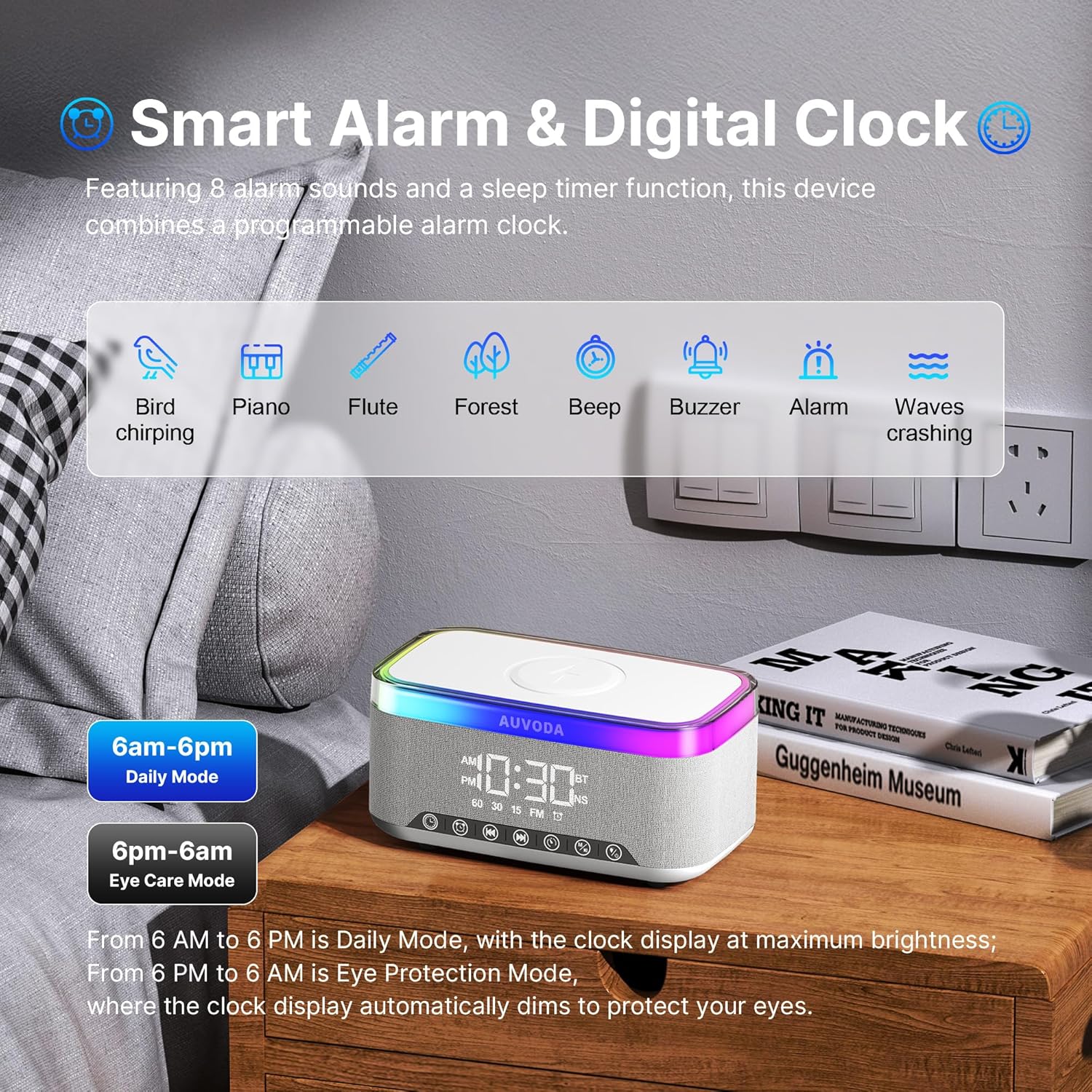
Figure 5.4: Alarm and White Noise Features
An illustration of the Auvoda S300 speaker's digital alarm clock and the various white noise sound options available for improved sleep and focus.
5.5 White Noise & FM Radio
- Press the Mode Button (M) to cycle through modes until you reach White Noise or FM Radio.
- In White Noise mode, use the Previous/Next Track buttons to select from 7 soothing sounds.
- For FM Radio, insert the charging cable into the device (leaving the other end unconnected) to act as an antenna for better reception. Use the Previous/Next Track buttons to change stations.
5.6 Спалучэнне TWS (сапраўднае бесправадное стэрэа)
- To achieve expansive stereo sound, you can wirelessly pair two identical Auvoda S300 units.
- Пераканайцеся, што абодва дынамікі ўключаны і знаходзяцца ў рэжыме Bluetooth, але не падключаны да ніякіх прылад.
- On one speaker, press and hold the Play/Pause button until you hear a pairing prompt. The two speakers will automatically connect to each other.
- Once paired, connect your audio source to one of the speakers via Bluetooth as described in section 5.1.
6. Тэхнічнае абслугоўванне
- Працірайце дынамік мяккай сухой тканінай. Не выкарыстоўвайце абразіўныя ачышчальнікі або растваральнікі.
- Avoid exposing the device to extreme temperatures, direct sunlight, or moisture. The speaker has an IPX3 splash-resistant design, but it is not waterproof.
- Захоўвайце дынамік у прахалодным, сухім месцы, калі ён не выкарыстоўваецца працяглы час.
7. Выпраўленне непаладак
- Прылада не ўключаецца: Пераканайцеся, што акумулятар зараджаны. Падключыце дынамік да крыніцы харчавання з дапамогай кабеля Type-C, які ўваходзіць у камплект.
- Bluetooth не падключаецца: Ensure the speaker is in pairing mode (flashing 'BT'). Turn off and on Bluetooth on your source device. Make sure the speaker is not already connected to another device.
- Бесправадная зарадка не працуе: Verify the speaker is plugged into a power outlet with a 9V/2A adapter. Ensure your device is Qi-compatible and properly aligned on the charging pad. Remove any thick phone cases that might interfere.
- FM Radio poor reception: Insert the Type-C charging cable into the DC5V port to act as an external antenna.
- Alarm sounds randomly: Check alarm settings and ensure all unwanted alarms are deactivated.
8. Тэхнічныя характарыстыкі
| Асаблівасць | Дэталь |
|---|---|
| Марка | Auvoda |
| мадэль | S300 |
| Колер | Белы |
| Выхад ватtage | 16 watts (Dual 8W drivers) |
| Бесправадная зарадка | 15W Fast Wireless Charging (Qi-compatible) |
| Сувязь | Bluetooth 5.3 (A2DP), TF Card, 3.5mm AUX, USB-A |
| Ёмістасць батарэі | 3600mAh (6-8 hours playtime) |
| Начнік | 13-Color Dimmable |
| Памеры (Д х Ш х У) | 7.09" x 3.94" x 3.54" |
| Сумяшчальныя прылады | Smartphone, Computer, PC, Desktop, Laptop |
9. Гарантыя і падтрымка
The Auvoda S300 Bluetooth Speaker comes with a Гарантыя 1 год from the date of purchase. For technical support, troubleshooting assistance, or warranty claims, please contact Auvoda customer service or visit the official Auvoda store on Amazon: Auvoda Store.