
Уводзіны
Welcome to the user manual for your Rapoo EV310M Wireless Vertical Mouse. This ergonomic mouse is designed for comfort and efficiency, featuring multi-mode wireless connectivity and adjustable DPI settings. Please read this manual carefully to ensure proper setup and optimal performance.
Змест пакета
- Rapoo EV310M Wireless Vertical Mouse
- USB-прыёмнік (захоўваецца ўнутры мышы)
- Батарэя тыпу АА (папярэдне ўсталяваная або ўключаная ў камплект)
- Кароткае кіраўніцтва (гэты дакумент)
Прадукт скончаныview
Familiarize yourself with the components of your Rapoo EV310M mouse.
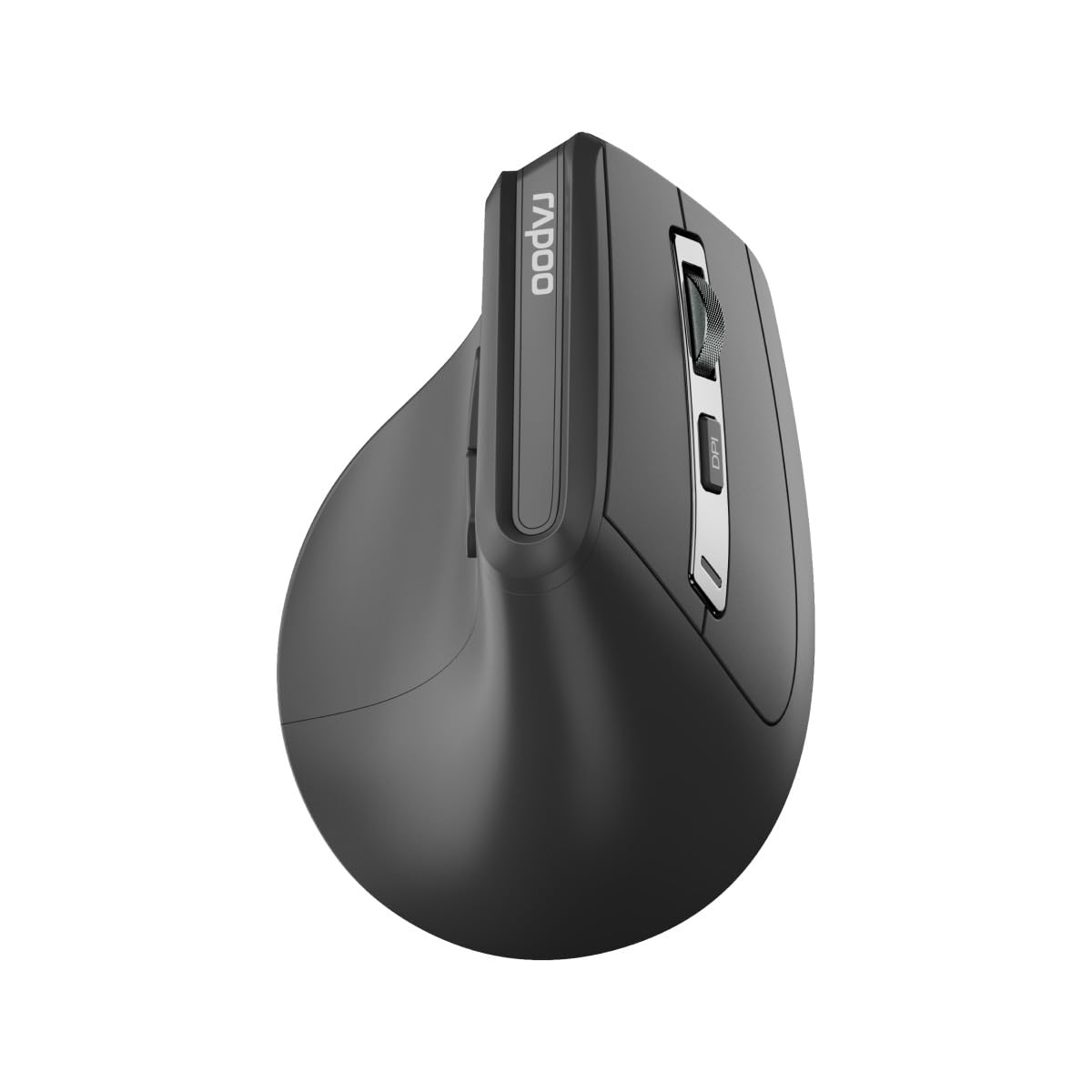
Выява: Уверсе view of the Rapoo EV310M Wireless Vertical Mouse, highlighting the scroll wheel and DPI button.
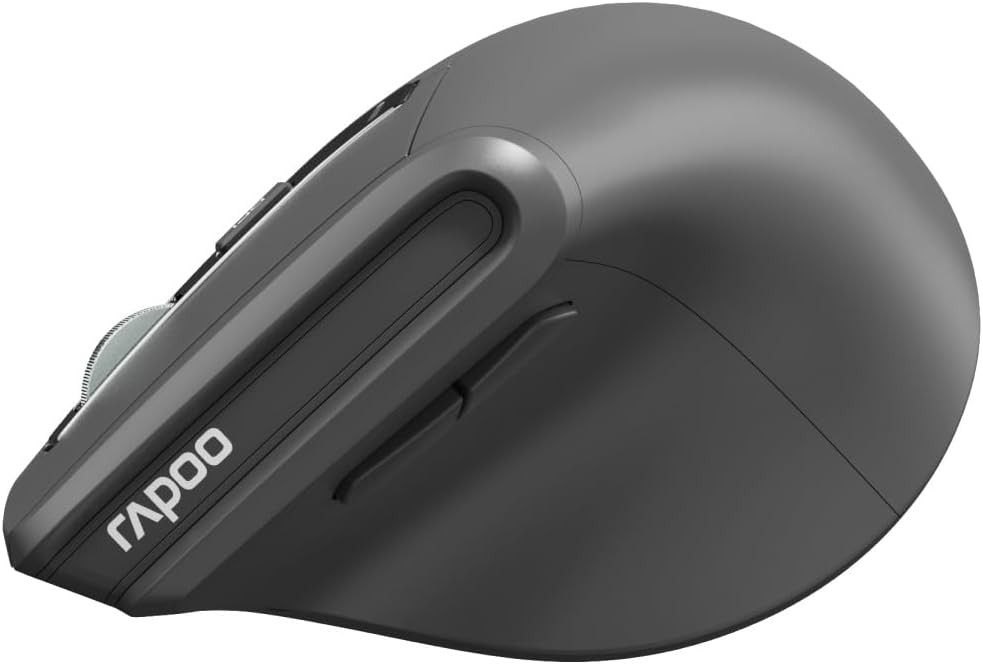
Выява: Збоку view of the Rapoo EV310M Wireless Vertical Mouse, showing the forward and backward navigation buttons.
Функцыі кнопак
- Левая кнопка мышы: Стандартная функцыя левага кліку.
- Правая кнопка мышы: Стандартная функцыя правай кнопкі мышы.
- Кола пракруткі: Scroll up/down, middle-click.
- Кнопка DPI: Рэгулюе адчувальнасць курсора (DPI).
- Кнопка "Наперад": Перамяшчаецца наперад web браўзэры або file даследчыкі.
- Кнопка "Назад": Пераходзіць назад у web браўзэры або file даследчыкі.
- Mode Switch Button/Indicator: Switches between 2.4GHz and Bluetooth modes.
Настройка
1. Устаноўка батарэі
- Знайдзіце батарэйны адсек на ніжняй баку мышы.
- Адкрыйце крышку батарэйнага адсека.
- Устаўце адну батарэйку тыпу АА, сачыце за правільнай палярнасцю (+/-).
- Зачыніце крышку батарэйнага адсека.
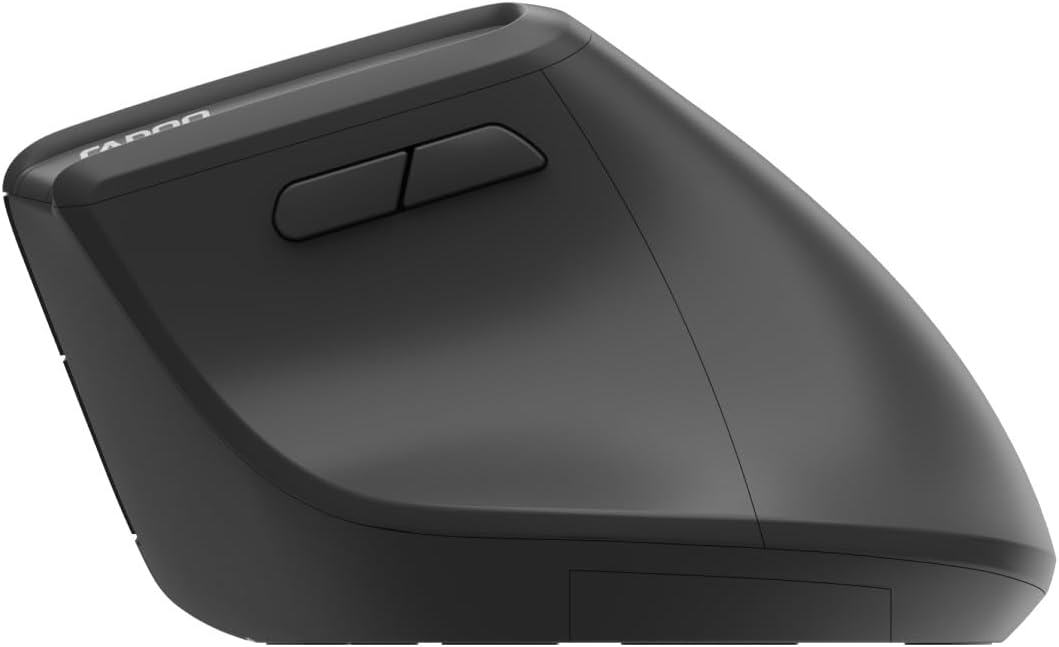
Image: Underside of the mouse, illustrating the battery compartment and the storage slot for the USB receiver.
2. Падключэнне мышы
The Rapoo EV310M supports multi-mode wireless connection: 2.4 GHz via USB receiver and Bluetooth 3.0/5.0.
2.1. Бесправадное злучэнне 2.4 ГГц
- Remove the USB receiver from its storage slot on the bottom of the mouse.
- Падключыце USB-прыёмнік да вольнага порта USB на вашым кампутары.
- Turn on the mouse using the power switch (usually on the bottom).
- The mouse should connect automatically. If not, press the mode switch button until the 2.4GHz indicator lights up.
2.2. Злучэнне Bluetooth
- Уключыце мышку.
- Press the mode switch button to select a Bluetooth channel (e.g., Bluetooth 1 or Bluetooth 2). The indicator light for the selected Bluetooth channel will start blinking slowly.
- Press and hold the mode switch button for 3 seconds until the indicator light blinks rapidly. This indicates the mouse is in pairing mode.
- На камп'ютары або прыладзе адкрыйце налады Bluetooth і знайдзіце новыя прылады.
- Select "RAPOO EV310M" from the list of available devices to pair.
- Once paired, the indicator light will stop blinking and remain solid for a few seconds before turning off.
Інструкцыя па эксплуатацыі
1. Рэгуляванне DPI
The DPI (Dots Per Inch) button allows you to adjust the cursor speed and sensitivity.
- Націсніце Кнопка DPI located on the top of the mouse to cycle through available DPI settings (e.g., 800, 1200, 1600, 2400 DPI).
- Each press will change the sensitivity, allowing you to find your preferred cursor speed.
2. Пераключэнне паміж падлучанымі прыладамі
The EV310M mouse can be paired with up to three devices (one 2.4GHz and two Bluetooth devices).
- Каб пераключыцца паміж падлучанымі прыладамі, проста націсніце кнопку кнопка пераключэння рэжымаў on the mouse.
- The indicator light will briefly show which channel (2.4G, BT1, BT2) is active.
Тэхнічнае абслугоўванне
Уборка
Для чысткі мышы выкарыстоўвайце мяккую сухую тканіну. Для ўстойлівага бруду злёгкуampПрацярыце тканіну вадой або мяккім ачышчальным растворам. Пазбягайце выкарыстання агрэсіўных хімікатаў або абразіўных матэрыялаў.
Замена батарэі
When the mouse performance degrades or the indicator light signals low battery, replace the AA battery following the installation steps in the Setup section.
Ліквідацыю непаладак
Мыш не рэагуе
- Праверце акумулятар: Пераканайцеся, што акумулятар правільна ўсталяваны і мае дастатковы зарад. Пры неабходнасці замяніце яго.
- Выключальнік сілкавання: Пераканайцеся, што мыш уключана.
- USB-прыёмнік: For 2.4GHz mode, ensure the USB receiver is securely plugged into a working USB port. Try a different port.
- Злучэнне Bluetooth: For Bluetooth mode, ensure Bluetooth is enabled on your device and the mouse is correctly paired. Re-pair if needed.
- Адлегласць: Ensure the mouse is within the effective operating range of your computer (typically 10 meters).
Рух курсора няўстойлівы
- Паверхня: Выкарыстоўвайце мыш на чыстай паверхні, якая не блішчыць. Рэкамендуецца выкарыстоўваць кілімок для мышы.
- Налада DPI: Adjust the DPI setting to a lower value if the cursor is too fast or jumpy.
- Чысціня датчыка: Check the optical sensor on the bottom of the mouse for any obstructions or dirt. Clean gently with a soft cloth.
Тэхнічныя характарыстыкі
| Асаблівасць | Дэталь |
|---|---|
| Марка | РАПОУ |
| Нумар мадэлі | EV310M |
| Тэхналогія падлучэння | Bluetooth (3.0, 5.0), 2.4 GHz Wireless |
| Адчувальнасць DPI | Рэгуляваная раздзяляльнасць 800-2400 DPI |
| Колькасць кнопак | 6 |
| Рука арыентацыі | Правша |
| Крыніца харчавання | Харчаванне ад батарэек (1x AA) |
| Тэрмін службы батарэі | Да 9 месяцаў |
| Сумяшчальнасць аперацыйнай сістэмы | ПК, Linux, Mac |
| Вага прадмета | 100 грамаў |
| Колер | Чорны |
Гарантыя і падтрымка
For warranty information or technical support, please refer to the official RAPOO webсайт або звярніцеся да мясцовага дылера. Захоўвайце чэк аб куплі для прэтэнзій па гарантыі.