
1. Уводзіны
Thank you for choosing the SOVMIKU Vicohome 2K Indoor Camera CA43. This camera is designed to provide reliable indoor security monitoring with advanced features such as 2K resolution, dual-band Wi-Fi connectivity (2.4GHz and 5GHz), AI tracking, two-way audio, and night vision. This manual will guide you through the setup, operation, and maintenance of your device to ensure optimal performance.

Image: The SOVMIKU Vicohome 2K Indoor Camera CA43, a compact white security camera with a black lens, designed for indoor use.
2. Змесціва ўпакоўкі
Калі ласка, праверце ўпакоўку на наяўнасць наступных прадметаў:
- Vicohome 2K Indoor Camera CA43
- Адаптар сілкавання
- Кабель харчавання USB-C
- Мантажны камплект (шрубы і анкеры)
- Кіраўніцтва па эксплуатацыі

Image: A close-up of the SOVMIKU Vicohome 2K Indoor Camera CA43, its power adapter, and mounting accessories, laid out on a white surface.
3. Прадукт скончыўсяview
The Vicohome CA43 camera features a compact design with a pan/tilt head for wide coverage. Key components include:
- Аб'ектыў: 2K (3MP) resolution for clear video.
- Інфрачырвонае святло: For night vision capabilities.
- Мікрафон і дынамік: Для двухбаковай гукавой сувязі.
- Кнопка скіду: Used for device reset during setup or troubleshooting.
- Слот для карты Micro SD: Падтрымлівае да 128 ГБ для лакальнага захоўвання.
- Порт USB-C: Для падключэння электраэнергіі.
- Светлавы індыкатар стану: Provides device status feedback.

Image: A diagram highlighting the microphone, infrared light, lens, speaker, and charge port on the Vicohome CA43 camera.
4. Кіраўніцтва па наладцы
Follow these steps to set up your SOVMIKU Vicohome 2K Indoor Camera CA43:
- Уключэнне: Connect the camera to a power source using the provided USB-C cable and power adapter. The camera will power on automatically.
- Скінуць камеру: Locate the reset button (usually near the Micro SD card slot). Press and hold the reset button for approximately 6 seconds until you hear an audible prompt indicating the camera is resetting.
- Download the Vicohome App:
- For Android devices, search for "Vicohome" in the Google Play Store.
- For iOS devices, search for "Vicohome" in the Apple App Store.
- Спампаваць і ўсталяваць праграму.
- Create/Sign In to Account: Open the Vicohome app. If you are a new user, sign up for a new account. If you already have an account, sign in using your credentials.
- Дадаць прыладу:
- У дадатку націсніце значок «+» у правым верхнім куце, каб дадаць новую прыладу.
- Select "Add a new device" and choose the "Plug-in device" option.
- Confirm that you hear a sound from the camera and proceed to the next step.
- Падключыцеся да Wi-Fi:
- The app will prompt you to select your home Wi-Fi network (supports 2.4GHz and 5GHz).
- Enter your Wi-Fi password and confirm.
- The camera will attempt to connect to the network. Once connected, you will hear a confirmation sound and the app will indicate "Connection succeeded".
- Назавіце сваю прыладу: Assign a name to your camera (e.g., "Living Room Camera", "Baby Monitor").
- Set Home & Location: Choose or add a home location for your camera within the app.
- Пачаць маніторынг: Once the device is successfully added, you can start viewing the live feed and access all camera features.
Video: Official installation guide for the CA43 camera, demonstrating power-on, reset, app download, Wi-Fi connection, and device naming steps.
5. Інструкцыя па эксплуатацыі
5.1 У прамым эфіры View і прайграванне
- Open the Vicohome app and select your camera to view жывы канал.
- Use the on-screen controls to pan (horizontal) and tilt (vertical) the camera for a 360° view.
- Доступ да запісанага footage from the "Library" or "Playback" section in the app.

Image: A smartphone screen displaying the Vicohome app with live feeds from multiple cameras, illustrating multi-device monitoring.
5.2 Двухбаковае аўдыё
- З прамога эфіру view, націсніце значок мікрафона, каб гаварыць праз дынамік камеры.
- Tap the speaker icon to hear audio from the camera's environment.

Image: A split image showing two children playing in a kitchen on one side, and a person interacting with the camera via the Vicohome app's two-way audio feature on a smartphone on the other side.
5.3 Motion Detection & AI Tracking
- Уключыце выяўленне руху ў наладах праграмы, каб атрымліваць апавяшчэнні пры выяўленні руху.
- The AI tracking feature allows the camera to automatically follow detected motion within its field of view.
- Customize detection sensitivity and activity zones for precise monitoring.

Image: A white cat walking on a piano, with red tracking boxes overlaid, demonstrating the camera's motion tracking capabilities.
5.4 Экстраны SOS
- The camera features a one-touch SOS call button. Pressing this button will immediately contact pre-set emergency contacts through the app.
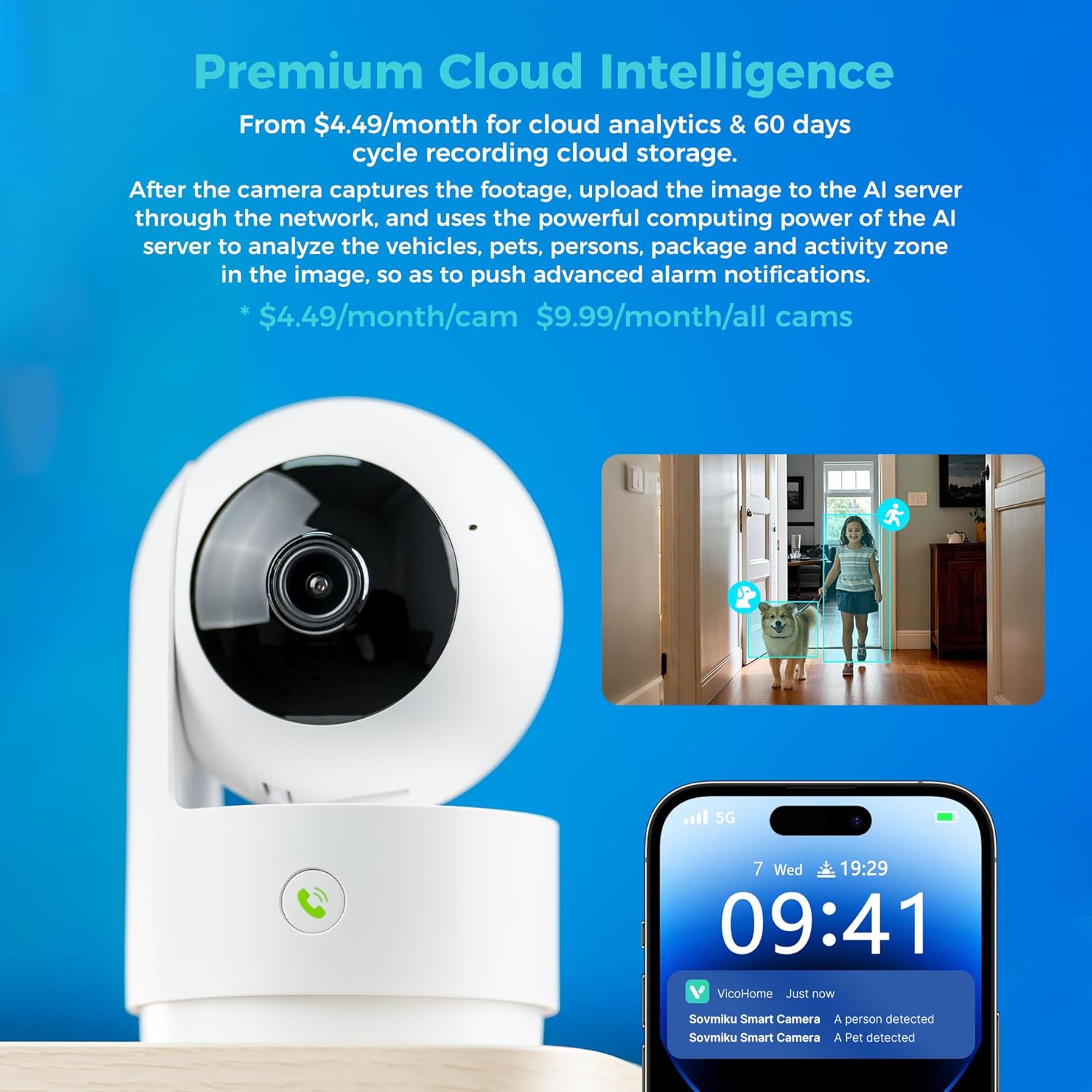
Image: A hand pressing the emergency SOS button on the camera, with a smartwatch showing an incoming call from the Vicohome app, indicating the emergency alert feature.
5.5 Рэжым прыватнасці
- Activate Privacy Mode in the app to physically hide the camera lens, ensuring privacy when monitoring is not desired.

Image: Two Vicohome cameras side-by-side, one in normal operating mode and the other in privacy mode with its lens retracted, demonstrating the privacy feature.
6. Асаблівасці
- Разрозненне 2K: Захоплівае выразнае і падрабязнае відэа footage (3MP effective still resolution).
- Двухдыяпазонны Wi-Fi: Supports both 2.4GHz and 5GHz Wi-Fi networks for flexible connectivity.
- Паварот/нахіл на 360°: Прапануе шырокі viewing angle with horizontal (83.5°), vertical (44°), and diagonal (59.2°) movement.
- Адсочванне AI: Automatically detects and follows human or pet movement.
- Двухбаковы аўдыё: Communicate with individuals near the camera using the built-in microphone and speaker.
- Начное бачанне: Equipped with infrared LEDs for clear black and white video in low-light conditions.
- Лакальнае і воблачнае сховішча: Supports Micro SD card up to 128GB for local storage and offers optional cloud storage services.
- Экстраны SOS: One-touch call feature for immediate contact in emergencies.
- Рэжым прыватнасці: Physically hides the camera lens for enhanced privacy.
- Seamless Vicohome App Compatibility: Integrates with existing Vicohome devices for unified management.

Image: The Vicohome camera with example images demonstrating its 3MP resolution, showing clear details of a dog and a child in a home setting.

Image: A graphic illustrating the Vicohome camera's compatibility with both 2.4GHz and 5GHz dual-band Wi-Fi networks.

Image: A hand inserting a Micro SD card into the camera, with icons for 128GB storage and cloud storage, indicating local and cloud storage options.
7. Тэхнічнае абслугоўванне
- Уборка: Выкарыстоўвайце мяккую сухую тканіну для чысткі аб'ектыва і корпуса камеры. Пазбягайце выкарыстання абразіўных ачышчальнікаў або растваральнікаў.
- Абнаўленні прашыўкі: Regularly check the Vicohome app for available firmware updates to ensure your camera has the latest features and security enhancements.
- крыніца харчавання: Ensure the camera is connected to a stable power source. Use only the provided power adapter or a compatible replacement.
- Размяшчэнне: Place the camera in a location where it has a clear view and is protected from extreme temperatures or direct moisture.
8. Выпраўленне непаладак
- Камера не падключаецца да Wi-Fi:
- Ensure your Wi-Fi password is correct and the camera is within range of your router.
- Паспрабуйце перазагрузіць камеру і паўтарыць працэс налады.
- Verify your router supports 2.4GHz or 5GHz Wi-Fi and is not using a hidden SSID.
- Няма Live View:
- Check your internet connection and ensure the camera is powered on.
- Restart the Vicohome app.
- Папярэджанні аб руху не атрыманы:
- Verify motion detection is enabled in the app settings.
- Праверце налады апавяшчэнняў праграм на вашым смартфоне.
- Праблемы з двухбаковым гукам:
- Ensure microphone and speaker permissions are granted to the Vicohome app on your phone.
- Check the volume settings on both the app and your phone.
9. Тэхнічныя характарыстыкі
| Асаблівасць | Дэталь |
|---|---|
| Рэкамендуемае выкарыстанне | Ахова ў памяшканні |
| Марка | SOVMIKU |
| Назва мадэлі | CA43 |
| Тэхналогія падлучэння | Wi-Fi (2.4 ГГц і 5 ГГц) |
| Асаблівасць | Adjustable, AI Tracking, Two-Way Audio, Night Vision, SOS Call, Privacy Mode |
| Выкарыстанне ў памяшканні/на вуліцы | У памяшканні |
| Сумяшчальныя прылады | iOS, Android, iPad OS |
| Метад кантролю | дадатак |
| Крыніца харчавання | Правадная электрычная |
| Эфектыўнае рашэнне | 3 МП (2K) |
| Кадзіроўка відэа | H.265 |
| Тып флэш-памяці | Micro SD |
| Max Flash Memory Supported | 128 ГБ |
| Вага прадмета | 1.5 фунта |
| Матэрыял | ПВХ |
10. Гарантыя і падтрымка
- Гарантыя: The product comes with a 1-Year Manufacturer Warranty.
- Палітыка абмену: Enjoy a 180-Day No-Risk Guarantee, backed by a 6-month replacement promise for defects.
- Падтрымка кліентаў: Free expert support is available 24/7 to assist with any questions or issues.
For further assistance, please refer to the contact information provided in your product packaging or through the Vicohome app.