
1. Уводзіны
This manual provides essential information for the safe and efficient operation of your Lisowod L03Pro Projector. Please read it thoroughly before using the device and retain it for future reference. The Lisowod L03Pro is a smart projector designed for versatile entertainment, featuring advanced AI auto-setup, extensive streaming capabilities, and high-quality audio-visual performance.

Выява 1.1: Спераду view of the Lisowod L03Pro Projector.
2. Інфармацыя па бяспецы
- Не блакуйце вентыляцыйныя адтуліны. Забяспечце дастатковую цыркуляцыю паветра вакол праектара, каб пазбегнуць перагрэву.
- Пазбягайце прамога траплення ў вочы аб'ектыва праектара падчасamp уключаны.
- Трымайце праектар далей ад вады або іншых вадкасцей.
- Выкарыстоўвайце толькі адаптар сілкавання, які пастаўляецца з прыладай.
- Do not attempt to disassemble or repair the projector yourself. Contact customer support for assistance.
- Захоўваць у месцах, недаступных дзецям.
3. Змесціва ўпакоўкі
Праверце, ці ёсць усе прадметы ў скрынцы:
- L03Pro Mini Projector (x1)
- Remote (x1, batteries not included)
- Кабель HDMI (x1)
- Кіраўніцтва карыстальніка (x1)
- Набор для ўборкі (x1)
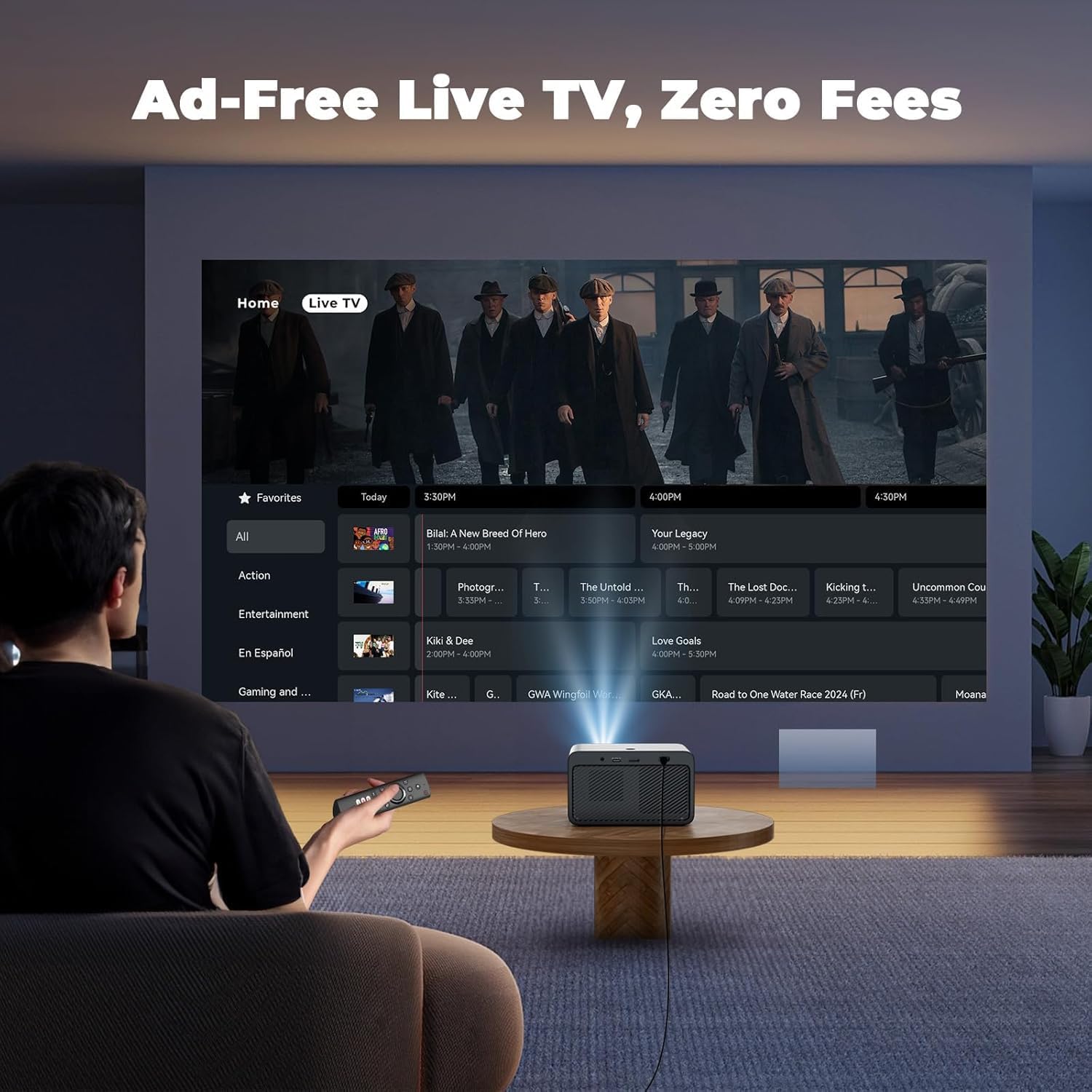
Image 3.1: Lisowod L03Pro Projector and included accessories.
4. Прадукт скончыўсяview
4.1. Кампаненты
- Праекцыйны аб'ектыў: Выпраменьвае выяву.
- ІЧ-прыёмнік: Для сігналаў дыстанцыйнага кіравання.
- Кнопка харчавання: Каб уключыць/выключыць праектар.
- Рашоткі дынамікаў: Інтэграваны аўдыёвыхад.
- Вентыляцыйныя адтуліны: Для адводу цяпла.
4.2. Парты і падключэнні
- Порт HDMI: Connect to external devices like gaming consoles, laptops, or TV sticks.
- Парты USB: For media playback from USB drives or connecting peripherals.
- 3.5 мм аўдыяраз'ём: Для падлучэння знешніх навушнікаў або дынамікаў.
- Спажываная магутнасць: Падключыце адаптар сілкавання.
Малюнак 4.1: ззаду view паказ партоў падключэння.
5. Настройка
5.1. Падключэнне сілкавання
- Падключыце адаптар сілкавання да ўваходнага порта сілкавання праектара.
- Падключыце адаптар сілкавання да насценнай разеткі.
- Націсніце кнопку харчавання на праектары або пульце дыстанцыйнага кіравання, каб уключыць яго.
5.2. Пачатковая налада
- Upon first power-on, select your preferred language.
- Connect to your Wi-Fi network by selecting it from the list and entering the password. The projector supports Wi-Fi 6 for faster streaming.
5.3. Placement and Image Adjustment
The L03Pro features an AI Auto-Setup System for quick image optimization:
- AI Auto-Focus: The projector automatically adjusts focus for a clear image.
- Аўтаматычная карэкцыя трапецеідальных скажэнняў: Automatically corrects trapezoidal distortion to achieve a rectangular image.
- Аўтаматычнае пазбяганне перашкод: Detects and adjusts the projection to avoid obstacles on the wall.
- Аўтаматычнае выраўноўванне экрана: Optimizes the image to fit the screen area.
- Automatic Placement Adjustment: Corrects image orientation even if the projector is placed upside down.
For manual adjustments, navigate to the settings menu:
- Ручная карэкцыя трапецеідальных скажэнняў: Fine-tune the image shape if needed.
- Zoom & Shift: Adjust the image size and position on the screen.

Image 5.1: AI Auto-Setup System in action.

Image 5.2: Auto Screen Alignment for a perfect fit.

Image 5.3: Auto Obstacle Avoidance feature.

Image 5.4: Zoom & Shift for precise screen placement.
6. Інструкцыя па эксплуатацыі
6.1. Навігацыя і карыстальніцкі інтэрфейс
The projector operates on CinemOS, offering a smooth, phone-like user interface. Use the provided remote control to navigate through menus and select options.

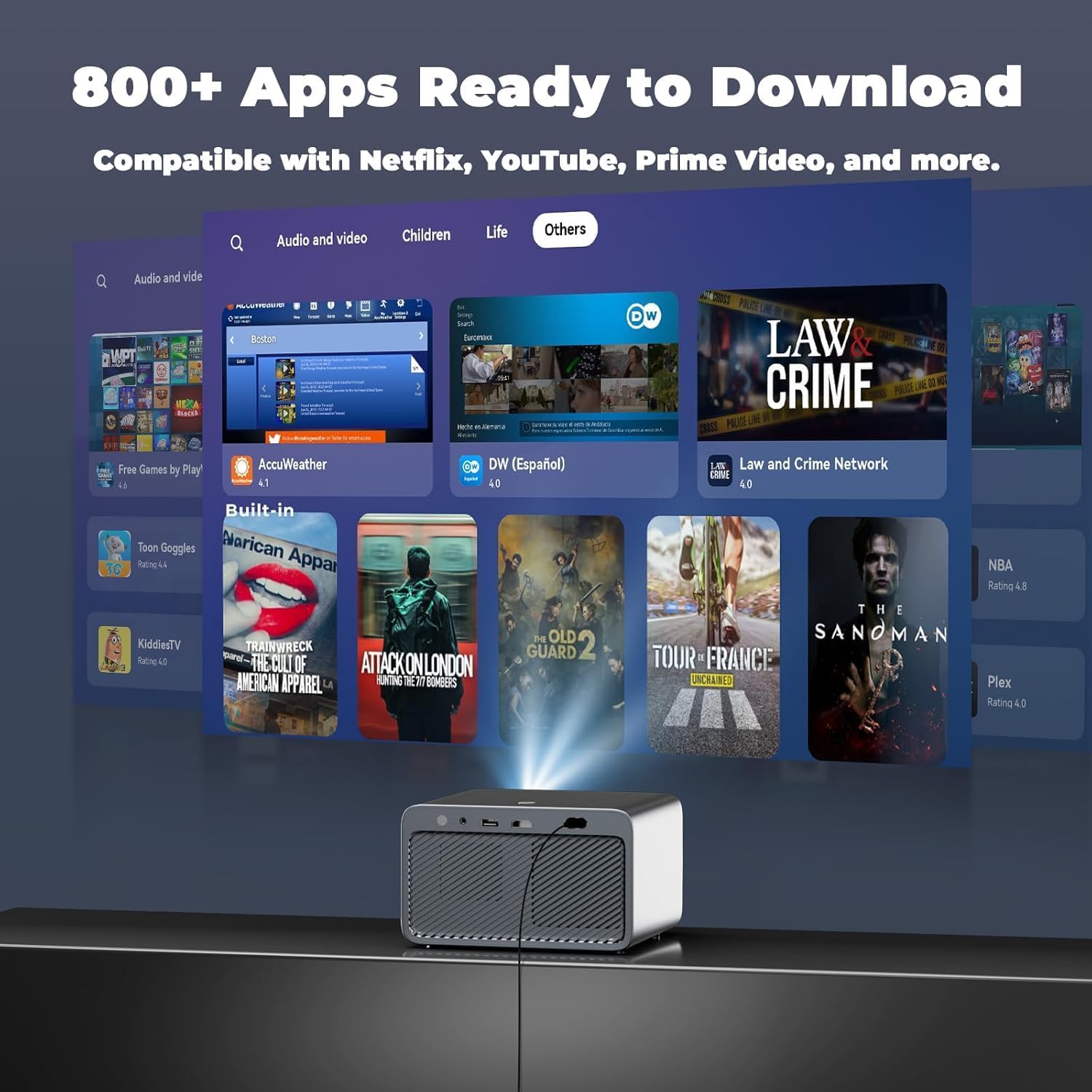
Image 6.1: Home screen displaying available applications.
6.2. Streaming Apps and Live TV
The L03Pro comes with pre-installed apps and access to an app store with over 800 applications, including Netflix, YouTube, Prime Video, and Apple TV. It also offers over 1,000 free live TV channels without ads or subscriptions.
- Select the desired app from the home screen to start streaming.
- Access Live TV channels through the dedicated Live TV section.
- Use Live TV Favorites to save and quickly access your preferred channels.
Video 6.1: Demonstration of Lisowod L03Pro's 800+ apps and 1000 free live channels.

Image 6.2: User interface for Live TV channels.
6.3. Media Playback and Screen Mirroring
- Connect USB drives to play local media files.
- Use the Projection Assistant for screen mirroring from your smartphone or tablet.
6.4. Налады гуку
The projector features Dolby Audio technology and 2*15W HiFi speakers. For external audio:
- Connect Bluetooth 5.2 enabled speakers or headphones for lag-free audio.
- Utilize the 3.5mm audio jack for wired connections.
- Bluetooth Volume Sync: Automatically matches speaker and projector volume.
- Smart Sound Balance: Prevents jarring loud jumps in audio.

Image 6.3: Enhanced audio experience with Bluetooth and Dolby.
6.5. Налады выявы
The L03Pro supports native 1080P resolution with 4K playback and AI image boost.
- Adjust picture modes (Vivid, Standard, Sport, Movie, Game, Custom) to suit your content.
- Customize brightness, contrast, saturation, sharpness, and color temperature.
- LCD Pro wide color gamut and 98% NTSC color coverage ensure vibrant visuals.

Image 6.4: Customize your movie-specific colors.
6.6. Рэжым гульні
Activate Game Mode for ultra-low lag performance during gaming sessions.

Image 6.5: Game Mode for an optimized gaming experience.
6.7. Browser Functionality
Use the built-in browser for full-screen web browsing. You can scan a QR code to turn your phone into a touchpad for easier navigation.

Image 6.6: Open Browser with phone control via QR code.
6.8. Кантроль ЦВК
Control multiple CEC-supported external devices (e.g., TV sticks, PS4) with the projector's single remote via HDMI connection.

Image 6.7: CEC Control for unified remote operation.
7. Тэхнічнае абслугоўванне
7.1. Уборка
- Аб'ектыў: Use the provided cleaning cloth and brushes to gently clean the lens. Avoid abrasive materials.
- Знешні выгляд: Працярыце знешнія паверхні праектара мяккай сухой тканінай.
- Вентыляцыйныя адтуліны: Ensure vents are clear of dust and debris for optimal performance.
7.2. Маніторынг тэмпературы
The projector features a smart temperature display to ensure long-lasting performance. If the temperature exceeds safe limits, the projector may automatically shut down to prevent damage.

Image 7.1: Real-Time Temperature Monitoring for safety.
7.3. Захоўванне
When not in use, store the projector in a cool, dry place. The built-in lens cover protects the lens from dust.

Image 7.2: Compact design with lens protection.
8. Выпраўленне непаладак
| выпуск | Магчымая прычына | Рашэнне |
|---|---|---|
| Няма выявы або выява размытая | Incorrect focus, keystone, or placement. | Use AI Auto-Setup or manually adjust focus/keystone. Ensure projector is placed correctly. |
| Няма гуку | Volume too low, external speakers not connected, or audio settings incorrect. | Increase volume. Check Bluetooth connection or 3.5mm audio cable. Verify audio output settings. |
| Немагчыма падключыцца да Wi-Fi | Няправільны пароль, па-за зонай дзеяння сеткі або праблема з сеткай. | Re-enter password. Move closer to router. Restart router. |
| Пульт дыстанцыйнага кіравання не адказвае | Low batteries, IR path blocked. | Replace remote batteries (AAA). Ensure no obstacles between remote and projector. |
| Праектар пераграваецца і выключаецца | Blocked ventilation, prolonged use in high temperatures. | Ensure vents are clear. Allow projector to cool down. Use in a well-ventilated area. |
9. Тэхнічныя характарыстыкі
| Асаблівасць | Апісанне |
|---|---|
| Марка | Лісавод |
| Нумар мадэлі | L03Pro |
| Дазвол дысплея | Native 1920 x 1080 (1080P), 4K Support |
| Яркасць | 1800 прасветаў ANSI |
| Каляровае пакрыццё | 98% NTSC |
| Аперацыйная сістэма | CinemOS (with 800+ apps, 1000+ live TV channels) |
| Працэсар | Flagship LX3 chip |
| Сувязь | Wi-Fi 6, Bluetooth 5.2, HDMI, USB, 3.5mm Jack, IR |
| Аўдыё | Dolby Audio, 2*15W HiFi Speakers |
| Асаблівасці | AI Auto Focus, Auto Keystone Correction, Auto Obstacle Avoidance, Auto Screen Alignment, Automatic Placement Adjustment, CEC Control, Game Mode, Smart Temperature Display, Built-in Browser, Customizable Screensaver, Live TV Favorites |
| Жыццё крыніцы святла | 100,000 гадзіны |
| Памеры | 8.3 х 7.4 х 7.0 цалі |
| Вага | 3.5 фунта |

Image 9.1: Visual representation of 1080P and 4K support.
Відэа 9.2: Скончанаview of the L03Pro's features and capabilities.
Video 9.3: Demonstration of the L03Pro's true 1080P resolution and color accuracy.
Video 9.4: Cinematic projection demo showcasing immersive visuals.
10. Гарантыя і падтрымка
Lisowod is committed to providing ongoing support and assistance for your L03Pro projector. For any inquiries or technical support, please contact:
электронная пошта: support_us@lisowod.com
Калі ласка, звярніцеся да дакументацыі па куплі, каб атрымаць падрабязную інфармацыю аб гарантыі.