
1. Прадукт скончыўсяview
This manual provides detailed instructions for the assembly, operation, and maintenance of your Simple Deluxe 47-inch L-Shaped Gaming Desk. Designed for versatility, this desk features integrated power outlets, USB charging ports, three fabric storage drawers, and two open shelves, making it suitable for gaming, home office, or study environments.
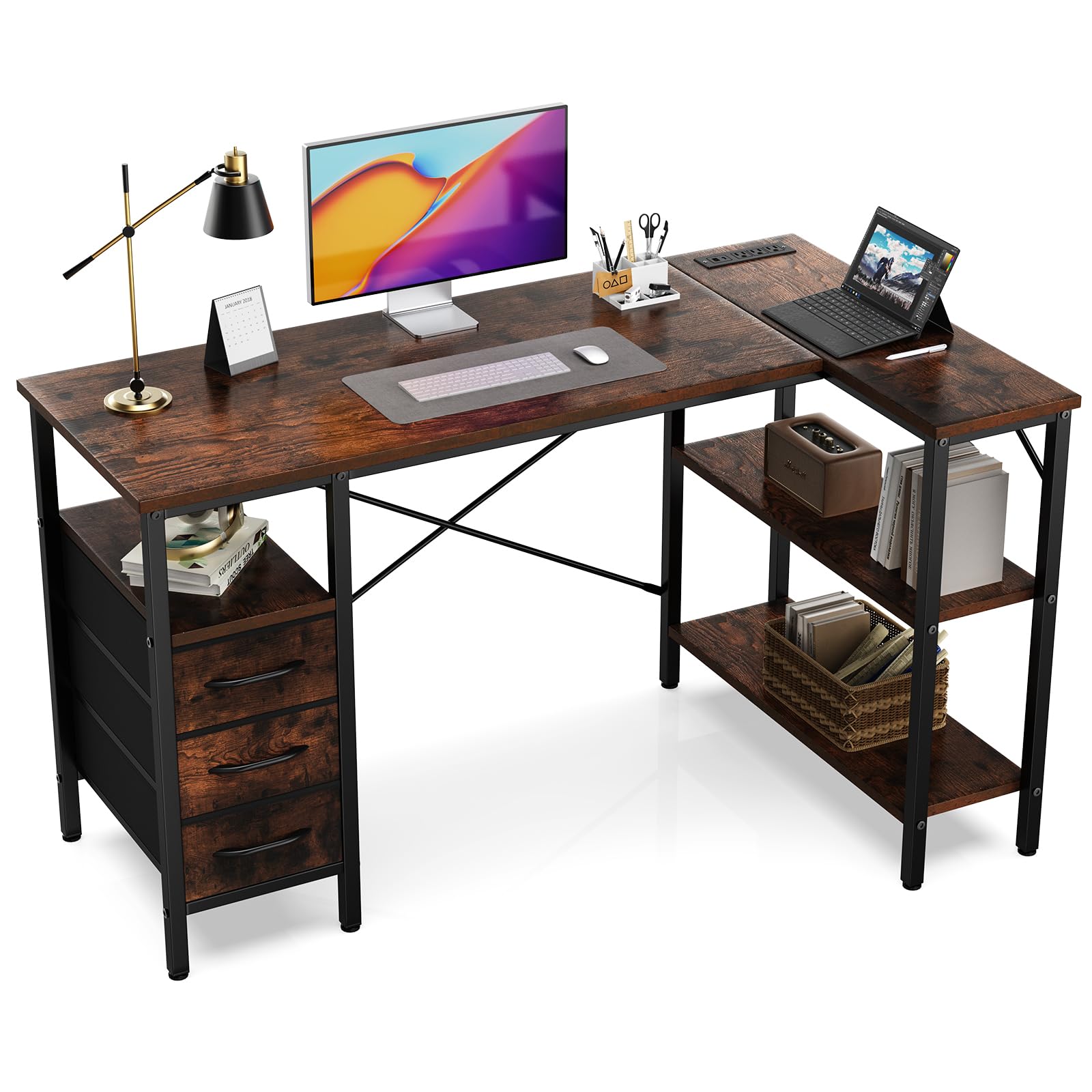
Figure 1: Fully assembled Simple Deluxe L-Shaped Gaming Desk.
2. Інфармацыя па бяспецы
- Заўсёды збірайце стол на мяккай, чыстай паверхні, каб пазбегнуць драпін.
- Перад выкарыстаннем пераканайцеся, што ўсе шрубы і крапежныя элементы надзейна зацягнуты.
- Do not overload the desk or shelves beyond the recommended weight capacity of 220 pounds (100 kg).
- Трымайце дзяцей і хатніх жывёл далей ад зоны збору.
- Выкарыстоўвайце для зборкі толькі прадастаўленыя інструменты і прыстасаванні.
- For electrical safety, do not expose the power outlets to moisture.
3. Змесціва ўпакоўкі
Перад зборкай пераканайцеся, што ўсе пералічаныя ніжэй кампаненты ёсць у наяўнасці і не пашкоджаны. Калі якія-небудзь дэталі адсутнічаюць або пашкоджаныя, звярніцеся ў службу падтрымкі кліентаў.
| частка | Апісанне | Колькасць |
|---|---|---|
| Desk Panels | Main desktop, L-shaped extension, shelf boards | Розныя |
| Кампаненты металічнага каркаса | Legs, support bars, cross braces | Розныя |
| Power Outlet Module | Integrated AC outlets and USB ports | 1 |
| Тканкавыя скрыні | Складныя скрыні для захоўвання | 3 |
| Абсталяванне | Шрубы, шасцігранны ключ і г.д. | 1 камплект |

Малюнак 2: Закончанаview of desk dimensions and main components.
4. Інструкцыя па зборцы
Follow these steps carefully for proper assembly. It is recommended that one person assembles the desk.
4.1. Відэагід
Video 1: Detailed assembly guide for the L-Shaped Desk with Shelf Drawers. This video demonstrates each step of the assembly process, from frame construction to drawer installation and power outlet integration.
4.2. Step-by-Step Guide
- Assemble the Main Desk Frame:
Connect the metal frame components using the provided screws and Allen wrench. Ensure all connections are firm. Pay attention to the orientation of the pieces as shown in the diagrams.

Figure 3: Initial assembly of the desk's metal frame structure.
- Attach the Shelf Boards:
Insert the shelf boards into the designated slots on the frame. Secure them with screws. Note that the height of some shelves may be adjustable to suit your needs.

Figure 4: Securing the shelf boards within the metal frame.
- Install the Desktop Panels:
Carefully place the main desktop and the L-shaped extension panel onto the assembled frame. Align the pre-drilled holes and secure them with screws. Ensure the power outlet cutout is correctly positioned.

Figure 5: Placing and securing the desktop surfaces.
- Integrate the Power Outlet Module:
Insert the power outlet module into its designated cutout on the desktop. Secure it with the provided screws. Connect the power cable as instructed.

Figure 6: Securing the power outlet module into the desktop.
- Assemble and Insert Fabric Drawers:
Unfold the fabric drawers and insert the bottom panel to give them shape. Attach the handles. Slide the assembled drawers into their respective compartments under the desk.
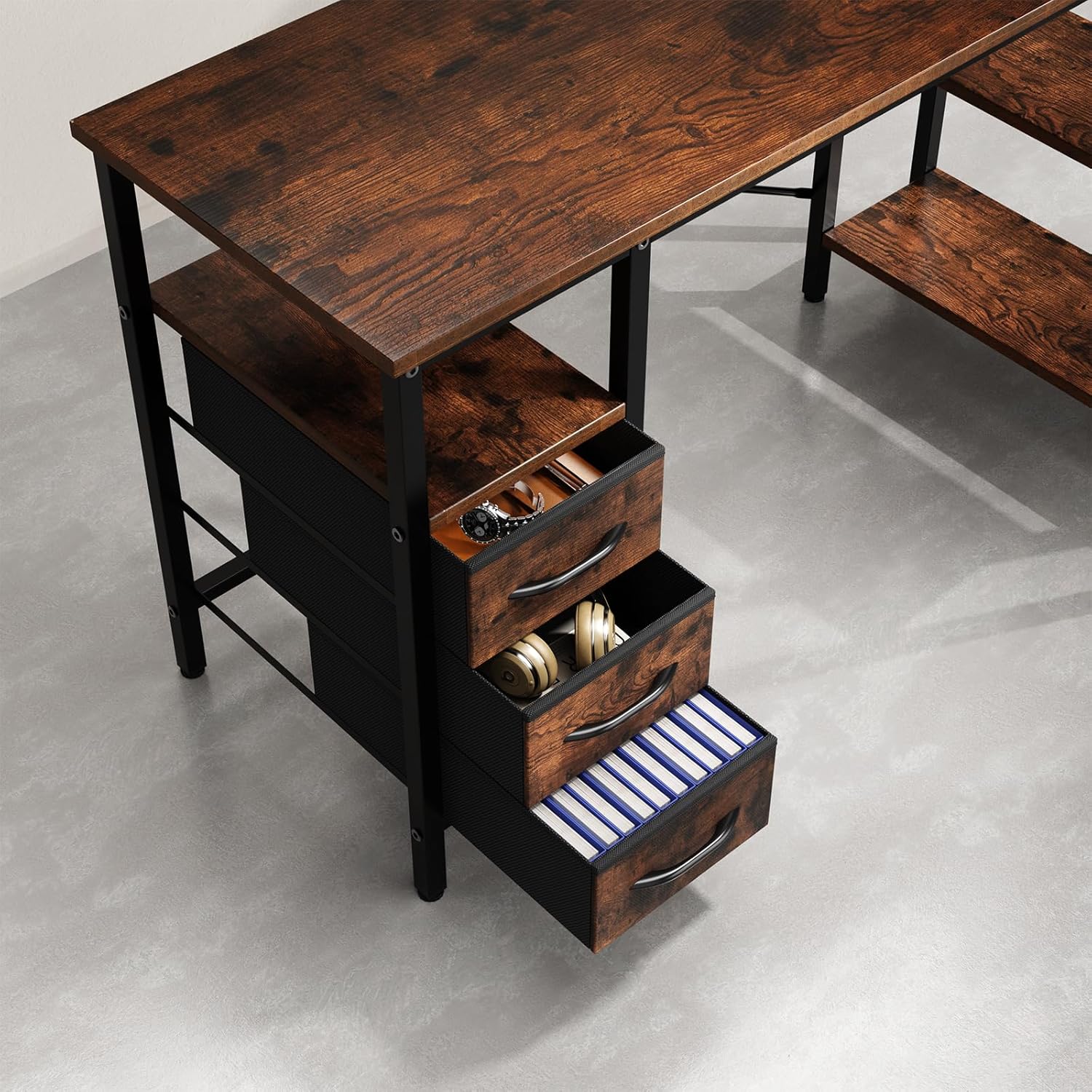
Figure 7: Fabric drawers providing ample storage for office supplies and accessories.
5. Інструкцыя па эксплуатацыі
5.1. Using the Integrated Power Outlets
- Plug the desk's main power cord into a standard wall outlet.
- The integrated power strip provides three AC outlets and two USB charging ports.
- Connect your devices (monitors, laptops, phones, etc.) to the appropriate outlets.
- Ensure devices are compatible with the power specifications (120V AC, 60Hz, 12A max).
6. Тэхнічнае абслугоўванне
- Уборка: Працярыце паверхні стала рэкламайamp тканінай. Пазбягайце агрэсіўных хімічных рэчываў або абразіўных ачышчальнікаў, якія могуць пашкодзіць пакрыццё.
- Праверка абсталявання: Перыядычна правярайце ўсе шрубы і крапежныя элементы, каб пераканацца, што яны зацягнуты. Пры неабходнасці падцягвайце іх для падтрымання ўстойлівасці.
- Электрабяспека: Inspect the power cord and outlets for any signs of damage. Discontinue use and contact customer support if damage is found.
- Сыход за скрыняй: The fabric drawers can be spot cleaned with a mild detergent. Allow them to air dry completely before reinserting.
7. Выпраўленне непаладак
| праблема | Магчымая прычына | Рашэнне |
|---|---|---|
| Стол хісткі. | Аслабленыя шрубы або няроўная падлога. | Check and tighten all screws. Adjust the leveling feet on the bottom of the desk legs if applicable. |
| Не працуюць разеткі. | Desk not plugged in, circuit breaker tripped, or faulty module. | Ensure the desk's power cord is securely plugged into a working wall outlet. Check your home's circuit breaker. If issues persist, contact customer support. |
| Шуфляды не слізгаюць плаўна. | Drawers are fabric and not designed to slide on rails. | The drawers are fabric storage bins designed to fit into compartments, not to slide on metal rails. Ensure they are properly shaped and inserted. |
8. Тэхнічныя характарыстыкі
- Марка: Просты люкс
- Нумар мадэлі: D-D3BCL01-47IN-RUST
- Форма: L-форма
- Памеры прадукту: 18.5" Г x 47.2" Ш x 29.7" У
- колер: Вясковы карычневы
- матэрыял: Інжынерная драўніна, метал
- Колькасць скрынь: 3
- Колькасць паліц: 2
- Максімальны вага Рэкамендацыя: 220 фунта
- Разеткі: Integrated AC outlets and USB ports
- Патрабуецца зборка: Yes (Recommended 1 person)
- Інструкцыі па догляду: Выцерці Damp Тканіна
9. Гарантыя і падтрымка
For warranty information, missing parts, or technical support, please contact Simple Deluxe customer service. Keep your purchase receipt and model number handy for faster service.
Наведайце ст Simple Deluxe Store каб атрымаць больш прадуктаў і інфармацыі.