
Уводзіны
This manual provides essential information for setting up, operating, and maintaining your Fusion5 A7 N6 23.8-inch All-in-One PC. Please read these instructions carefully before use and retain them for future reference.
The Fusion5 A7 N6 is a 23.8-inch Full HD All-in-One PC designed for home offices, students, and everyday users. It features a 1920x1080 FHD IPS display, an Intel N150 processor, 16GB DDR4 RAM, and a 512GB SATA SSD, running on Windows 11 Home.
Што ў скрынцы
- Fusion5 A7 N6 23.8" All-in-One PC
- Бесправадная клавіятура
- Бесправадная мыш
- Certified Power Adapter (12V/5A)
- Кіраўніцтва карыстальніка (гэты дакумент)
Настройка
- Распакаванне: Асцярожна выміце ўсе кампаненты з упакоўкі. Пераканайцеся, што ўсе прадметы, пералічаныя ў раздзеле «Камплектацыя», ёсць у наяўнасці.
- Размяшчэнне: Place the All-in-One PC on a stable, flat surface. Ensure adequate ventilation around the device.
- Падключэнне сілкавання: Connect the certified power adapter to the DC-in port on the back of the PC, then plug the adapter into a power outlet.
- Wireless Keyboard and Mouse Setup:
- Insert batteries (not included) into the wireless keyboard and mouse.
- Locate the USB receiver for the wireless keyboard and mouse. Plug it into an available USB port on the PC.
- The keyboard and mouse should automatically connect.
- Першапачатковае ўключэнне: Націсніце кнопку харчавання, якая звычайна знаходзіцца збоку або ззаду дысплея.
- Усталёўка Windows 11: Выконвайце інструкцыі на экране, каб завяршыць пачатковую наладу Windows 11 Home, у тым ліку мову, рэгіён, сеткавае падключэнне і стварэнне ўліковага запісу карыстальніка.
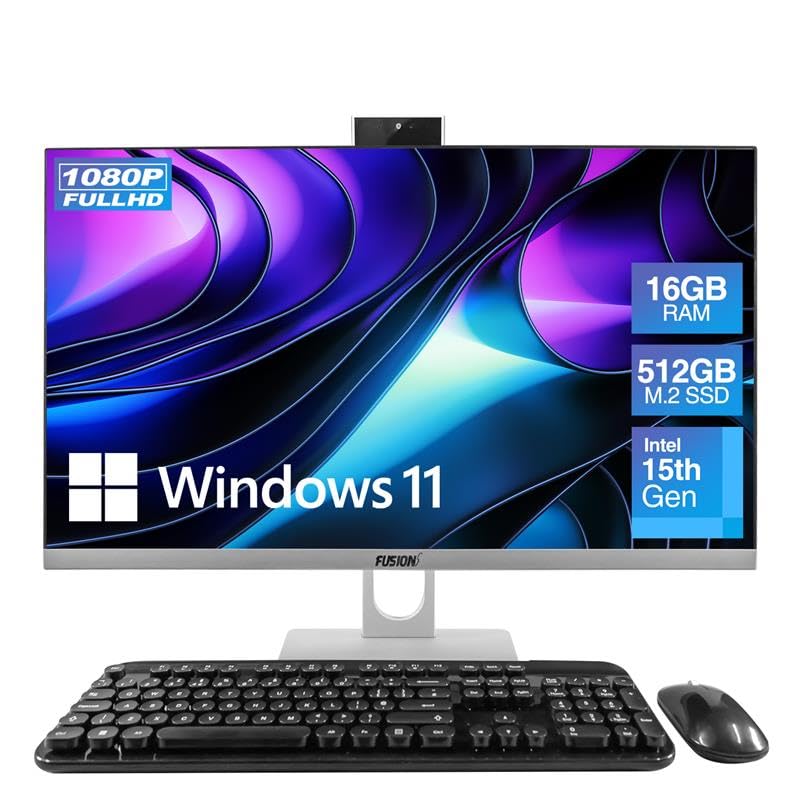
Image: The Fusion5 A7 N6 All-in-One PC with its included wireless keyboard and mouse, ready for setup.
Кіраванне вашым ПК
Асаблівасці дысплея
The 23.8-inch Full HD (1920x1080) IPS display offers crisp visuals and wide viewing angles. The screen is designed with a micro-edge display for an immersive viewing experience and can be tilted for optimal viewз камфортам.
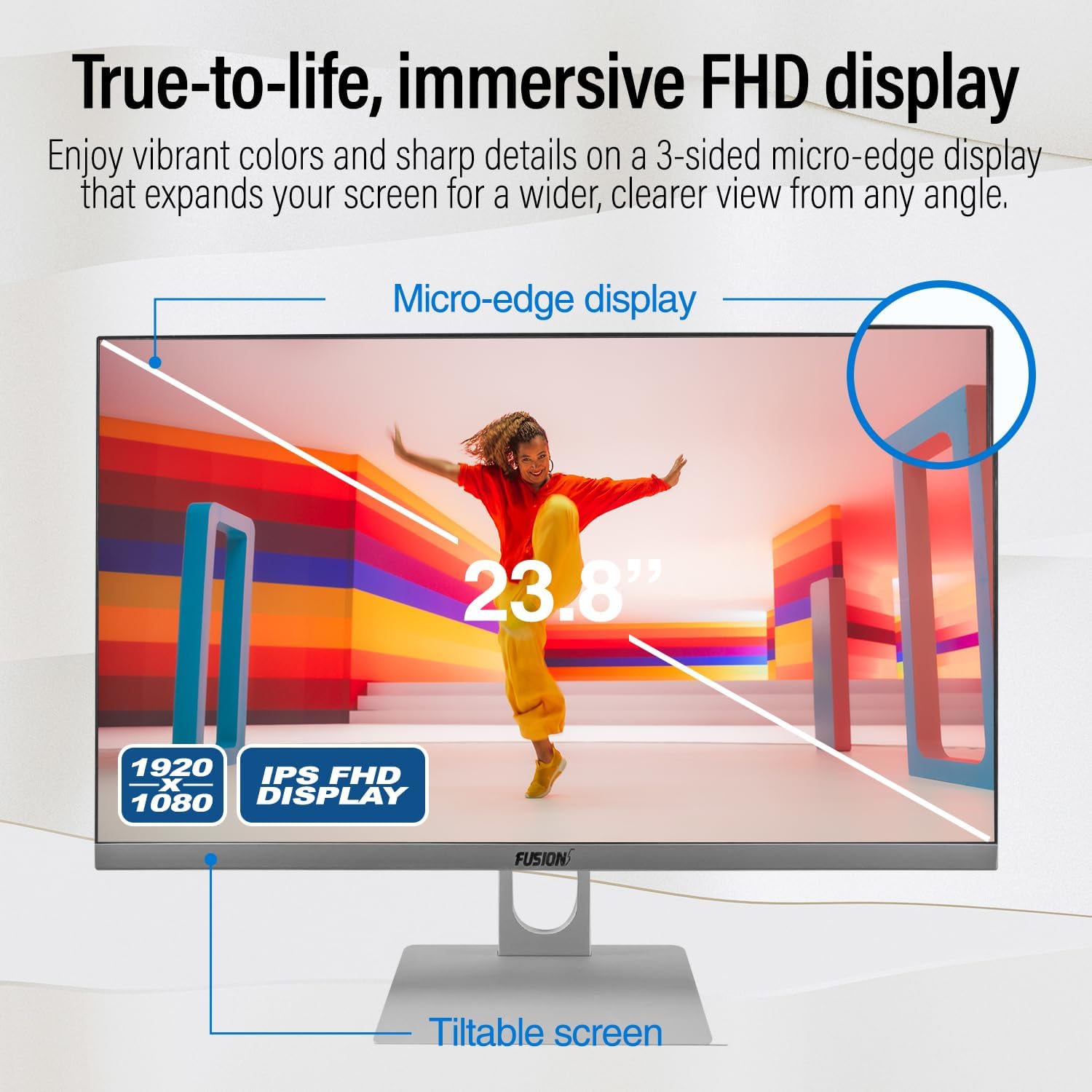
Image: Diagram highlighting the 23.8-inch FHD IPS display, micro-edge design, and tiltable screen functionality.
Прадукцыйнасць
Your PC is equipped with an Intel N150 processor (up to 3.60 GHz), 16GB LPDDR4 RAM, and a 512GB SATA SSD. This configuration ensures fast boot-ups, responsive multitasking, and efficient handling of daily tasks and applications.
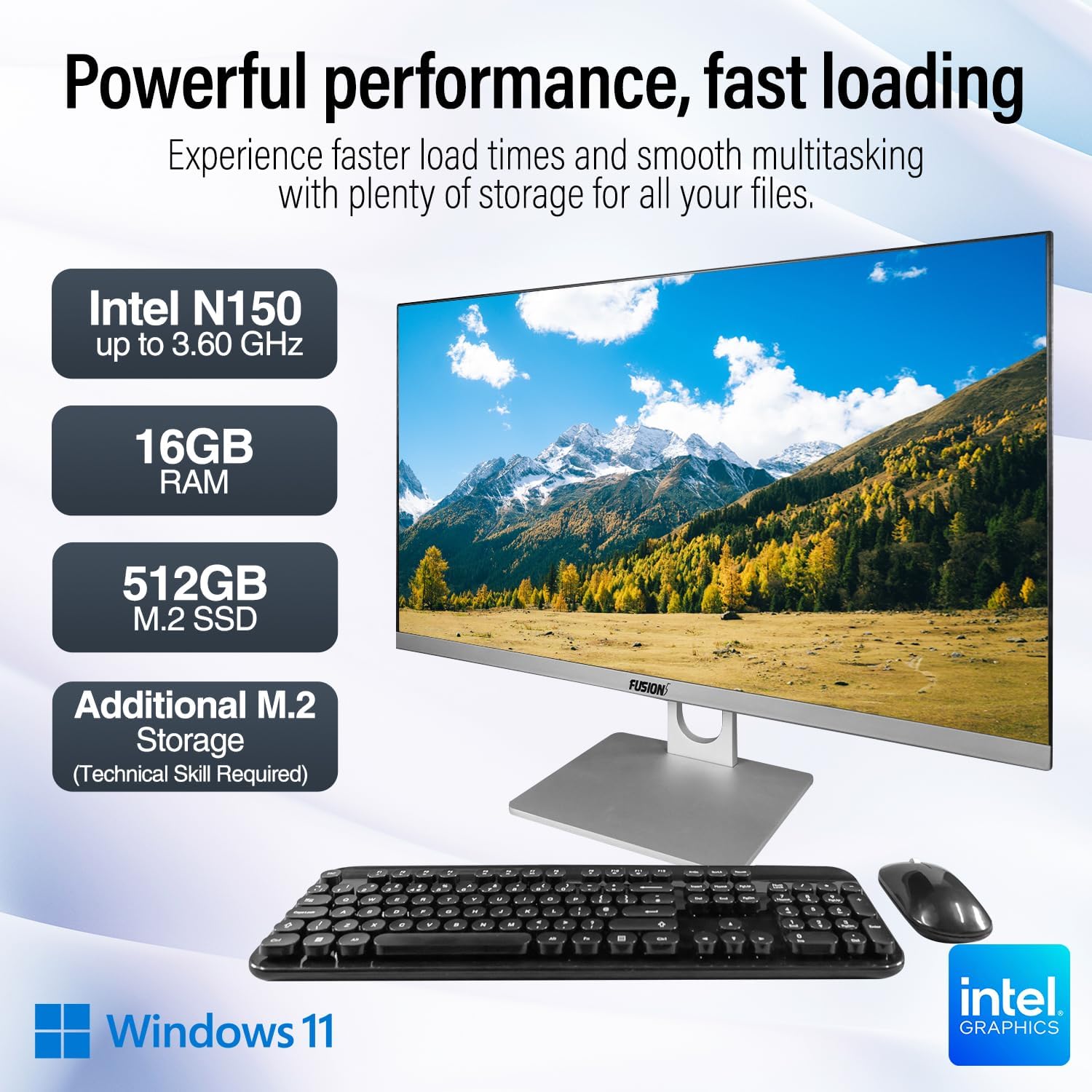
Image: Visual representation of the PC's core components: Intel N150 processor, 16GB RAM, 512GB M.2 SSD, and Windows 11 operating system.
Сувязь
The PC offers various ports for connecting peripherals and external displays, along with wireless connectivity options. The rear view of the PC illustrates the physical layout of these ports.

Выява: Задняя частка view of the Fusion5 A7 N6 All-in-One PC, displaying the arrangement of its various ports.
- Парты USB: 2x USB 3.0, 4x USB 2.0 for connecting external devices like flash drives, printers, and other peripherals.
- Порт HDMI: 1x HDMI for connecting an external monitor or TV.
- Порт VGA: 1x VGA for connecting older external monitors.
- Ethernet порт: Для падлучэння да правадной сеткі.
- Headphone + Microphone Combo Jack: Для ўваходу/выхаду гуку.
- Бесправадная сувязь: Built-in AC Wi-Fi for internet access and Bluetooth 5.0 for connecting wireless accessories.
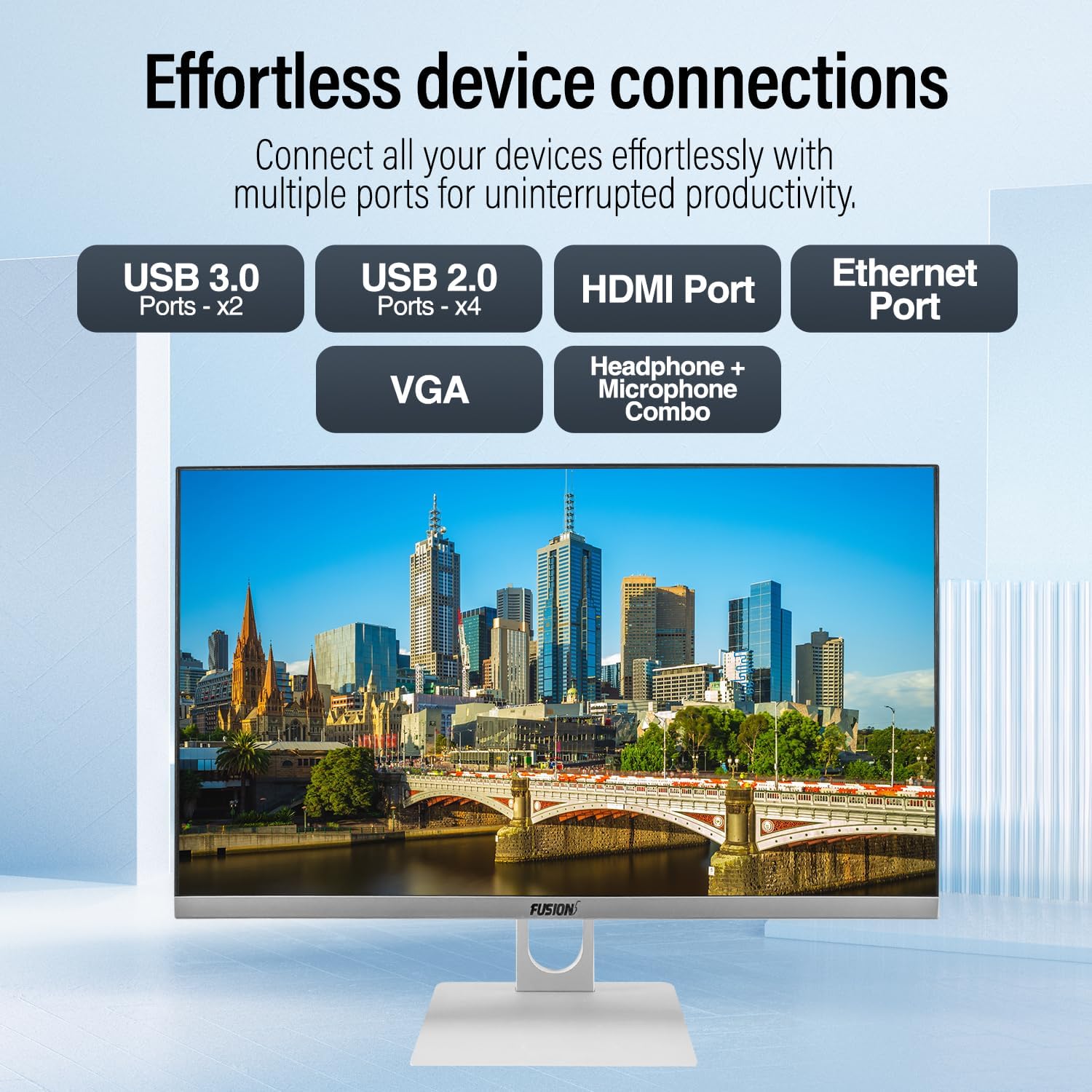
Выява: Крупны план view of the PC's rear ports, including USB 3.0, USB 2.0, HDMI, Ethernet, VGA, and the audio combo jack.
Webкамера і аўдыё
The PC includes an integrated 3MP pop-up webcam, built-in microphones, and speakers, making it suitable for video conferencing and online communication.

Image: Illustration of the PC's integrated 3MP pop-up webcam, built-in microphones, and speakers, demonstrating its use for video calls.
Бяспека
A Kensington Security Slot is provided for physical security, allowing you to secure your PC with a compatible lock (sold separately).
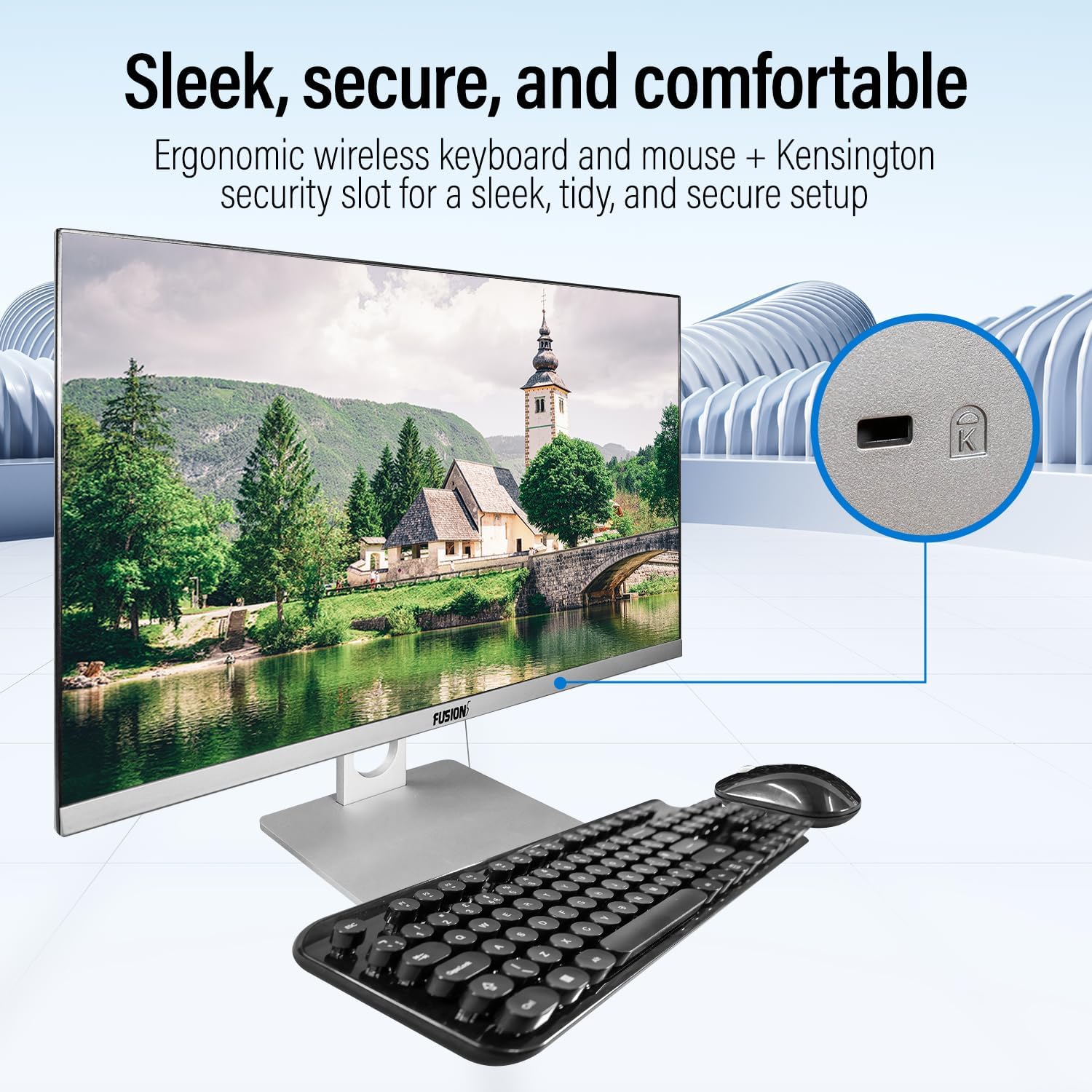
Image: Detail of the Kensington Security Slot located on the PC, designed for physical security.
Тэхнічнае абслугоўванне
- Ачыстка экрана: Выкарыстоўвайце мяккую тканіну без ворса, спецыяльна прызначаную для электронікі. Dampзлёгку прамакніце тканіну вадой або растворам для чысткі экранаў (не распыляйце непасрэдна на экран).
- Ачыстка корпуса: Wipe the exterior surfaces with a soft, dry cloth. Avoid abrasive cleaners or solvents.
- Вентыляцыя: Пераканайцеся, што вентыляцыйныя адтуліны чыстыя ад пылу і перашкод, каб прадухіліць перагрэў.
- Абнаўленні праграмнага забеспячэння: Рэгулярна абнаўляйце аперацыйную сістэму Windows і драйверы, каб забяспечыць аптымальную прадукцыйнасць і бяспеку.
Абнаўленне сховішча
The Fusion5 A7 N6 supports M.2 SSD upgrades and the addition of a 2.5-inch SATA SSD/HDD. This procedure requires technical skill. If you are not comfortable performing this, seek professional assistance.
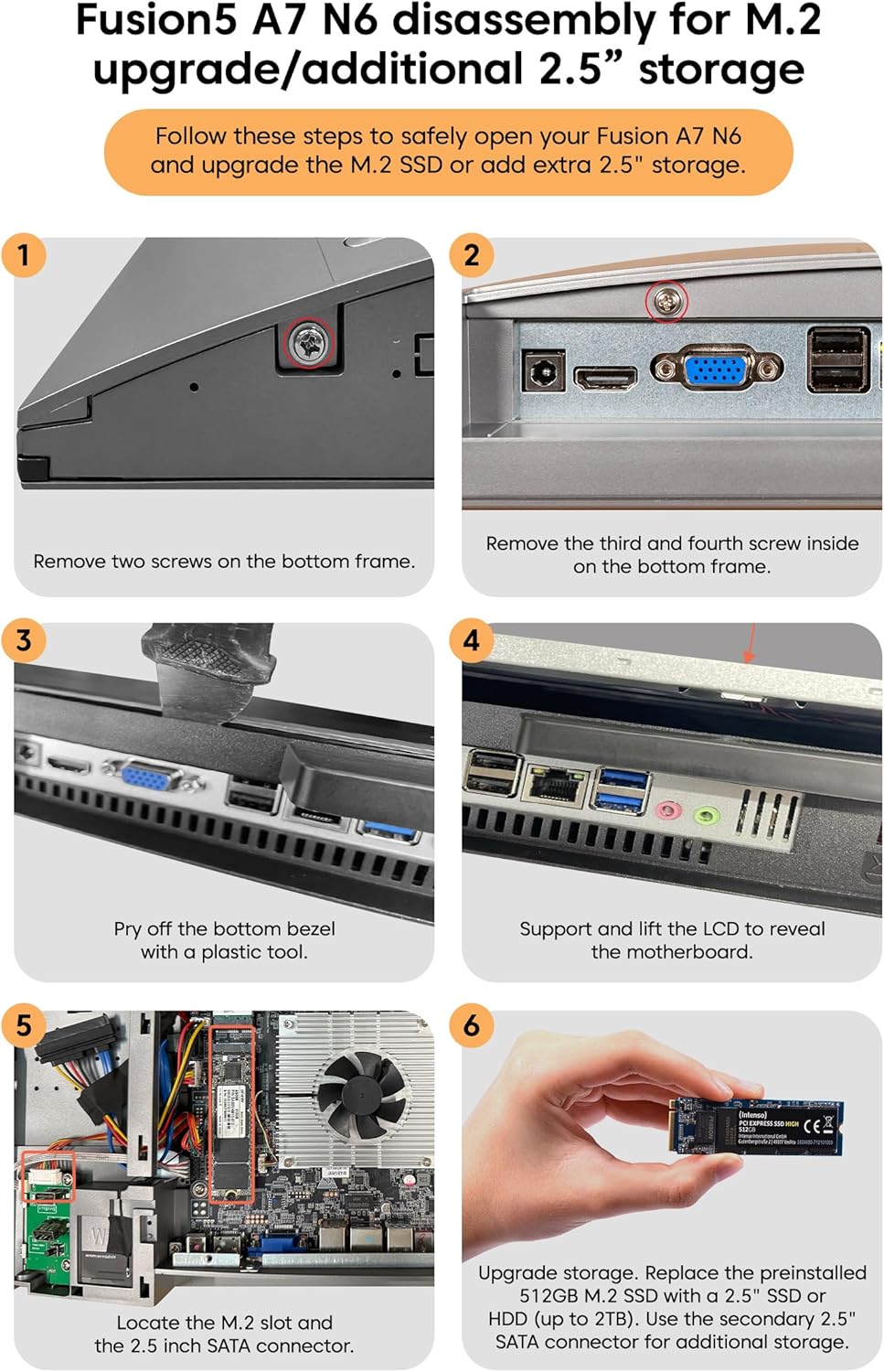
Image: Detailed visual instructions for disassembling the Fusion5 A7 N6 to upgrade the M.2 SSD or add a 2.5-inch storage drive.
- Выключэнне і адключэнне: Ensure the PC is completely powered off and disconnected from the power adapter and all peripherals.
- Выдаліць шрубы: Remove the two screws on the bottom frame of the PC.
- Remove Additional Screws: Remove the third and fourth screws located inside the bottom frame.
- Pry Off Bezel: Carefully pry off the bottom bezel using a plastic tool to avoid scratching the casing.
- Lift LCD: Gently support and lift the LCD panel to reveal the motherboard and internal components.
- Locate Slots: Identify the M.2 slot for SSD upgrades and the 2.5-inch SATA connector for additional storage.
- Install/Replace Storage:
- For M.2 SSD: Replace the preinstalled 512GB M.2 SSD with a new one if desired.
- For 2.5" Storage: Connect a 2.5-inch SSD or HDD (up to 2TB) to the SATA connector.
- Паўторная зборка: Carefully reverse the steps to reassemble the PC, ensuring all connections are secure and screws are tightened.
Ліквідацыю непаладак
| праблема | Магчымая прычына | Рашэнне |
|---|---|---|
| ПК не ўключаецца. | Power cable not connected; power adapter faulty; power outlet issue. | Ensure power cable is securely connected. Test power adapter with another device or try a different outlet. |
| Няма адлюстравання на экране. | PC is off; display settings issue; hardware fault. | Ensure PC is powered on. Try connecting an external monitor to check if the PC is functioning. Restart the PC. |
| Wireless keyboard/mouse not working. | Low batteries; USB receiver disconnected; driver issue. | Replace batteries. Ensure USB receiver is plugged into a working USB port. Reinstall drivers if necessary. |
| Няма падключэння да інтэрнэту (Wi-Fi). | Wi-Fi disabled; incorrect password; router issue. | Check Wi-Fi settings in Windows. Verify password. Restart your router. |
| Павольная прадукцыйнасць. | Too many applications running; low storage space; outdated drivers. | Зачыніце непатрэбныя праграмы. Вызваліце месца на дыску. Абнавіце Windows і драйверы. |
Тэхнічныя характарыстыкі
| Асаблівасць | Дэталь |
|---|---|
| Марка | Fusion5 |
| Нумар мадэлі | A7 N6 16GB 512GB |
| Памер дысплея | 23.8 цалі |
| Дазвол дысплея | 1920 x 1080 (Full HD) |
| Працэсар | Intel N150 (да 3.6 ГГц) |
| АЗП | 16 ГБ DDR4 SDRAM |
| Захоўванне | 512 GB SSD (SATA) |
| Графіка | Убудаваная Intel UHD Graphics |
| Аперацыйная сістэма | Windows 11 хатняя |
| Парты USB 3.0 | 2 |
| Парты USB 2.0 | 4 |
| Парты HDMI | 1 |
| Бесправоднае падключэнне | Wi-Fi (AC), Bluetooth 5.0 |
| Webкамера | 3MP Pop-up Web Камера |
| Аўдыё | Built-in Microphones, Built-in Speakers |
| Слот бяспекі | Слот бяспекі Kensington |
| Памеры (пакет) | 61 х 46.5 х 20.5 см |
| Вага (упакоўкі) | 4.2 кг |
Гарантыя і падтрымка
Your Fusion5 A7 N6 All-in-One PC comes with a standard manufacturer's warranty. Please refer to the warranty card included with your product for specific terms and conditions.
For technical support, troubleshooting assistance, or warranty claims, please contact Fusion5 customer service through their official website or the contact information provided in your product documentation. When contacting support, please have your model number (A7 N6 16GB 512GB) and purchase details ready.