
1. Прадукт скончыўсяview
The Generico NE20 AI Translation Earbuds are advanced wireless earbuds designed for seamless communication and audio experience. Featuring real-time AI translation in 140 languages, Bluetooth 5.4 connectivity, Active Noise Cancellation (ANC), and an intuitive touchscreen display, these earbuds are suitable for travel, business, sports, and daily use.

Image: The NE20 earbuds in their charging case, showcasing the integrated touchscreen display.
2. Што ў скрынцы
- NE20 Earbuds (2 units)
- Charging Case with AI Translation and LED Display
- Зарадны кабель USB-C
- Кароткае кіраўніцтва
- Шнурок
3. Тэхнічныя характарыстыкі
| Назва мадэлі | NE20 AI Translation Earbuds |
| Версія Bluetooth | V6.0 (as per product description, note: specifications list 5.4) |
| Памер дынаміка | 13 мм |
| Аўдыё кодэк | AAC + SBC |
| Ёмістасць акумулятара для навушнікаў | 30 мАг (кожны) |
| Ёмістасць зараднага кейса | 300 мАг |
| Час прайгравання музыкі | Approx. 6-8 hours (medium volume) |
| Час размовы | Прыбл. 6 гадзіны |
| Агульны тэрмін службы батарэі (з чахлом) | Да 48 гадзін |
| Час чакання | 120 гадзіны |
| Порт для зарадкі | Тып-C |
| Час зарадкі (чахол) | Прыбл. 1.5 гадзіны |
| Шумапрыглушэнне | ENC (Environmental Noise Suppression) / ANC (Active Noise Cancellation) up to 97.69% |
| Рэйтынг воданепранікальнасці | IP55 (пажыццёвая воданепранікальнасць) |
| Далёкасць перадачы | Прыбл. 10 м |
| Метад кантролю | Дакранацца |
| Вага | 5 грама (кожны навушнік) |
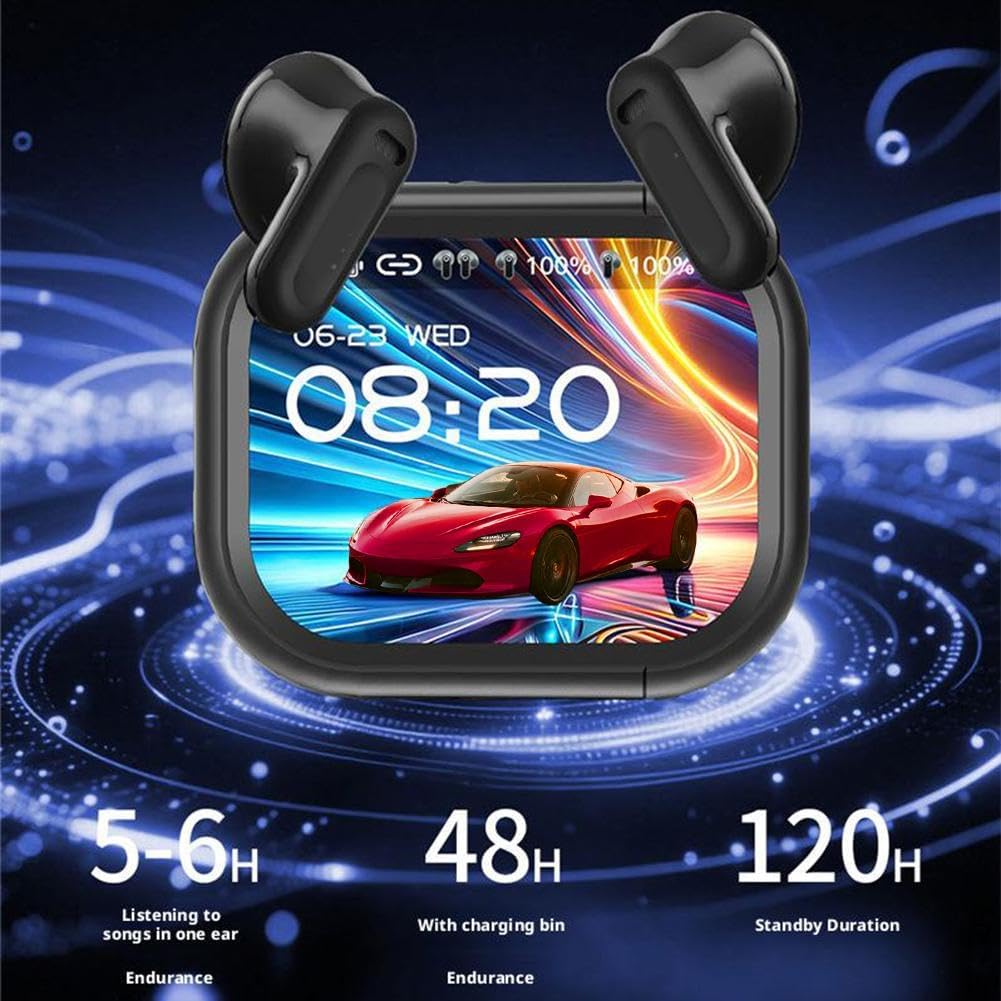
Image: Visual representation of the NE20 earbuds' battery performance, showing 5-6 hours listening time, 48 hours with charging case, and 120 hours standby.
4. Настройка
4.1 Зарадка навушнікаў і футляра
- Устаўце абодва навушнікі ў зарадны футляр. Пераканайцеся, што яны правільна ўсталяваныя, каб пачаць зарадку.
- Connect the USB-C charging cable to the charging port on the case and plug the other end into a compatible USB power source.
- The LED display on the charging case will indicate the charging status. A full charge for the case takes approximately 1.5 hours.
4.2 Спалучэнне па Bluetooth
- Адкрыйце зарадны кейс. Навушнікі аўтаматычна пяройдуць у рэжым спалучэння.
- На вашай прыладзе (смартфоне, планшэце і г.д.) уключыце Bluetooth і знайдзіце даступныя прылады.
- Select "NE20" from the list of discovered devices to connect.
- Once connected, a confirmation message will appear on your device, and the earbuds will be ready for use.
5. Інструкцыя па эксплуатацыі
5.1 Сэнсарнае кіраванне
The NE20 earbuds feature an intuitive touchscreen display on the charging case and touch-sensitive areas on the earbuds themselves for various functions. More than 20 functions can be managed directly from the screen.

Выява: Зверхуview of the NE20 charging case touchscreen interface, showing options for music playback, mode switch, alarm, key settings, voice assistant, calls, camera control, anti-lost search, custom settings, lock screen wallpaper, and flashlight.
- Прайграванне музыкі: Play/pause, skip tracks, adjust volume directly from the touchscreen or earbud taps.
- Кіраванне званкамі: Answer, end, or reject calls using the touch controls. The built-in 6 silicon microphones ensure clear voice communication.
- Галасавы памочнік: Activate your device's voice assistant with a specific touch gesture.
5.2 Функцыя перакладу штучнага інтэлекту
The NE20 earbuds offer real-time translation in 140 languages, ideal for face-to-face conversations.
- Access the translation function via the touchscreen on the charging case.
- Select the desired source and target languages.
- For face-to-face translation, one person speaks into the earbuds, and the translation is played through the other earbud or the case's speaker, and vice-versa.
5.3 Актыўнае падаўленне шуму (ANC)
The advanced ANC technology blocks up to 97.69% of environmental noise.

Image: Diagram illustrating the NE20 earbuds' noise reduction efficiency, showing a 97.69% environmental noise reduction and stable wearing design.
- Toggle ANC on/off or switch to a transparent mode using the touchscreen on the charging case or specific earbud touch gestures.
- ANC is effective in reducing ambient sounds in noisy environments.
5.4 Рэжым гульні
Activate the low-latency game mode (latency less than 50ms) for an optimized gaming experience. This mode can be selected via the touchscreen.
5.5 Персаналізаваная застаўка экрана
Customize the display on your charging case.

Image: A hand holding the NE20 charging case, demonstrating the personalized screensaver switch function with various display options.
- Long press on the screen to switch between different screensavers.
- Access custom settings to upload or select preferred lock screen wallpapers.
6. Тэхнічнае абслугоўванне
6.1 Ачыстка
- Рэгулярна працірайце навушнікі і зарадны футляр мяккай, сухой тканінай без ворса.
- Не выкарыстоўвайце абразіўныя матэрыялы, растваральнікі або аэразольныя спрэі.
- Для аптымальнай зарадкі пераканайцеся, што зарадныя кантакты на навушніках і ў чахле чыстыя і без смецця.
6.2 Воданепранікальнасць (IP55)
The NE20 earbuds are rated IP55 for water resistance, meaning they are protected against dust ingress and low-pressure water jets from any direction. This makes them suitable for workouts and use in light rain.

Image: A person exercising while wearing the NE20 earbuds, highlighting their professional-level sports waterproof feature, suitable for rainy days or sweat.
- Не апускайце навушнікі ў ваду.
- Avoid exposing them to high-pressure water or extreme humidity.
- If the earbuds get wet, wipe them dry before placing them back in the charging case.
6.3 Захоўванне
- Захоўвайце навушнікі-ўкладышы ў зарадным чахле, калі яны не выкарыстоўваюцца, каб абараніць іх і падтрымліваць зарад.
- Захоўвайце ў прахалодным, сухім месцы, удалечыні ад прамых сонечных прамянёў і экстрэмальных тэмператур.
7. Выпраўленне непаладак
7.1 Навушнікі не спалучаюцца
- Ensure both earbuds are charged and placed correctly in the charging case.
- Выключыце і ўключыце Bluetooth на прыладзе.
- Forget/delete "NE20" from your device's Bluetooth list and attempt to pair again.
- If issues persist, try resetting the earbuds (refer to the Quick Start Guide for specific reset instructions).
7.2 Няма гуку або нізкі ўзровень гучнасці
- Праверце ўзровень гучнасці як на падлучанай прыладзе, так і на навушніках.
- Пераканайцеся, што навушнікі правільна размешчаны ў вушах.
- Ачысціце дынамікі навушнікаў ад смецця.
7.3 Translation Not Working
- Ensure the earbuds are properly connected to your device and have an active internet connection (if required for translation services).
- Verify that the correct source and target languages are selected on the touchscreen.
- Гаварыце выразна і ў ўмераным тэмпе.
7.4 Праблемы з зарадкай
- Ensure the USB-C cable and power adapter are working correctly.
- Check the charging port on the case for any obstructions.
- Ensure the earbuds' charging contacts are clean and making proper contact with the case.
8. Гарантыя і падтрымка
For warranty information and customer support, please refer to the documentation provided with your purchase or contact the seller directly. The product is available on Amazon.it from December 16, 2025.