
1. Уводзіны
Welcome to the user manual for your new Bigme B7 Pro Android 14 Tablet. This guide provides essential information on setting up, operating, and maintaining your device to ensure optimal performance and user experience. Please read this manual thoroughly before using your tablet.
2. Прадукт скончыўсяview
The Bigme B7 Pro is a 7-inch color E-Paper display tablet designed for reading, productivity, and communication. It features a powerful Dimensity 1080 octa-core processor, ample memory, and 4G global connectivity.
2.1 Асноўныя магчымасці
- Высокая прадукцыйнасць: Dimensity 1080 octa-core 2.6GHz CPU with 8GB RAM and 256GB internal storage.
- Color E-Paper Display: 7-inch eye-comfort color E-Ink screen.
- Глабальная сувязь: Supports worldwide 4G calling and data.
- Android 14 Open System: Allows installation of third-party applications.
- Borderless Handwriting: Enhanced note-taking experience with included stylus.
- Smart Call Tools: Call recording with real-time transcription and AI summarization.
- Працяглая батарэя: Абсталяваны акумулятарам ёмістасцю 3000 мАг для працяглага выкарыстання.
2.2 Змест пакета
- Bigme B7 Pro E-Paper Tablet
- Стылус
- Зарадны кабель (USB-C)
- Кароткае кіраўніцтва
3. Настройка
3.1 Першапачатковая зарадка
Before first use, fully charge your Bigme B7 Pro tablet. Connect the provided USB-C cable to the tablet's charging port and the other end to a compatible USB power adapter (not included) or a computer's USB port. The charging indicator will show the charging status.
3.2 Уключэнне/выключэнне
- Каб уключыць: Press and hold the Power button until the Bigme logo appears on the screen.
- Каб выключыць: Націсніце і ўтрымлівайце кнопку харчавання, пакуль не з'явіцца меню параметраў харчавання. Выберыце «Выключыць харчаванне» і пацвердзіце.
- Каб перазапусціць: Press and hold the Power button until the power options menu appears. Select "Restart" and confirm.
3.3 SIM Card Installation (for 4G Connectivity)
The Bigme B7 Pro supports 4G global connectivity. To use cellular data and calling features, you need to install a Nano-SIM card.
- Знайдзіце латок для SIM-карты на бакавой панэлі планшэта.
- Устаўце інструмент для выцягвання SIM-карты (не ўваходзіць у камплект) у невялікую адтуліну побач з латком і акуратна націсніце, пакуль латок не выскочыць.
- Устаўце карту Nano-SIM у прызначаны слот на латку залатымі кантактамі ўніз.
- Асцярожна ўстаўце латок назад у планшэт, пакуль ён не зафіксуецца са шчоўкам.
3.4 MicroSD Card Installation (for Storage Expansion)
Expand your tablet's storage up to 2TB using a MicroSD card (not included).
- Locate the MicroSD card slot, often combined with the SIM card tray.
- Insert the MicroSD card into the designated slot on the tray with the gold contacts facing down.
- Асцярожна ўстаўце латок назад у планшэт, пакуль ён не зафіксуецца са шчоўкам.

Image: The Bigme B7 Pro supports up to 2TB MicroSD card for expanded storage.
4. Інструкцыя па эксплуатацыі
4.1 Асноўная навігацыя (Android 14)
Your Bigme B7 Pro runs on the Android 14 operating system, offering a familiar and intuitive interface. Use touch gestures to navigate:
- Націсніце: Выберыце элемент або адкрыйце праграму.
- Правядзіце пальцам: Пракручваць экраны, спісы або старонкі.
- Звядзенне пальцамі для павелічэння: Павялічыць або паменшыць змест.
- Доўгі націск: Доступ да кантэкстных меню або перамяшчэнне значкоў.

Image: The Bigme B7 Pro runs on an open Android 14 system, allowing for diverse app installations.
4.2 E-reading Experience
The 7-inch color E-Paper display provides a comfortable reading experience, reducing eye strain compared to traditional LCD screens. Use your preferred e-reading applications to access books, documents, and other content.
4.3 Borderless Handwriting with Stylus
The included stylus enables a natural and unrestrained note-taking experience. The borderless handwriting feature allows you to write freely across the screen without being restricted by margins.

Image: The capacitive pen provides a writing experience similar to a traditional pen on the Bigme B7 Pro.

Image: The tablet offers comprehensive note-taking tools including Wiki, Dictionary, and Translation.
4.4 4G Global Connectivity and Smart Call Tools
With 4G connectivity, your tablet functions as a communication device, allowing you to make and receive calls globally. The integrated smart call tools enhance your communication and productivity:
- Запіс званкоў: Record important conversations.
- Real-time Transcription: Convert spoken words into text during calls.
- AI Summarization: Automatically generate summaries of recorded calls.

Image: The Bigme B7 Pro supports global 4G connectivity for seamless communication.
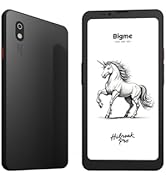
Image: Streamline communication with call recording to text, including live transcription and AI summary.
4.5 App Installation and Productivity
Leverage the open Android 14 system to install a wide range of third-party applications from the Google Play Store or other trusted sources. Enhance your productivity with features such as:
- External Bluetooth Keyboard Support: Connect a Bluetooth keyboard for efficient typing and document creation.
- 5-мегапіксельная задняя камера: Utilize the camera for voice calls, Optical Character Recognition (OCR) text recognition, and document scanning.

Image: Connects to an external Bluetooth keyboard for enhanced office efficiency.

Image: The 5MP rear camera supports voice calls, OCR text recognition, and document scanning.
5. Тэхнічнае абслугоўванне
- Уборка: Для чысткі экрана і корпуса планшэта выкарыстоўвайце мяккую тканіну без ворса. Пазбягайце выкарыстання абразіўных ачышчальнікаў або растваральнікаў.
- Сыход за батарэяй: To prolong battery life, avoid extreme temperatures and do not let the battery fully discharge frequently. Charge the device regularly.
- Абнаўленні праграмнага забеспячэння: Regularly check for and install system updates to ensure your tablet has the latest features and security enhancements.
- Кіраванне сховішчам: Перыядычна чысціце непатрэбнае files and applications to maintain optimal performance.
6. Выпраўленне непаладак
If you encounter issues with your Bigme B7 Pro, refer to the following common solutions:
- Прылада не ўключаецца: Ensure the battery is charged. Connect the tablet to a charger for at least 30 minutes before attempting to power it on again.
- Нізкая прадукцыйнасць: Close unused applications, clear cache, or restart the device. Consider uninstalling rarely used apps or moving large files да знешняй памяці.
- Праблемы з падключэннем (Wi-Fi/4G): Check if Wi-Fi or 4G is enabled in settings. Restart your router for Wi-Fi issues. For 4G, ensure the SIM card is correctly inserted and your plan is active.
- Экран не рэагуе: Выканайце прымусовы перазапуск, утрымліваючы кнопку харчавання прыблізна 10-15 секунд.
If problems persist, please contact Bigme customer support for further assistance.
7. Тэхнічныя характарыстыкі
| Асаблівасць | Дэталь |
|---|---|
| Назва мадэлі | US-B7 Pro |
| Працэсар | Dimensity 1080 Octa-core 2.6GHz |
| АЗП | 8 ГБ |
| Унутраная памяць | 256 ГБ |
| Сховішча з магчымасцю пашырэння | Да 2 ТБ праз карту MicroSD |
| Аперацыйная сістэма | Android 14 |
| Памер экрана | 7 цалі |
| Тып дысплея | Color E-Paper Display |
| Дазвол дысплея | 4424 х 5880 пікселяў |
| Сувязь | 4G сотавая сувязь, Wi-Fi, Bluetooth |
| Ёмістасць батарэі | 3000 мАг |
| Тэрмін службы батарэі | Up to 9 Hours (usage dependent) |
| Задняя камера | 5MP (supports voice call, OCR, document scanning) |
| Памеры прадукту | 5.46 х 6.17 х 0.23 цалі |
| Вага прадмета | 6.2 унцыі |
| Уключаныя кампаненты | E-Paper Tablet, Stylus |

Выява: Падрабязная view of the Dimensity 1080 processor and memory configuration.

Image: The 3000mAh battery combined with low-power E-Ink ensures long-lasting performance.

Image: The ultra-slim profile (5.8mm, 215g) of the Bigme B7 Pro for portability.
8. Гарантыя і падтрымка
For warranty information, technical support, or service inquiries, please refer to the warranty card included with your product or visit the official Bigme website. You can also contact Bigme customer service through the contact details provided on their webсайт.
Інтэрнэт-рэсурсы: Visit the Bigme Store on Amazon