
1. Уводзіны
This manual provides detailed instructions for the installation, operation, and maintenance of your JOOAN 4G Solar Security Camera. This outdoor wireless surveillance camera is designed for areas without traditional power or network infrastructure, utilizing 4G cellular connectivity and solar power for continuous operation. Please read this manual thoroughly before use to ensure proper setup and functionality.

Image 1.1: JOOAN 4G Solar Security Camera with its solar panel and a smartphone displaying the camera's live feed, highlighting its 4MP/5MP HD resolution capability.
2. Асаблівасці прадукту
- Падключэнне 4G: Operates independently using a SIM card, ideal for remote locations.
- На сонечнай энергіі: Equipped with a solar panel for continuous charging, reducing the need for external power sources.
- Высокае разрозненне: Захоплівае выразнае відэаtage for effective surveillance.
- Каляровы начны бачанне: Offers multiple night vision modes including infrared, full-color, and smart color night vision for enhanced visibility in low-light conditions up to 10 meters.
- Лакальнае і воблачнае сховішча: Supports up to 256GB SD card storage and optional cloud storage for recorded footage.
- Лёгкая ўстаноўка: Designed for straightforward setup and mounting.
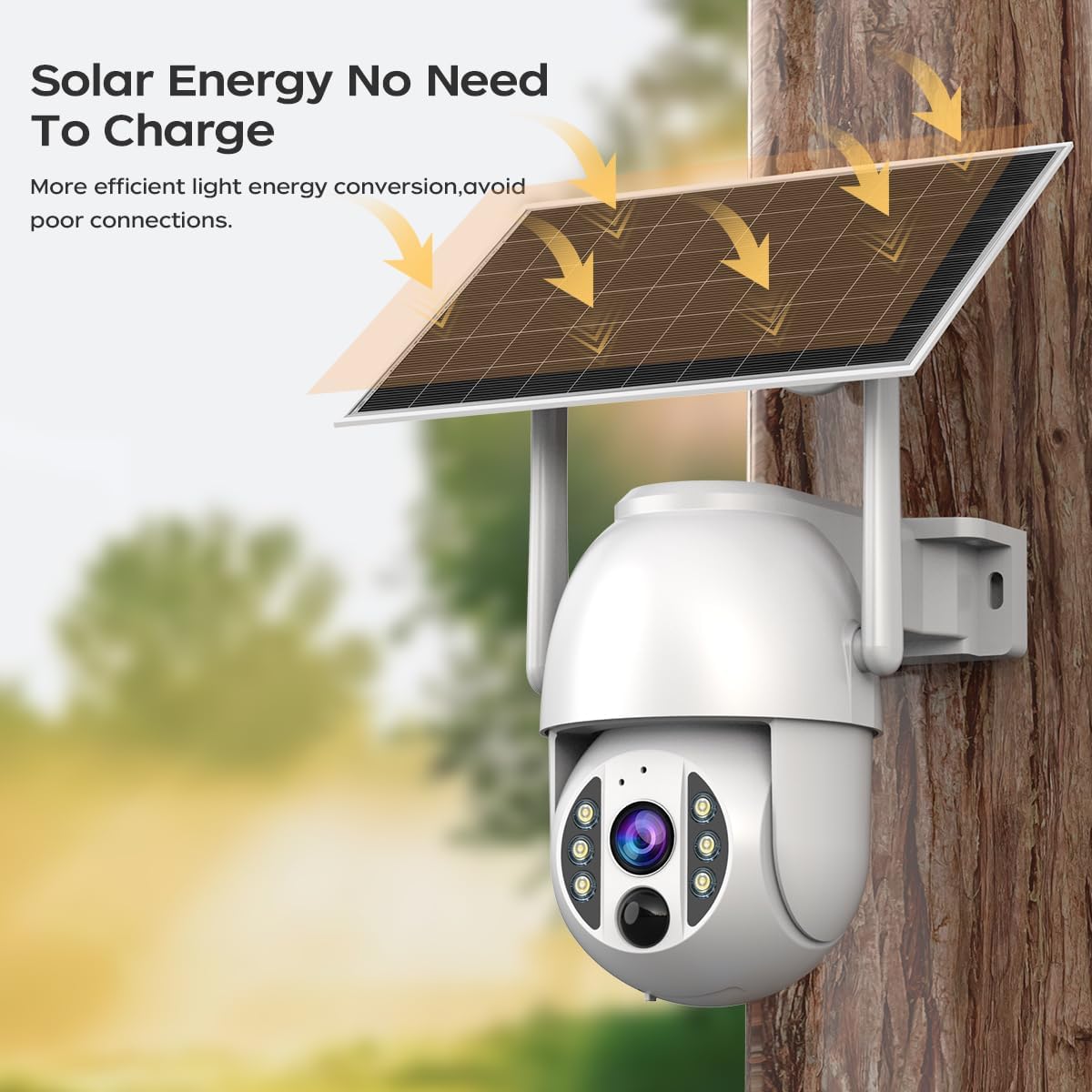
Image 2.1: The JOOAN 4G Solar Security Camera mounted with its solar panel, illustrating its solar energy capability for efficient light energy conversion and avoiding poor connections.
3. Настройка і ўстаноўка
3.1. Усталёўка SIM-карты і SD-карты
Before mounting, install a 4G SIM card (not included) and an SD card (up to 256GB, not included) into the designated slots on the camera. Ensure the camera is powered off before inserting or removing cards.

Малюнак 3.1: Крупны план view of the JOOAN camera's SD card slot, indicating support for cloud storage and a maximum 256GB SD card.
3.2. Крокі мантажу
- Positioning and Punching: Select a suitable location for the camera and solar panel. Mark the drilling points on the wall. Use a drill to create holes at the marked positions.
- Устаўце распорныя шрубы: Gently tap the expansion screws into the drilled holes until they are flush with the surface.
- Устанавіце камеру: Align the camera bracket with the expansion screws and secure it using the provided screws.
- Поўная ўстаноўка: Attach the solar panel to the camera bracket or mount it separately in a location with ample sunlight. Ensure all connections are secure.

Image 3.2: Visual guide showing the four installation steps: 1. Positioning and punching, 2. Inserting expansion screws, 3. Mounting the camera with screws, and 4. Completing the installation with the solar panel.
3.3. Падключэнне да праграмы
Download the official JOOAN app from your smartphone's app store. Follow the in-app instructions to add your camera. There are typically two methods:
- Add APP Phone Code: Scan the QR code displayed on your mobile phone APP with the camera lens from a distance of 20-30cm to add the distribution network.
- Add Camera Body Code: Scan the QR code located on the camera body using the mobile phone APP to add the distribution network.

Image 3.3: Illustration of the two connection methods: scanning the APP phone code or scanning the camera body code to establish a network connection.
4. Аперацыя
4.1. Уключэнне / выключэнне харчавання
The camera automatically powers on when sufficient solar power is available or when connected to a power source. To power off, disconnect the power source and allow the battery to deplete, or use the app if a power-off function is available.
4.2. Жыць View і запіс
Once connected to the app, you can access the live video feed. The camera supports continuous recording to the SD card or cloud storage (subscription may be required). You can also manually record video or capture screenshots from the live view.
4.3. Выяўленне руху і абвесткі
Configure motion detection sensitivity and alert settings within the app. The camera will send notifications to your smartphone when motion is detected. Recorded events can be reviewed in the app's playback section.
4.4. Рэжымы начнога бачання
The camera offers three night vision modes, selectable via the app:
- Інфрачырвонае начное бачанне: Забяспечвае выразныя чорна-белыя выявы ў поўнай цемры.
- Поўнакаляровы начны бачанне: Utilizes built-in spotlights to provide color images in low-light conditions.
- Разумнае каляровае начное бачанне: Automatically switches from infrared to full-color vision upon detection of motion or specific events.

Image 4.1: Comparison of the three night vision modes: Infrared night vision, Full color night vision, and Smart color night vision, demonstrating the camera's ability to pick out details in darkness up to 10 meters away.
5. Тэхнічнае абслугоўванне
- Ачыстка аб'ектыва: Рэгулярна працірайце аб'ектыў камеры мяккай сухой тканінай, каб забяспечыць выразную якасць выявы. Пазбягайце абразіўных ачышчальнікаў.
- Ачыстка сонечных батарэй: Keep the solar panel free from dust, dirt, and debris to maximize charging efficiency. Clean with a damp тканіна па меры неабходнасці.
- Абнаўленні прашыўкі: Check the app periodically for available firmware updates to ensure optimal performance and security.
- Зарад батарэі: Ensure the solar panel receives adequate sunlight to maintain battery charge. Prolonged periods without sunlight may require temporary charging via a USB power adapter (not included).
6. Выпраўленне непаладак
6.1. Camera Not Connecting to 4G Network
- Пераканайцеся, што SIM-карта правільна ўстаўлена і актывавана з дзеючым тарыфным планам.
- Check 4G signal strength at the camera's location.
- Restart the camera by briefly disconnecting and reconnecting its power.
6.2. No Video Feed or Poor Quality
- Verify the camera has sufficient power.
- Check the 4G signal strength.
- Ачысціце аб'ектыў камеры.
6.3. Solar Panel Not Charging
- Ensure the solar panel is positioned to receive direct sunlight for several hours daily.
- Clean any dirt or obstructions from the solar panel surface.
- Праверце кабель злучэння паміж сонечнай панэллю і камерай.
6.4. SD Card Not Recording
- Ensure the SD card is correctly inserted and formatted within the app.
- Check if the SD card has sufficient free space.
- Verify recording settings in the app.
7. Тэхнічныя характарыстыкі
| Асаблівасць | Дэталь |
|---|---|
| Марка | ДЖУАН |
| мадэль | B0GCFGYCLX |
| Крыніца харчавання | На сонечных батарэях |
| Пратакол злучэння | 4G Cellular (SIM card required), Wi-Fi (for initial setup/local access if applicable) |
| Рэкамендуемае выкарыстанне | Indoor/Outdoor Surveillance |
| Асаблівасць | Лёгка ўсталяваць |
| Захоўванне | Supports up to 256GB SD card, Cloud Storage (subscription may apply) |
8. Гарантыя і падтрымка
For warranty information and technical support, please refer to the JOOAN official webсайт або звярніцеся непасрэдна ў службу падтрымкі кліентаў. Захоўвайце чэк аб куплі як пацверджанне пакупкі.
Каб атрымаць дадатковую дапамогу, наведайце: JOOAN Store on Amazon