
1. Уводзіны
The DNT Optics Zulus 4K 3-24X Digital Day Night Vision Scope is an advanced optical system designed for versatile use in various lighting conditions. Featuring a Sony 4K STARVIS 2 CMOS sensor, a 50mm f/1.8 ED glass lens, and an integrated laser rangefinder with DNT Ballistic Engine, this scope delivers high-resolution imaging and precise targeting capabilities for both day and night operations.
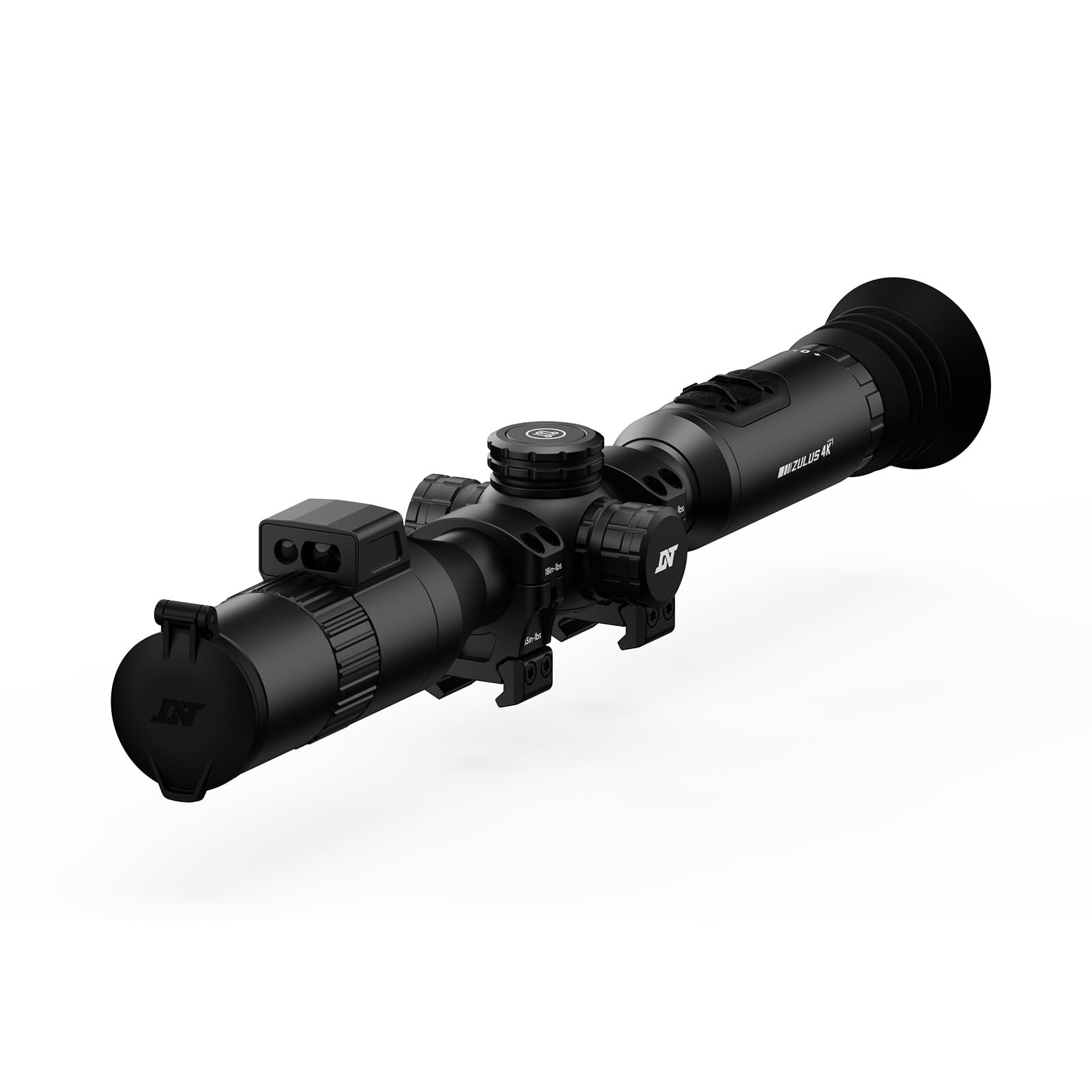
Image: The DNT Optics Zulus 4K Digital Day Night Vision Scope, showcasinяго элегантны чорны дызайн.
2. Змесціва ўпакоўкі
Upon opening your DNT Optics Zulus 4K package, ensure all items listed below are present and in good condition. If any items are missing or damaged, please contact DNT Optics customer support.
- Zulus 4K Digital Day Night Vision Scope (x1)
- 30mm Scope Rings (x2)
- Sunshade (x1)
- Flip Up Cover (x1)
- Eye Cup (x1)
- Lens Cleaning Cloth (x1)
- Кіраўніцтва карыстальніка (x1)
- Кароткае кіраўніцтва (x1)
- Кабель для перадачы дадзеных (USB-C) (x1)
- 21700 Battery Pack (x1)
Video: An unboxing video demonstrating the contents of the DNT Optics Zulus 4K package, including the scope, accessories, and documentation.
3. Настройка
3.1. Устаноўка батарэі
- Locate the battery compartment cap, typically on the side or top of the scope.
- Адкруціце вечка супраць гадзіннікавай стрэлкі.
- Insert the provided 21700 flat-top battery, ensuring correct polarity.
- Закруціце вечка назад па гадзіннікавай стрэлцы, пакуль яно не будзе надзейна замацавана.
3.2. Усталёўка прыцэла
The Zulus 4K is designed to fit standard 30mm mounting setups. Use the included 30mm scope rings for installation.
- Attach the scope rings to your rifle's Picatinny rail or compatible mounting system.
- Place the Zulus 4K scope into the rings, ensuring proper eye relief and alignment.
- Secure the top halves of the scope rings, tightening screws evenly to the manufacturer's recommended torque specifications (35 in-lbs indicated on rings).

Image: The DNT Optics Zulus 4K Digital Day Night Vision Scope securely mounted on a rifle, ready for use.
3.3. Attaching Sunshade and Eye Cup
- Парасон ад сонца: Thread the sunshade onto the objective lens (front) of the scope.
- Наглазнік: Thread the eye cup onto the eyepiece (rear) of the scope.
- Ensure both accessories are securely attached to prevent accidental detachment during use.

Image: The DNT Optics Zulus 4K scope with its sunshade and eye cup attached, enhancing usability and protection.
4. Аперацыя
4.1. Powering On/Off & Standby
- Уключэнне/выключэнне харчавання: Long press the Power button to turn the unit on or off.
- Рэжым чакання: Short press the Power button to enter or exit standby mode, conserving battery life when not actively in use.
4.2. Day and Night Modes
The Zulus 4K offers seamless transition between day and night vision modes.
- Пераключэнне рэжымаў: Long press the Day/Night button to switch between day and night vision modes.
- Рэгуляванне яркасці: Short press the Day/Night button to adjust screen brightness levels.

Image: Visual representation of the Zulus 4K's performance, showcasing clear imaging in both bright daylight and low-light moonlight conditions.
4.3. Magnification and Digital Zoom
The scope features 3-24x magnification with up to 6x lossless digital zoom for precise targeting.
- Рэгуляванне павелічэння: Rotate the Magnification Ring to zoom in or out.
- 4K-30FPS Mode: Provides over 8 million pixels for detailed viewing with 3-24x zoom.
- 1080P-60FPS Mode: Offers smooth, high-speed footage with 3-12x zoom for tracking fast-moving targets.
4.4. Laser Rangefinder and Ballistic Engine
The integrated Laser Rangefinder (LRF) provides instant, precise ranging from 5 to 1300 yards. The DNT Ballistic Engine resolves complex trajectories and projects the ballistic solution directly into your view.
- Activating LRF: Short press the Ranging button to activate the laser rangefinder and display distance.
- Ballistic Solution: With ballistic data synced via the DNT App, the scope will display the holdover point on the reticle.

Image: A hunter using the DNT Optics Zulus 4K, highlighting the active laser rangefinder beam for precise distance measurement.
4.5. Recording and Picture-in-Picture (PIP)
- Ручная запіс: Short press the Record button to start/end video recording.
- Recoil Activated Recording (RAV): Long press the Record button to activate RAV. The scope will automatically record video when recoil is detected.
- Малюнак у малюнку: Access PIP settings via the menu to display a magnified view in a smaller window on the screen.
4.6. Навігацыя па меню і налады
- Доступ да меню: Long press the Menu button to enter the settings menu.
- Навігацыя: Use the Magnification Ring to scroll through menu options.
- Выбраць/Пацвердзіць: Short press the Menu button to select an option.
- Выхад: Long press the Menu button to exit the menu.
- Reticle Settings: Customize reticle type and color within the menu.
- Абнуленне Profiles: Set and save multiple zeroing profiles for different firearms or ammunition types.
5. Тэхнічнае абслугоўванне
5.1. Чыстка лінзаў
Regularly clean the lenses to ensure optimal image clarity.
- Use the provided lens cleaning cloth or a soft, lint-free cloth.
- Gently wipe the lens surfaces to remove dust and smudges. Avoid abrasive materials or harsh chemicals.
5.2. Ахова навакольнага асяроддзя
The Zulus 4K is built for durability in challenging conditions.
- Рэйтынг IP67: The scope is IP67 waterproof and dustproof, providing protection against immersion in water up to 1 meter for 30 minutes and complete dust ingress.
- Recoil Rating: Recoil-rated up to .50 BMG, ensuring robust performance with high-caliber firearms.
6. Выпраўленне непаладак
If you encounter issues with your DNT Optics Zulus 4K, refer to the following common troubleshooting steps:
| праблема | Магчымая прычына | Рашэнне |
|---|---|---|
| Прылада не ўключаецца | Low or depleted battery; Incorrect battery installation | Charge the battery using the provided USB-C cable. Ensure the battery is inserted with correct polarity. |
| Дрэнная якасць выявы | Dirty lenses; Incorrect focus; Extreme environmental conditions | Clean lenses with the provided cloth. Adjust the focus ring. Ensure proper day/night mode is selected for current lighting. |
| Laser Rangefinder not working | Obstruction in front of LRF; Out of range; Software glitch | Ensure LRF is clear of obstructions. Confirm target is within 5-1300 yard range. Restart the device. |
| DNT App connectivity issues | Wi-Fi disabled on scope or phone; Incorrect password | Ensure Wi-Fi is enabled on both devices. Verify the correct Wi-Fi password. Restart both devices. |
7. Тэхнічныя характарыстыкі
- Датчык: Sony 1/1.8" 4K STARVIS 2 CMOS
- Аб'ектыў: 50mm f/1.8 ED (Extra-low Dispersion) glass
- Павелічэнне: 3-24x
- Лічбавае павелічэнне: Up to 6x lossless
- Дазвол відэа: 4K-30FPS, 1080P-60FPS
- Унутраная памяць: 64 ГБ
- акумулятар: Replaceable 21700 flat-top battery (up to 6 hours operation)
- Laser Rangefinder Range: 5-1300 ярдаў
- Дыяметр трубы: 30 мм
- Вага: 24.3 унцый
- Рэйтынг воданепранікальнасці/пыланепранікальнасці: IP67
- Recoil Rating: Up to .50 BMG
- Рэльеф для вачэй: 65 мм (2.6 цалі)
- Сумяшчальныя прылады: Вінтоўка, стрэльба
8. Гарантыя і падтрымка
8.1. Інфармацыя аб гарантыі
The DNT Optics Zulus 4K comes with a 2-гадовая гарантыя ад вытворцыГэтая гарантыя распаўсюджваецца на дэфекты матэрыялаў і вырабу пры нармальным выкарыстанні. Калі ласка, захавайце пацвярджэнне пакупкі для прэтэнзій па гарантыі.
8.2. Падтрымка кліентаў
For technical assistance, warranty claims, or general inquiries, please contact DNT Optics customer support. You can also utilize the DNT App to sync ballistic data, view live video feeds, manage your album, and share your adventures.
- DNT App: Available for download on your smartphone.
- Інтэрнэт-рэсурсы: Visit the official DNT Optics webсайт з часта задаванымі пытаннямі, абноўленымі інструкцыямі і кантактнай інфармацыяй службы падтрымкі.

Image: A smartphone displaying the DNT App interface, connected to the Zulus 4K scope for enhanced control and data management.