
1. Уводзіны
This manual provides essential information for setting up, operating, maintaining, and troubleshooting your FUNYET NY-14 Laptop. Please read this manual thoroughly before using your device to ensure proper function and longevity.
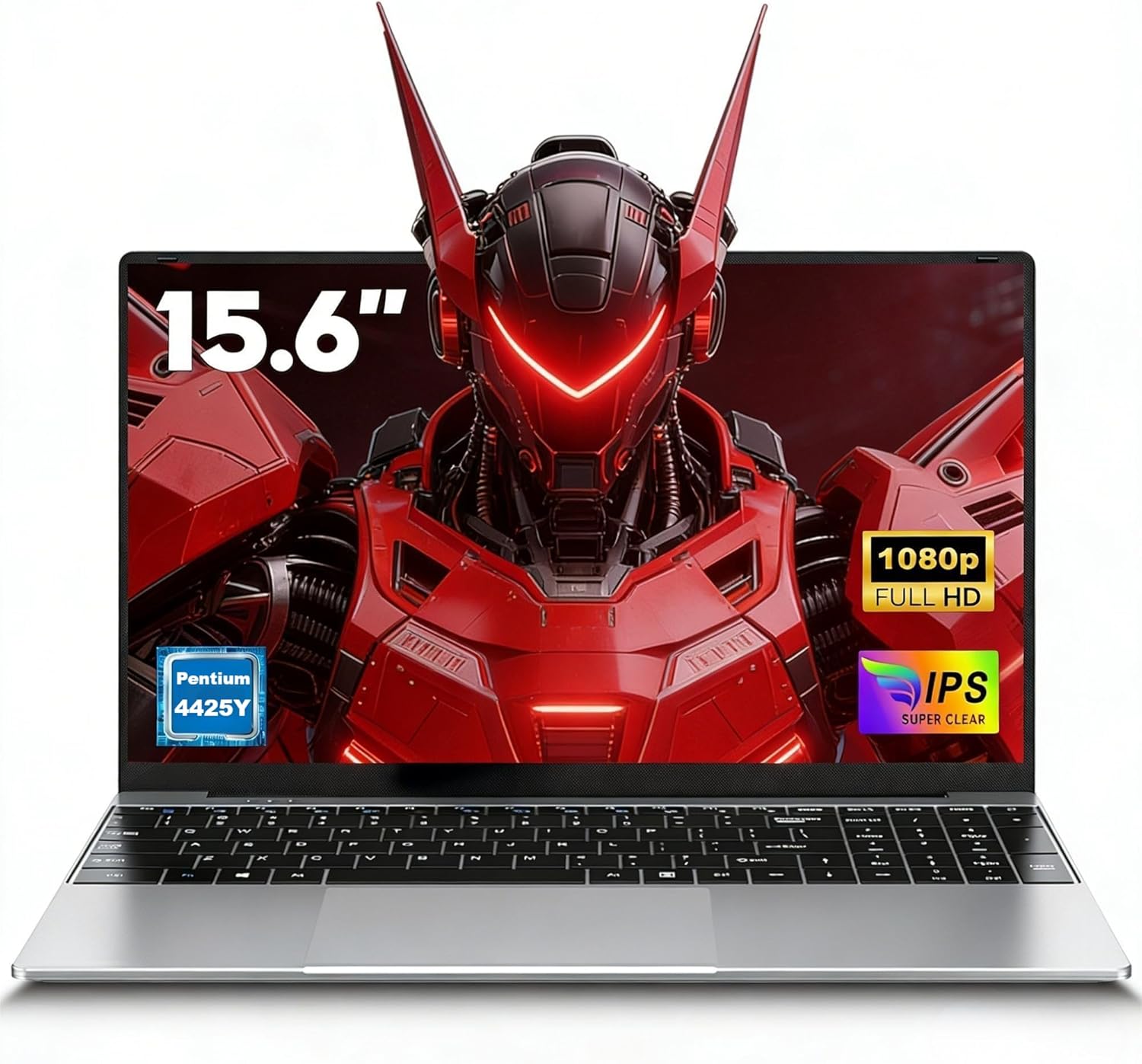
Image 1.1: The FUNYET NY-14 Laptop in a closed position, showcasinг яго элегантны дызайн.
2. Змесціва ўпакоўкі
Праверце наяўнасць усіх прадметаў у камплекце:
- 1 × FUNYET NY-14 Laptop (Intel 4425Y)
- 1 × 12V2A DC Adapter
- 1 × Інструкцыя па эксплуатацыі (гэты дакумент)
- 1 × гарантыйны талон
3. Настройка
3.1 Пачатковая зарадка і ўключэнне
- Connect the provided 12V2A DC adapter to the laptop's DC power port and a power outlet.
- Allow the laptop to charge for at least 30 minutes before initial use.
- Press and hold the power button for a few seconds until the screen illuminates to power on the device.
3.2 Operating System Setup (Windows 11 Pro)
Upon first boot, you will be guided through the Windows 11 Pro setup process. Follow the on-screen instructions to configure:
- Мова і рэгіён
- Сеткавае падключэнне (Wi-Fi)
- Microsoft account login or local account creation
- Налады прыватнасці
3.3 Keyboard Configuration
The laptop may come with a non-Italian keyboard layout. To adjust this:
- Go to Windows Settings > Time & Language > Language & Region.
- Add your preferred keyboard layout (e.g., Italian).
- Physical keyboard stickers may be provided to visually match the desired layout. Apply these carefully if needed.
4. Інструкцыя па эксплуатацыі
4.1 Кіраванне харчаваннем
- Уключэнне: Націсніце і ўтрымлівайце кнопку харчавання.
- Рэжым сну: Briefly press the power button or close the lid.
- Выключыць: Click Start > Power > Shut down in Windows.
- Перазапуск: Click Start > Power > Restart in Windows.
4.2 Дысплей і візуальныя элементы
The FUNYET NY-14 features a 15.6-inch Full HD (1920x1080) IPS display, offering clear visuals and wide viewing angles. The 180° hinge allows for flexible screen positioning, useful for sharing content.

Image 4.1: Visual representation of the 15.6-inch Full HD IPS display with features like 1920P resolution, True HD View, IPS technology, and Eyes Protection.
4.3 Падключэнне
- Wi-Fi: Supports Wi-Fi 5 (802.11ac) for stable and fast internet connection. Connect via Windows network settings.
- Bluetooth: Features Bluetooth 4.2 for connecting wireless peripherals like mice, keyboards, headphones, or speakers. Enable Bluetooth in Windows settings to pair devices.
4.4 Ports and External Devices
The laptop offers a variety of ports for connecting external devices:
- Парты USB 3.0 (x2): For high-speed data transfer with USB drives, external hard drives, and other USB peripherals.
- Міні-порт HDMI (x1): Connect to external monitors or projectors for extended display. An adapter may be required.
- Слот для карты памяці TF (MicroSD): Insert a TF (MicroSD) card for additional storage or data transfer.
- Гняздо для навушнікаў 3.5 мм: Для падлучэння навушнікаў або знешніх дынамікаў.
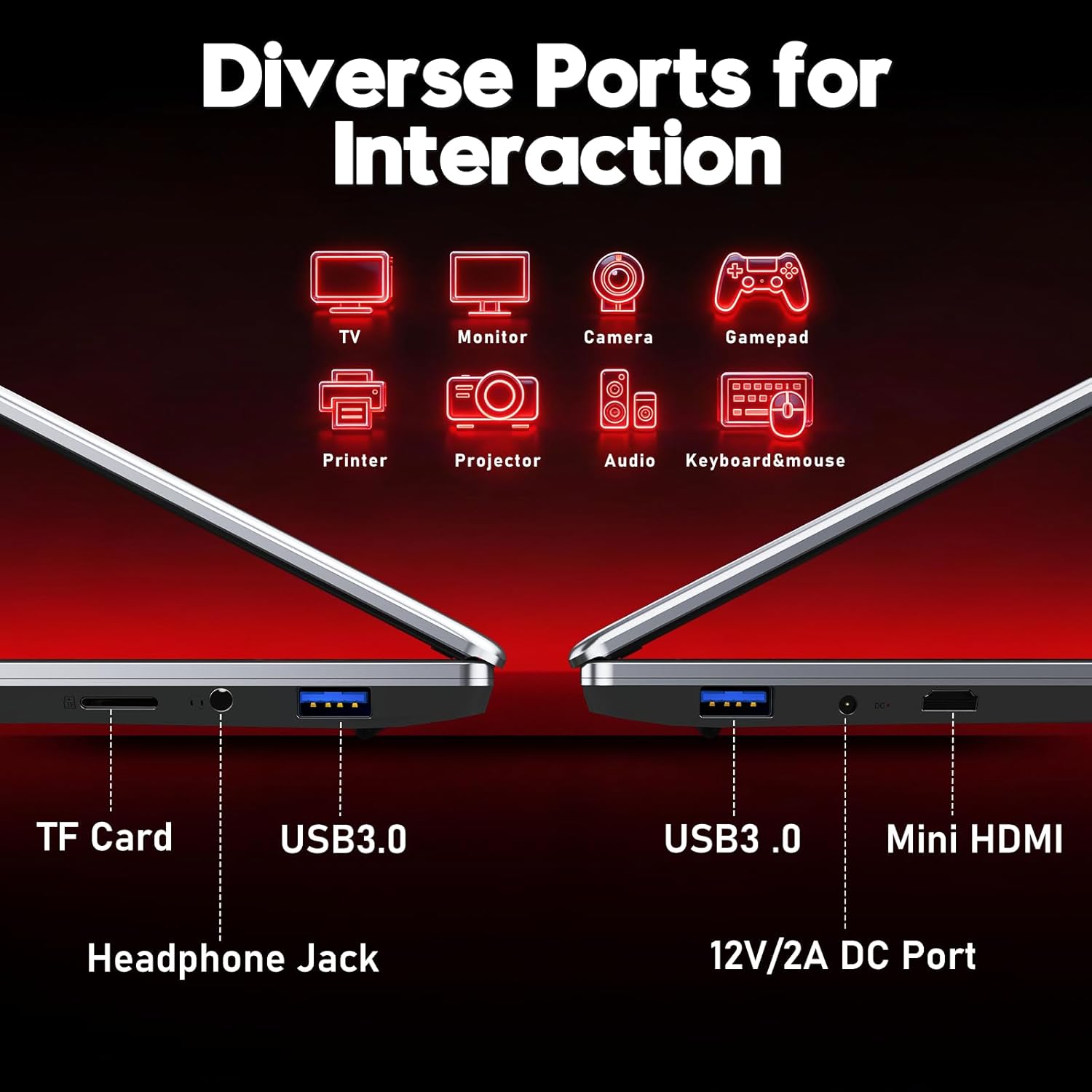
Выява 4.2: Канецview of the laptop's diverse ports, including TF Card slot, Headphone Jack, USB 3.0, Mini HDMI, and DC Power port.
4.5 Webкамера і мікрафон
The integrated 1MP front camera and microphone are suitable for video calls and online meetings.
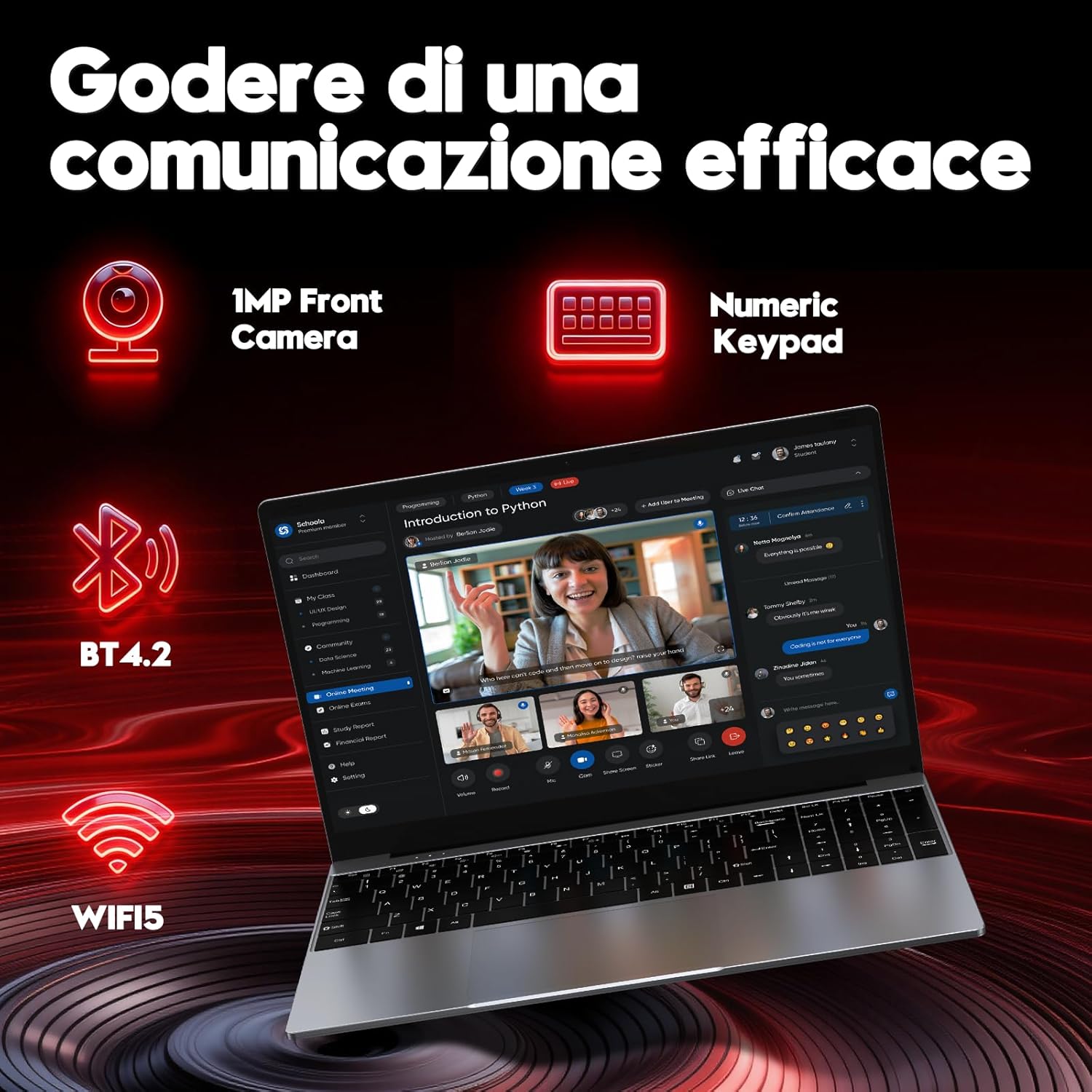
Image 4.3: Features for effective communication, highlighting the 1MP front camera, numeric keypad, Bluetooth 4.2, and Wi-Fi 5 connectivity.
4.6 Выкарыстанне батарэі
The laptop is equipped with a 5000mAh battery. For optimal battery life:
- Пазбягайце частай поўнай разрадкі акумулятара.
- Захоўвайце ноўтбук у прахалодным, сухім месцы, калі ён не выкарыстоўваецца.
- Adjust power settings in Windows to optimize battery consumption.

Image 4.4: Illustration emphasizing the 5000mAh battery capacity designed for extended use.
4.7 Клавіятура і сэнсарная панэль
The laptop features a full-size keyboard with a numeric keypad for efficient data entry. The touchpad supports multi-touch gestures for navigation.
5. Тэхнічнае абслугоўванне
5.1 Ачыстка
- Выкарыстоўвайце мяккую тканіну без ворса для чысткі экрана і вонкавых паверхняў.
- Для ўстойлівых слядоў, dampзлёгку прамакніце тканіну вадой або сродкам для ачысткі экранаў.
- Пазбягайце агрэсіўных хімічных рэчываў, абразіўных матэрыялаў або празмернай вільгаці.
5.2 Абнаўленне праграмнага забеспячэння
Рэгулярна правярайце наяўнасць абнаўленняў Windows і ўсталёўвайце іх, каб забяспечыць стабільнасць, бяспеку і прадукцыйнасць сістэмы. Перайдзіце ў раздзел «Налады» > «Цэнтр абнаўлення Windows».
5.3 Кіраванне сховішчам
The 256GB SSD provides fast performance. To maintain optimal speed:
- Avoid filling the SSD to full capacity. Leave some free space for system operations.
- Рэгулярна выдаляйце непатрэбнае fileі выдаліце невыкарыстоўваныя праграмы.
6. Выпраўленне непаладак
У гэтым раздзеле разглядаюцца распаўсюджаныя праблемы, з якімі вы можаце сутыкнуцца.
6.1 Праблемы з харчаваннем
- Ноўтбук не ўключаецца: Пераканайцеся, што адаптар сілкавання надзейна падключаны, а акумулятар дастаткова зараджаны. Паспрабуйце ўтрымліваць кнопку харчавання 10-15 секунд для апаратнага перазагрузкі.
- Хутка разраджаецца батарэя: Check power settings in Windows. Reduce screen brightness, close unnecessary applications, and disconnect unused peripherals.
6.2 Праблемы з дысплеем
- Няма адлюстравання: Connect an external monitor via Mini HDMI to check if the issue is with the laptop's screen or the system.
- Мігценне экрана: Update graphics drivers or adjust display refresh rate in Windows settings.
6.3 Праблемы з падключэннем
- Wi-Fi не падключаецца: Пераканайцеся, што Wi-Fi уключаны ў наладах Windows. Перазагрузіце маршрутызатар і ноўтбук.
- Прылада Bluetooth не спалучаецца: Ensure Bluetooth is enabled on both devices and they are in pairing mode. Remove and re-add the device in Windows settings.
6.4 System Errors
- Frequent crashes or blue screens: This can indicate software conflicts or hardware issues. Try reinstalling Windows if the problem persists after driver updates. If the issue continues, contact support.
7. Тэхнічныя характарыстыкі
Detailed technical specifications for the FUNYET NY-14 Laptop (Intel 4425Y).

Выява 7.1: Канецview of key specifications including processor, ports, display, battery, and graphics.
| Асаблівасць | Спецыфікацыя |
|---|---|
| Марка | ФУНЬЕТ |
| Назва мадэлі | NY-14 |
| Працэсар | Intel Core 4425Y (1.7 GHz) |
| Ядры/патокі працэсара | 2 ядраў / 4 патокаў |
| АЗП | 8 ГБ DDR3 SDRAM |
| Захоўванне | 256 GB SSD (eSATA Interface) |
| Памер дысплея | 15.6 цалі |
| Дазвол дысплея | 1920 x 1080 Pixels (Full HD IPS) |
| Графіка | Убудаваная графіка Intel UHD Graphics 615 |
| Аперацыйная сістэма | Windows 11 Pro |
| Бесправоднае падключэнне | Wi-Fi 5 (802.11ac), Bluetooth 4.2 |
| Парты | 2x USB 3.0, 1x Mini HDMI, 1x DC Power, 1x 3.5mm Headphone Jack, 1x TF Card Slot |
| Ёмістасць батарэі | 5000 мАг |
| Вага | 1.6 кілаграма |
| Колер | Серабро |
| Асаблівасці | HD Audio, Lightweight, Memory card slot, Numeric keypad, 180° hinge |
8. Гарантыя і падтрымка
8.1 Інфармацыя аб гарантыі
Your FUNYET NY-14 Laptop comes with a warranty. Please refer to the included Warranty Card for details on coverage, terms, and conditions. Keep your proof of purchase for warranty claims.
8.2 Тэхнічная падтрымка
For technical assistance or if you encounter issues not covered in this manual, please contact the seller, Caiyue Electronics, through the Amazon platform. They can provide support and guidance for your device.


