
Уводзіны
The LOFREE Pudding Dual Mode Wireless Mouse (Model OE929) is designed for versatile use across various operating systems and devices. It offers both Bluetooth and 2.4G wireless connectivity, adjustable DPI settings, and a comfortable, ergonomic design. This manual provides instructions for setup, operation, maintenance, and troubleshooting to ensure optimal performance of your device.
Змест пакета
- LOFREE Pudding Dual Mode Wireless Mouse
- USB-прыёмнік (2.4 ГГц)
- Charging Cable (USB-C to USB-A, typically)
- Кіраўніцтва карыстальніка
Прадукт скончаныview
The LOFREE Pudding mouse features a unique transparent texture and an ergonomic design for comfortable use. It includes an adjustable ambient light feature and a scroll wheel with integrated button functionality.

выява: The LOFREE Pudding mouse showcasing its high transparency texture and sleek design.

выява: A hand holding the LOFREE Pudding mouse, illustrating its comfortable, skin-like touch and ergonomic grip.
Настройка
1. Зарадка мышы
Before first use, ensure the mouse is fully charged. Connect the provided charging cable to the mouse's charging port and to a USB power source. The ambient light may indicate charging status (e.g., breathing light while charging, solid when full).

выява: The LOFREE Pudding mouse, highlighting its approximately 100 hours of battery life on a single charge.
2. Двухрэжымнае падключэнне
The mouse supports two wireless connection methods: 2.4G via USB receiver and Bluetooth.
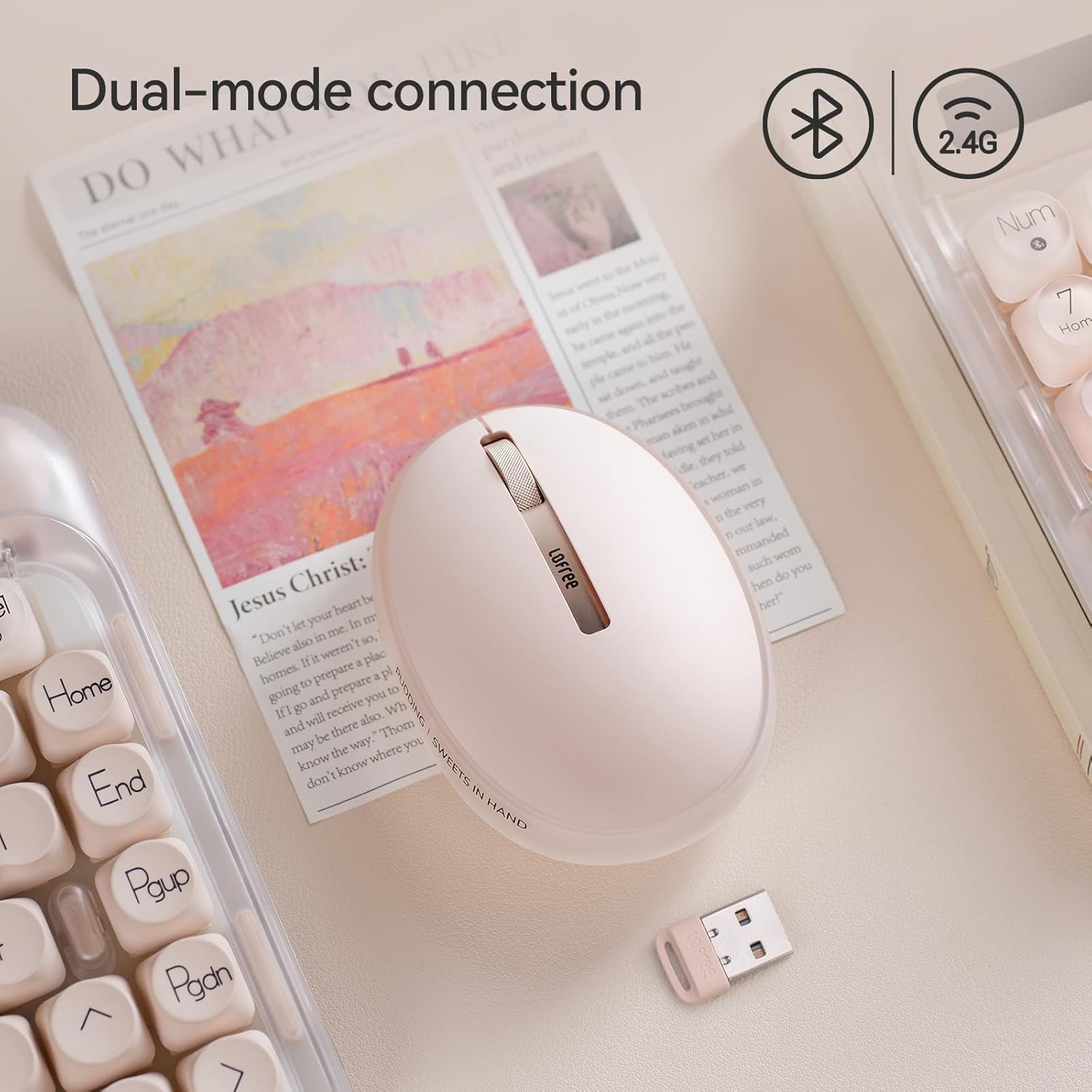
выява: The LOFREE Pudding mouse demonstrating its dual-mode connection capability, supporting both Bluetooth and 2.4G wireless technologies.
2.1. Бесправадное злучэнне 2.4G
- Locate the USB receiver, typically stored in a compartment on the mouse or in the packaging.
- Падключыце USB-прыёмнік да вольнага порта USB на вашым кампутары.
- Turn on the mouse. The computer should automatically detect and install the necessary drivers.
- Заўвага: For systems below Windows 7, the 2.4G connection is recommended as Bluetooth mode may not be supported.
2.2. Злучэнне Bluetooth
- Пераканайцеся, што на вашай прыладзе ўключаны Bluetooth.
- Switch the mouse to Bluetooth mode (refer to the mouse's bottom switch or button for mode selection).
- On your device, search for Bluetooth devices. The mouse should appear as "LOFREE Pudding Mouse" or similar.
- Select the mouse to pair. Follow any on-screen prompts to complete the pairing process.
3. Сумяшчальнасць
The LOFREE Pudding mouse is compatible with a wide range of operating systems and devices, including:
- Windows (Windows 7 and above for Bluetooth)
- macOS
- iOS
- Android
- PC, Mac, Laptop, and other compatible devices.
Інструкцыя па эксплуатацыі
1. Adjusting DPI Levels
The mouse features 5 adjustable DPI levels to suit different tasks and preferences. You can cycle through these settings by pressing the DPI button, usually located near the scroll wheel or on the bottom of the mouse.
- Available DPI settings: 600, 800, 1200, 1600, 3600.
- Press the DPI button to switch between levels. The mouse cursor speed will change accordingly.

выява: A hand demonstrating the adjustment of DPI levels on the LOFREE Pudding mouse, with available settings of 600, 800, 1200, 1600, and 3600.
2. Рэжымы навакольнага асвятлення
The mouse is equipped with an adjustable ambient light feature, offering two modes:
- Constant Always On: The light remains steadily illuminated.
- Рэжым дыхання: The light gently pulses on and off.
To switch between these modes, refer to the dedicated light control button or combination of buttons on the mouse. In dormant state, the ambient light will turn off and can be reactivated by clicking any button on the mouse.

выява: The LOFREE Pudding mouse displaying its adjustable ambient light feature, with options for "Always On" or "Breathing" modes.
3. Кіраванне харчаваннем
The mouse is designed to conserve battery life. It will enter a dormant state after a period of inactivity, turning off the ambient light. To wake the mouse, simply click any button.
Тэхнічнае абслугоўванне
1. Уборка
- Use a soft, dry, lint-free cloth to clean the mouse surface.
- Для ўстойлівага бруду злёгку ачысціцеampen тканіна з вадой або мяккім неабразіўным ачышчальнікам.
- Пазбягайце выкарыстання агрэсіўных хімікатаў, растваральнікаў або абразіўных матэрыялаў, бо яны могуць пашкодзіць пакрыццё мышы.
- Сачыце за трапленнем вадкасці ва ўнутраныя кампаненты мышы.
2. Сыход за батарэяй
- Charge the mouse regularly to maintain battery health.
- Пазбягайце частай поўнай разрадкі акумулятара.
- If storing the mouse for an extended period, charge it to approximately 50% to prevent deep discharge.
Ліквідацыю непаладак
Мыш не рэагуе / адключаецца
- Праверце акумулятар: Ensure the mouse is charged. Connect it to a power source.
- Падключэнне 2.4G:
- Пераканайцеся, што USB-прыёмнік надзейна падключаны да спраўнага USB-порта.
- Паспрабуйце іншы порт USB.
- Ensure the mouse is switched to 2.4G mode.
- Злучэнне Bluetooth:
- Пераканайцеся, што Bluetooth уключаны на вашай прыладзе.
- Ensure the mouse is switched to Bluetooth mode.
- Unpair and re-pair the mouse from your device's Bluetooth settings.
- Ensure your device's operating system supports Bluetooth for mice (e.g., Windows versions below 7 may have limited support).
- Перашкоды: Move the mouse closer to the receiver/device. Avoid using it near other wireless devices that might cause interference.
DPI не змяняецца
- Пераканайцеся, што вы націскаеце правільную кнопку рэгулявання DPI.
- If the mouse is unresponsive, try restarting it (turn off and on).
Ambient Light Not Working
- Check if the mouse is in a dormant state; click a button to wake it.
- Пераканайцеся, што акумулятар дастаткова зараджаны.
- Verify you are using the correct button or combination to cycle through light modes.
Тэхнічныя характарыстыкі
| Асаблівасць | Дэталь |
|---|---|
| Нумар мадэлі | OE929 |
| Тэхналогія падлучэння | Bluetooth, 2.4G Radio Frequency |
| Тэхналогія выяўлення руху | Аптычны |
| Ўзроўні DPI | 600, 800, 1200, 1600, 3600 (Adjustable) |
| Ёмістасць батарэі | 500 мАг |
| Тэрмін службы батарэі | Прыкладна 100 гадзіны |
| Асаблівасці | LED Lights (Ambient), Lightweight, Rechargeable, Wireless |
| Сумяшчальнасць | Windows, macOS, iOS, Android (PC, Mac, Laptop) |
| Вага прадмета | 8.9 унцыі |
| Памеры ўпакоўкі | 5.2 х 4.13 х 2.4 цалі |
Гарантыя і падтрымка
LOFREE products are manufactured to high-quality standards. For warranty information, technical support, or service inquiries, please refer to the official LOFREE webсайт або звярніцеся непасрэдна ў службу падтрымкі кліентаў. Захоўвайце чэк аб куплі для прэтэнзій па гарантыі.
Для атрымання дадатковай інфармацыі наведайце LOFREE Store on Amazon.